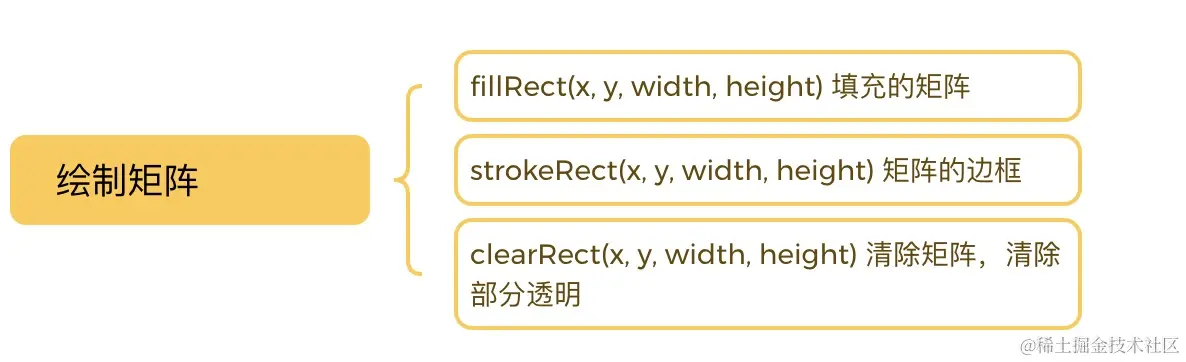
绘制矩阵
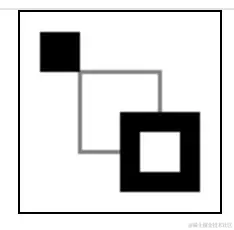
const canvas1 = ref(null)
const rest = () => {
  const ctx: CanvasRenderingContext2D = canvas1.value.getContext("2d")
  ctx.fillRect(10, 10, 20, 20)
  ctx.strokeRect(30, 30, 40, 40)

  ctx.fillRect(50, 50, 40, 40)
  ctx.clearRect(60, 60, 20, 20)
}
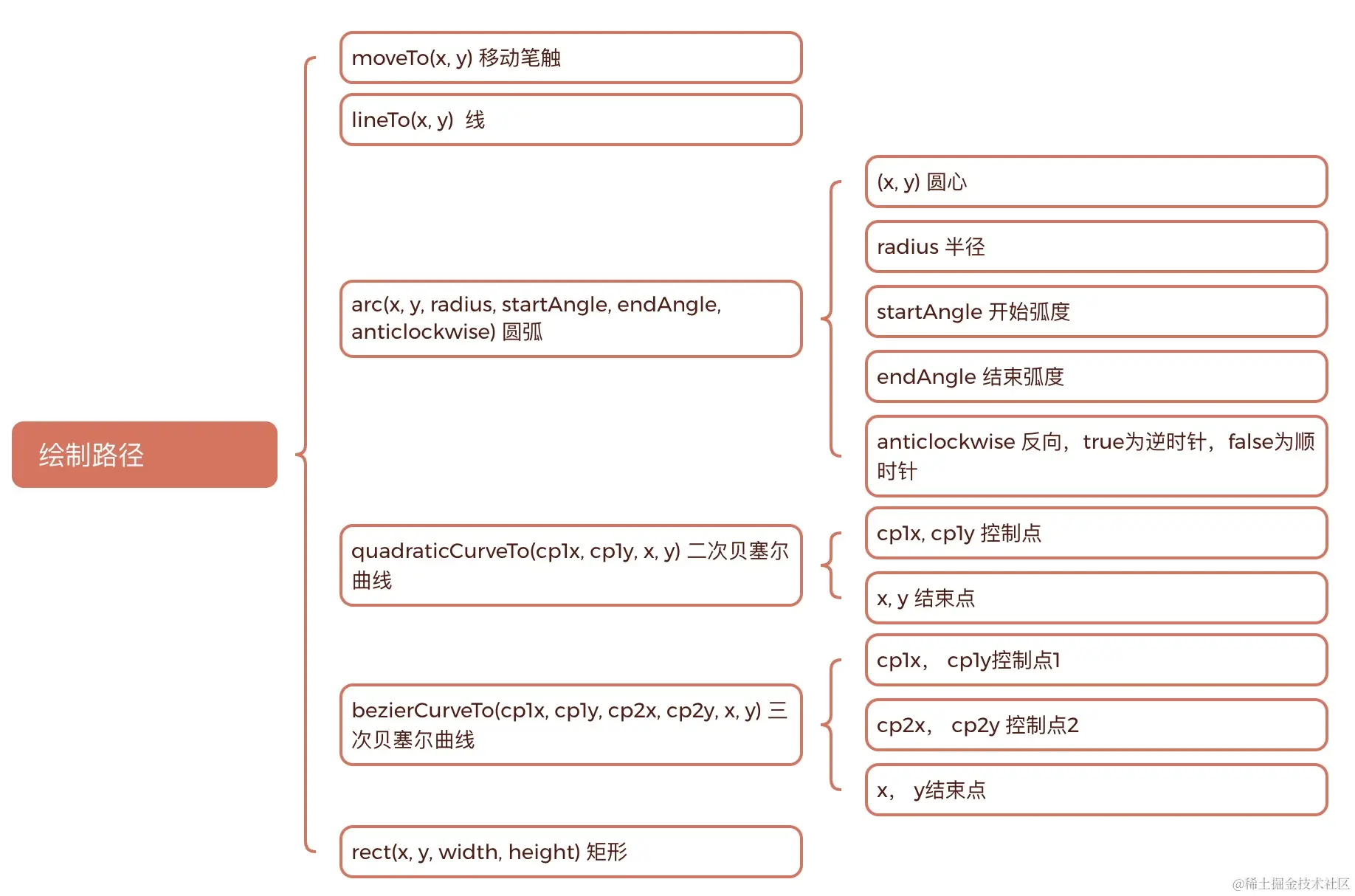
绘制路径
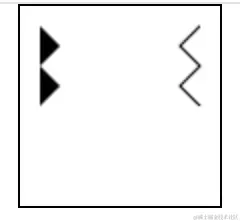
绘制直线
const canvas2 = ref(null)
const line = () => {
  const ctx: CanvasRenderingContext2D = canvas2.value.getContext("2d")
  ctx.beginPath()
  ctx.moveTo(10, 10)
  ctx.lineTo(20, 20)
  ctx.lineTo(10, 30)
  ctx.lineTo(20, 40)
  ctx.lineTo(10, 50)
  ctx.fill()

  ctx.beginPath()
  ctx.moveTo(90, 10)
  ctx.lineTo(80, 20)
  ctx.lineTo(90, 30)
  ctx.lineTo(80, 40)
  ctx.lineTo(90, 50)
  ctx.stroke()
}
绘制圆
const canvas3 = ref(null)
const arc = () => {
  const ctx: CanvasRenderingContext2D = canvas3.value.getContext("2d")
  ctx.arc(50, 50, 50, 0, (Math.PI / 180) * 180, false)
  ctx.stroke()

  ctx.beginPath()
  ctx.arc(50, 50, 40, 0, (Math.PI / 180) * 90, false)
  ctx.stroke()

  ctx.beginPath()
  ctx.arc(50, 50, 20, 0, (Math.PI / 180) * 360, false)
  ctx.fill()
}
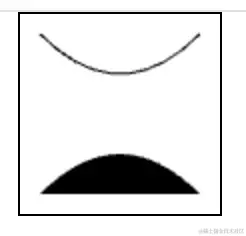
绘制二次贝塞尔曲线
const canvas4 = ref(null)
const quadraticCurve = () => {
  const ctx: CanvasRenderingContext2D = canvas4.value.getContext("2d")
  ctx.beginPath()
  ctx.moveTo(10, 10)
  ctx.quadraticCurveTo(50, 50, 90, 10)
  ctx.stroke()

  ctx.beginPath()
  ctx.moveTo(10, 90)
  ctx.quadraticCurveTo(50, 50, 90, 90)
  ctx.fill()
}
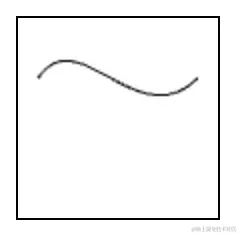
绘制三次贝塞尔曲线
const canvas5 = ref(null)
const bezierCurve = () => {
  const ctx: CanvasRenderingContext2D = canvas5.value.getContext("2d")
  ctx.beginPath()
  ctx.moveTo(10, 30)
  ctx.bezierCurveTo(30, 0, 60, 60, 90, 30)
  ctx.stroke()
}
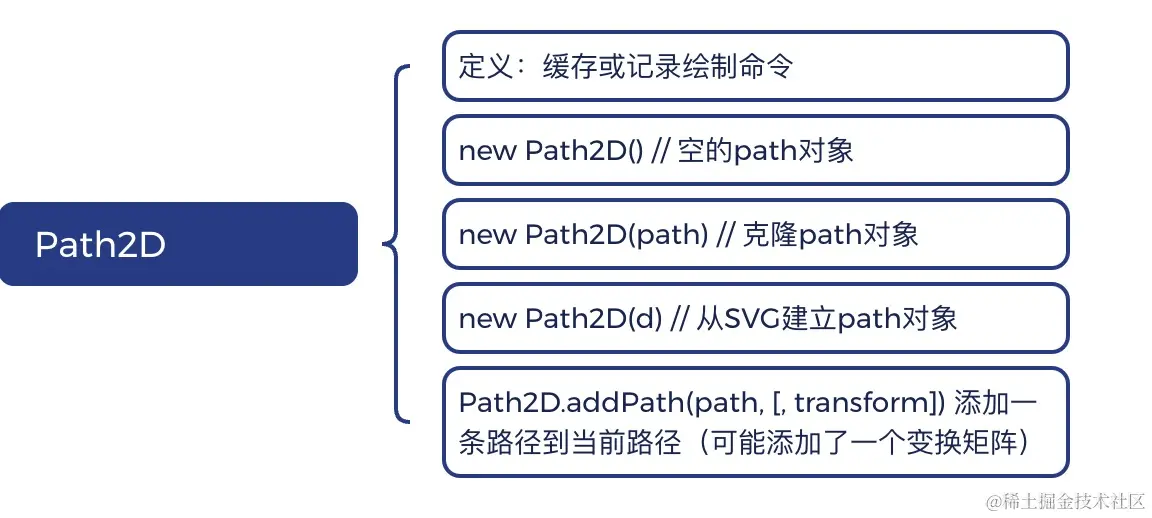
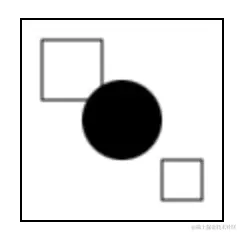
Path2D
const canvas6 = ref(null)
const path2DDemo = () => {
const ctx: CanvasRenderingContext2D = canvas6.value.getContext("2d")
const rectangle = new Path2D()
rectangle.rect(10, 10, 30, 30)
const circle = new Path2D()
circle.arc(50, 50, 20, 0, (Math.PI / 180) * 360, false)
ctx.stroke(rectangle)
ctx.fill(circle)
const p = new Path2D("M 70 70 h 20 v 20 h -20 Z")
ctx.stroke(p)
}
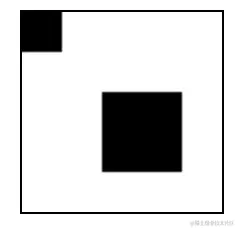
const canvas7 = ref(null)
const addPathDemo = () => {
const ctx: CanvasRenderingContext2D = canvas7.value.getContext("2d")
let p1 = new Path2D()
p1.rect(0, 0, 20, 20)
let p2 = new Path2D()
p2.rect(0, 0, 40, 40)
let m = new DOMMatrix()
m.a = 1
m.b = 0
m.c = 0
m.d = 1
m.e = 40
m.f = 40
p1.addPath(p2, m)
ctx.fill(p1)
}
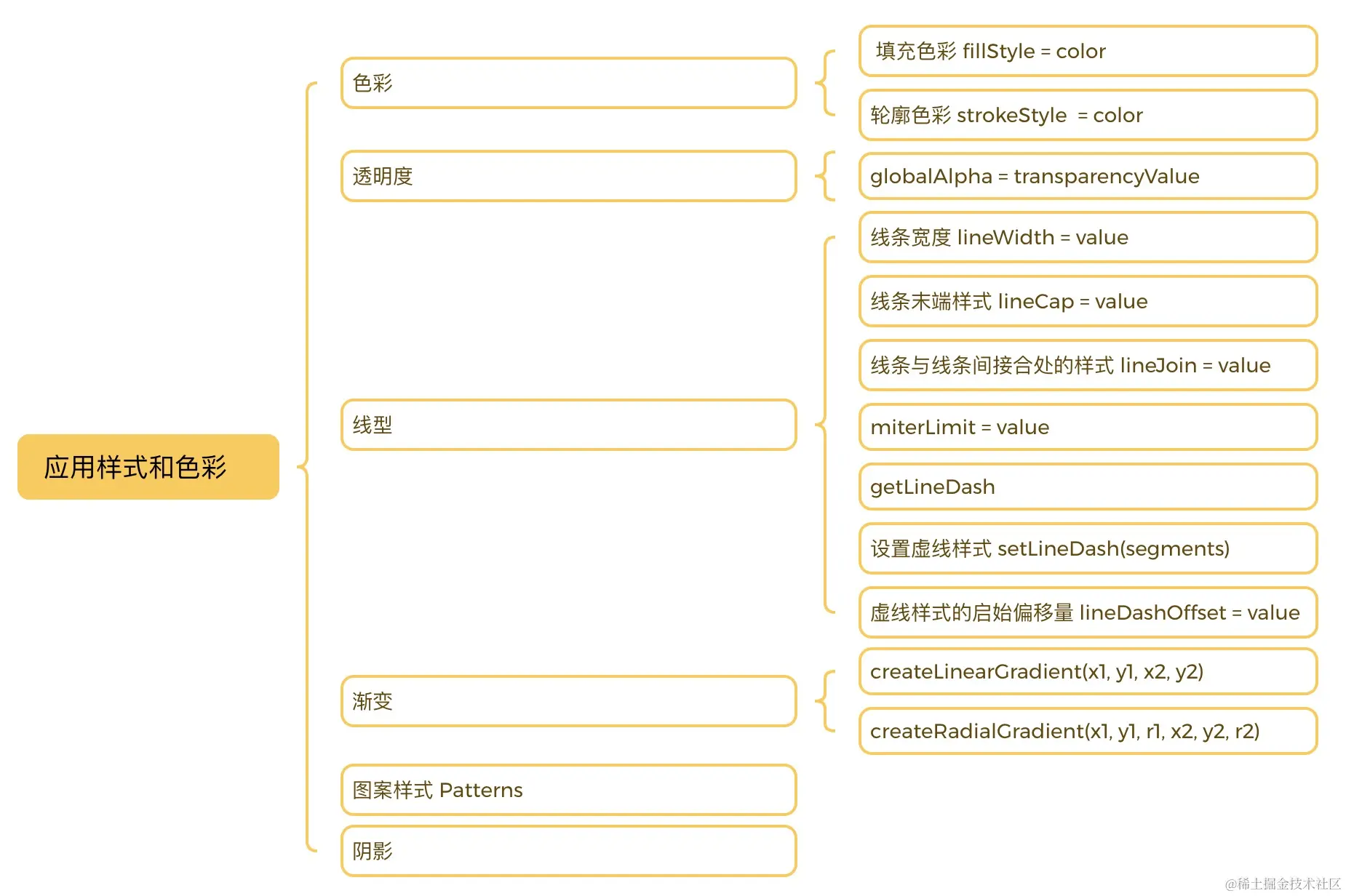
应用样式和色彩
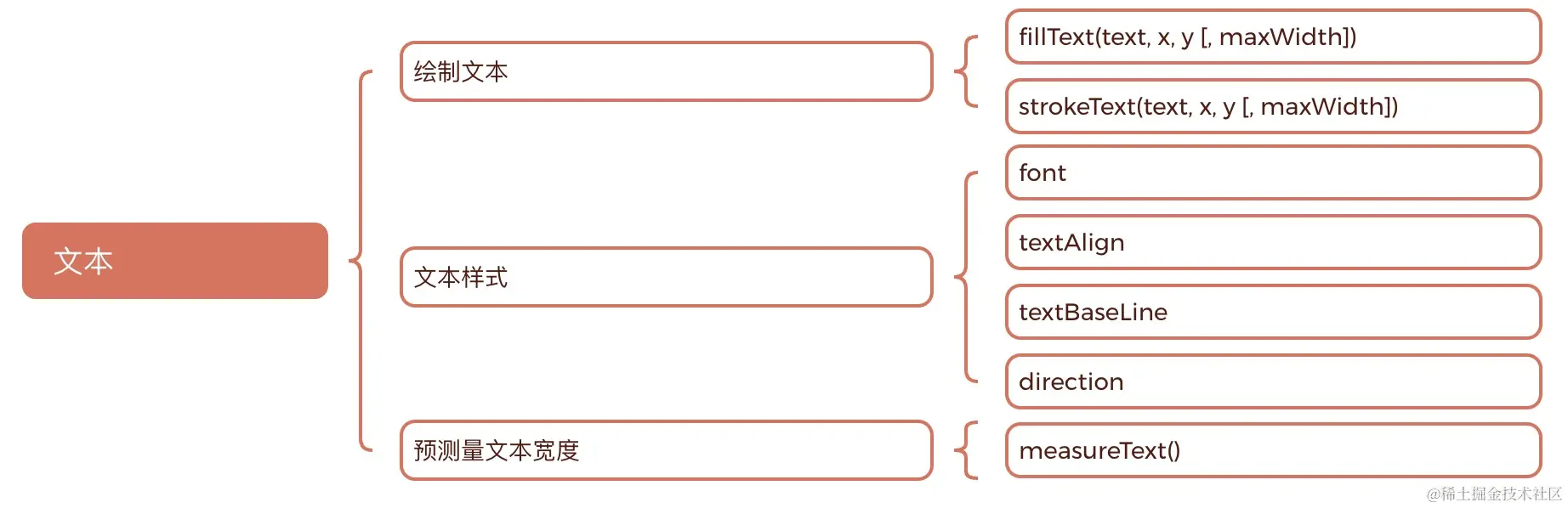
绘制文本
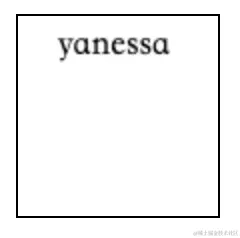
const canvas21 = ref(null)
const fillText = () => {
const ctx: CanvasRenderingContext2D = canvas21.value.getContext("2d")
ctx.font = "18px serif"
ctx.fillText("yanessa", 20, 20)
const text = ctx.measureText("yaness")
console.log(text)
}
状态的保存和恢复

变形
移动
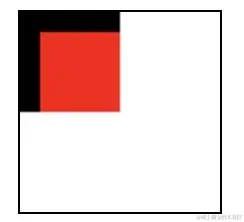
const canvas11 = ref(null)
const translate = () => {
const ctx: CanvasRenderingContext2D = canvas11.value.getContext("2d")
ctx.save()
ctx.fillRect(0, 0, 50, 50)
ctx.translate(10, 10)
ctx.fillStyle = "red"
ctx.fillRect(0, 0, 40, 40)
ctx.restore()
}
旋转
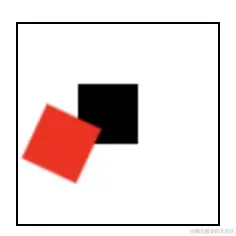
const canvas12 = ref(null)
const rotate = () => {
const ctx: CanvasRenderingContext2D = canvas12.value.getContext("2d")
ctx.save()
ctx.fillRect(30, 30, 30, 30)
ctx.rotate((Math.PI / 180) * 25)
ctx.fillStyle = "red"
ctx.fillRect(30, 30, 30, 30)
ctx.restore()
}
缩放
const canvas13 = ref(null)
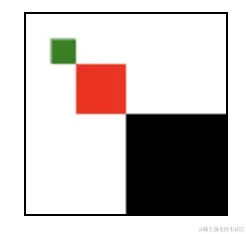
const scale = () => {
  const ctx: CanvasRenderingContext2D = canvas13.value.getContext("2d")
  ctx.save()
  ctx.fillRect(50, 50, 50, 50)

  ctx.scale(0.5, 0.5)

  ctx.fillStyle = "red"
  ctx.fillRect(50, 50, 50, 50)
  ctx.restore()

  ctx.scale(0.25, 0.25)
  ctx.fillStyle = "green"
  ctx.fillRect(50, 50, 50, 50)
  ctx.restore()
}
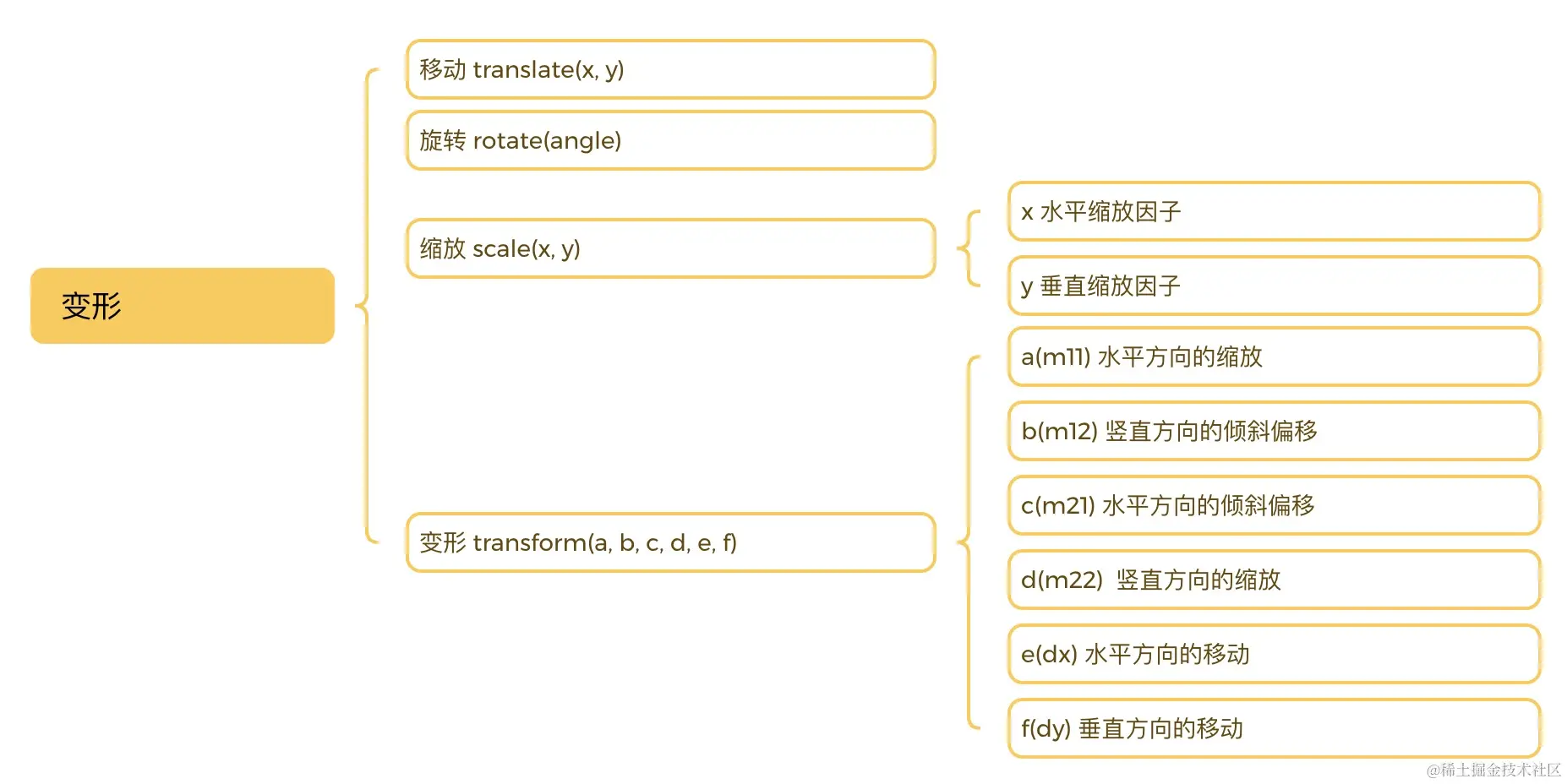
变形
const canvas14 = ref(null)
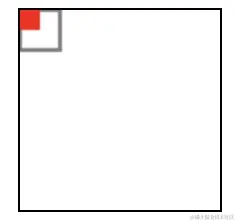
const transform1 = () => {
const ctx: CanvasRenderingContext2D = canvas14.value.getContext("2d")
ctx.save()
ctx.strokeRect(0, 0, 20, 20)
ctx.transform(0.5, 0, 0, 0.5, 0, 0)
ctx.fillStyle = "red"
ctx.fillRect(0, 0, 20, 20)
ctx.restore()
}
const canvas15 = ref(null)
const transform2 = () => {
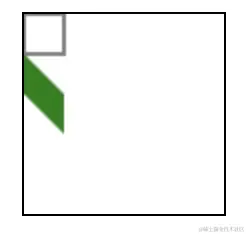
const ctx: CanvasRenderingContext2D = canvas15.value.getContext("2d")
ctx.save()
ctx.strokeRect(0, 0, 20, 20)
ctx.transform(1, 1, 0, 1, 0, 20)
ctx.fillStyle = "green"
ctx.fillRect(0, 0, 20, 20)
ctx.restore()
}
const canvas16 = ref(null)
const transform3 = () => {
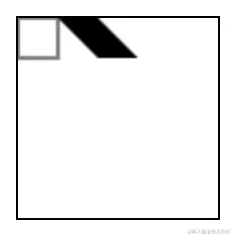
const ctx: CanvasRenderingContext2D = canvas16.value.getContext("2d")
ctx.save()
ctx.strokeRect(0, 0, 20, 20)
ctx.transform(1, 0, 1, 1, 20, 0)
ctx.fillRect(0, 0, 20, 20)
ctx.restore()
}
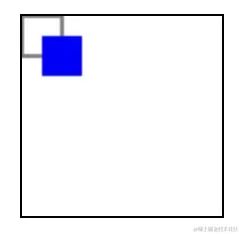
const canvas17 = ref(null)
const transform4 = () => {
const ctx: CanvasRenderingContext2D = canvas17.value.getContext("2d")
ctx.save()
ctx.strokeRect(0, 0, 20, 20)
ctx.transform(1, 0, 0, 1, 10, 10)
ctx.fillStyle = "blue"
ctx.fillRect(0, 0, 20, 20)
ctx.restore()
}
简单动画
const canvas31 = ref(null)
let r = 0
const animate = () => {
const ctx: CanvasRenderingContext2D = canvas31.value.getContext("2d")
ctx.clearRect(0, 0, 100, 100)
ctx.beginPath()
ctx.arc(50, 50, r, 0, (Math.PI / 180) * 360)
ctx.closePath()
ctx.fillStyle = "red"
ctx.fill()
if (r >= 50) r = 0
r += 1
console.log(r)
window.requestAnimationFrame(animate)
}