

基础检测函数
IsWalkable
函数UCharacterMovementComponent::IsWalkable, 用于表示碰撞体表面是否可以行走.
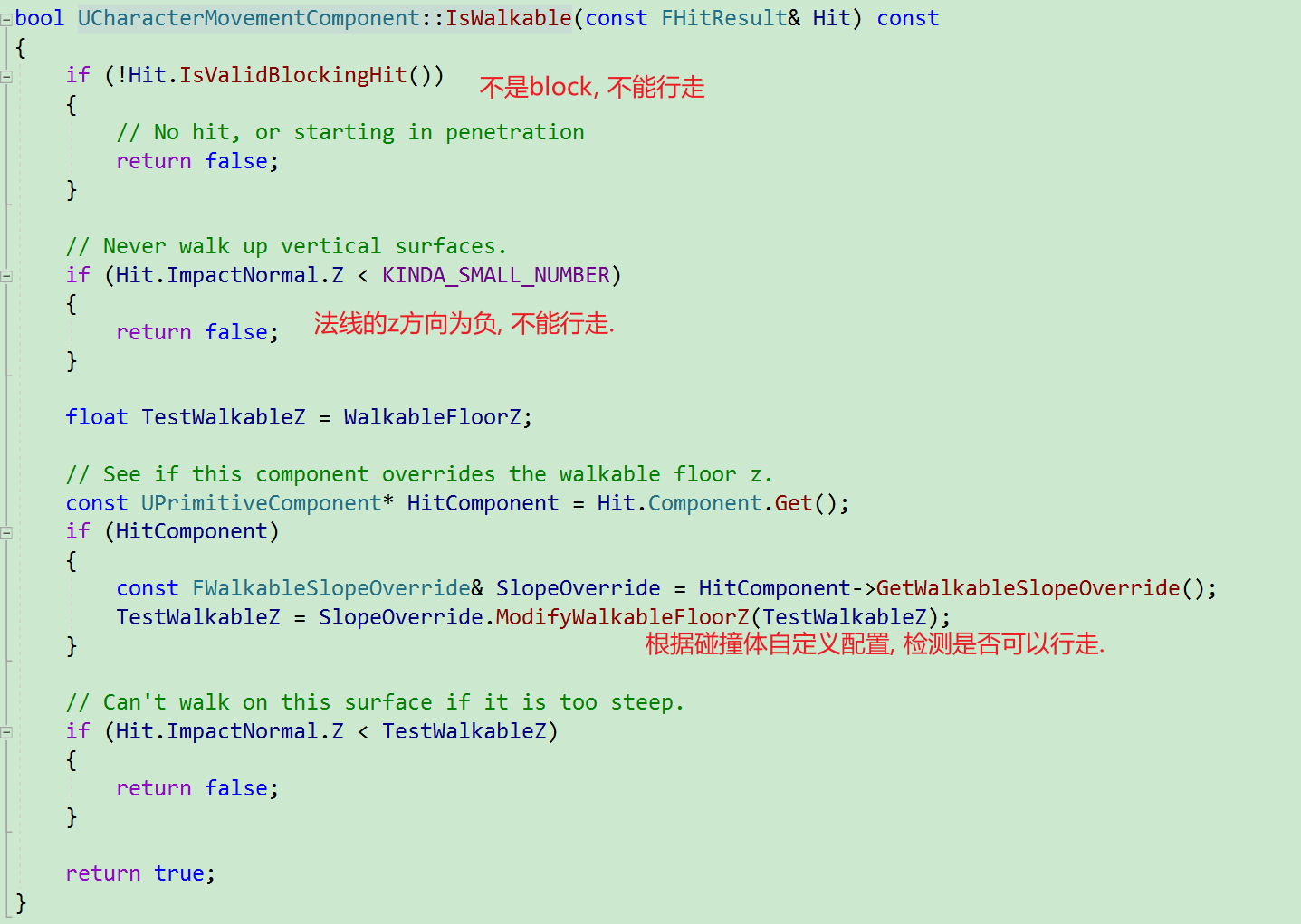
作单位球, 球面上点的z值可以当做法线中的z值. 过点A的切面可以被当做法线对应的面. 这样可以直观的想象到是Hit所对应的斜面到底是什么. 这样也可以直观观测到什么样的斜面才能行走. 显然法线朝下(z小于等于0)的时候, 该面不可以行走.(一个平面可以分成正面和背面, 显然背面不可行走).
IsWithinEdgeTolerance
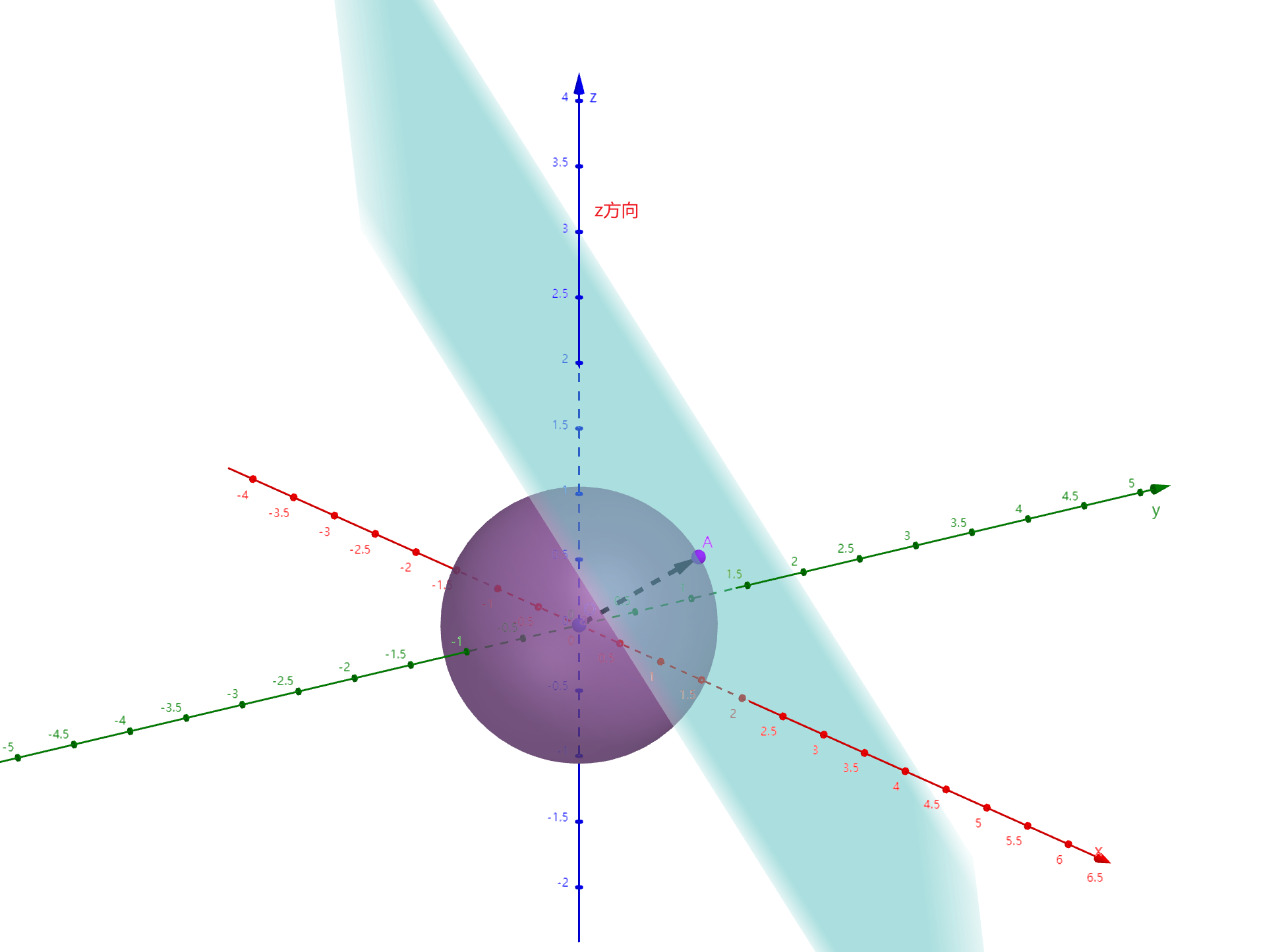
碰撞点距离胶囊体轴心一定距离内, 才能站立, 否则会掉下去.

TwoWallAdjust
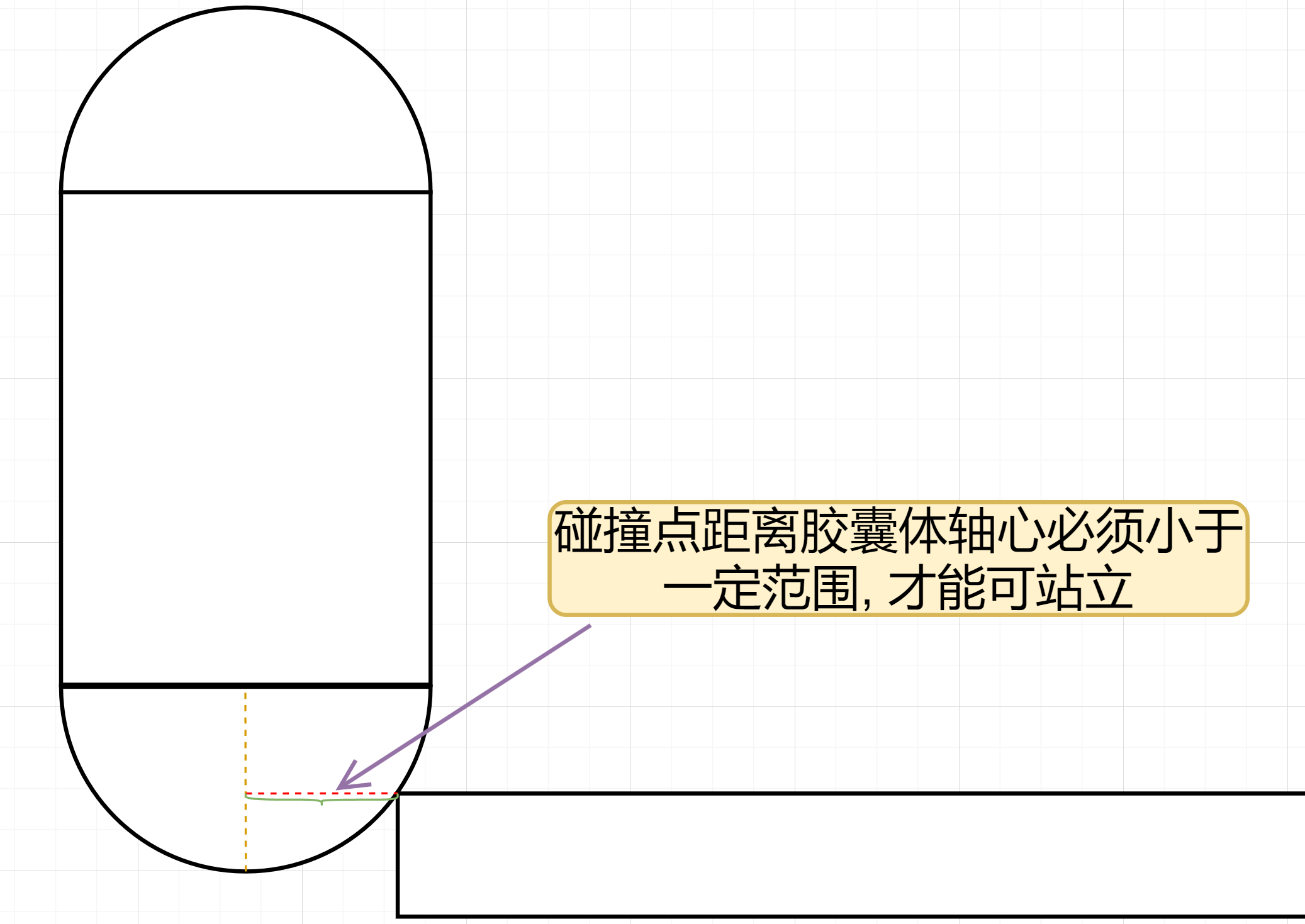
其处理的是遇到两面墙需要怎么继续走的问题. 物理查询次数:0
- 两堵墙夹角大于, 沿着新墙壁继续行走:
- 两堵墙夹角小于, 如果可以走上新墙, 则沿着新墙壁继续行走:
UMovementComponent::TwoWallAdjust
//Compute a movement direction when contacting two surfaces.
//@param Delta:		[In] Amount of move attempted before impact. [Out] Computed adjustment based on impacts.
//@param Hit:			Impact from last attempted move
//@param OldHitNormal:	Normal of impact before last attempted move
//@return Result in Delta that is the direction to move when contacting two surfaces.
// 当接触两面墙的时候, 计算出移动方向
// Delta: 输入:在碰撞前尝试移动的数量 输出: 基于碰撞调整后的移动
// Hit: 上一次尝试碰撞后产生的Hit
// OldHitNormal: 倒数第二次碰撞的法线
virtual void TwoWallAdjust(FVector &Delta, const FHitResult& Hit, const FVector &OldHitNormal) const;
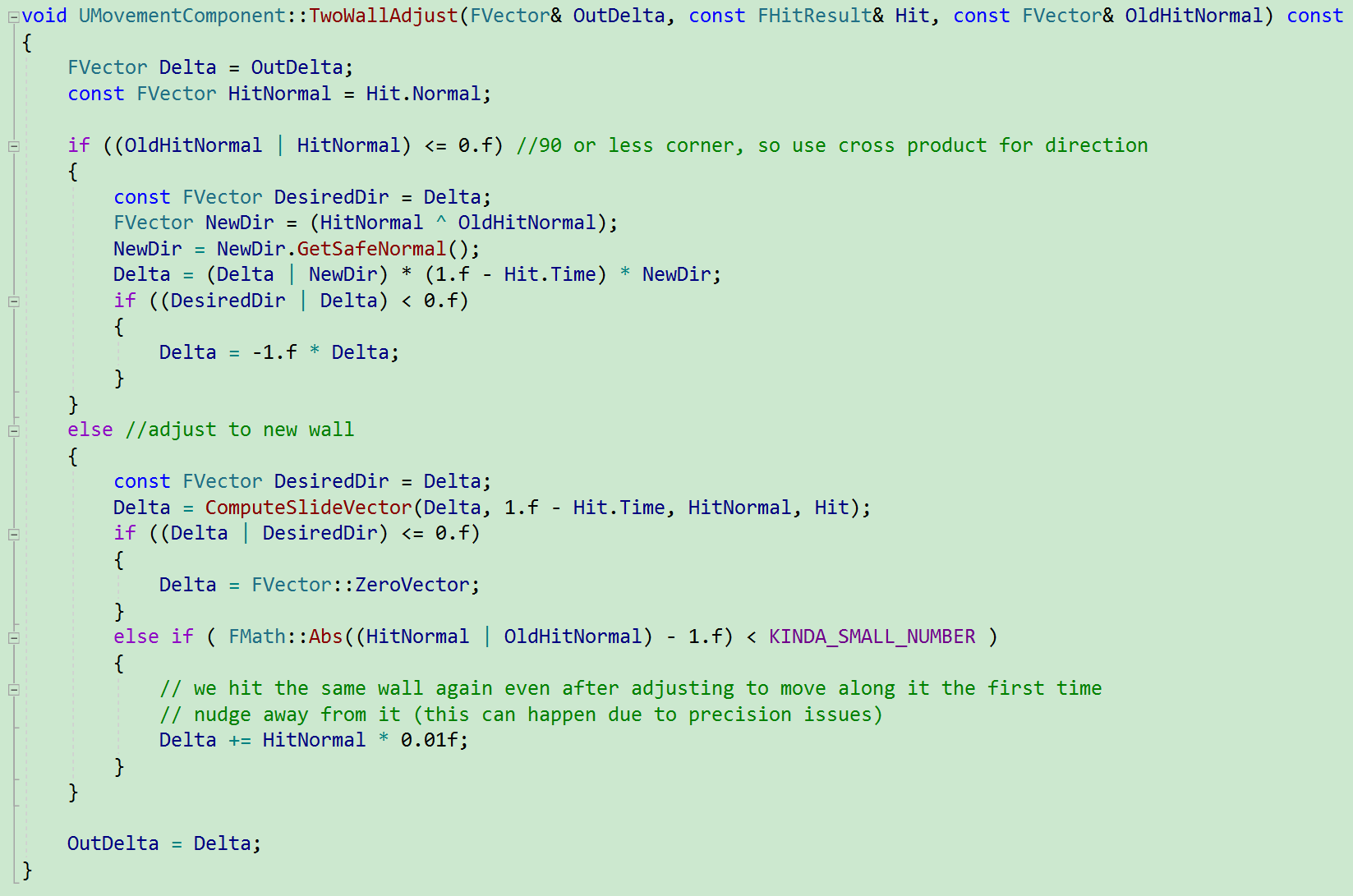
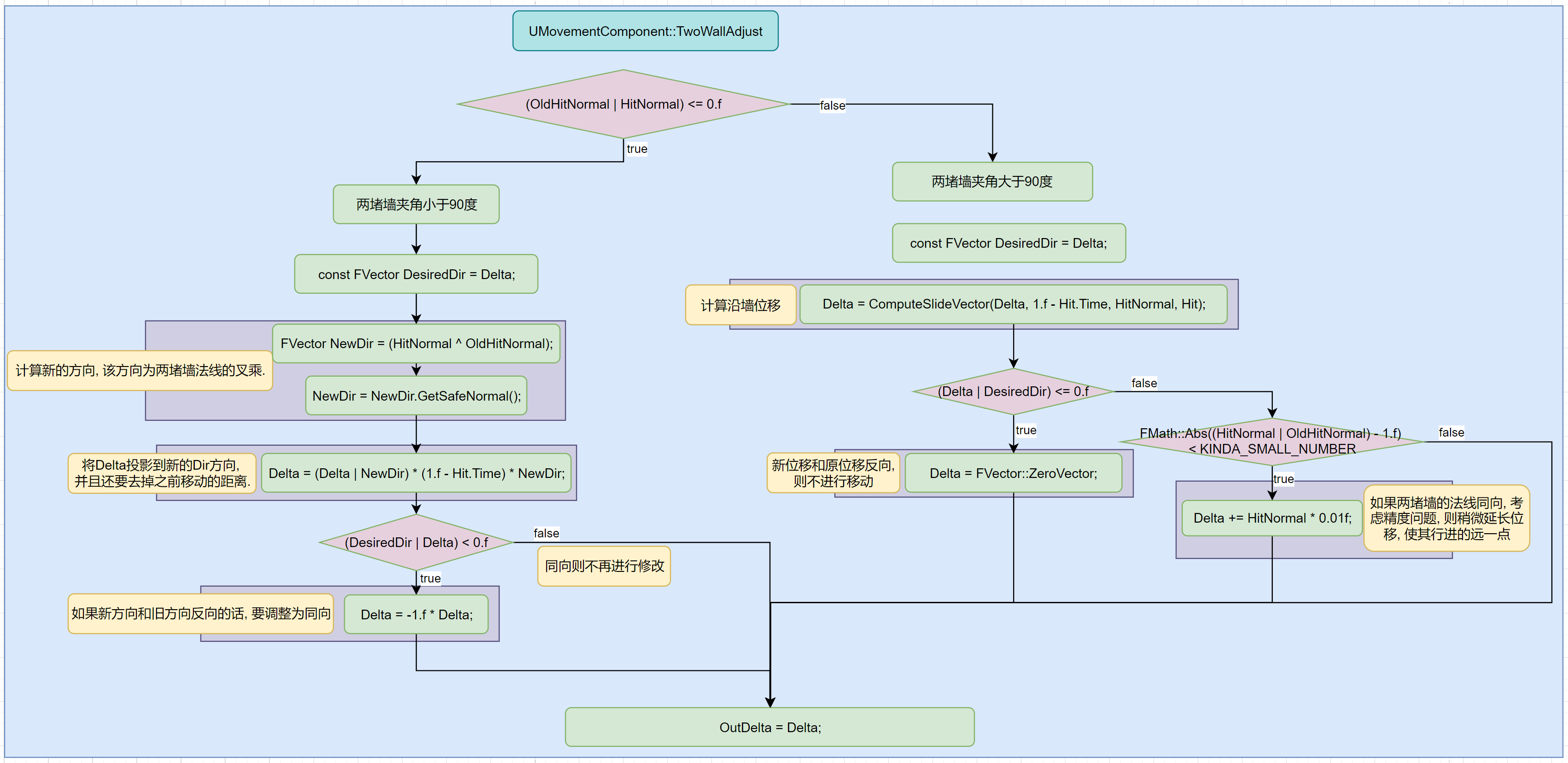
总结, 如果遇到两堵墙, 则根据墙的夹角计算新的位移:
- 两堵墙夹角小于, 新方向为两堵墙法线的叉积, 如果新位移与原位移反向, 则调整为与原位移同向. 大小为原位移在新位移方向上的投影, 再减去之前已经走的距离(1-Hit.Time).
- 两堵墙夹角大于, 沿着新墙壁方向移动, 如果反向, 则将位移置为0, 如果同向, 则还需要稍微延长当前位移.
代码:
流程解析:
UCharacterMovementComponent::TwoWallAdjust
/** Custom version that allows upwards slides when walking if the surface is walkable. */
virtual void TwoWallAdjust(FVector& Delta, const FHitResult& Hit, const FVector& OldHitNormal) const override;
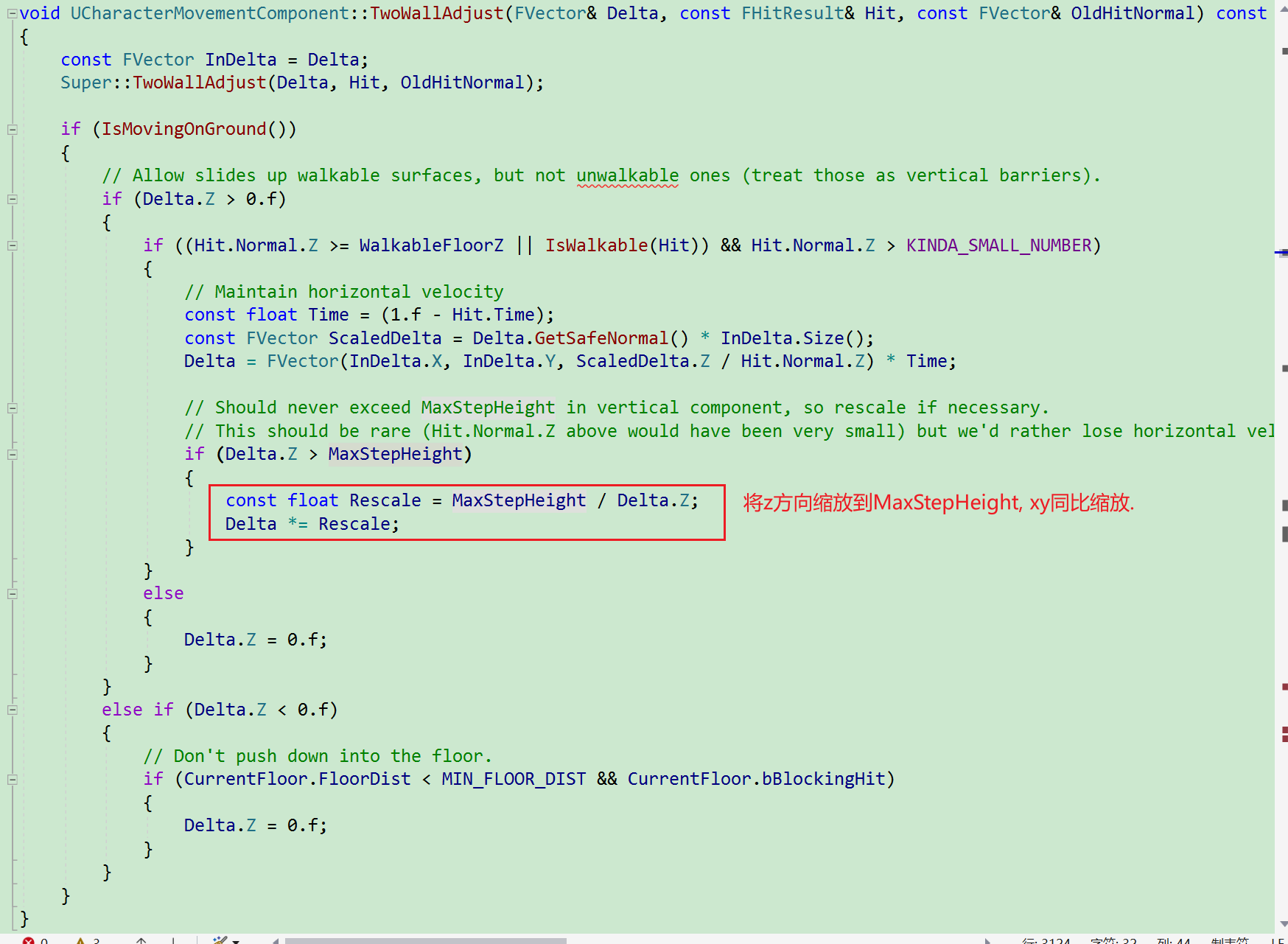
在UMovementComponent.TwoWallAdjust的基础上针对在地表移动的情况做了更严格的处理.
-
如果
Delta.Z大于0, 则需要检测新的墙壁IsWalkable.-
如果可以行走, 则按照
UCharacterMovementComponent::ComputeGroundMovementDelta方式, 最初水平方向移动向量保持不变, 将z抬高至与斜面平行. 如下图: 原始移动EF, 最终移动EM. 如果移动高度大于MaxStepHeight, 则按照最大高度进行缩放.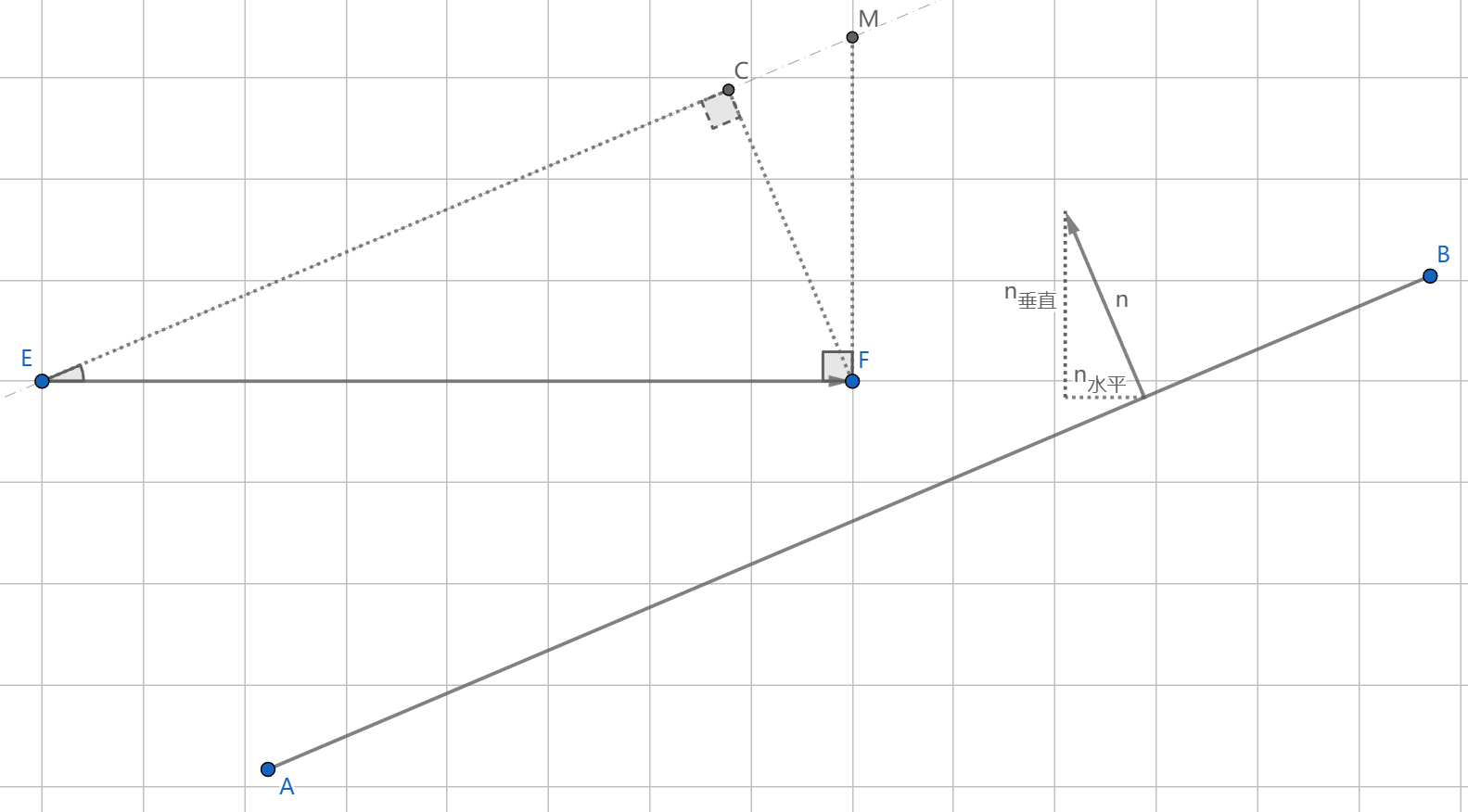
-
如果不可行走, 则直接将Z方向移动设置为0.
-
-
如果
Delta.Z < 0.f, 则检测脚底距离地板是否小于MIN_FLOOR_DIST(并且地板是碰撞的), 则将Z设置为0.
代码:
总结
两堵墙夹角大于, 沿着新墙壁继续行走:
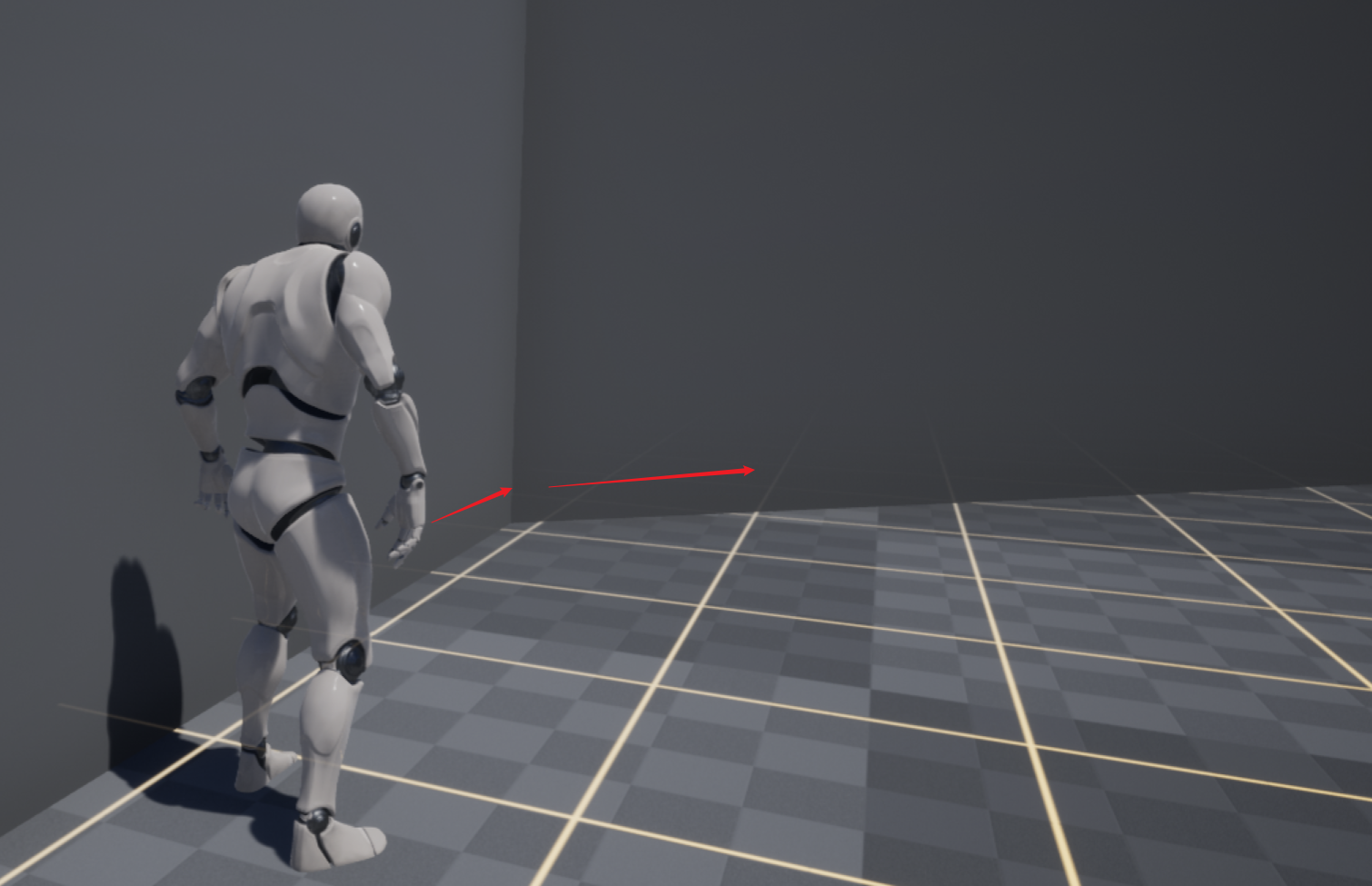
两堵墙夹角小于, 如果可以走上新墙, 则沿着新墙壁继续行走:
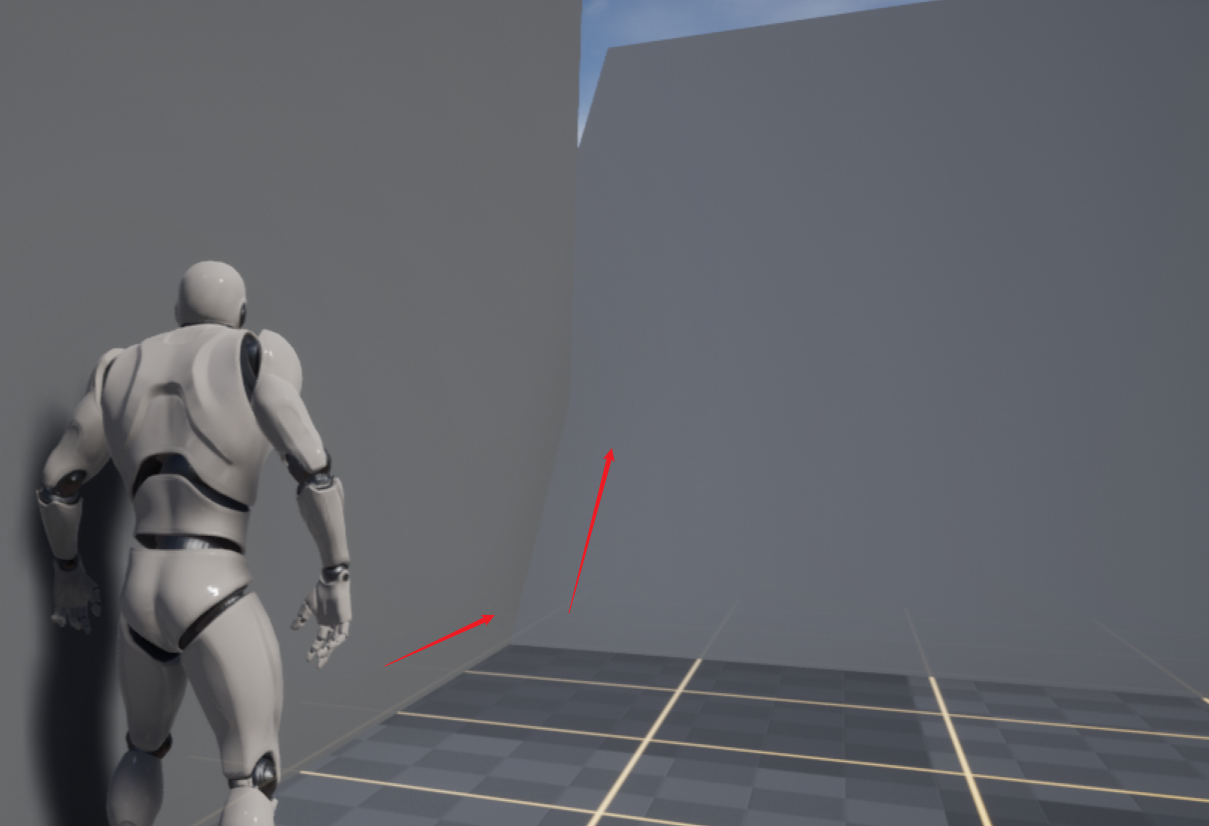
SlideAlongSurface
物理查询次数: 最少0次(传入数据没有碰撞), 最多2次(每次都发生了碰撞).
SlideAlongSurface的意思是沿着新碰撞的表面继续滑动.
UMovementComponent::SlideAlongSurface
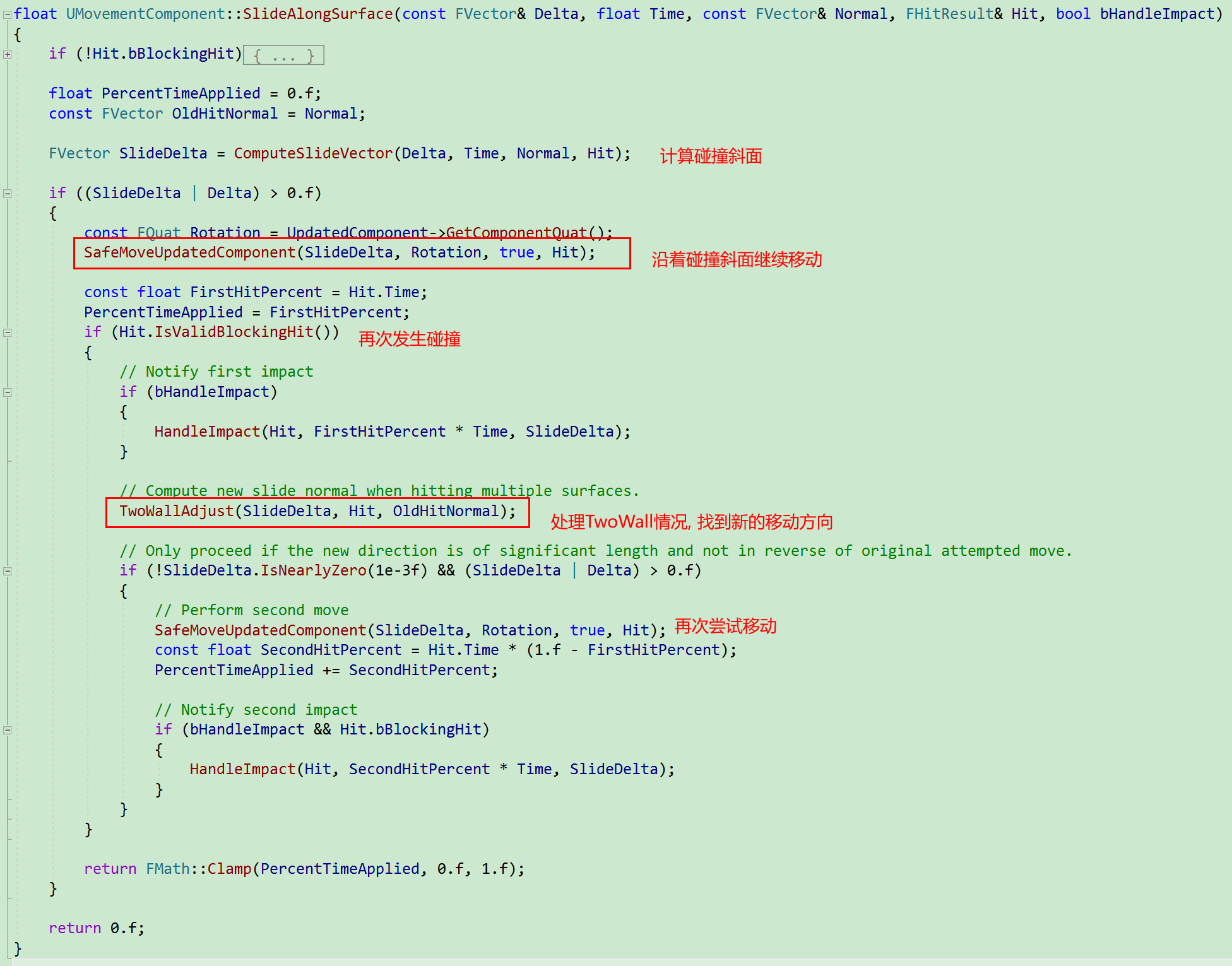
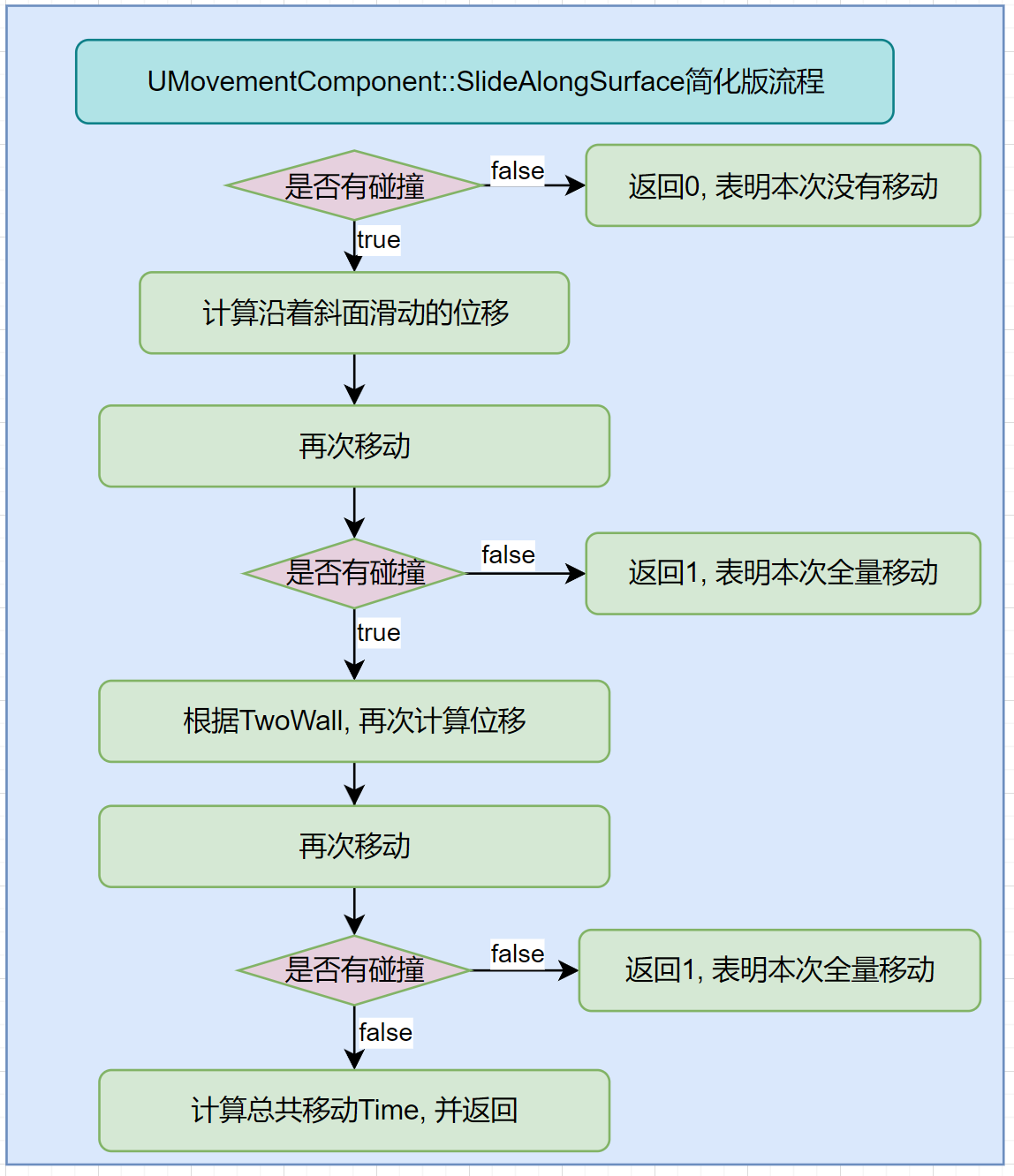
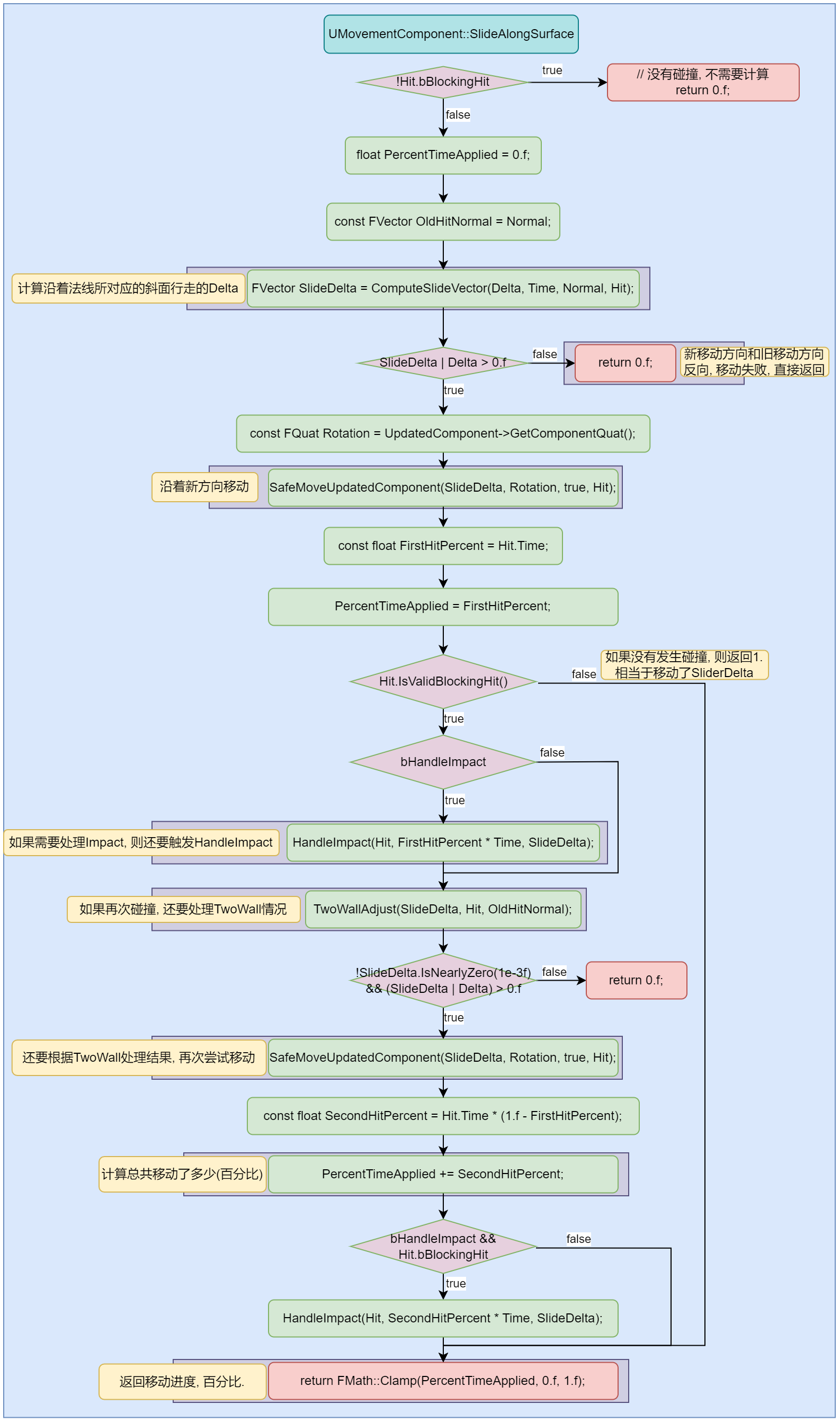
沿着新的碰撞表面移动, 如果再次碰撞, 使用TwoWallAdjust再次计算位移, 然后计算移动比例.
代码分析:
简化版流程:
详细流程:
UCharacterMovementComponent::SlideAlongSurface
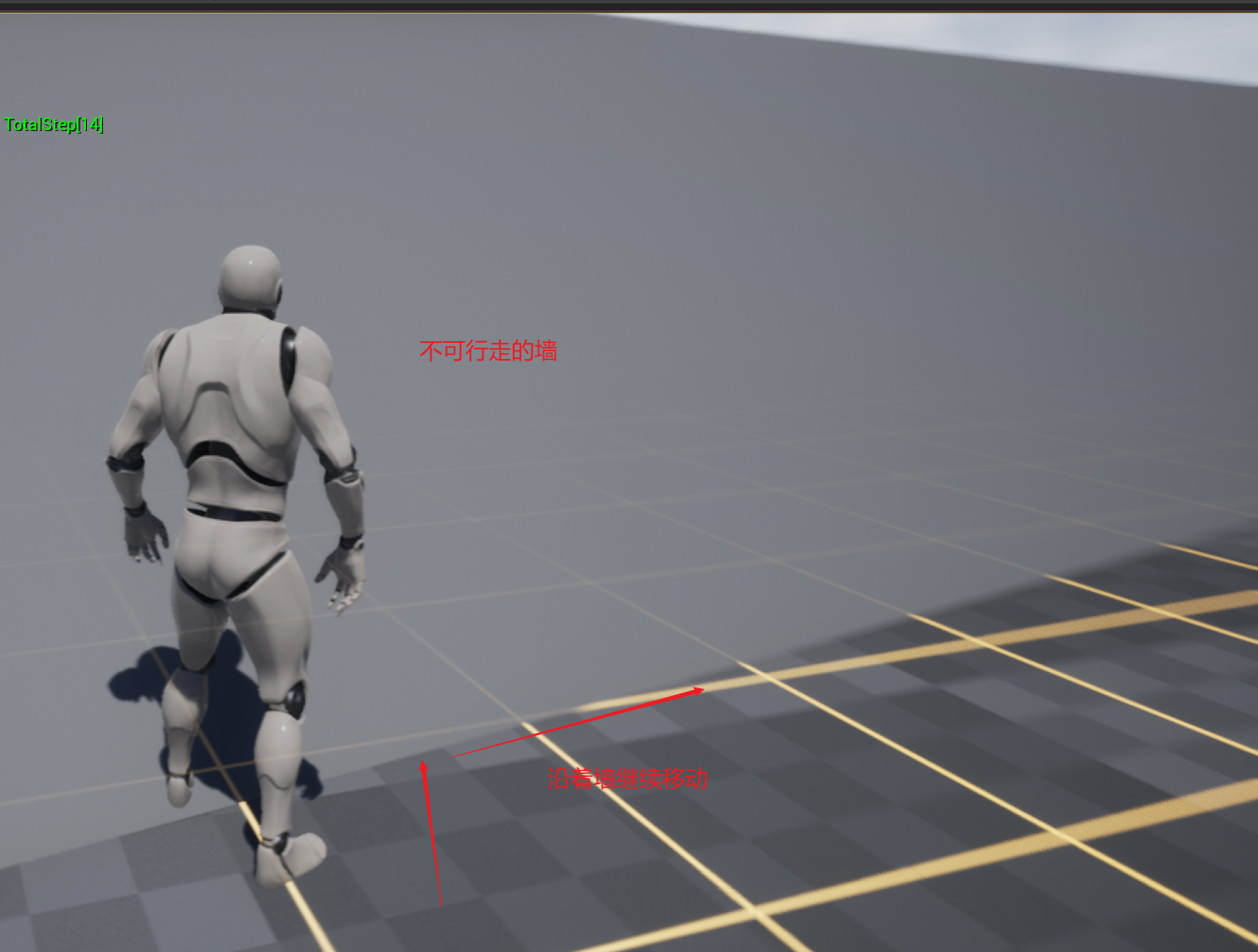
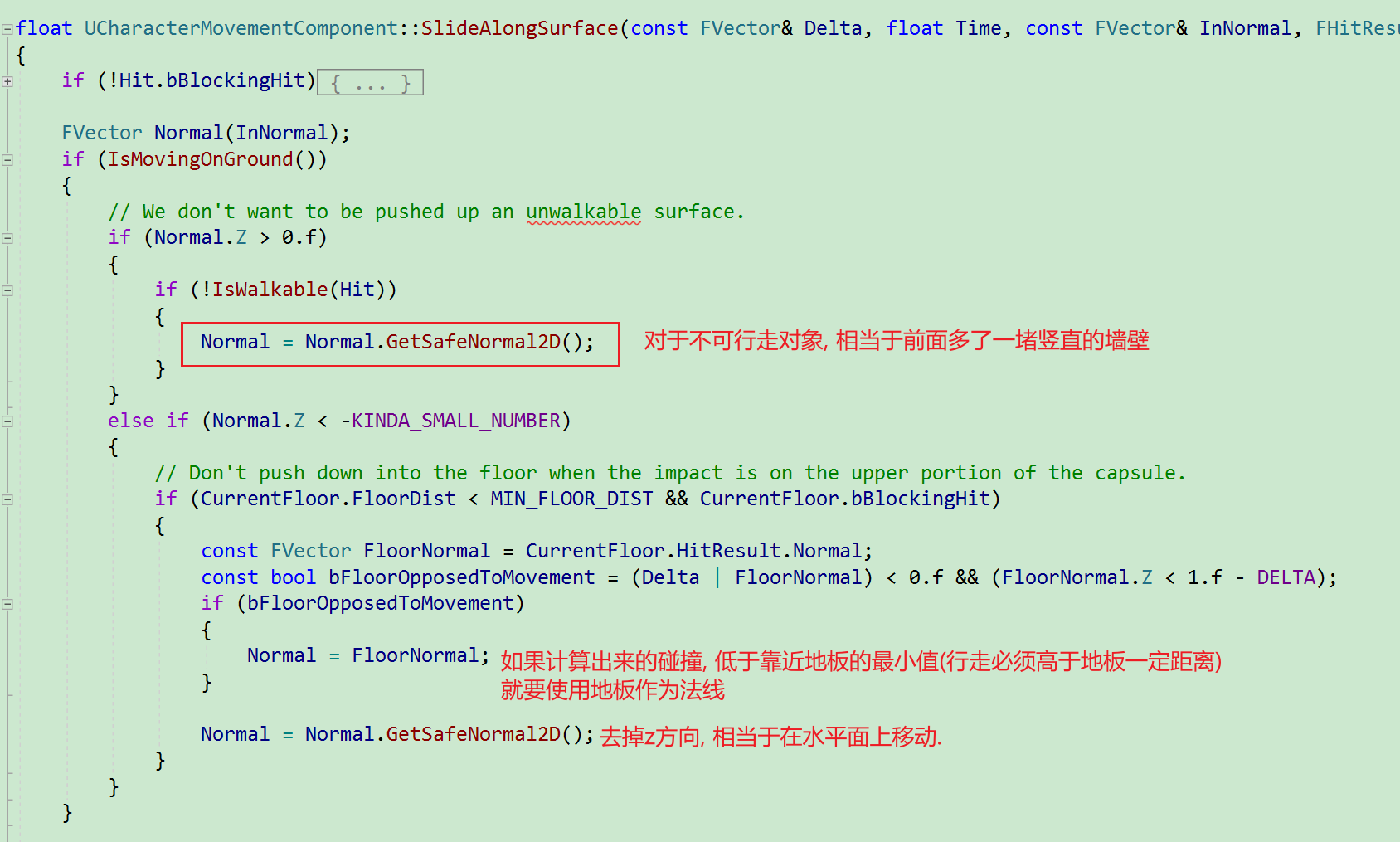
UCharacterMovementComponent::SlideAlongSurface是在执行UMovementComponent::SlideAlongSurface之前, 对不可行走的碰撞体法线进行修正, 干掉Z方向值, 相当于前方有一堵墙, 只能沿着墙继续移动. 而且还处理了Hit物体z方向过于接近胶囊体的情况. 如果过于接近, 法线使用地板法线, 并且干掉z方向值. 相当于使用地板碰撞法线作为新碰撞的法线.
详细代码:
Perch
相关函数ComputePerchResult+ComputeFloorDist.
GetValidPerchRadius
获取栖息半径:
float UCharacterMovementComponent::GetPerchRadiusThreshold() const
{
	// Don't allow negative values.
	return FMath::Max(0.f, PerchRadiusThreshold);
}
ShouldComputePerchResult
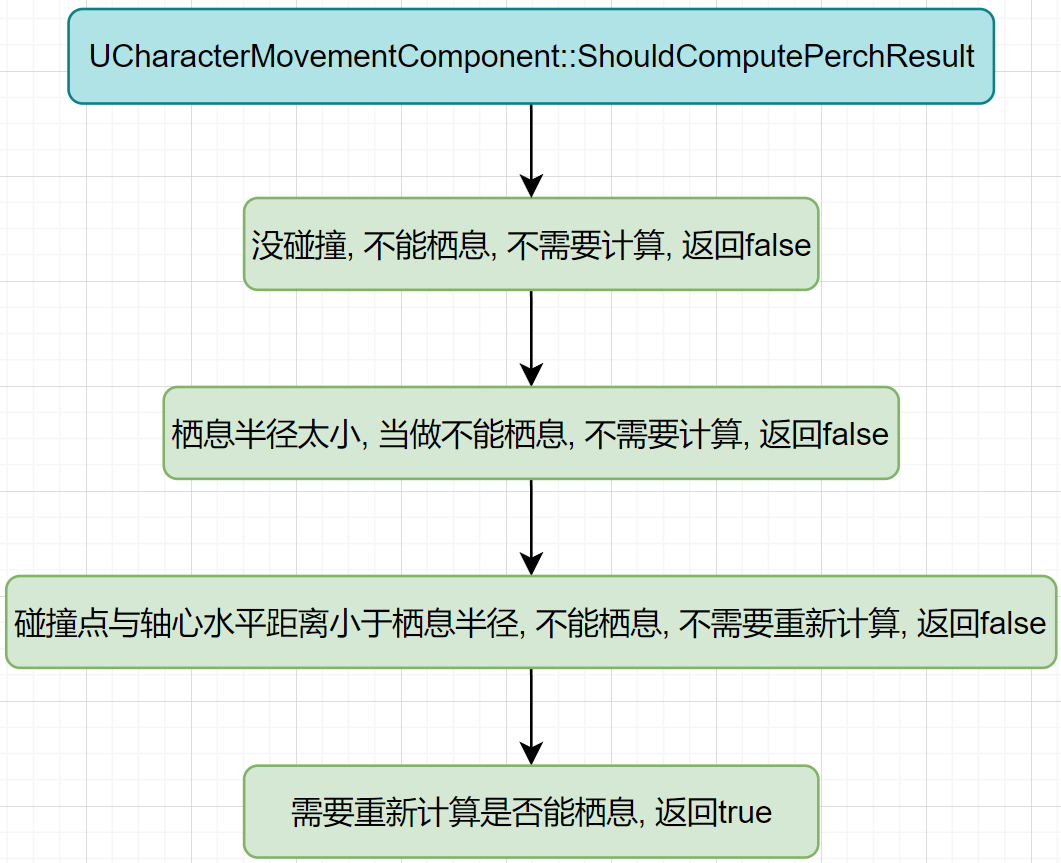
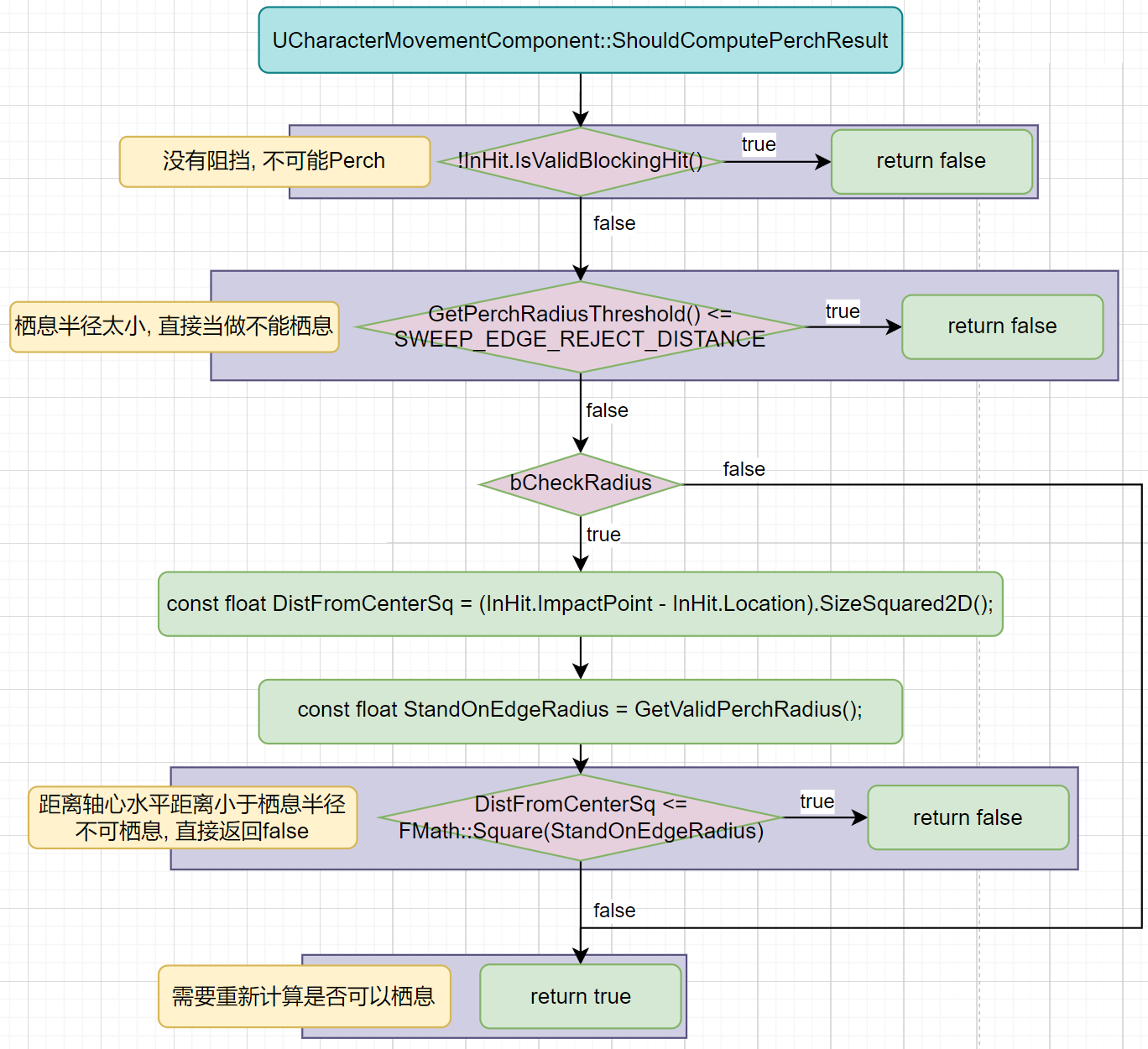
是否应该执行ComputePerchResult.
简化版流程图:
代码:
bool UCharacterMovementComponent::ShouldComputePerchResult(const FHitResult& InHit, bool bCheckRadius) const
{
	if (!InHit.IsValidBlockingHit())
	{
		return false;
	}

	// Don't try to perch if the edge radius is very small.
	if (GetPerchRadiusThreshold() <= SWEEP_EDGE_REJECT_DISTANCE)
	{
		return false;
	}

	if (bCheckRadius)
	{
		const float DistFromCenterSq = (InHit.ImpactPoint - InHit.Location).SizeSquared2D();
		const float StandOnEdgeRadius = GetValidPerchRadius();
		if (DistFromCenterSq <= FMath::Square(StandOnEdgeRadius))
		{
			// Already within perch radius.
			return false;
		}
	}

	return true;
}
流程图:
ComputePerchResult
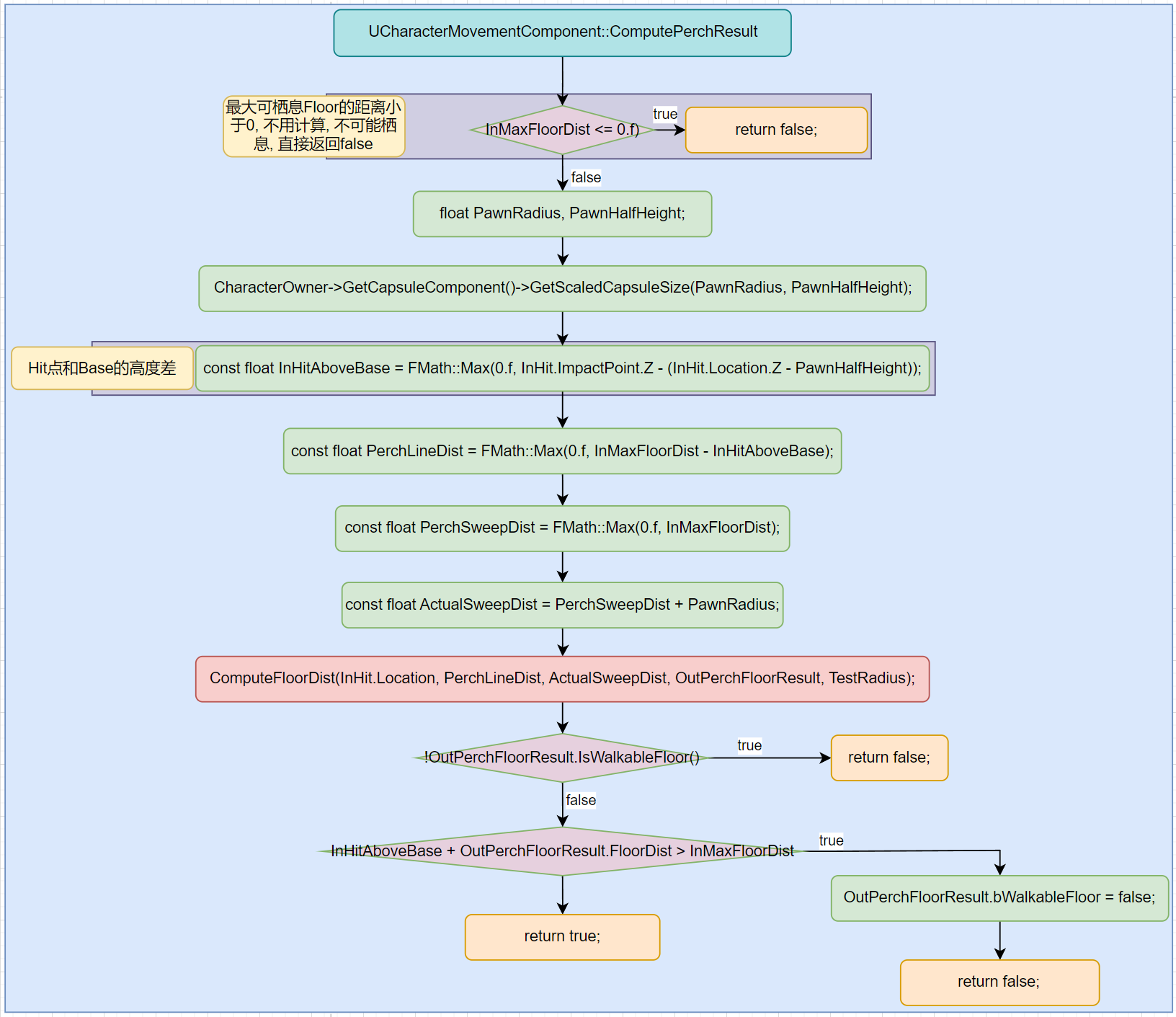
在MaxStepHeight之内, 找到碰撞点, 并且该点可以栖息, 那么最终结果就是可栖息的, 否则不可栖息. 传入的InMaxFloorDist实际为: MaxStepHeight + HeightCheckAdjust.
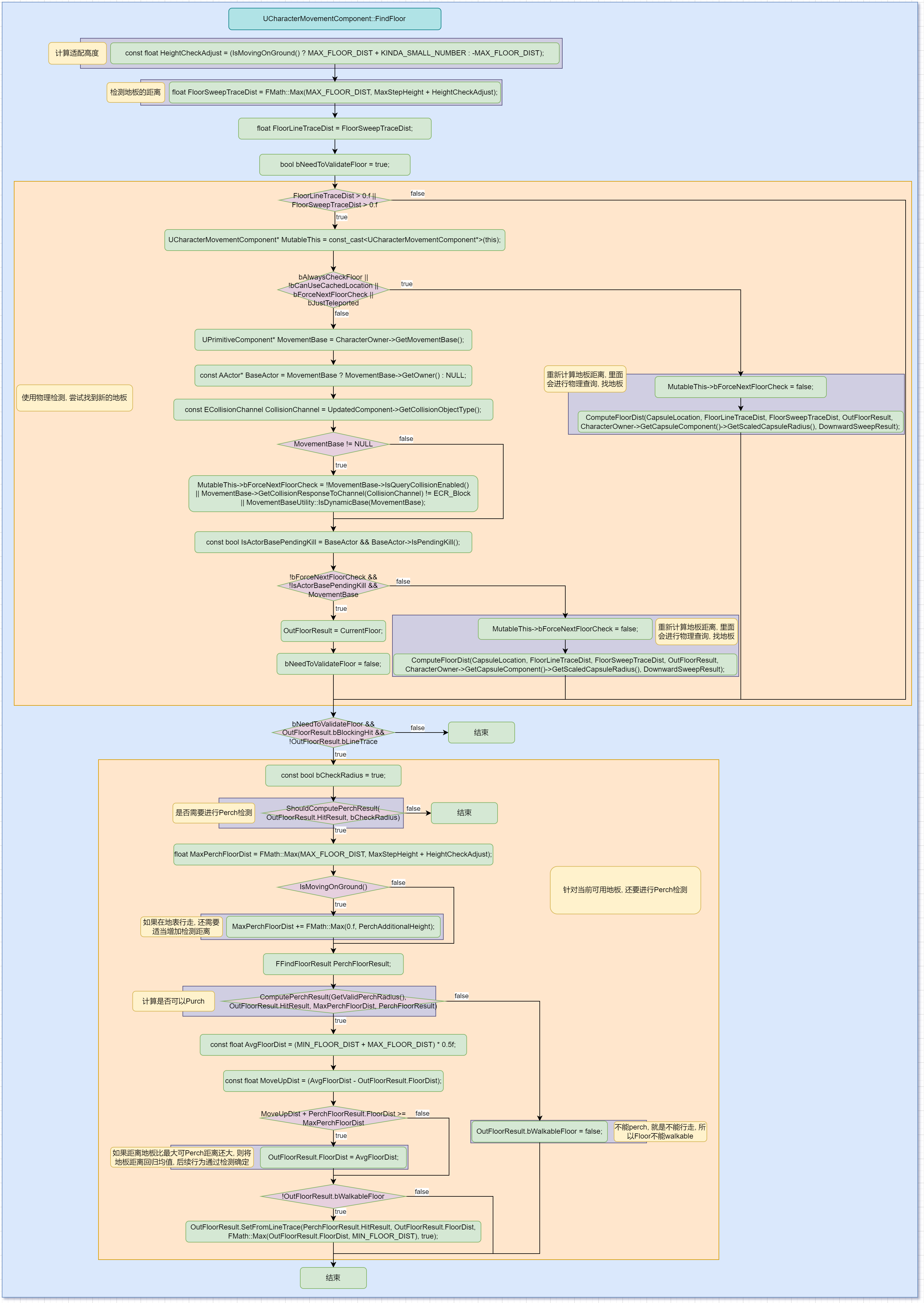
FindFloor
查找到可以Perch的Floor. 最少0次(传入碰撞信息可用)物理检测, 最多两次(第一次检测发生渗入或者不可站立的情况)物理检测.
FloorSweepTest
向下做物理检测, 找到第一个碰撞的物体.
//Sweep against the world and return the first blocking hit.
//Intended for tests against the floor, because it may change the result of impacts
// on the lower area of the test (especially if bUseFlatBaseForFloorChecks is true).

//@param OutHit			First blocking hit found.
//@param Start				Start location of the capsule.
//@param End				End location of the capsule.
//@param TraceChannel		The 'channel' that this trace is in, used to determine which components to hit.
//@param CollisionShape	Capsule collision shape.
//@param Params			Additional parameters used for the trace.
//@param ResponseParam		ResponseContainer to be used for this trace.
//@return True if OutHit contains a blocking hit entry.

// 在World中进行Sweep, 并返回第一个阻挡物体.
// 想要找到floor, 在测试的更低区域(尤其当开启了bUseFlatBaseForFloorChecks时), 可能会改变碰撞的结果.
// OutHit: 第一个阻挡物体
// Start: 胶囊体的起始位置.
// End: 胶囊体的结束位置.
// TraceChannel: trace使用的通道.
// CollisionShape: 碰撞形状.
// Params: Trace中使用的额外参数.
// ResponseParam: 用于trace的响应容器
// Return: 是否有碰撞物体
virtual bool FloorSweepTest(
	struct FHitResult& OutHit,
	const FVector& Start,
	const FVector& End,
	ECollisionChannel TraceChannel,
	const struct FCollisionShape& CollisionShape,
	const struct FCollisionQueryParams& Params,
	const struct FCollisionResponseParams& ResponseParam
	) const;
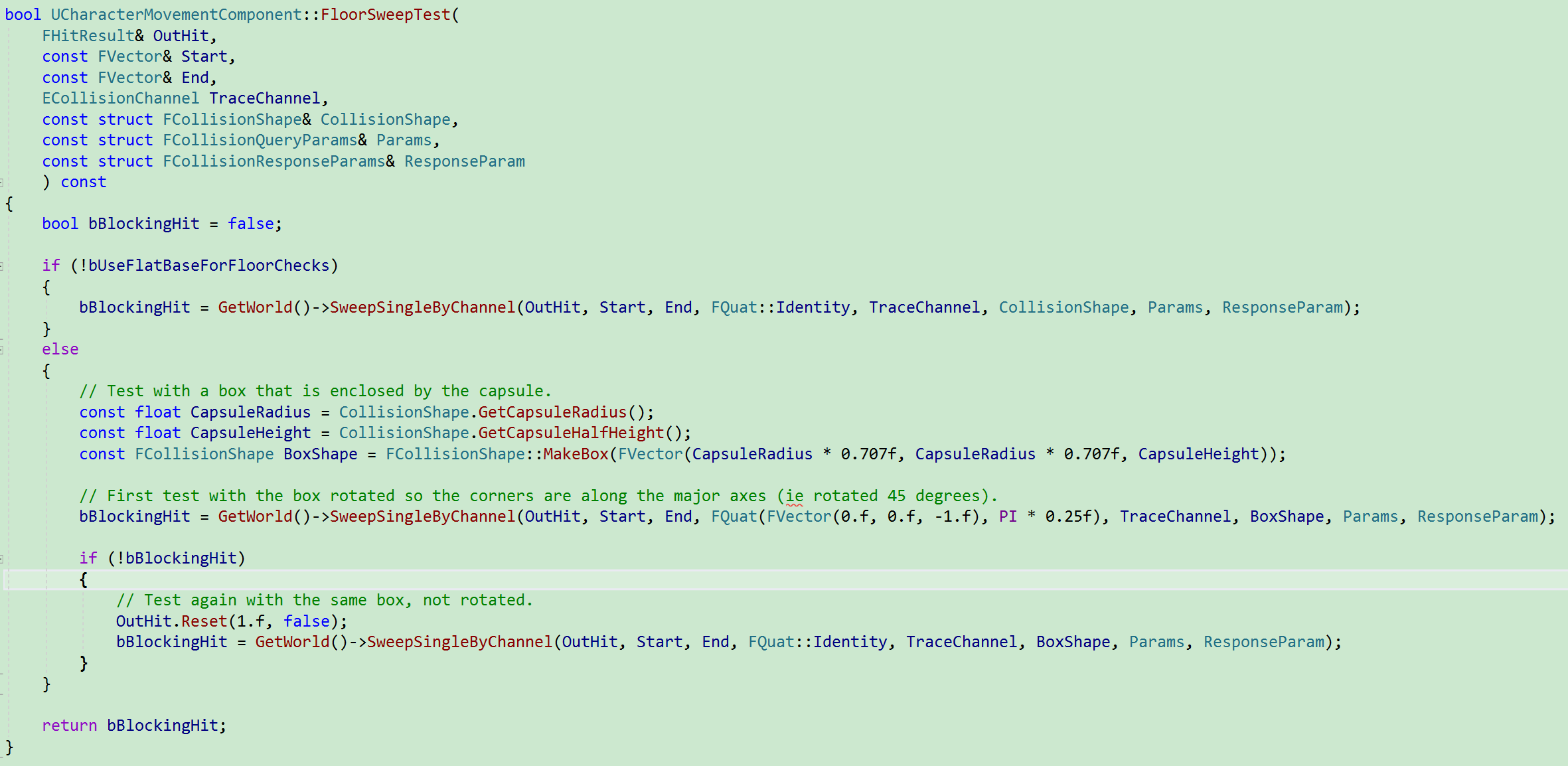
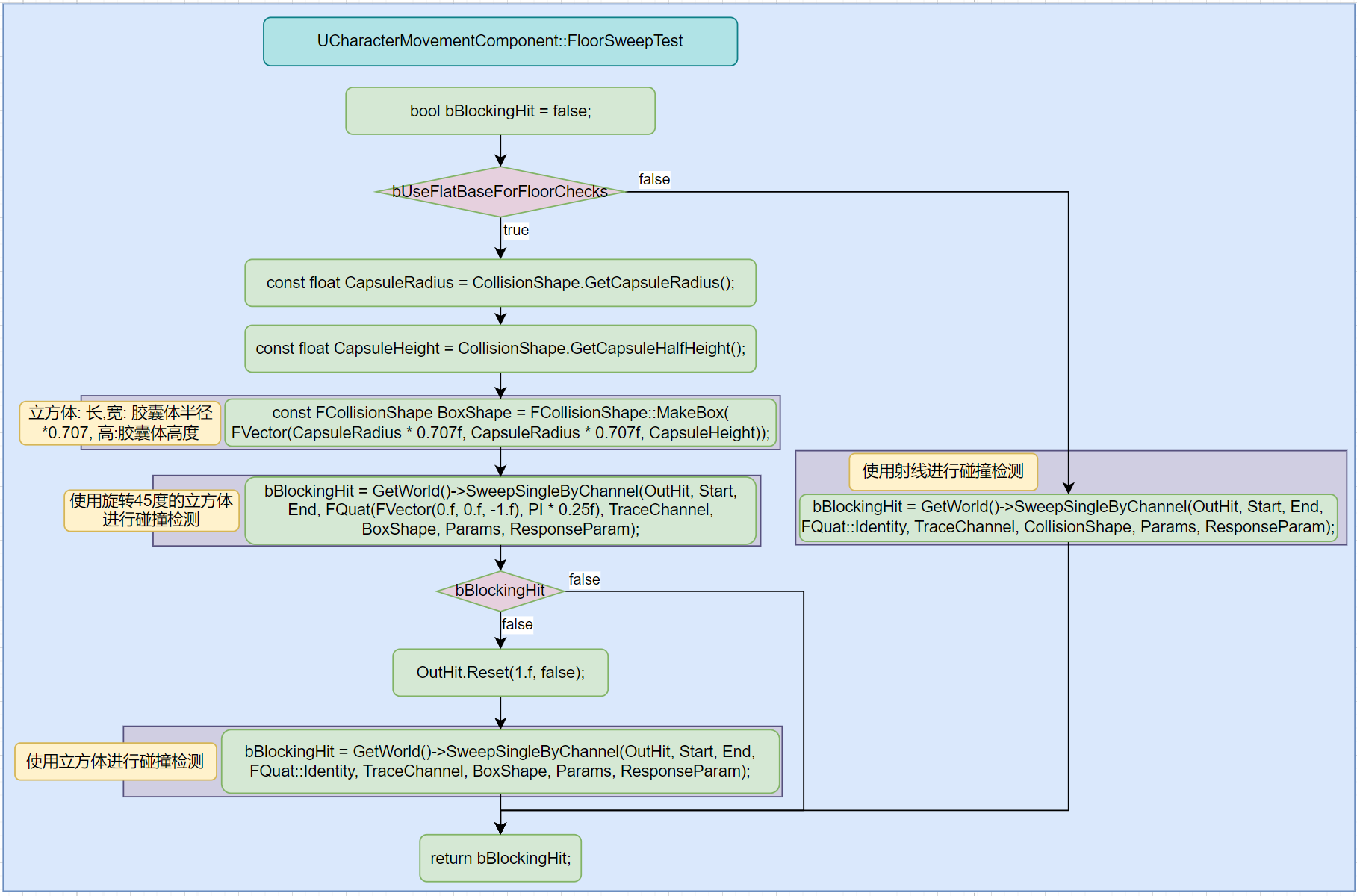
查看如下代码很容易发现:
- 没有开启
bUseFlatBaseForFloorChecks, 则会使用射线进行检测. - 开启
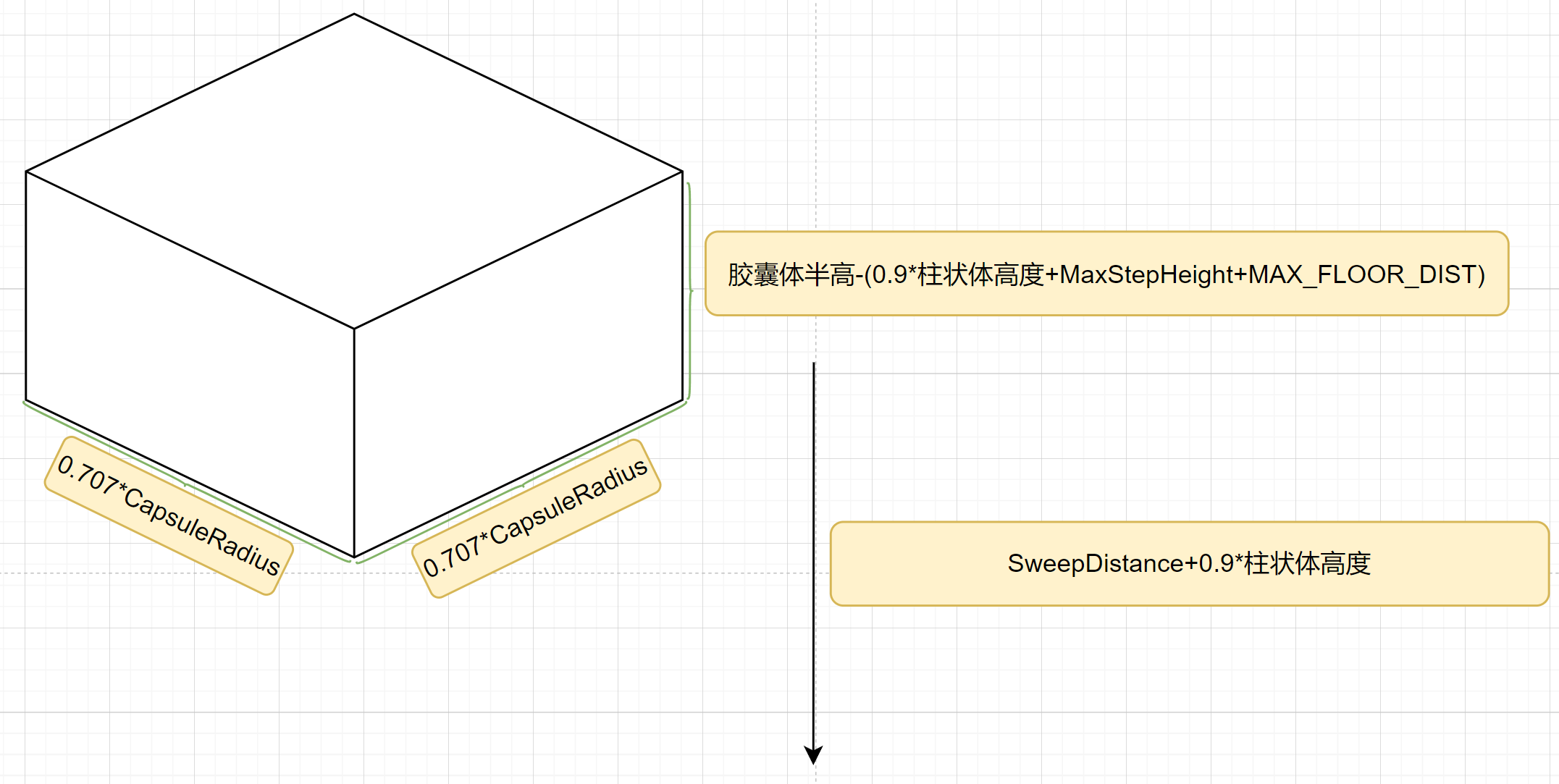
bUseFlatBaseForFloorChecks后, 会使用立方体(长和宽:胶囊体半径*0.707, 高:胶囊体高度)进行碰撞检测. 一开始使用旋转的立方体进行碰撞检测, 如果没有任何碰撞, 则使用轴对齐的立方体进行碰撞检测.
流程图:
ComputeFloorDist
该函数用于计算和Floor之间的距离.
注意: 该函数尽量少用, 该函数不会移动胶囊体, 但是会进行物理检测, 很耗费. 尽量一次移动最多触发一次检测.
//Compute distance to the floor from bottom sphere of capsule and store the result in OutFloorResult.
//This distance is the swept distance of the capsule to the first point impacted by the lower hemisphere, or distance from the bottom of the capsule in the case of a line trace.
//This function does not care if collision is disabled on the capsule (unlike FindFloor).
//@see FindFloor

//@param CapsuleLocation:	Location of the capsule used for the query
//@param LineDistance:		If non-zero, max distance to test for a simple line check from the capsule base. Used only if the sweep test fails to find a walkable floor, and only returns a valid result if the impact normal is a walkable normal.
//@param SweepDistance:	If non-zero, max distance to use when sweeping a capsule downwards for the test. MUST be greater than or equal to the line distance.
//@param OutFloorResult:	Result of the floor check. The HitResult will contain the valid sweep or line test upon success, or the result of the sweep upon failure.
//@param SweepRadius:		The radius to use for sweep tests. Should be <= capsule radius.
//@param DownwardSweepResult:	If non-null and it contains valid blocking hit info, this will be used as the result of a downward sweep test instead of doing it as part of the update.

// 计算从胶囊体底部到Floor的距离, 并存储在OutFloorResult中.
// Distance是Sweep胶囊体时, 胶囊体底部半球碰撞到第一个点的距离, 或者从江南提底部进行射线检测的距离.
// 该函数不关心胶囊体是否禁用碰撞. (与FindFloor不同)
// CapsuleLocation: 用于查询的胶囊体位置.
// LineDistance: 如果不是0, 则为从胶囊体底部进行Test的最大距离. 只有在SweepTest没有找到一个WalkableFloor,
// 并且仅当碰撞的法线是WalkableNormal时候, 返回一个是否可用的结果.
// SweepDistance: 如果不为0, 为胶囊体向下Sweep的最大距离. 一定不能小于LineDistance.
// OutFloorResult: 检测Floor的结果. HitResult包含Sweep或者LineTest成功的结果, 或者存储Sweep失败的结果.
// SweepRadius: 用于SweepTest的胶囊体半径. 必须<=胶囊体半径.(SweepRadius和胶囊体半径是两个不同的数值)
// DownwardSweepResult: 如果不为空, 它包含有效的BlockHit信息, 它用于向下SweepTest, 而不是作为更新的一部分.
virtual void ComputeFloorDist(const FVector& CapsuleLocation, float LineDistance, float SweepDistance, FFindFloorResult& OutFloorResult, float SweepRadius, const FHitResult* DownwardSweepResult = NULL) const;
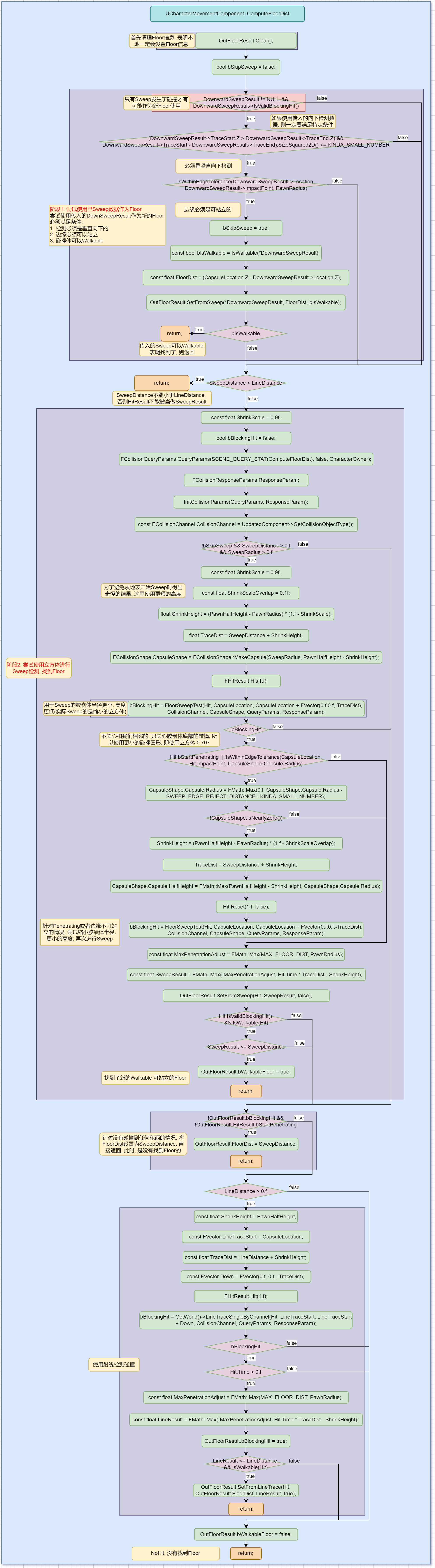
可以分成三个阶段:
- 尝试使用传入的Sweep信息当做Floor.
- 尝试使用立方体Sweep查找Floor.
- 尝试使用射线查找Floor.
尝试使用传入的Sweep信息
如果DownwardSweepResult可用, 则直接使用它作为SweepResult. 可用条件:
- 必须是垂直向下做检测
- 必须在胶囊体容忍边缘(
IsWithinEdgeTolerance)
尝试使用立方体进行Sweep
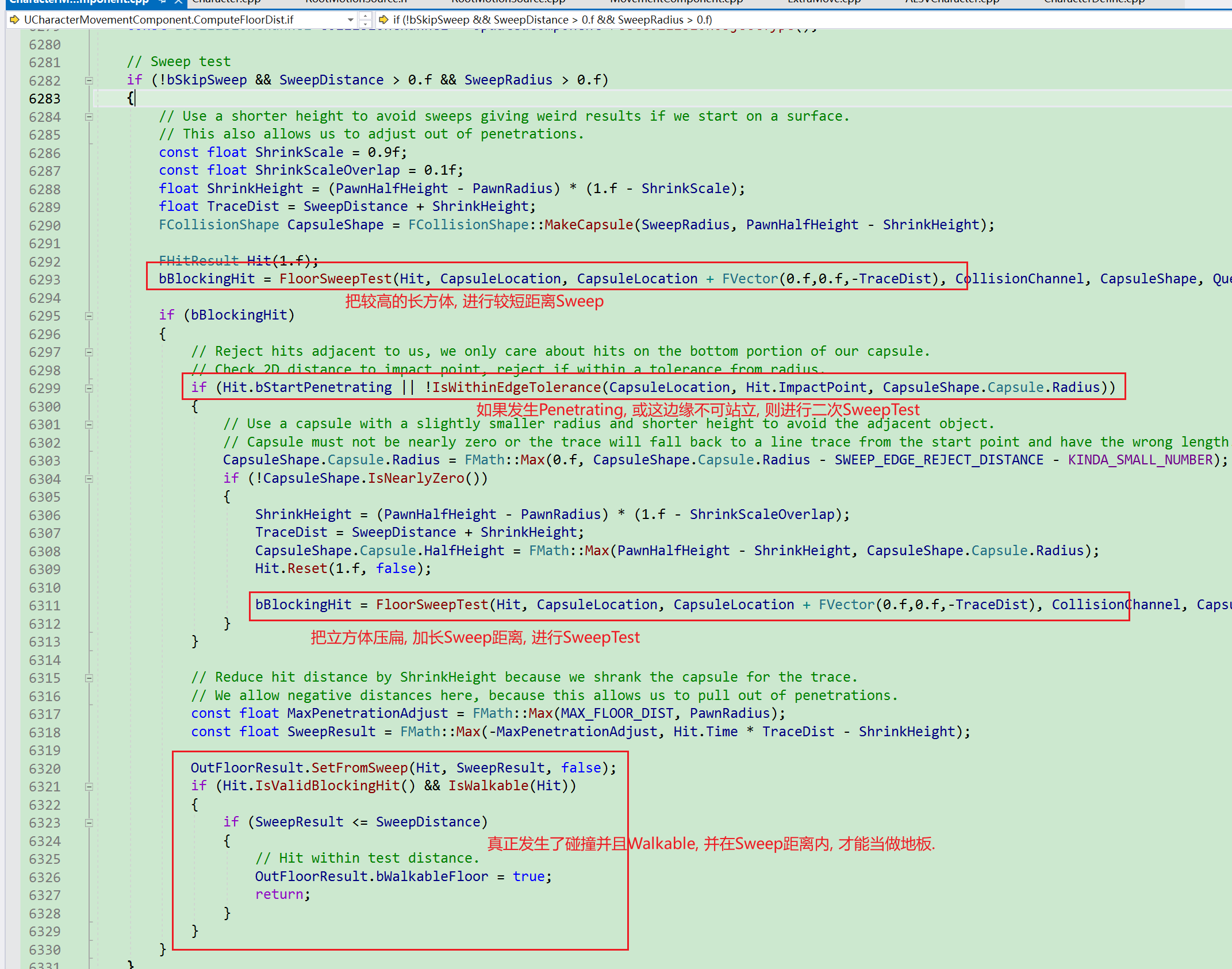
- 使用较高立方体进行较短距离Sweep.
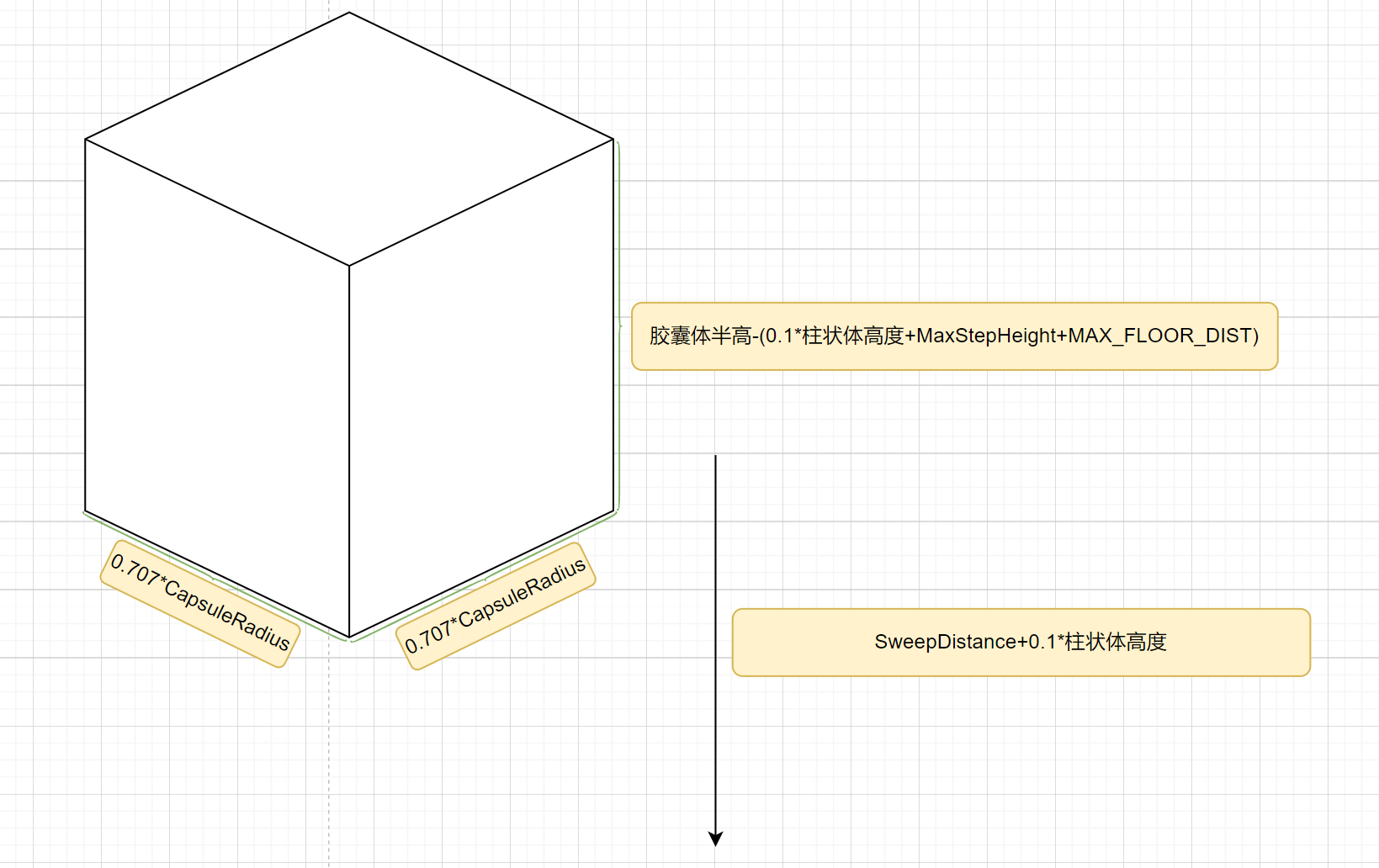
- 如果发生了
Penetrating或者边缘不可站立, 则再次使用较矮立方体进行较长距离Sweep.
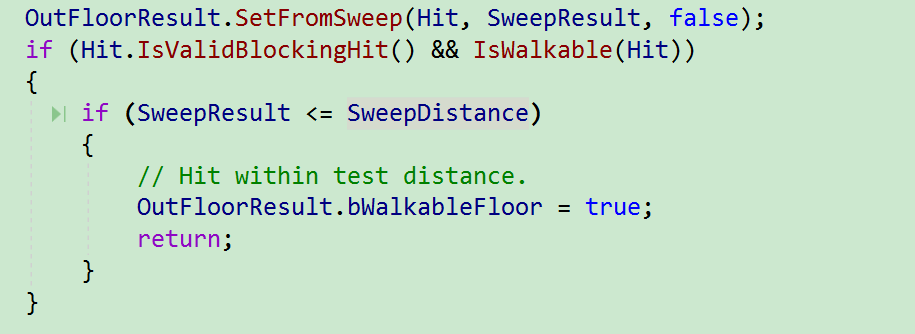
- 如果HitBlock+Walkable, 并且距离在
SweepDistance内, 则可以将此次检测作为结果, 并返回.
具体代码:
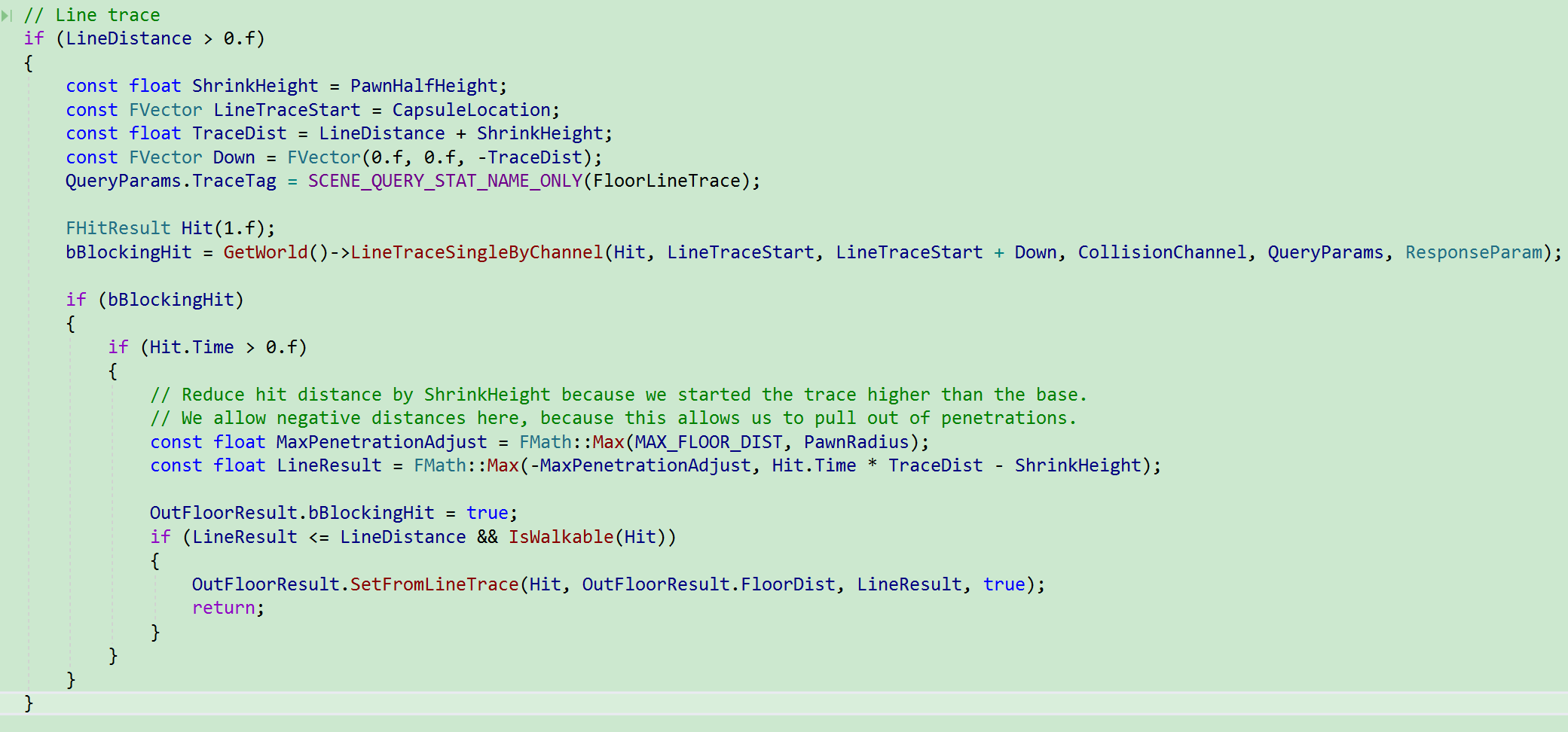
尝试使用射线进行检测
流程图
优化
每帧都会执行FindFloor, 完全没有必要, 这块可以进行优化. 可以参考UCharacterMovementComponent.bAlwaysCheckFloor和UCharacterMovementComponent.bForceNextFloorCheck. 每帧执行堆栈:

UCharacterMovementComponent::FindFloor
FindFloor函数是通过物理检测查找到可以栖息的Floor. 其中检测方式是通过立方体向下做sweep, 如果找到碰撞物体还要做Perch检测.
UCharacterMovementComponent.AdjustFloorHeight
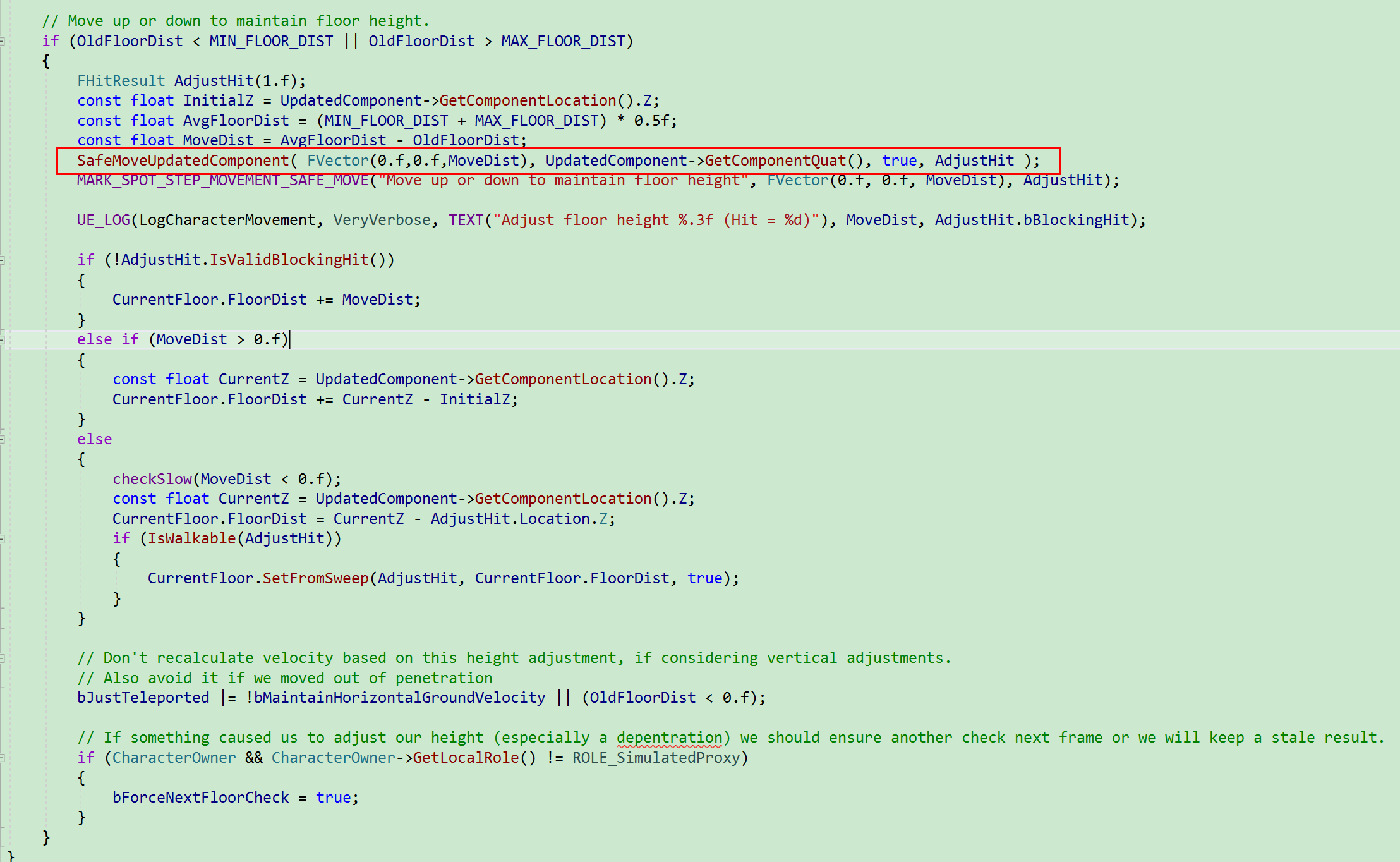
适配Floor高度, 在Walking状态下不能紧贴地板, 否则移动会受阻. 该函数可能会触发一次物理检测. 相关调用:

进行一次物理检测和移动, 将胶囊体移动到距离地表期望高度. 其中高度为. 注意, 胶囊体不能紧贴地表, 否则移动会出问题.
SafeMoveUpdatedComponent
/**
 * Calls MoveUpdatedComponent(), handling initial penetrations by calling ResolvePenetration().
 * If this adjustment succeeds, the original movement will be attempted again.
 * @note The overload taking rotation as an FQuat is slightly faster than the version using FRotator (which will be converted to an FQuat).
 * @note The 'Teleport' flag is currently always treated as 'None' (not teleporting) when used in an active FScopedMovementUpdate.
 * @return result of the final MoveUpdatedComponent() call.
 */
bool SafeMoveUpdatedComponent(const FVector& Delta, const FQuat& NewRotation, bool bSweep, FHitResult& OutHit, ETeleportType Teleport = ETeleportType::None);
具体代码:
- 按照传入的Delta进行移动
- 如果Penetration, 则计算脱离向量, 进行脱离.
- 脱离成功, 再次按照原Delta向量进行移动.
bool UMovementComponent::SafeMoveUpdatedComponent(const FVector& Delta, const FQuat& NewRotation, bool bSweep, FHitResult& OutHit, ETeleportType Teleport)
{
	if (UpdatedComponent == NULL)
	{
		OutHit.Reset(1.f);
		return false;
	}

	bool bMoveResult = false;

	// Scope for move flags
	{
		// Conditionally ignore blocking overlaps (based on CVar)
		const EMoveComponentFlags IncludeBlockingOverlapsWithoutEvents = (MOVECOMP_NeverIgnoreBlockingOverlaps | MOVECOMP_DisableBlockingOverlapDispatch);
		TGuardValue<EMoveComponentFlags> ScopedFlagRestore(MoveComponentFlags, MovementComponentCVars::MoveIgnoreFirstBlockingOverlap ? MoveComponentFlags : (MoveComponentFlags | IncludeBlockingOverlapsWithoutEvents));
		bMoveResult = MoveUpdatedComponent(Delta, NewRotation, bSweep, &OutHit, Teleport);
	}

	// Handle initial penetrations
	if (OutHit.bStartPenetrating && UpdatedComponent)
	{
        // 尝试脱离Penetration
		const FVector RequestedAdjustment = GetPenetrationAdjustment(OutHit);
		if (ResolvePenetration(RequestedAdjustment, OutHit, NewRotation))
		{
			// Retry original move 脱离成功后, 按照原Delta向量进行移动
			bMoveResult = MoveUpdatedComponent(Delta, NewRotation, bSweep, &OutHit, Teleport);
		}
	}

	return bMoveResult;
}
成员解析
-
Delta: 表示本次移动期望移动的距离, 但最终和Hit相关.
-
NewRotation: 表示移动后设置的旋转.
-
bSweep: 移动过程中是否进行Sweep类型的碰撞检测.
-
OutHit: 如果使用Sweep, 则表示碰撞过程中的Hit数据.
-
Teleport: TODO
-
返回值: 是否发生移动. 只要发生了移动, 返回值就会是true, 否则为false.
MoveUpdatedComponent
触发关键节点
该函数触发关键节点. 包括碰撞检测+碰撞回退+抛出Debug信息, +设置位置+触发Overlap+触发Hit.
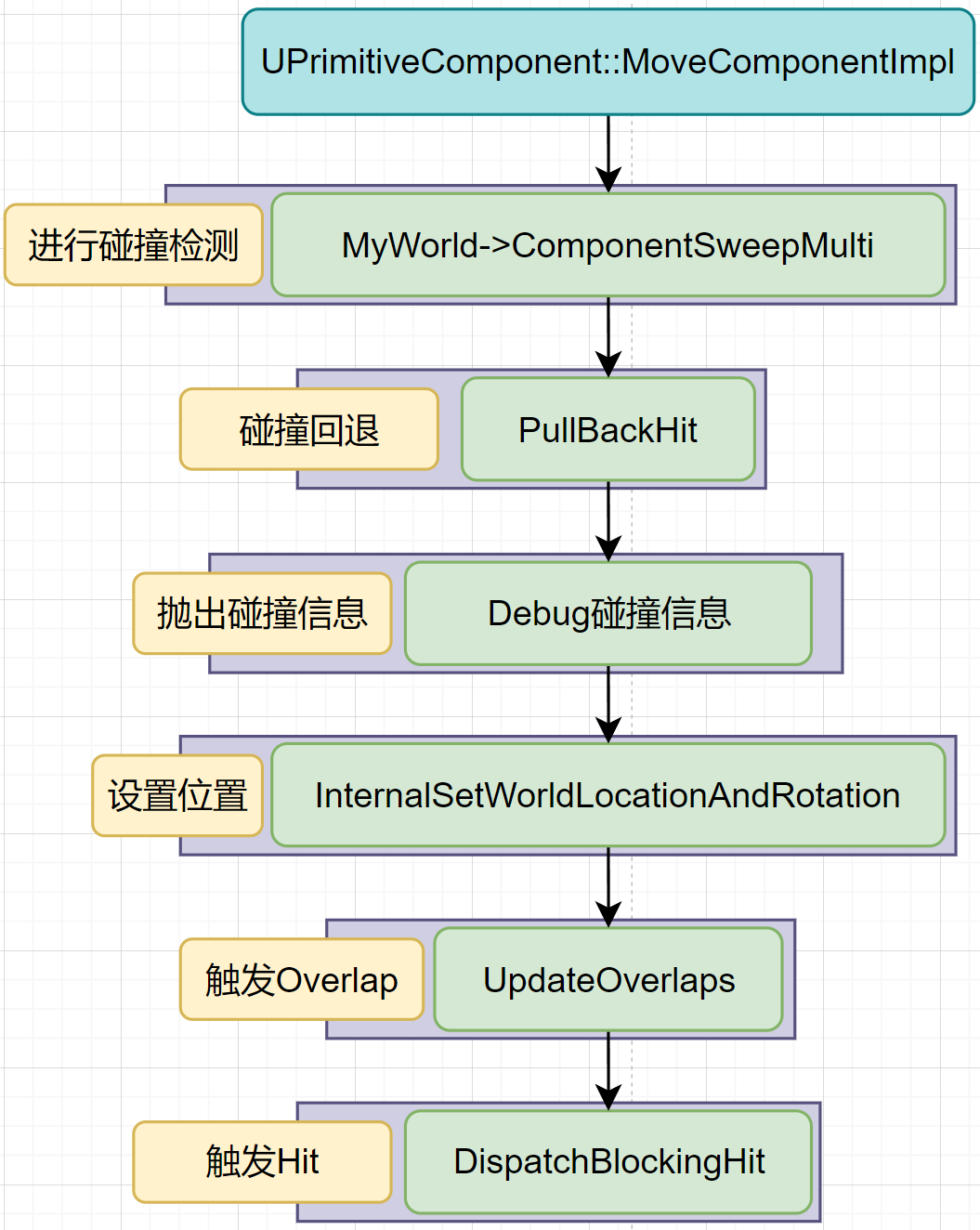
碰撞检测
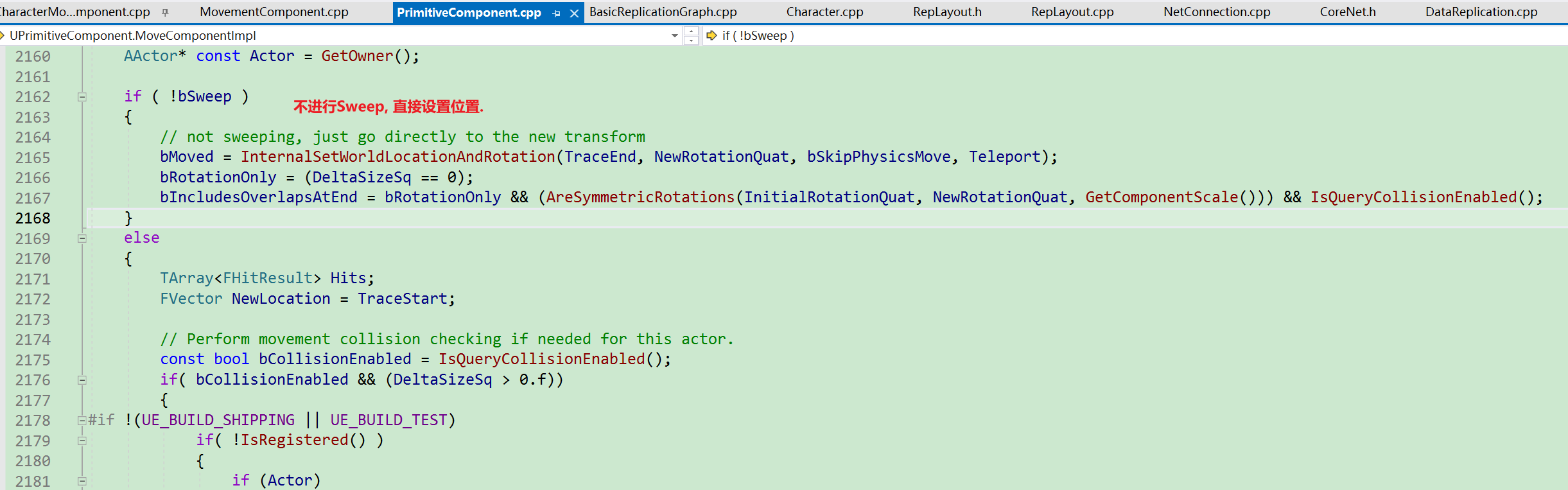
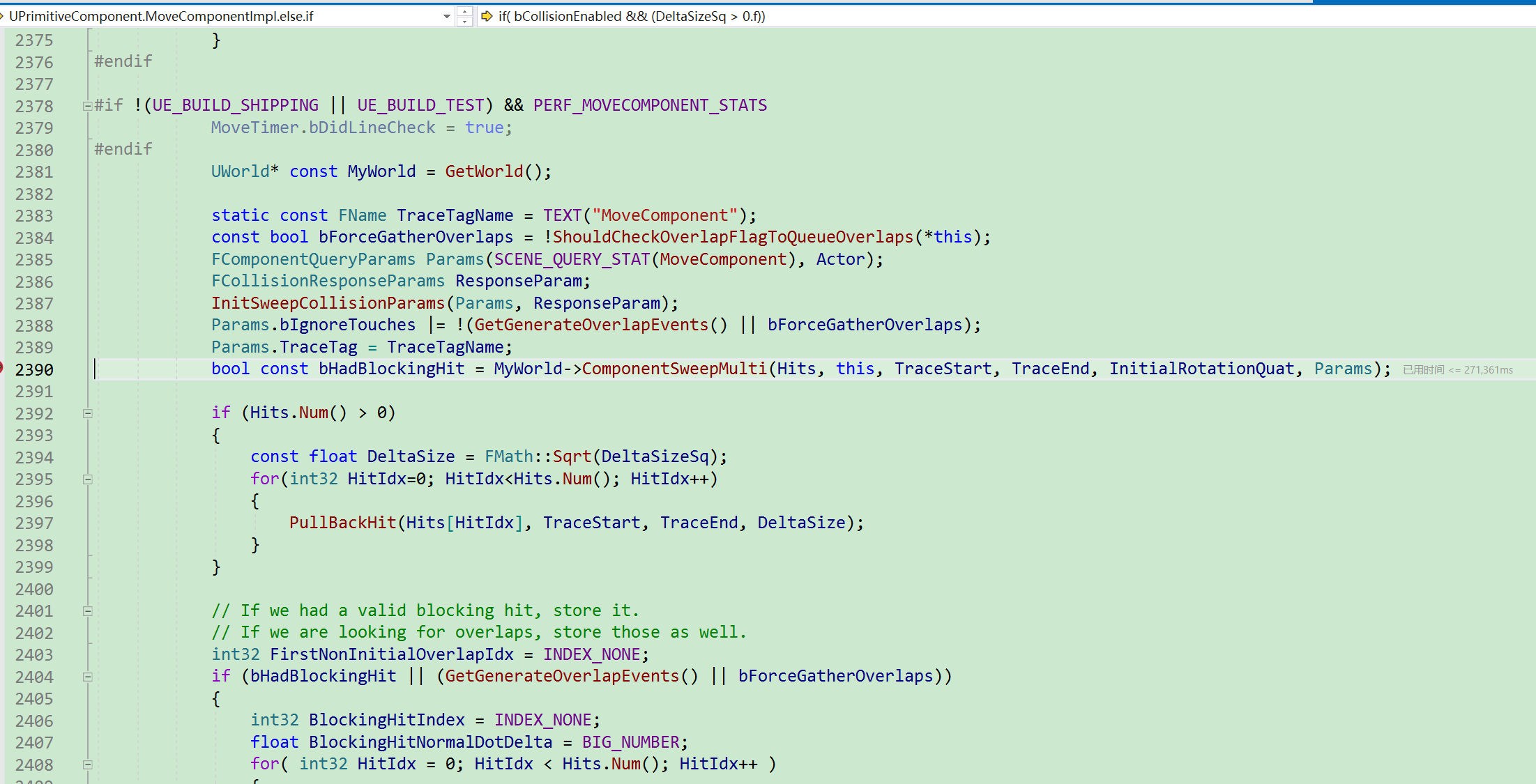
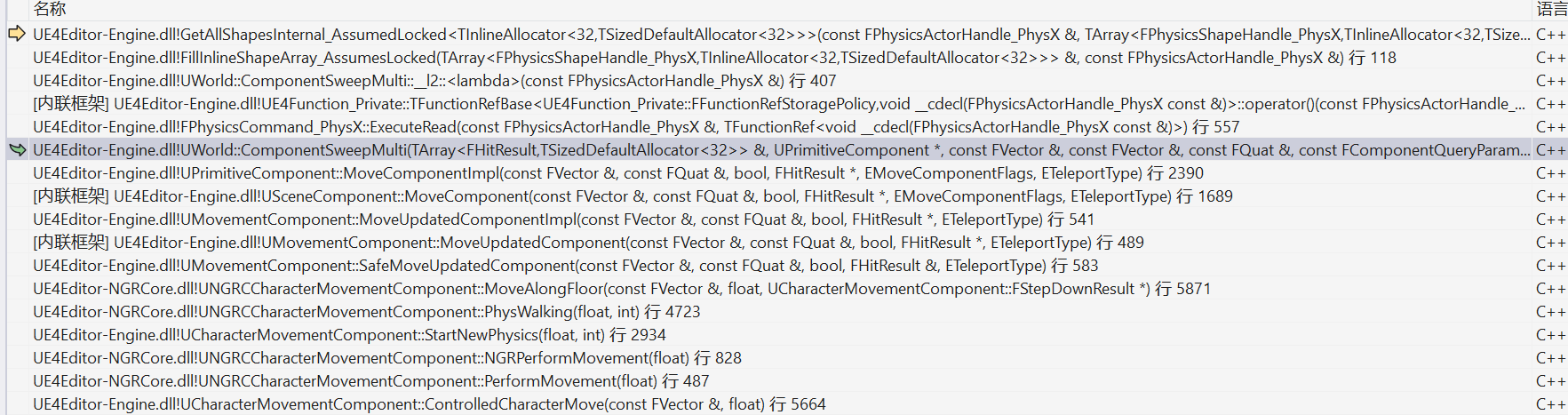
调用查询函数在PhyX中进行物理查询. UPrimitiveComponent::MoveComponentImpl
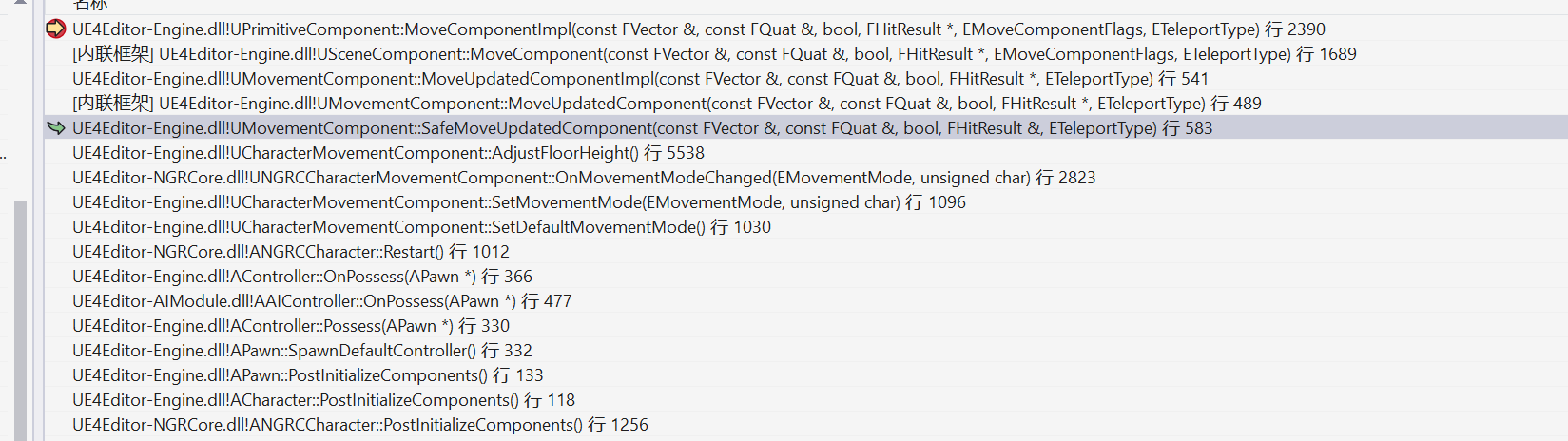
执行堆栈:
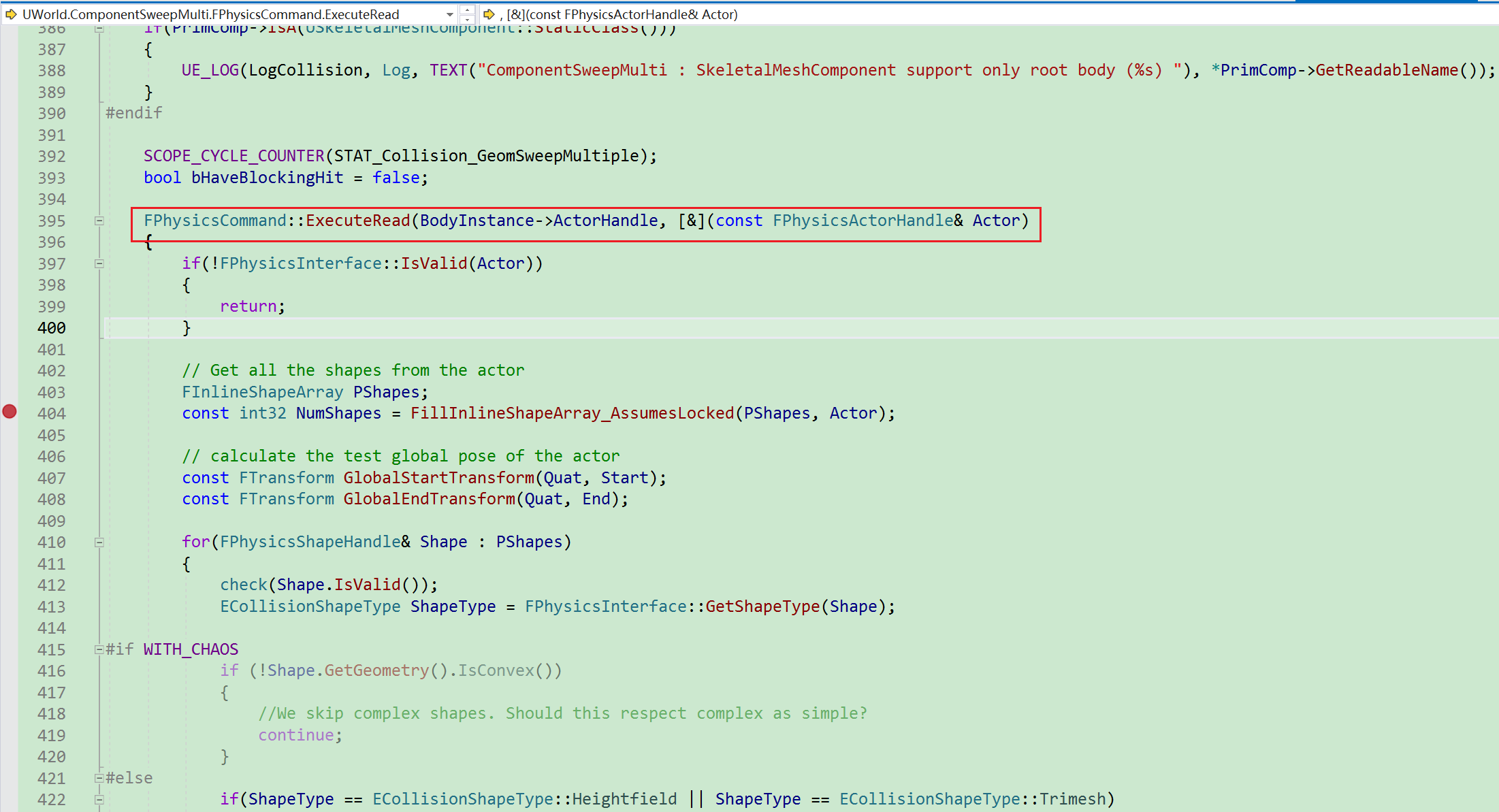
执行PhyX的物理查询功能.
碰撞退步
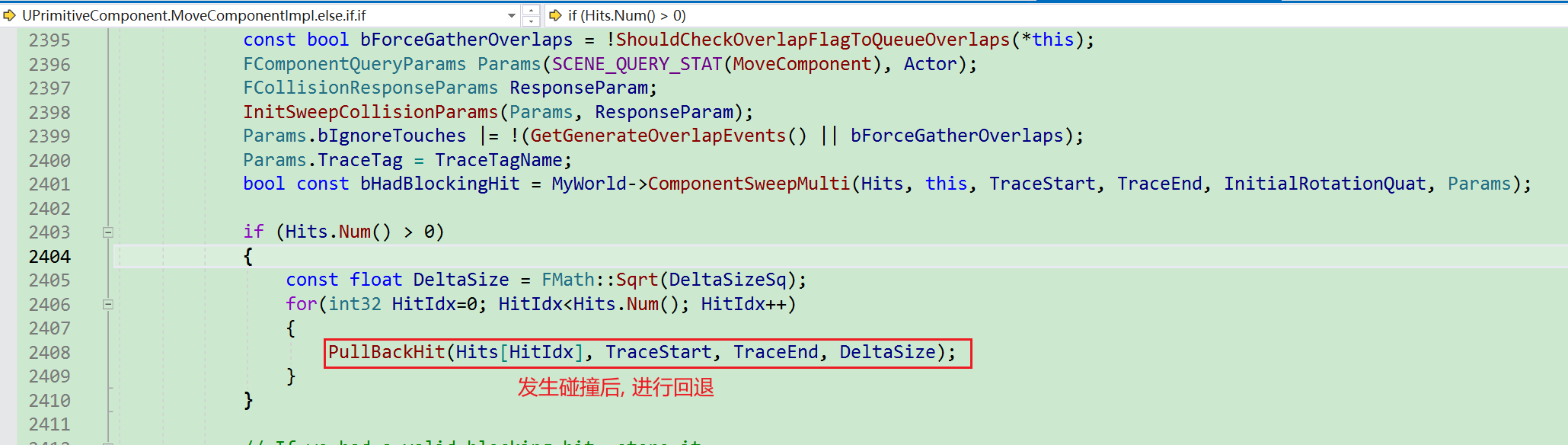
如果发生碰撞, 不能将胶囊体直接放到碰撞点所在位置, 需要退步操作. 如果直接放在碰撞所在位置, 则会在下一次进行移动碰撞检测时, 在起始位置就会直接发生碰撞. 这不是我们想要的, 所以需要退步, 回退多少距离呢? UE给出了经验数据, 并且该数值并不对外暴露, 即UE不建议进行修改.
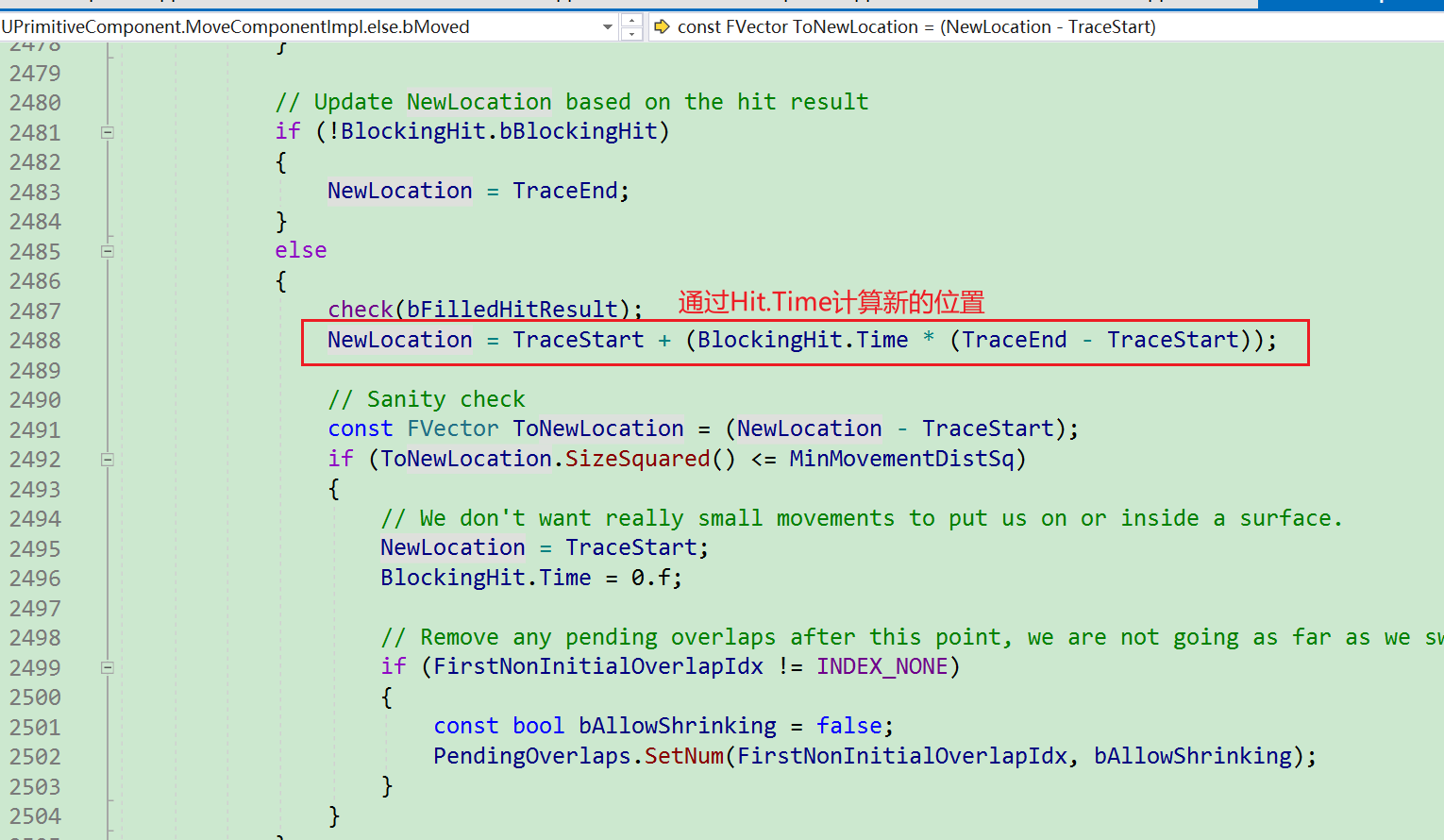
退步体现在Hit.Time, 即只通过缩减Hit.Time.
每次Hit都会进行退步:
如果发生碰撞, 通过Hit.Time计算新的位置.
static void PullBackHit(FHitResult& Hit, const FVector& Start, const FVector& End, const float Dist)
{
	const float DesiredTimeBack = FMath::Clamp(0.1f, 0.1f/Dist, 1.f/Dist) + 0.001f;
	Hit.Time = FMath::Clamp( Hit.Time - DesiredTimeBack, 0.f, 1.f );
}
DesiredTimeBack曲线:
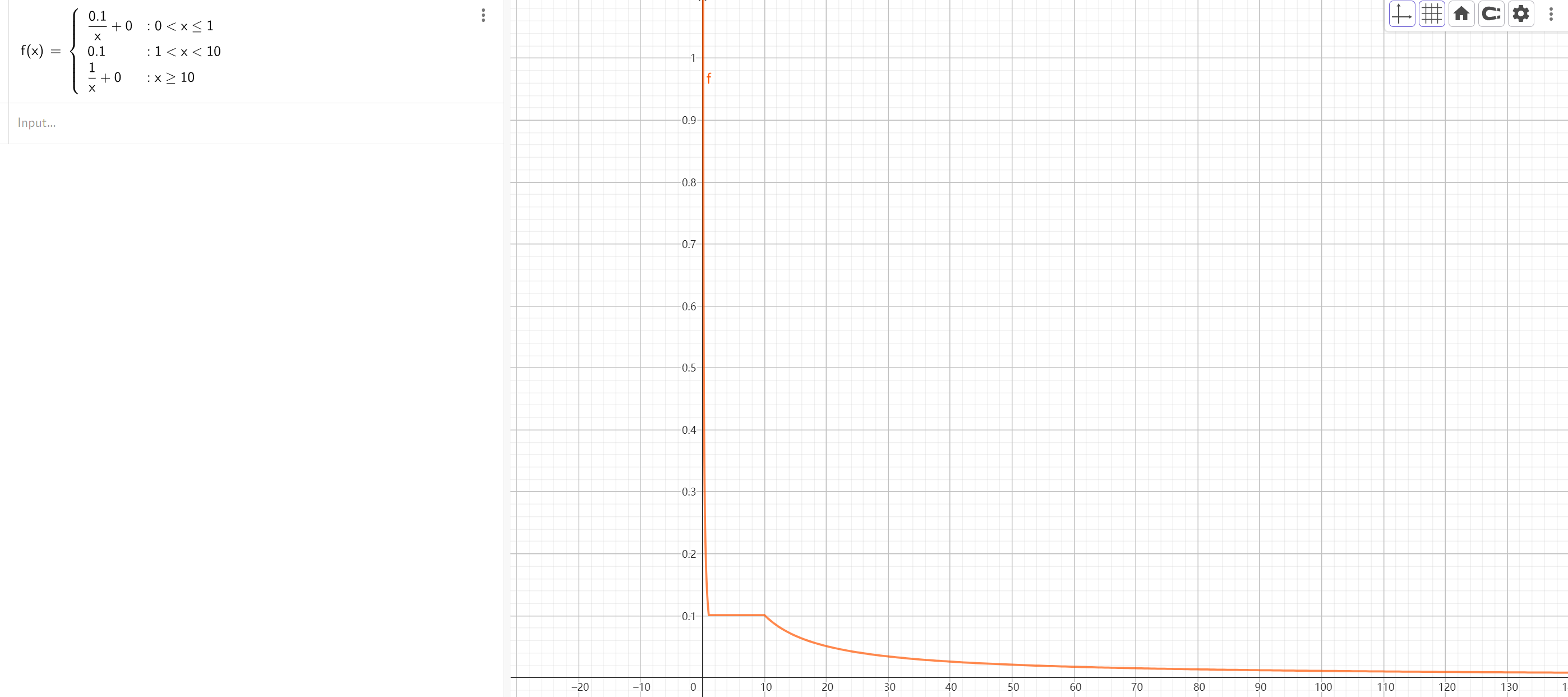
退步详情:
- 当Dist小于1时, 退步为.
- 当Dist在区间时, 退步为.
- 当Dist大于10时, 退步为.
从上述曲线中可以看出, 当Dis越小, 退步甚至超过了Dist本身, 当Dist越大, 退步越小. 但是最小为0.001.
将退步应用到Time身上, 即Hit.Time = FMath::Clamp( Hit.Time - DesiredTimeBack, 0.f, 1.f ),
移动过程抛出HitDebug信息
开启UCheatManager.IsDebugCapsuleSweepPawnEnabled, 关键函数:UCheatManager.AddCapsuleSweepDebugInfo
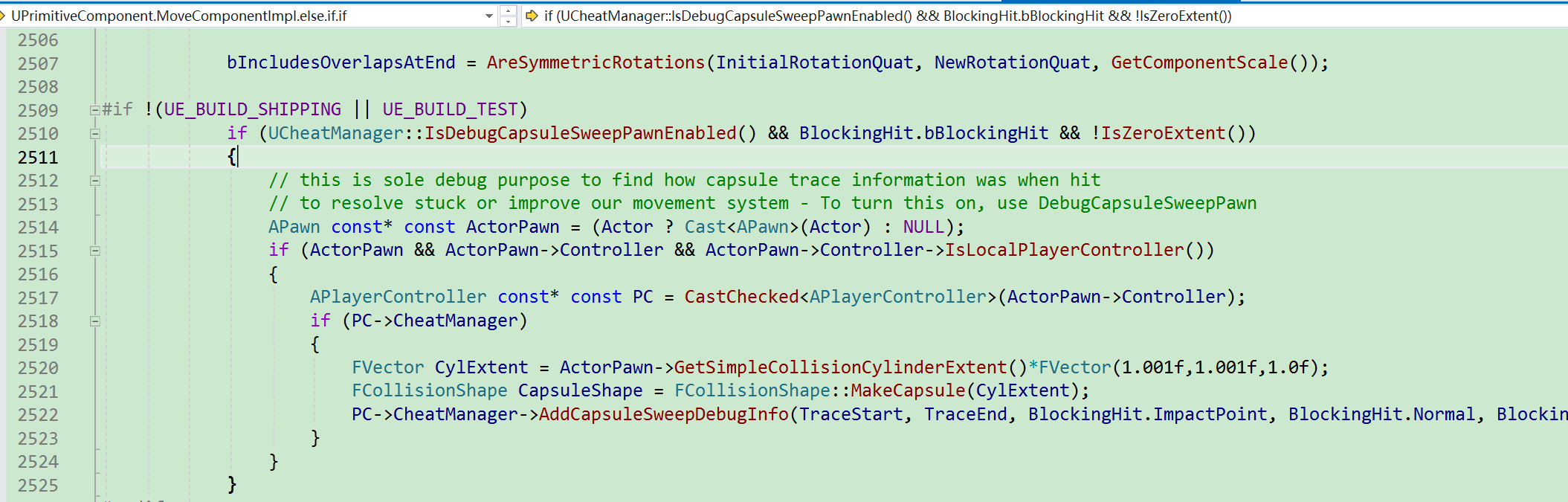
触发Overlap事件
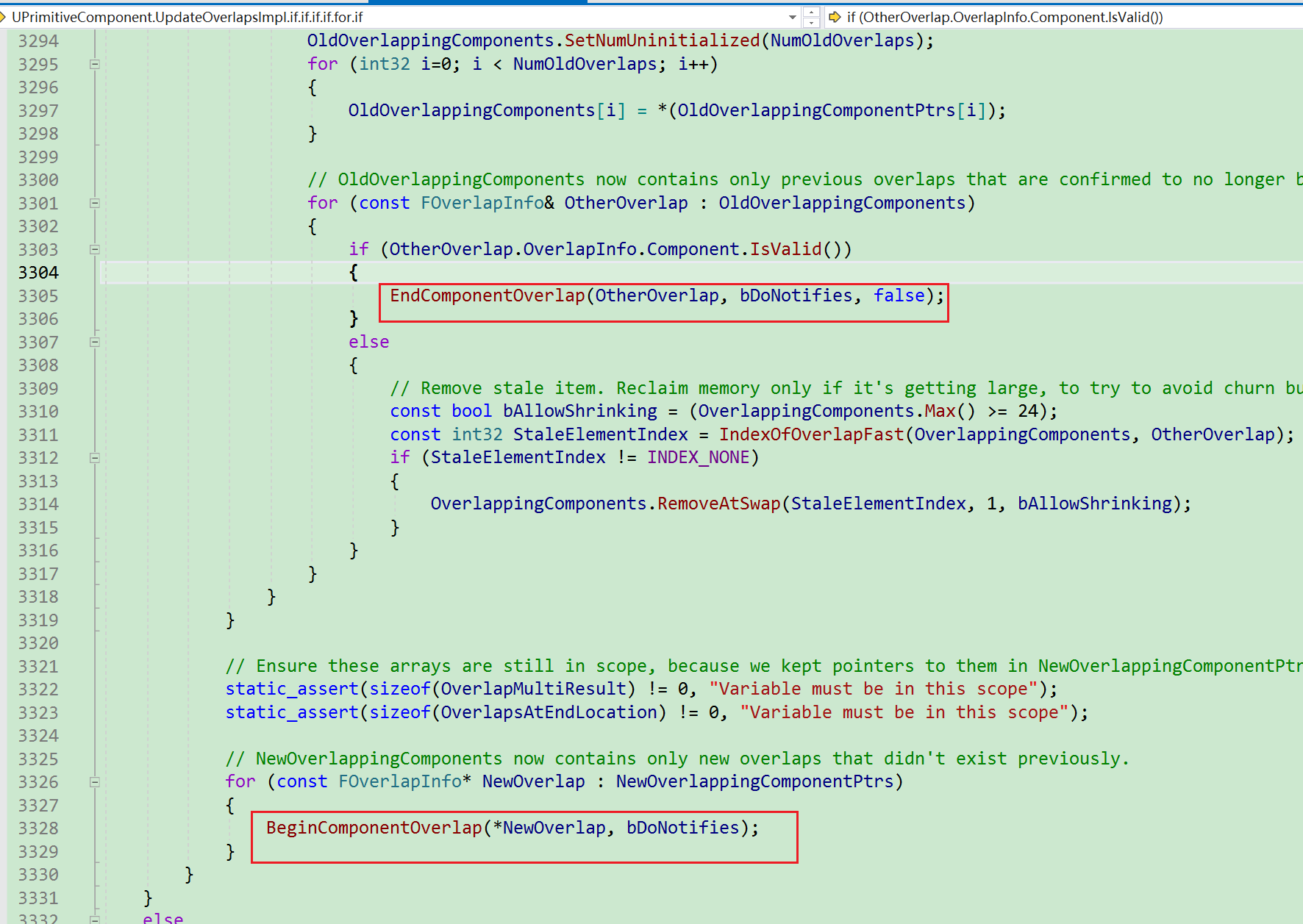
触发关键节点:
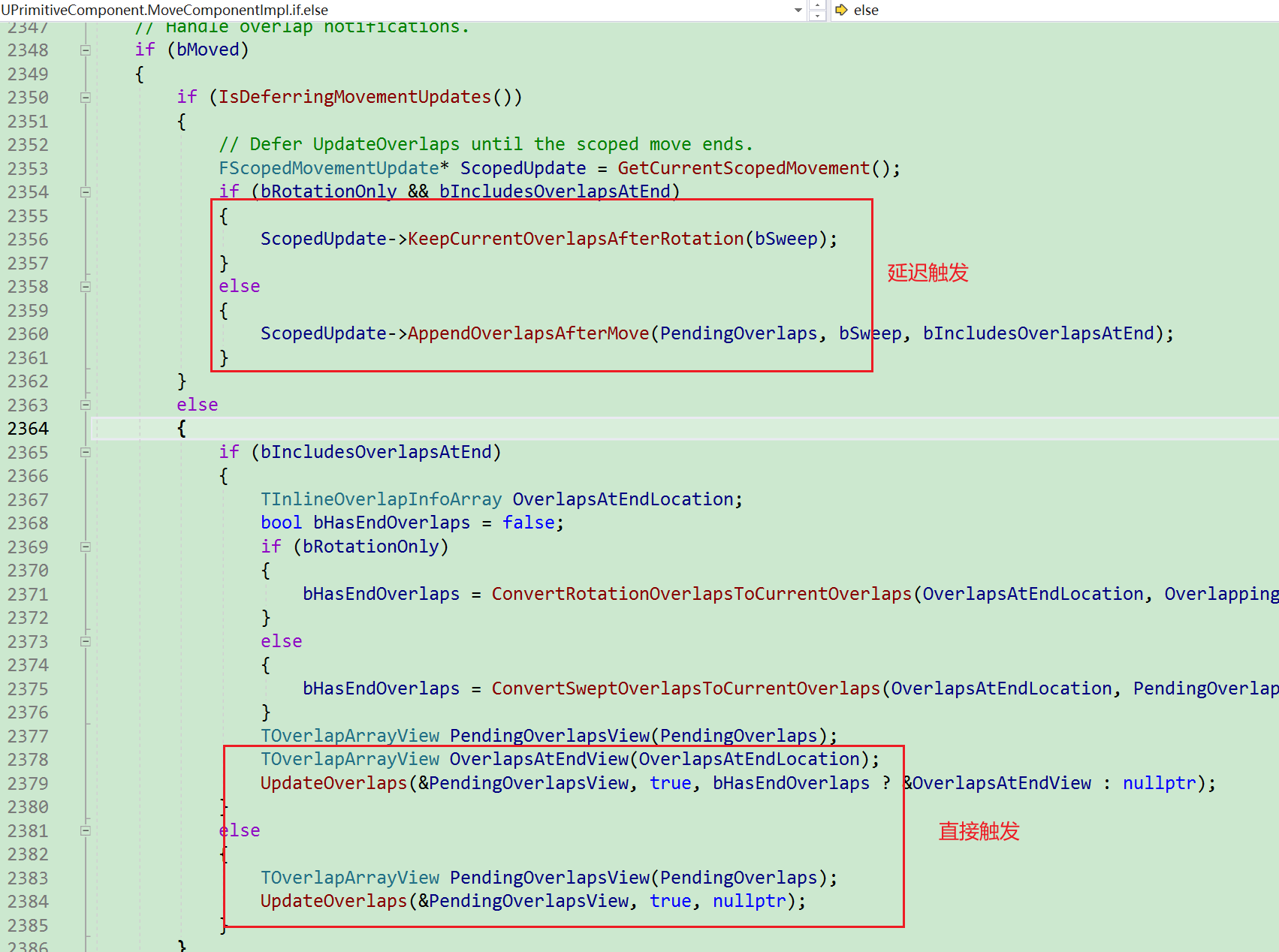
最终会执行到函数UPrimitiveComponent::UpdateOverlapsImpl.
触发Hit事件
触发AActor.ReceiveHit+AActor.OnActorHit+UPrimitiveComponent.OnComponentHit
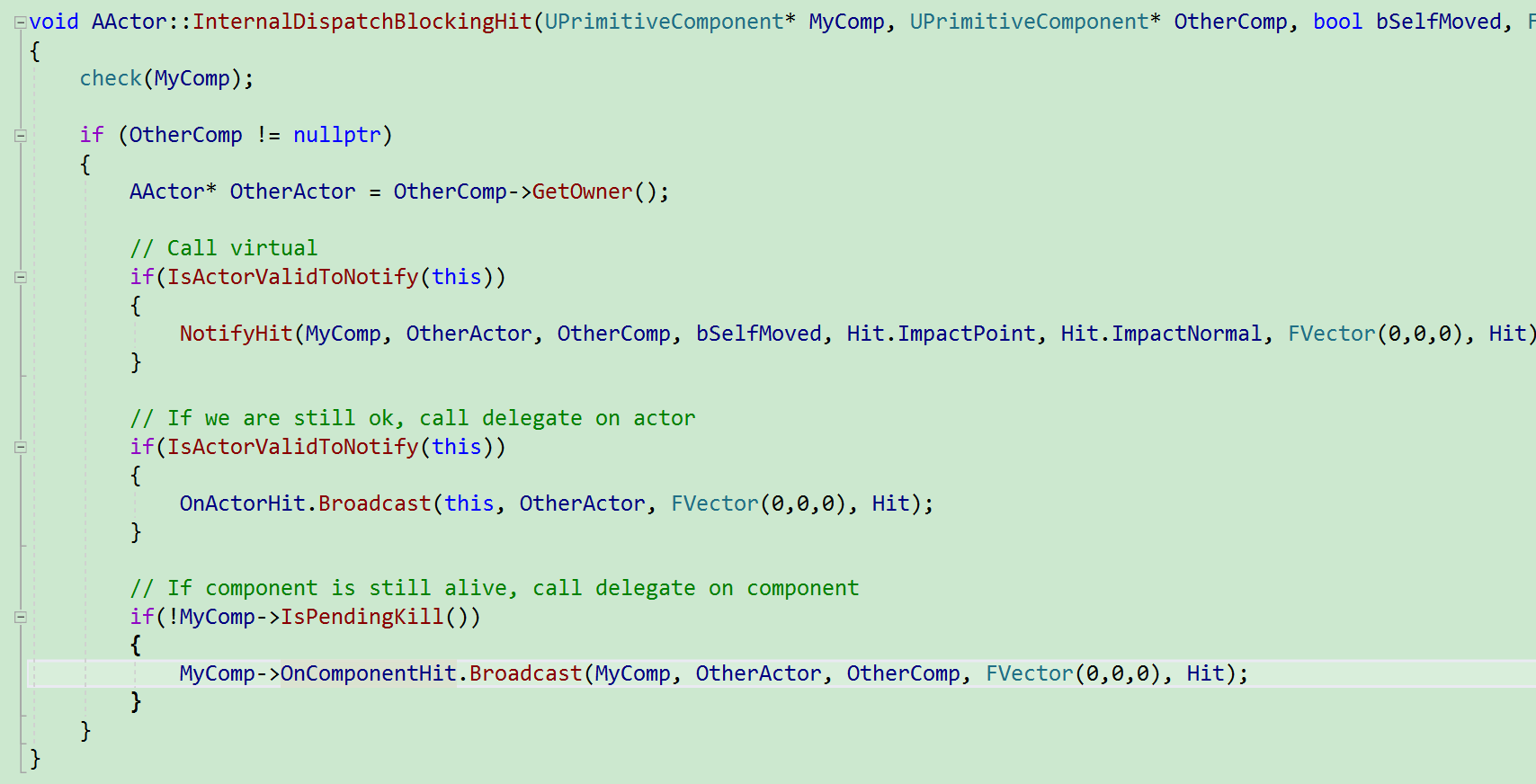
触发堆栈, 注意, 由于被ScopedMovement包裹, 所以只在最后, 触发一次.
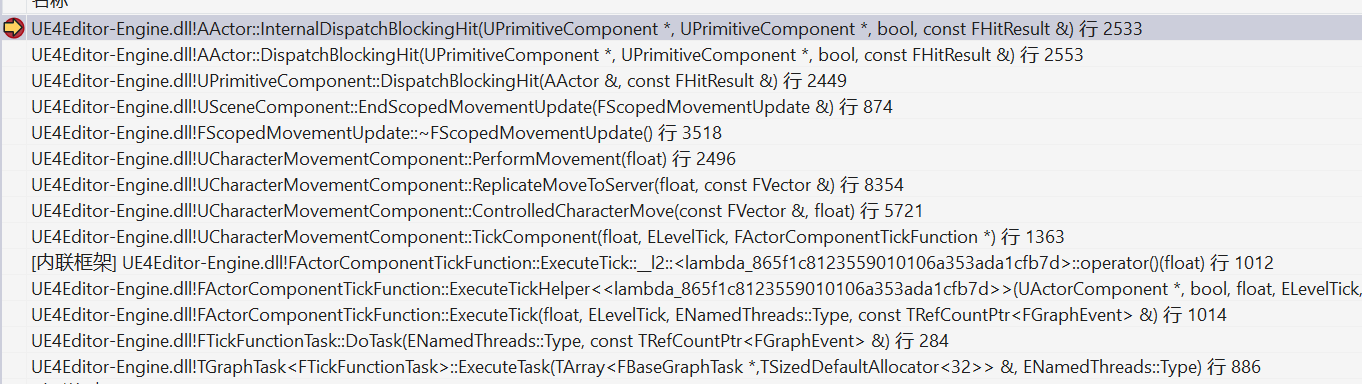
整个UCharacterMovementComponent.PerformMovement过程中, 只执行一次ScopedMovementUpdate.

GetPenetrationAdjustment
该函数期望计算出移出Penetration的向量. 在PenetrationDepth的基础上还额外增加Distance. character方案在此基础上又增加了最大距离限制.
基础Penetration适配方案:
/**
 * Calculate a movement adjustment to try to move out of a penetration from a failed move.
 * @param Hit the result of the failed move
 * @return The adjustment to use after a failed move, or a zero vector if no attempt should be made.
 */
// 从一次失败的移动中, 移出Penetration
// 移动的方式是沿着hit.normal方向移动PenetrationDepth+回退距离
// 其中回退距离是配置的, 默认值:static float PenetrationPullbackDistance = 0.125f;
 FVector UMovementComponent::GetPenetrationAdjustment(const FHitResult& Hit) const
{
	if (!Hit.bStartPenetrating)
	{
		return FVector::ZeroVector;
	}

	FVector Result;
	const float PullBackDistance = FMath::Abs(MovementComponentCVars::PenetrationPullbackDistance);
	const float PenetrationDepth = (Hit.PenetrationDepth > 0.f ? Hit.PenetrationDepth : 0.125f);

	Result = Hit.Normal * (PenetrationDepth + PullBackDistance);

	return ConstrainDirectionToPlane(Result);
}
Character针对Penetration适配方案.
// 仅仅做回退距离的限制.
FVector UCharacterMovementComponent::GetPenetrationAdjustment(const FHitResult& Hit) const
{
	FVector Result = Super::GetPenetrationAdjustment(Hit);

	if (CharacterOwner)
	{
		const bool bIsProxy = (CharacterOwner->GetLocalRole() == ROLE_SimulatedProxy);
		float MaxDistance = bIsProxy ? MaxDepenetrationWithGeometryAsProxy : MaxDepenetrationWithGeometry;
		const AActor* HitActor = Hit.GetActor();
		if (Cast<APawn>(HitActor))
		{
			MaxDistance = bIsProxy ? MaxDepenetrationWithPawnAsProxy : MaxDepenetrationWithPawn;
		}

		Result = Result.GetClampedToMaxSize(MaxDistance);
	}

	return Result;
}

