使用uniapp搭建首页
介绍html部分
<view class="content-wrap" style="width: 100vw;height:100vh;display: flex;flex-direction: column;justify-content: space-between;">
<view class="content">
<view class="">
{{content.id}}
</view>
<view class="">
{{content.name}}
</view>
</view>
<view class="nav">
<view class="nav-list" v-for="(item,index) in list" :key="item.id" @tap="changeAct(item)">
<view :class="[act==index?'name':'']">
{{item.name}}
</view>
<view :class="[act==index?'line':'']">
</view>
</view>
</view>
</view>
js部分
<script setup>
 import {ref} from 'vue'
 let list=ref([{
 	id:0,
 	name:'找房'
 },
 {
 	id:1,
 	name:'圈子'
 },
 {
 	id:2,
 	name:'我的房间'
 },
 {
 	id:3,
 	name:'消息'
 },
 {
 	id:4,
 	name:'个人中心'
 }
 ])
 let content=ref('')
 let act=ref(0)
 let changeAct=(item)=>{
 	act.value=item.id
 	content.value=item
 }
</script>
css部分
.nav {
			height: 100rpx;
			display: flex;
			align-items: center;
			justify-content: space-around;
			background-color: rgba(0, 0, 0, .8);
			font-size: 15rpx;
			text-align: center;
			color: orange;
			width: 100vw;
		}

		.nav-list {
			width: 65rpx;
			height: 100%;
			opacity: .9;
		}

		.nav-list .name {
			color: red;
		}

		.nav-list .line {
			width: 65rpx;
			height: 4rpx;
			background-color: red;
		}
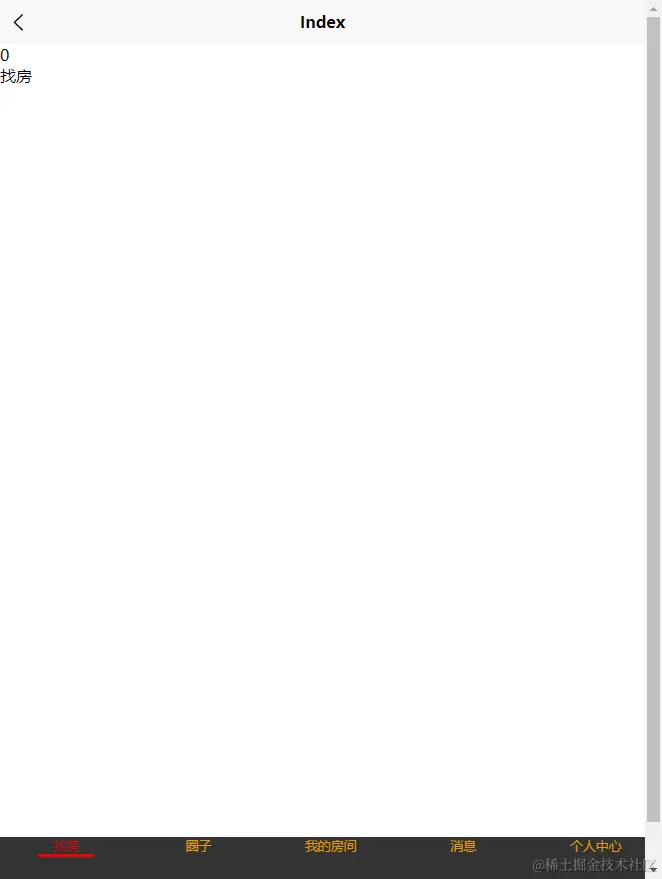
效果图