HealthKit 权限管理
前言: 该文章主要调研了权限相关方法, 做个记录。以下所有代码示例可从 Demo 中查看。
申请权限类型
/// [写]权限
static let dataTypesToWrite: Set<HKSampleType?> = [
    .height,
    .weight,
    .heartRate,
    .BMI,
    .bloodPressureSystolic,
    .bloodPressureDiastolic,
    .oxygenSaturation,
    .bloodGlucose,
    .bodyTemperature,
    // Add other data types you want to write here.
]

/// [读]权限
static var dataTypesToRead: Set<HKObjectType?> = [
    .height,
    .weight,
    // Add other data types you want to read here.
]
证书
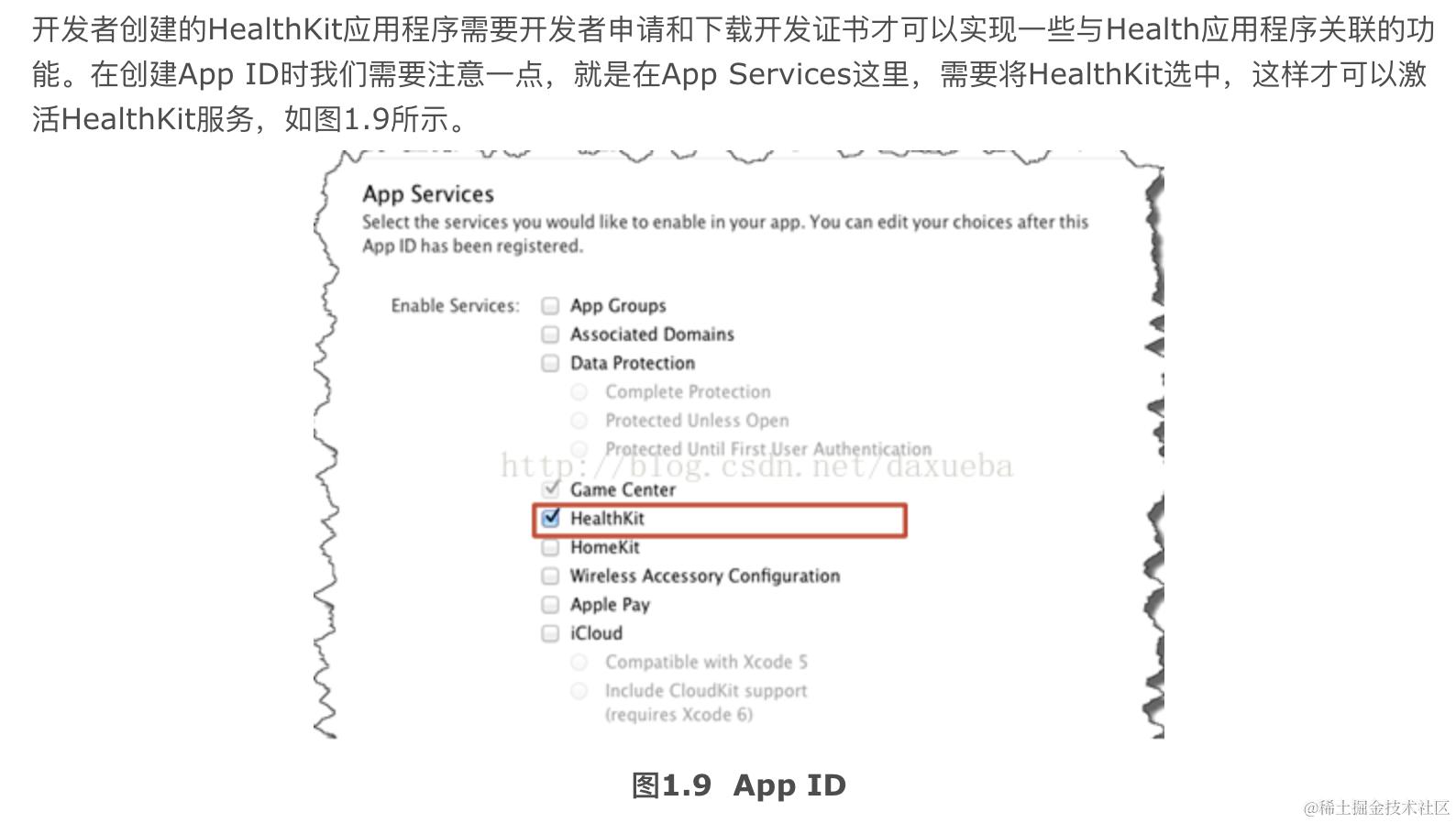
权限
Xcode 配置
配置一
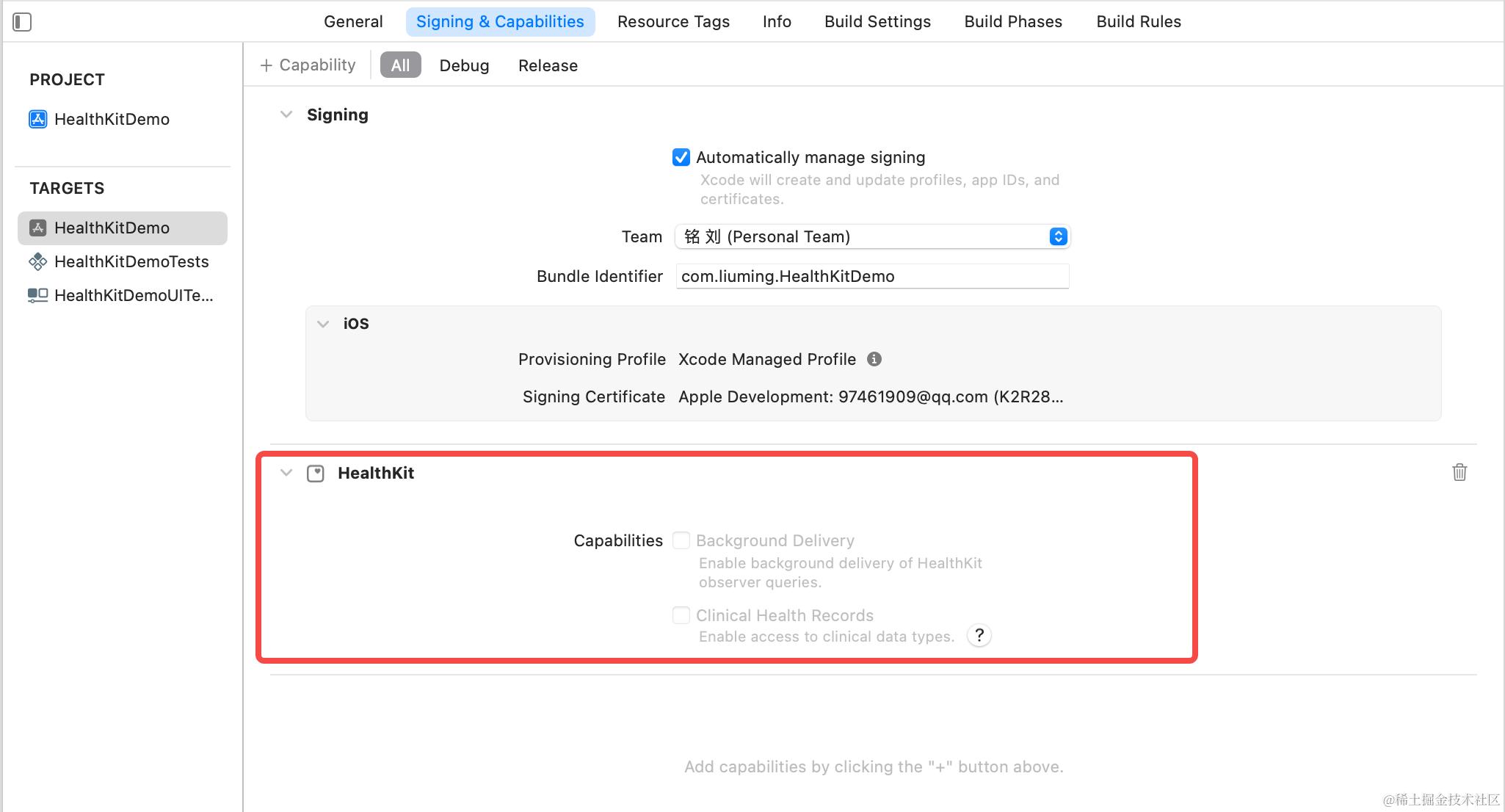
- 无证书状态下☑️无法勾选。
- 仅当您的应用需要访问用户的临床记录时,才选中“临床健康记录”复选框。如果应用实际上不使用健康记录数据而勾选的话,则应用审核可能会拒绝。
配置二
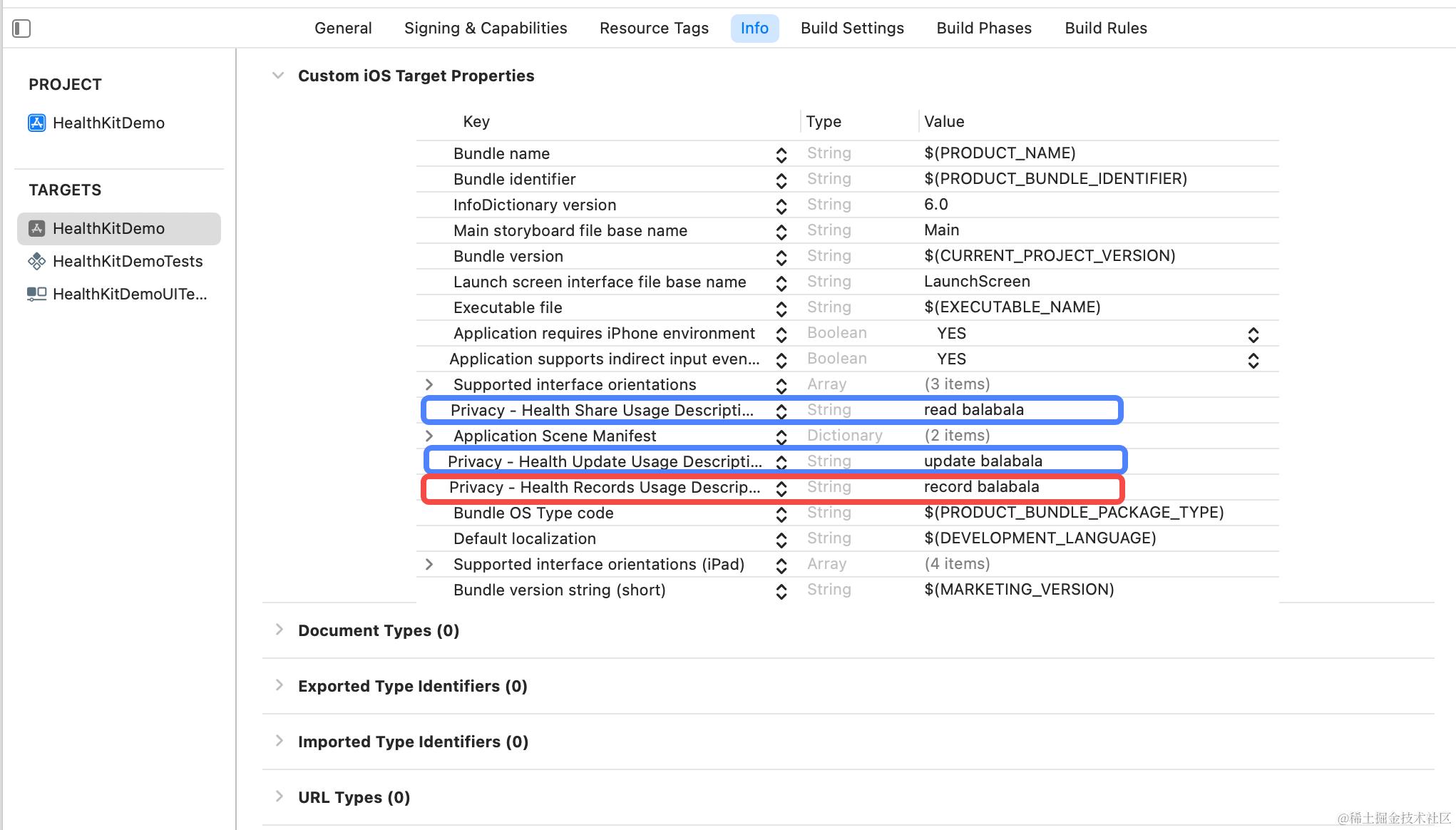
- NSHealthUpdateUsageDescription [写]权限
Important This key is required if your app uses APIs that update the user’s health data. - NSHealthShareUsageDescription [读]权限
Important This key is required if your app uses APIs that access the user’s heath data. - NSHealthClinicalHealthRecordsShareUsageDescription
Important

This key is required if your app uses APIs that access the user's clinical records.
代码处理
检查设备是否支持健康数据
/// By default, HealthKit data is available on iOS and watchOS.
/// HealthKit data is also available on iPadOS 17 or later.
/// Devices running in an enterprise environment may restrict access to HealthKit data.
/// The HealthKit framework is available on devices running iPadOS 16 and earlier, macOS 13 and later, and visionOS,
/// but your app can’t read or write HealthKit data. Calls to isHealthDataAvailable() return false.
func plv_isHealthDataAvailable() -> Bool {
    return HKHealthStore.isHealthDataAvailable()
}
权限状态
enum PLVHealthKitPermissionStatus {
    /// 用户未选择
    case notDetermined
    /// 拒绝
    case denied
    /// 允许
    case authorized
    /// 设备不支持
    case notSupport
}
- 自定义类型来处理
HKAuthorizationStatus -> HealthKitPermissionStatus, 因为部分设备可能会存在设备不支持的情况!isHealthDataAvailable()。
检查对应类型集合是否需要授权
@available(iOS 12.0, *)
func plv_checkShouldRequestAuthorization(
    dataTypesToWrite: Set<HKSampleType> = [],
    dataTypesToRead: Set<HKObjectType> = [],
    completion callback: @escaping (Bool, (any Error)?) -> Void
) {
    healthStore.getRequestStatusForAuthorization(toShare: dataTypesToWrite, read: dataTypesToRead) { status, error in
        DispatchQueue.main.async {
            switch status {
            case .shouldRequest:
                callback(true, error)
            default:
                callback(false, error)
            }
        }
    }
}
-
闭包中
Bool通过HKAuthorizationRequestStatus转换而来。enum HKAuthorizationRequestStatus : Int, @unchecked Sendable { case unknown = 0 case shouldRequest = 1 case unnecessary = 2 } -
当
dataTypesToWrite/dataTypesToRead增加时调用该方法检查,当然也可随时检查。
请求对应类型[读、写]权限.
func plv_requestAuthorization(
        dataTypesToWrite: Set<HKSampleType?>? = PLVHealthKitManager.dataTypesToWrite,
        dataTypesToRead: Set<HKObjectType?>? = PLVHealthKitManager.dataTypesToRead,
        completion callback: ((PLVHealthKitPermissionStatus, (any Error)?) -> Void)?
    ) {
        if plv_isHealthDataAvailable() {
            var shareTypes: Set<HKSampleType>? {
                ...
            }
            var readTypes: Set<HKObjectType>? {
                ...
            }
            healthStore.requestAuthorization(toShare: shareTypes, read: readTypes) { authorized, error in
                DispatchQueue.main.async {
                    callback?(authorized ? .authorized : .denied, error)
                }
            }
        } else {
            callback?(.notSupport, nil)
        }
    }
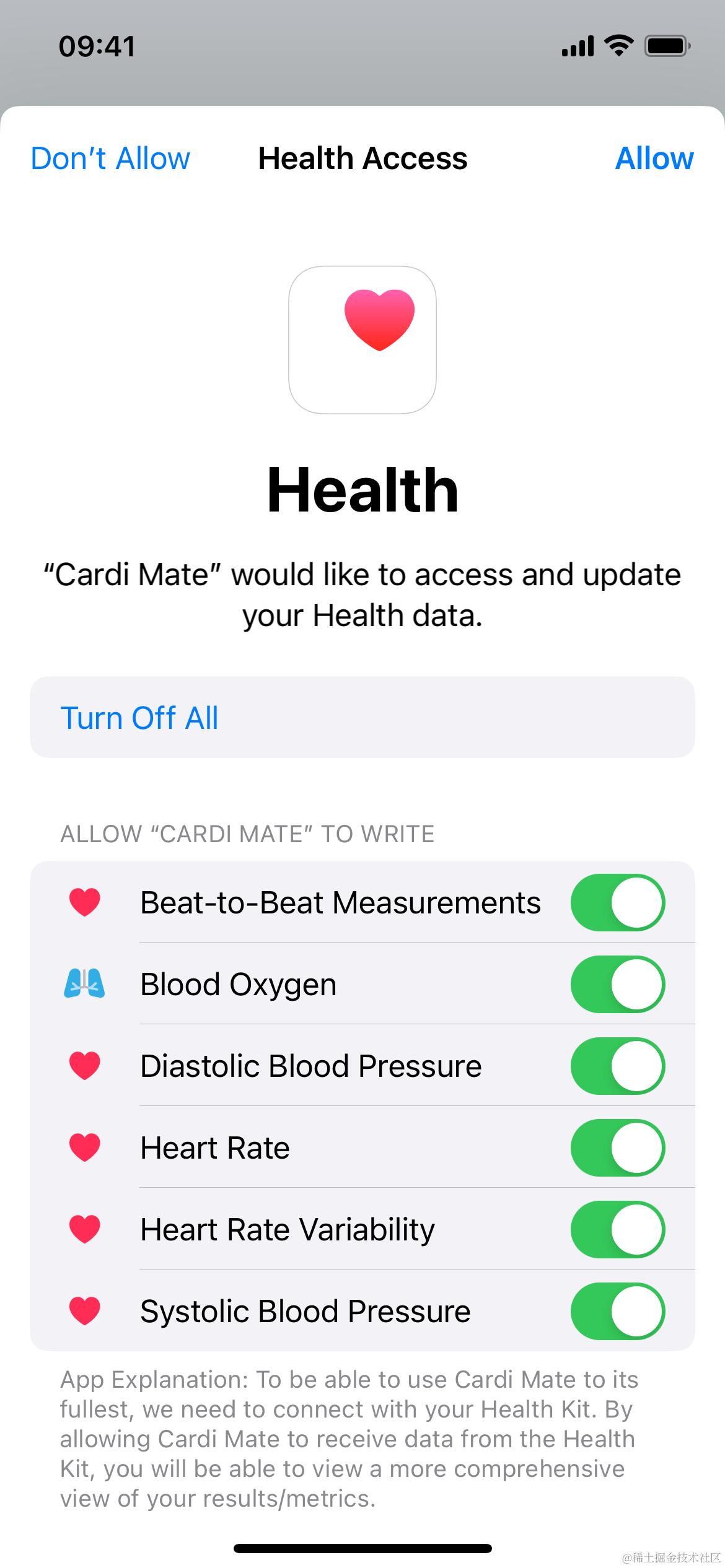
dataTypesToWrite、dataTypesToRead不可同时为空,否则会 Crash.- 若所有类型均授权过,则不会弹出系统授权页面。
- 若存在新增类型, 则该页面仅存在新增类型开关选项。
- 🌰: 之前仅授权过心率类型的的[写]权限, 这次申请开启了[读]权限,则同时包含 [写、读] 权限开关, 且默认皆为关闭状态。
- 系统授权页面点击 Allow/Don't Allow 均会判定为已授权,只是 Don't Allow 所有类型开关会被置为关闭状态。也就意味着请求不报错的情况下返回 status 始终会是
.authorized。
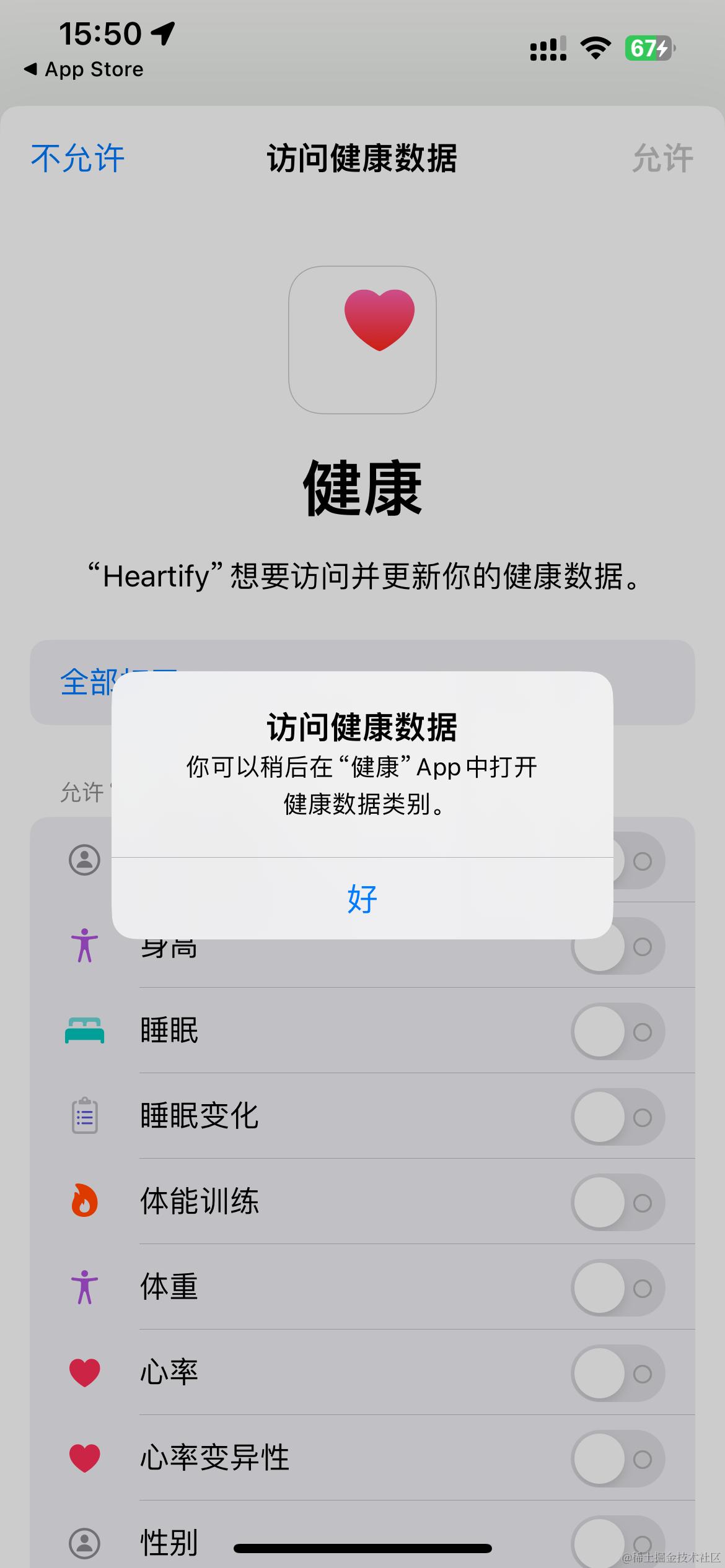
- 当点击 Don't Allow 后系统会自动弹出该 Alert,内容为系统内定。
- 若在授权页不点击 Allow/Don't Allow 而强制退出 App,下次再请求授权, 仍会弹出该页面。
- 当然也可以一次只请求所需要的数据类型的权限而不是全部类型。但这更取决于你的产品需求。
判断对应类型[写]权限状态
func plv_writeAuthorizationStatus(for type : HKObjectType) -> PLVHealthKitPermissionStatus
判断对应类型[读]权限状态
- 下边的方法并非为[读]权限判断方法。读取权限并没有单独提供判断方法。
@available(iOS 16.0, *) open func requestPerObjectReadAuthorization(for objectType: HKObjectType, predicate: NSPredicate?, completion: @escaping (Bool, (any Error)?) -> Void) - 当请求授权时不添加某类型[读]权限, 依然可以执行 read 请求, 并不会产生任何异常, 只是获取到的数据仅为当前 App 写入过的数据。
- 🌰: 当前 App 曾写入过数据,然后卸载了,但未选择清理健康数据记录。
- 当请求授权时添加了某类型[读]权限,但将开关置为关闭状态, 则同样仅可获取当前 App 写入过的数据。
requestPerObjectReadAuthorization 方法
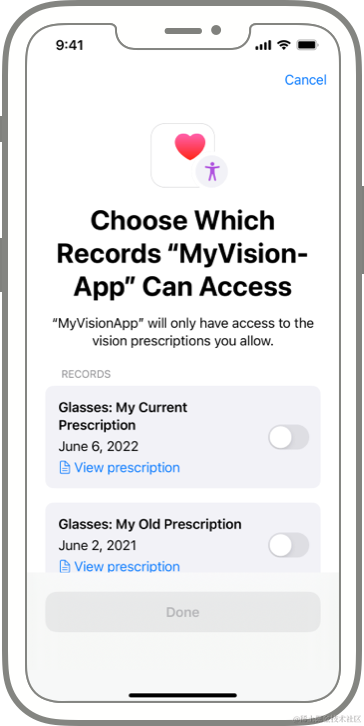
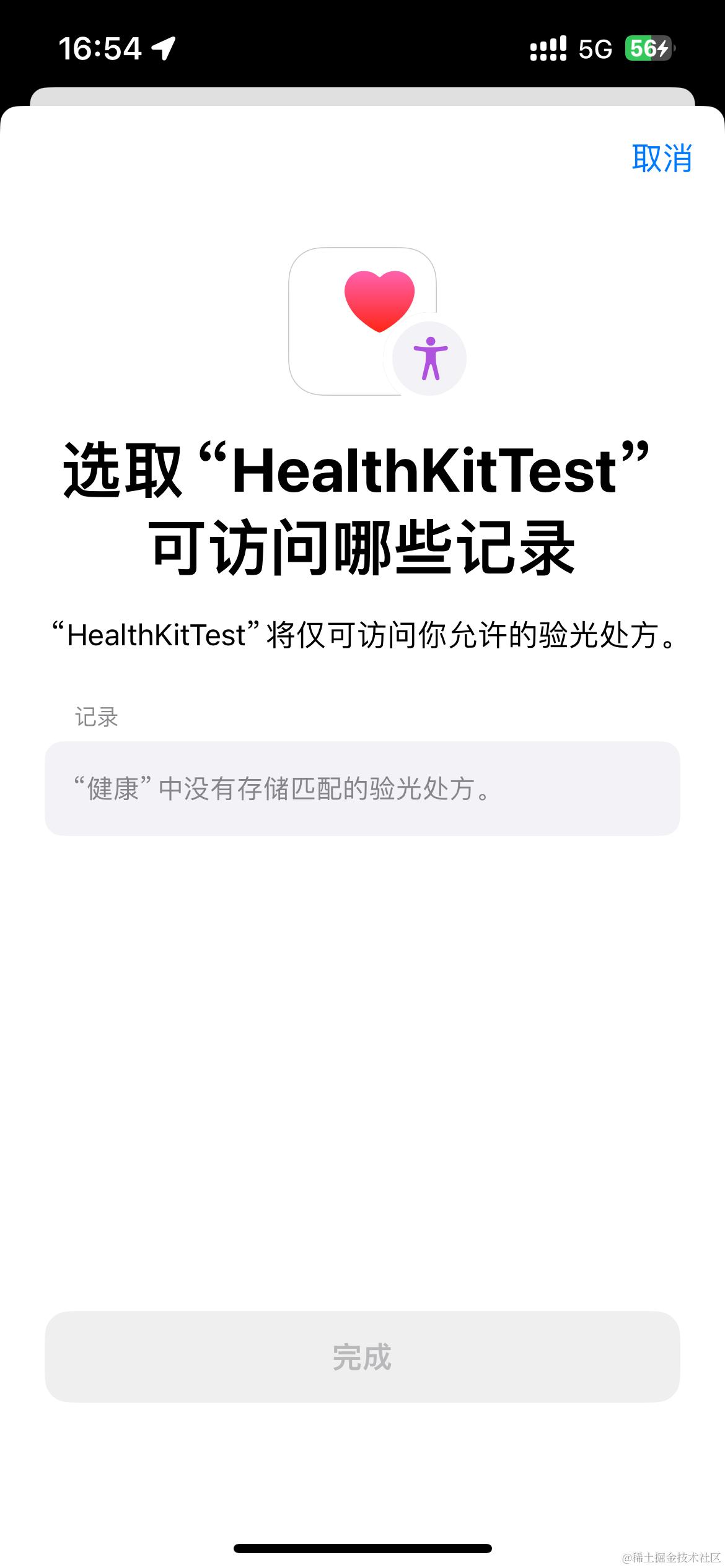
- 调用该方法会弹出访问相应记录页面。
- 该方法与处方类型相关,比如
.visionPrescriptionType()。并非所有类型皆可调用该方法, 身高、体重 等类型调用会 Crash。
总结需要注意的点:
- isHealthDataAvailable() 检查是非常有必要的。
healthStore属性官方是建议全局仅创建一次, 因此放置在了单例中, Demo 中位置PLVHealthKitManager.shared.healthKitPermission.healthStore。You need only a single HealthKit store per app. These are long-lived objects; you create the store once, and keep a reference for later use.
- 所有闭包请求皆在后台匿名线程, 因此都添加了回到主队列操作。
- 若你阅读官方文档中看到 share type, 请记住这是指 [写] 权限。要和
NSHealthShareUsageDescription所指的 [读] 权限说明区分开。 - 用户隐私相关说明还是有必要看下的。
- HealthKit 开发指南, 包含设计资源、编辑指南等。
附录
HKError.Code
- 如果需要详细处理错误信息, 请参照 HKError.Code。