前言
- 前端求职越来越难了,vue 和 react 等框架越来越容易写了,后端都能写前端了,导致前端技术越来越废了,为了求生,必须搞点后端不愿意干的前端技术了,那就是 D3js 和 threejs 还有更专业的图形学
- 话不多说,抽空学起来,前端普通路线已经走不下去了,图形学搞起来!
效果图
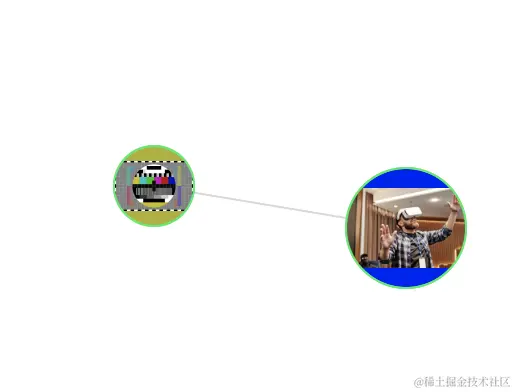
源码在此!!!
<!DOCTYPE html>
<html lang="en">
<head>
<meta charset="UTF-8">
<meta name="viewport" content="width=device-width, initial-scale=1.0">
<title>Document</title>
<script src="https://cdnjs.cloudflare.com/ajax/libs/d3/7.9.0/d3.min.js"></script>
</head>
<body>
<script>
const w = 800
const h = 600
const svg = d3.select('body')
.append('svg')
.attr('width', w)
.attr('height', h)
.attr('viewBox', [0, , w, h]);
const nodesData = [{
id: 'kitty',
shape: 'circle',
r: 20,
p: [100, 150],
color: '#adb128',
image: 'https://cdn.pixabay.com/photo/2013/07/12/17/47/test-pattern-152459_1280.png'
},
{
id: 'minilty',
shape: 'circle',
r: 30,
p: [300, 200],
color: '#120af5',
image: 'https://images.pexels.com/photos/8348740/pexels-photo-8348740.jpeg?auto=compress&cs=tinysrgb&w=600'
}]
const linksData = [{
source: 'kitty',
target: 'minilty',
border: 1,
color: '#d7d9d8'
}]
const link = svg.append('g')
.selectAll('line')
.data(linksData)
.join('line')
.attr('x1', d => nodesData.find(n => n.id === d.source).p[0])
.attr('y1', d => nodesData.find(n => n.id === d.source).p[1])
.attr('x2', d => nodesData.find(n => n.id === d.target).p[0])
.attr('y2', d => nodesData.find(n => n.id === d.target).p[1])
.attr('stroke', d => d.color)
.attr('stroke-width', d => d.border)
const nodeGdefs = svg.append('g')
.attr('stroke', '#0ceb65')
.attr('stroke-width', 1.5)
.append('defs')
const nodeDefsPatternImg = nodeGdefs.selectAll('pattern')
.data(nodesData)
.join('pattern')
.attr('id', d => `${d.id}-img-pattern`)
.attr('patternUnits', 'objectBoundingBox')
.attr('patternContentUnits', 'objectBoundingBox')
.attr('width', 1)
.attr('height', 1)
.append('image')
.attr('xlink:href', d => d.image)
.attr('width', 1)
.attr('height', 1)
.attr('x', 0)
.attr('y', 0)
const node = svg.append('g')
.attr('id', 'node-g')
.selectAll('#node-g')
.data(nodesData)
.join('g')
.attr('stroke', '#0ceb65')
.attr('stroke-width', 1)
.attr('transform', d => `translate(${d.p[0]}, ${d.p[1]})`)
const nodeCirclebg = node.append('circle')
.attr('r', d => d.r)
.attr('cx', d => 0)
.attr('cy', d => 0)
.attr('fill', d => d.color)
const nodeCircleImg = node.append('circle')
.attr('r', d => d.r)
.attr('cx', d => 0)
.attr('cy', d => 0)
.attr('fill', d => `url(#${d.id}-img-pattern)`)
node.call(d3.drag()
.on('start', dragstarted)
.on('drag', dragged)
.on('end', dragended))
function dragstarted(event, d) {
d3.select(this)
.attr('transform', d => `translate(${event.x}, ${event.y})`)
link.filter(l => d.id === l.source)
.attr('x1', event.x)
.attr('y1', event.y)
link.filter(l => d.id === l.target)
.attr('x2', event.x)
.attr('y2', event.y)
}
function dragged(event, d) {
d3.select(this)
.attr('transform', d => `translate(${event.x}, ${event.y})`)
link.filter(l => d.id === l.source)
.attr('x1', event.x)
.attr('y1', event.y)
link.filter(l => d.id === l.target)
.attr('x2', event.x)
.attr('y2', event.y)
}
function dragended(event, d) {
}
</script>
</body>
</html>