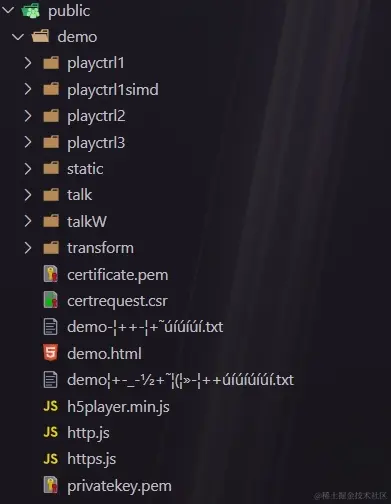
1,直接把demo整个放入public目录下:ps:我懒别学我
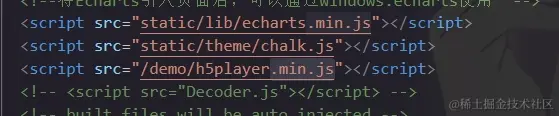
2,在index。html里引入h5player.min.js
3,在监控页面创建视图容器div
4,引入h5player.min.js

5、把demo.html里需要的功能模块代码复制过来,比如我这只需要预览的功能,所以只要一下这些代码
mode:1,
isMoveDevice: IS_MOVE_DEVICE,
splitNum: IS_MOVE_DEVICE ? 1 : 2,
urls: {
realplay: 'ws://60.30.137.2:559/openUrl/uFjw1wI',
talk: 'wss://10.41.163.126:6014/proxy/10.41.163.126:559/EUrl/6gFx47S',
playback: 'wss://10.41.163.126:6014/proxy/10.41.163.126:559/EUrl/6gFx47S'
},
mounted() {
this.initChart()
this.init()
this.createPlayer()
this.realplay()
},
methods: {
init() {
window.addEventListener('resize', () => {
this.player.JS_Resize()
})
},
createPlayer() {
this.player = new window.JSPlugin({
szId: 'player',
szBasePath: "/demo/",
iMaxSplit: 1,
iWidth: 800,
iHeight: 500,
iCurrentSplit: IS_MOVE_DEVICE ? 1 : 2,
openDebug: true,
oStyle: {
borderSelect: IS_MOVE_DEVICE ? '#000' : '#FFCC00',
}
})
this.player.JS_SetWindowControlCallback({
windowEventSelect: function (iWndIndex) {
console.log('windowSelect callback: ', iWndIndex);
},
pluginErrorHandler: function (iWndIndex, iErrorCode, oError) {
console.log('pluginError callback: ', iWndIndex, iErrorCode, oError);
},
windowEventOver: function (iWndIndex) {
},
windowEventOut: function (iWndIndex) {
},
windowEventUp: function (iWndIndex) {
},
windowFullCcreenChange: function (bFull) {
console.log('fullScreen callback: ', bFull);
},
firstFrameDisplay: function (iWndIndex, iWidth, iHeight) {
console.log('firstFrame loaded callback: ', iWndIndex, iWidth, iHeight);
},
performanceLack: function () {
console.log('performanceLack callback: ');
}
});
},
realplay() {
let { player, mode, urls } = this,
index = player.currentWindowIndex,
playURL = urls.realplay
player.JS_Play(playURL, { playURL, mode }, index).then(
() => { console.log('realplay success') },
e => { console.error(e) }
)
},
}
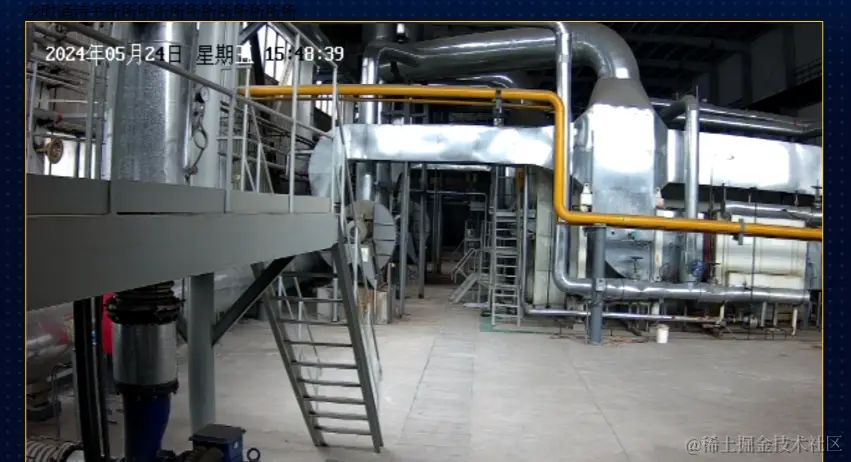
6.最后成品展示