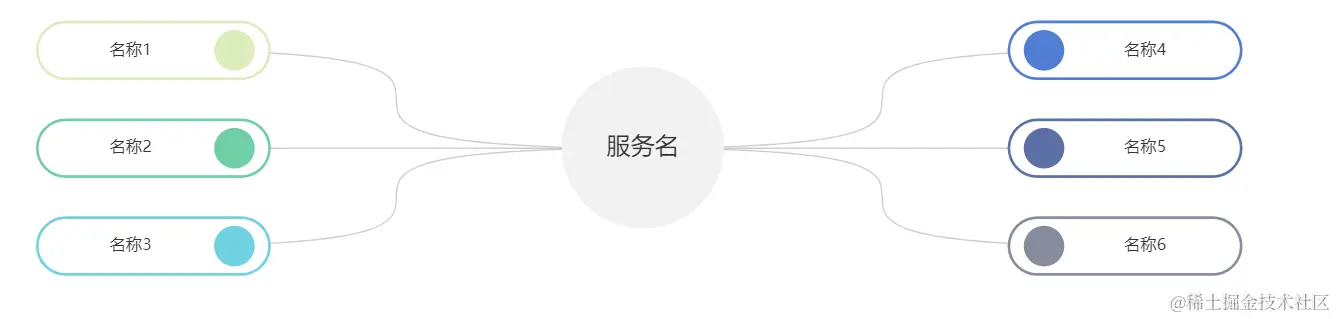
<template>
<div ref="main" id="main" style="width: 60vw; min-height: 250px"></div>
</template>
<script>
import * as echarts from "echarts";
export default {
data() {
return {};
},
mounted() {
this.init();
},
methods: {
init() {
let myChart = echarts.init(this.$refs.main);
let colorList1 = ["#DBEDBC", "#6FCEA4", "#6FD1DF"];
let colorList2 = ["#517ED3", "#5A70A5", "#868D9C"];
var data = [
{
children: [
{
name: "名称1",
},
{
name: "名称2",
},
{
name: "名称3",
},
],
},
];
data[0].children.map((res, index) => {
res.label = {
borderColor: colorList1[index],
rich: {
right: {
backgroundColor: colorList1[index],
},
},
};
});
var data2 = [
{
children: [
{
name: "名称4",
},
{
name: "名称5",
},
{
name: "名称6",
},
],
},
];
data2[0].children.map((res, index) => {
res.label = {
borderColor: colorList2[index],
rich: {
left: {
backgroundColor: colorList2[index],
},
},
};
});
var data3 = [
{
name: "服务名",
children: [],
},
];
let option2 = {
tooltip: {
show: false,
trigger: "item",
formatter: "{b}",
},
series: [
{
type: "tree",
data: data,
top: "1%",
right: "50%",
symbolSize: 1,
orient: "RL",
label: {
normal: {
width: 150,
verticalAlign: "middle",
align: "center",
color: "#333",
borderRadius: 50,
borderWidth: 2,
padding: [5, 10],
backgroundColor: "#fff",
formatter: (params) => {
return params.data.name
? `{box|${params.data.name}} {right|}`
: "";
},
rich: {
box: {
height: 30,
color: "#333",
padding: [0, 10],
},
right: {
height: 30,
width: 30,
borderRadius: 15,
align: "right",
},
},
},
},
lineStyle: {
width: 1,
curveness: 1,
},
expandAndCollapse: true,
animationDuration: 550,
animationDurationUpdate: 750,
},
{
type: "tree",
name: "服务名",
data: data3,
top: "1%",
left: "44%",
symbolSize: 1,
symbol: "circle",
initialTreeDepth: 10,
zlevel: 3,
label: {
normal: {
position: "center",
verticalAlign: "middle",
align: "left",
backgroundColor: "#F2F2F2",
color: "#fff",
borderRadius: 60,
formatter: ["{box|{b}}"].join("\n"),
rich: {
box: {
height: 120,
width: 120,
fontSize: 18,
color: "#333",
align: "center",
},
},
},
},
},
{
type: "tree",
data: data2,
top: "1%",
left: "50%",
symbolSize: 1,
initialTreeDepth: 10,
label: {
normal: {
width: 150,
verticalAlign: "middle",
align: "center",
color: "#333",
borderRadius: 50,
borderWidth: 2,
padding: [5, 10],
backgroundColor: "#fff",
formatter: (params) => {
return params.data.name
? `{left|} {box|${params.data.name}} `
: "";
},
rich: {
box: {
height: 30,
color: "#333",
padding: [0, 10],
},
left: {
height: 30,
width: 30,
borderRadius: 15,
align: "left",
},
},
},
},
lineStyle: {
width: 1,
curveness: 1,
},
expandAndCollapse: true,
animationDuration: 550,
animationDurationUpdate: 750,
},
],
};
myChart.setOption(option2);
myChart.on("click", function (params) {
if (params.event.target.culling === true) {
} else if (params.event.target.culling === false) {
console.log("点击了label");
}
});
window.addEventListener("resize", function () {
myChart.resize();
});
},
},
};
</script>