解决方案
- 可以通过
axes.title 属性来配置轴标题
- 你可以配置
axes.unit 来设置轴组件的单位
 axes: [
    {
      orient: 'left',
      title:{
        visible: true,
        text:'This is axis title'
      },
      unit:{
        visible: true,
        text:'Axis unit'
      }
    }
  ],
代码示例
const spec = {
  type: 'bar',
  width: 450,
  height:300,
  xField: 'month',
  yField: 'sales',
  axes: [
    {
      orient: 'left',
      title:{
        visible: true,
        text:'This is axis title'
      },
      unit:{
        visible: true,
        text:'Axis unit'
      }
    }
  ],
  data: [
    {
      id: 'barData',
      values: [
        { month: 'Monday', sales: 22 },
        { month: 'Tuesday', sales: 13 },
        { month: 'Wednesday', sales: 25 },
        { month: 'Thursday', sales: 29 },
        { month: 'Friday', sales: 32 }
      ]
    }
  ]
};

const vchart = new VChart(spec, { dom: CONTAINER_ID });
vchart.renderSync();

// Just for the convenience of console debugging, DO NOT COPY!
window['vchart'] = vchart;
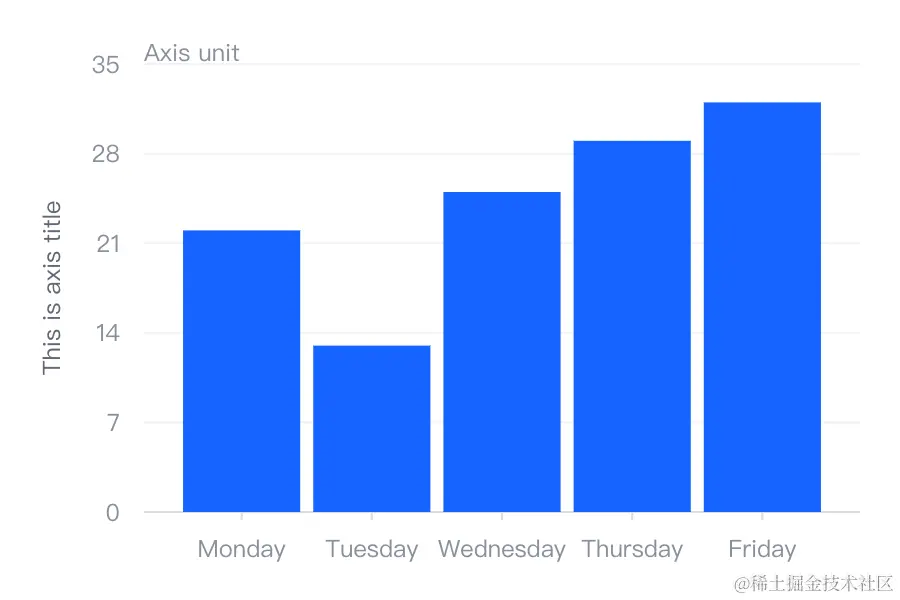
结果展示
相关文档


