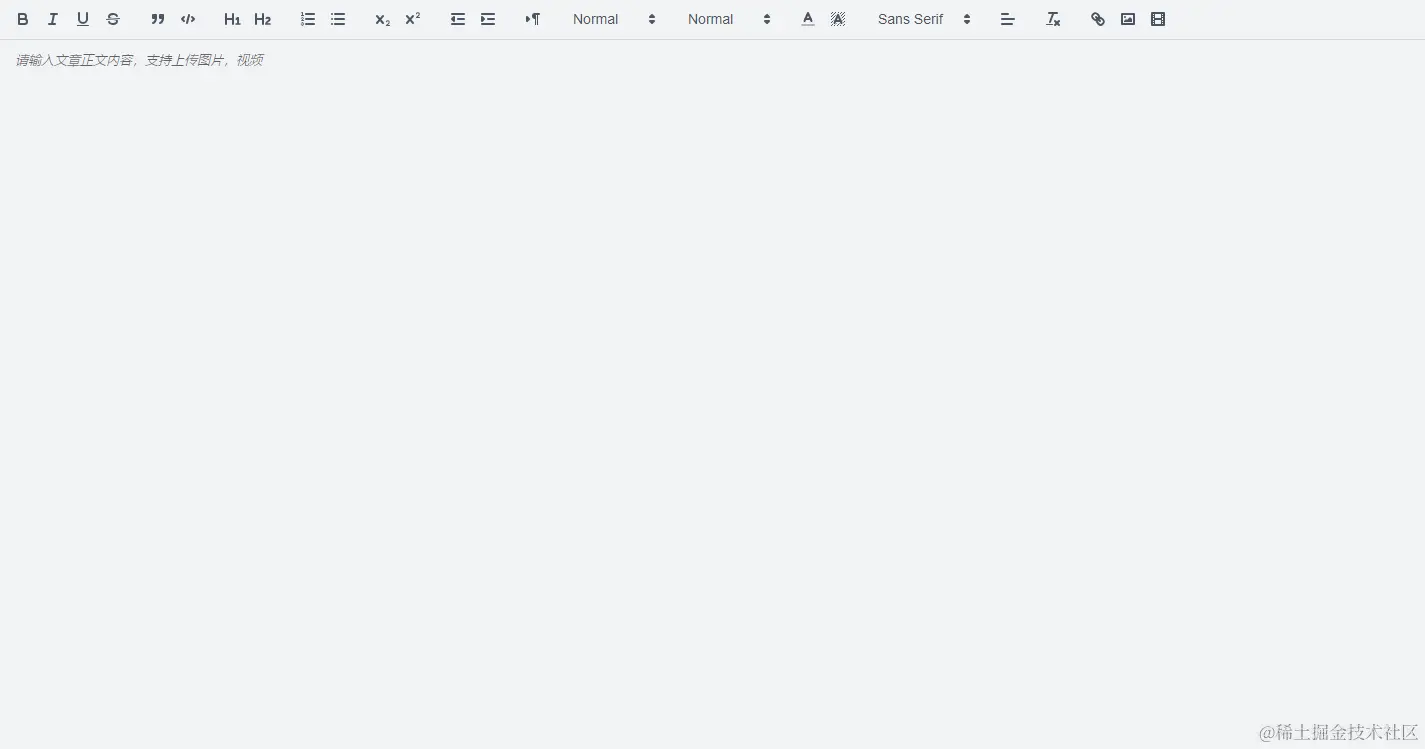
封装组件(MyQuillEdito.vue)
<template>
<div>
<QuillEditor
ref="myQuillEditor"
theme="snow"
:content="content"
:options="editorOption"
content-type="html"
@update:content="setValue"
/>
<el-upload class="avatar-uploader" action="" :limit="1" :http-request="fileChange"></el-upload>
<div class="linkDialog">
<el-input v-model="linkUrl.text" placeholder="请输入链接名称" style="width: 200px"></el-input>
<el-input v-model="linkUrl.href" placeholder="请输入链接url" style="width: 200px"></el-input>
<span class="dialog-footer">
<el-button @click="handleClose">取 消</el-button>
<el-button type="primary" @click="linkAdd">确 定</el-button>
</span>
</div>
</div>
</template>
<script setup lang="ts">
import { ref, toRaw, onMounted, nextTick, reactive, defineProps } from "vue";
import { QuillEditor, Quill } from "@vueup/vue-quill";
import "@vueup/vue-quill/dist/vue-quill.snow.css";
import { uploadImg } from "@/api/modules/upload";
import { ElMessage } from "element-plus";
const props = defineProps({
value: String
});
const Link = Quill.import("formats/link");
class FileBlot extends Link {
static create(value) {
let node = undefined;
if (value && !value.href) {
node = super.create(value);
} else {
node = super.create(value.href);
node.href = value.href;
node.innerText = value.innerText;
}
return node;
}
}
FileBlot.blotName = "link";
FileBlot.tagName = "A";
Quill.register(FileBlot, "some-unique-name");
const emit = defineEmits(["func"]);
const myQuillEditor = ref();
const content = ref("");
const linkUrl = reactive({
href: "",
text: ""
});
const toolBarOption = [
["bold", "italic", "underline", "strike"],
["blockquote", "code-block"],
[{ header: 1 }, { header: 2 }],
[{ list: "ordered" }, { list: "bullet" }],
[{ script: "sub" }, { script: "super" }],
[{ indent: "-1" }, { indent: "+1" }],
[{ direction: "rtl" }],
[{ size: ["small", false, "large", "huge"] }],
[{ header: [1, 2, 3, 4, 5, 6, false] }],
[{ color: [] }, { background: ["black"] }],
[{ font: [] }],
[{ align: [] }],
["clean"],
["link", "image", "video"]
];
const editorOption = reactive({
placeholder: "请输入文章正文内容,支持上传图片,视频",
theme: "snow",
syntax: true,
lang: "zh-CN",
modules: {
toolbar: {
container: toolBarOption
}
}
});
const handleClose = () => {
document.querySelector(".linkDialog").style.display = "none";
linkUrl.href = "";
linkUrl.text = "";
};
const linkAdd = () => {
try {
const quill = toRaw(myQuillEditor.value).getQuill();
const length = quill.getSelection(true).index;
console.log(quill, length);
quill.insertEmbed(length, "link", { href: linkUrl.href, innerText: linkUrl.text }, "api");
quill.setSelection(length + linkUrl.text.length);
handleClose();
} catch (e) {
console.log(e);
ElMessage({
message: "链接添加异常!",
type: "error"
});
}
};
const fileChange = file => {
const reader = new FileReader();
reader.readAsDataURL(file.file);
reader.addEventListener("load", () => {
fileUpload(file.file.name, reader.result);
});
};
const fileUpload = async (name, file, type) => {
const params = {
file: file,
filename: name
};=
try {
let formData = new FormData();
formData.append("file", params.file);
let res = await uploadImg(params);=
if (res.code === 200) {
ElMessage({
message: "操作成功!",
type: "success"
});
const quill = toRaw(myQuillEditor.value).getQuill();
if (!quill) {
return;
}
const length = quill.getSelection().index;
quill.insertEmbed(length, "image", res.data.fileUrl);
quill.setSelection(length + 1);
} else {
ElMessage({
message: "异常!" + res?.msg,
type: "error"
});
}
} catch (e) {
console.log(e);
ElMessage({
message: "异常!" + e,
type: "error"
});
}
};
const imgHandler = state => {
if (state) {
document.querySelector(".avatar-uploader input").click();
}
};
const linkClick = state => {
if (state) {
document.querySelector(".linkDialog").style.display = "block";
}
};
const setValue = () => {
const text = toRaw(myQuillEditor.value).getHTML();
console.log("text", text);
emit("func", text);
};
onMounted(async () => {
const quill = toRaw(myQuillEditor.value).getQuill();
console.log(props.value, "props.value");
if (myQuillEditor.value) {
quill.getModule("toolbar").addHandler("image", imgHandler);
quill.getModule("toolbar").addHandler("link", linkClick);
await nextTick();
setTimeout(() => {
myQuillEditor.value.setContents(props.value);
}, 300);
}
});
</script>
<style scoped lang="scss">
.linkDialog {
width: fit-content;
position: fixed;
top: 50%;
left: 50%;
transform: translate(-50%, -50%);
background-color: #fff;
display: none;
}
</style>
页面使用
<template>
<div class="quill-editor">
<MyQuillEditor style="width: 100%; height: 100%" :value="dynamicValidateForm.content" @func="updateContent" />
</div>
</template>
<script setup>
import { ref } from "vue";
import MyQuillEditor from "./MyQuillEdito.vue";
const dynamicValidateForm = ref({
content: ""
});
const updateContent = data => {
dynamicValidateForm.value.content = data;
};
</script>
<style lang="scss" scoped>
.quill-editor {
width: 100%;
height: 100%;
}
</style>
效果展示