一、在 components 中新建 moreCom 文件夹并新建 moreCom.vue文件
1、写入 html 代码
<template>
	<view class="wrap">
		<view ref="moreDom" class="more_wrap" :style="{'height': heights}">
			<view id="moreDom">{{content}}</view>
		</view>
		<view class="pop_wrap" v-if="content">
			<view @click="pop">{{!isPop ? '展开' : '收起'}}</view>
		</view>
	</view>
</template>
2、写入 css 代码
.wrap {
	position: relative;

	.more_wrap {
		width: 100%;
		overflow: hidden;
	}

	.pop_wrap {
		position: absolute;
		display: flex;
		justify-content: center;
		align-items: center;
		bottom: -1rpx;
		width: 100%;
		height: 50rpx;
		background: linear-gradient(180deg, rgba(255, 255, 255, .8), rgba(255, 255, 255, 1));
	}
}
3、写入 js 代码
export default {
name: "moreCom",
props: {
content: {
type: String,
default: ''
},
height: {
type: Number,
default: 200
},
isAnimation: {
type: Boolean,
default: false
}
},
data() {
return {
heights: '',
isPop: false,
};
},
mounted() {
this.heights = `${this.height}px`;
},
methods: {
pop() {
this.isPop = !this.isPop;
if (this.isPop && this.isAnimation) {
const query = uni.createSelectorQuery().in(this);
query.select('#moreDom').boundingClientRect(data => {
let actHeight = this.height;
let time = setInterval(() => {
let heightAnimation = actHeight++;
this.heights = heightAnimation + 'px';
if (actHeight >= data.height + 30) {
clearInterval(time);
}
}, 10)
}).exec();
} else if (!this.isPop && this.isAnimation) {
const query = uni.createSelectorQuery().in(this);
query.select('#moreDom').boundingClientRect(data => {
let actHeight = this.heights.substring(0, 3);
let time = setInterval(() => {
let heightAnimation = actHeight--;
this.heights = heightAnimation + 'px';
if (actHeight <= this.height) {
clearInterval(time);
}
}, 10)
}).exec();
} else if (this.isPop && !this.isAnimation) {
const query = uni.createSelectorQuery().in(this);
query.select('#moreDom').boundingClientRect(data => {
this.heights = `${data.height + 30}px`;
}).exec();
} else if (!this.isPop && !this.isAnimation) {
console.log('收起',this.height);
this.heights = this.height + 'px';
}
},
},
}
二、父组件调用
1、html 代码
<more-com :content="content" :height="height" :isAnimation="isAnimation"></more-com>
2、js 代码
import moreCom from '@/components/moreCom/moreCom.vue';
export default {
	data() {
		return {
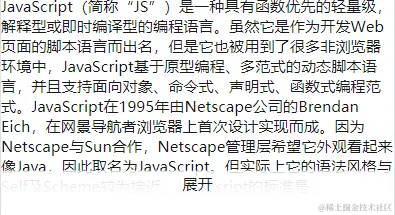
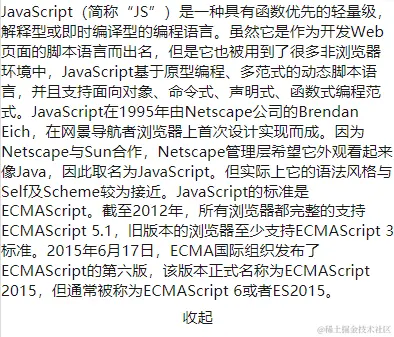
			content: 'JavaScript(简称“JS”)是一种具有函数优先的轻量级,解释型或即时编译型的编程语言。虽然它是作为开发Web页面的脚本语言而出名,但是它也被用到了很多非浏览器环境中,JavaScript基于原型编程、多范式的动态脚本语言,并且支持面向对象、命令式、声明式、函数式编程范式。JavaScript在1995年由Netscape公司的Brendan Eich,在网景导航者浏览器上首次设计实现而成。因为Netscape与Sun合作,Netscape管理层希望它外观看起来像Java,因此取名为JavaScript。但实际上它的语法风格与Self及Scheme较为接近。JavaScript的标准是ECMAScript。截至2012年,所有浏览器都完整的支持ECMAScript 5.1,旧版本的浏览器至少支持ECMAScript 3标准。2015年6月17日,ECMA国际组织发布了ECMAScript的第六版,该版本正式名称为ECMAScript 2015,但通常被称为ECMAScript 6或者ES2015。',
			height: 210,
			isAnimation: false
		};
	},
	components: {
		moreCom
	},
}
三、效果展示