我们在使用cocos creator时有时候需要实现鼠标去拖动一个节点移动,这本来是很简单的问题,只需要监听节点事件在按下的时候改变状态为true、移动的时候判断状态是为true就改变节点的位置、抬起的时候再把状态改为false就好了。
export class test extends Component {
isDown: boolean;
start() {
this.isDown = false;
this.node.on(Node.EventType.MOUSE_DOWN, this.onDown, this);
this.node.on(Node.EventType.MOUSE_UP, this.onUp, this);
this.node.on(Node.EventType.MOUSE_MOVE, this.onMove, this);
this.node.on(Node.EventType.MOUSE_LEAVE, this.onUp, this);
}
onDown(e: EventMouse) {
this.node.setSiblingIndex(10);
this.isDown = true;
}
onUp(e: EventMouse) {
this.isDown = false;
}
onMove(e: EventMouse) {
if (this.isDown) {
const delta = e.getUIDelta();
const position = this.node.position;
this.node.setPosition(position.x + delta.x, position.y + delta.y);
}
}
update(deltaTime: number) {}
}
但是如果我们作用的是一个不规则图形就有问题了。
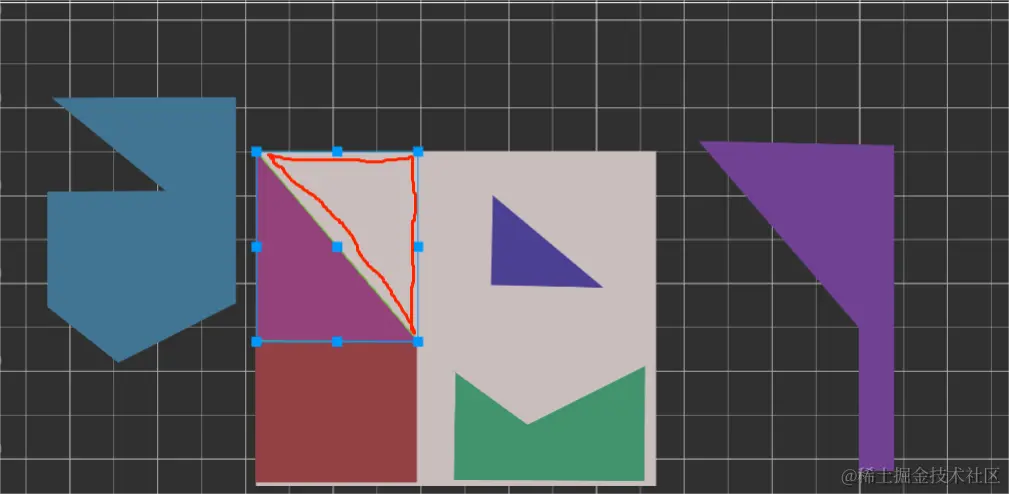
如上图所示,红色部分是图形的透明部分,即使你拖拽的是图形的透明部分,图形也会被拖拽移动,为了解决这个问题,可以为节点添加PolygonCollider2D组件,组件会自动根据图形生成轮廓,这样就可以根据轮廓去判断点击的定位点是透明区域部分还是图形部分了。
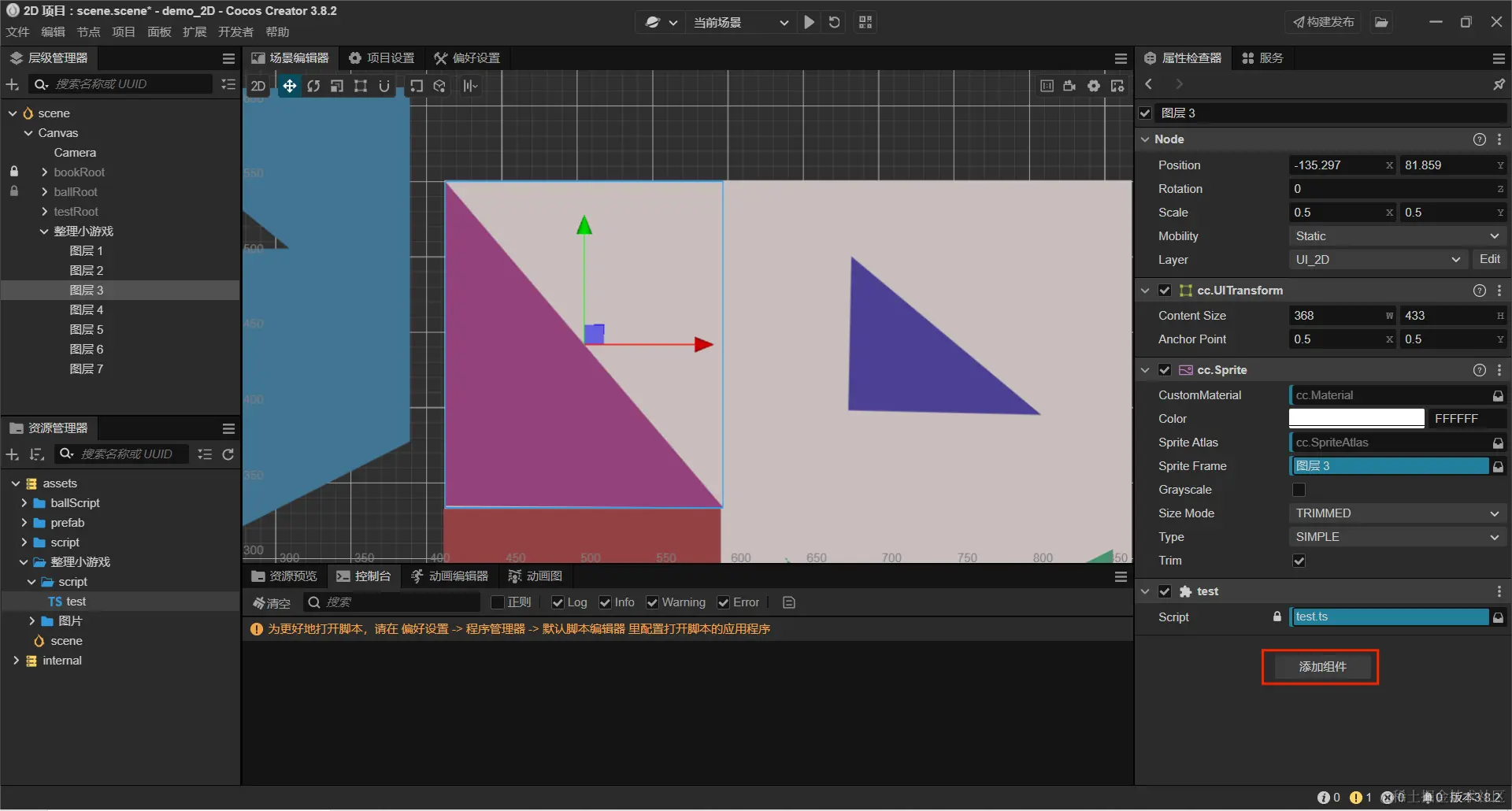
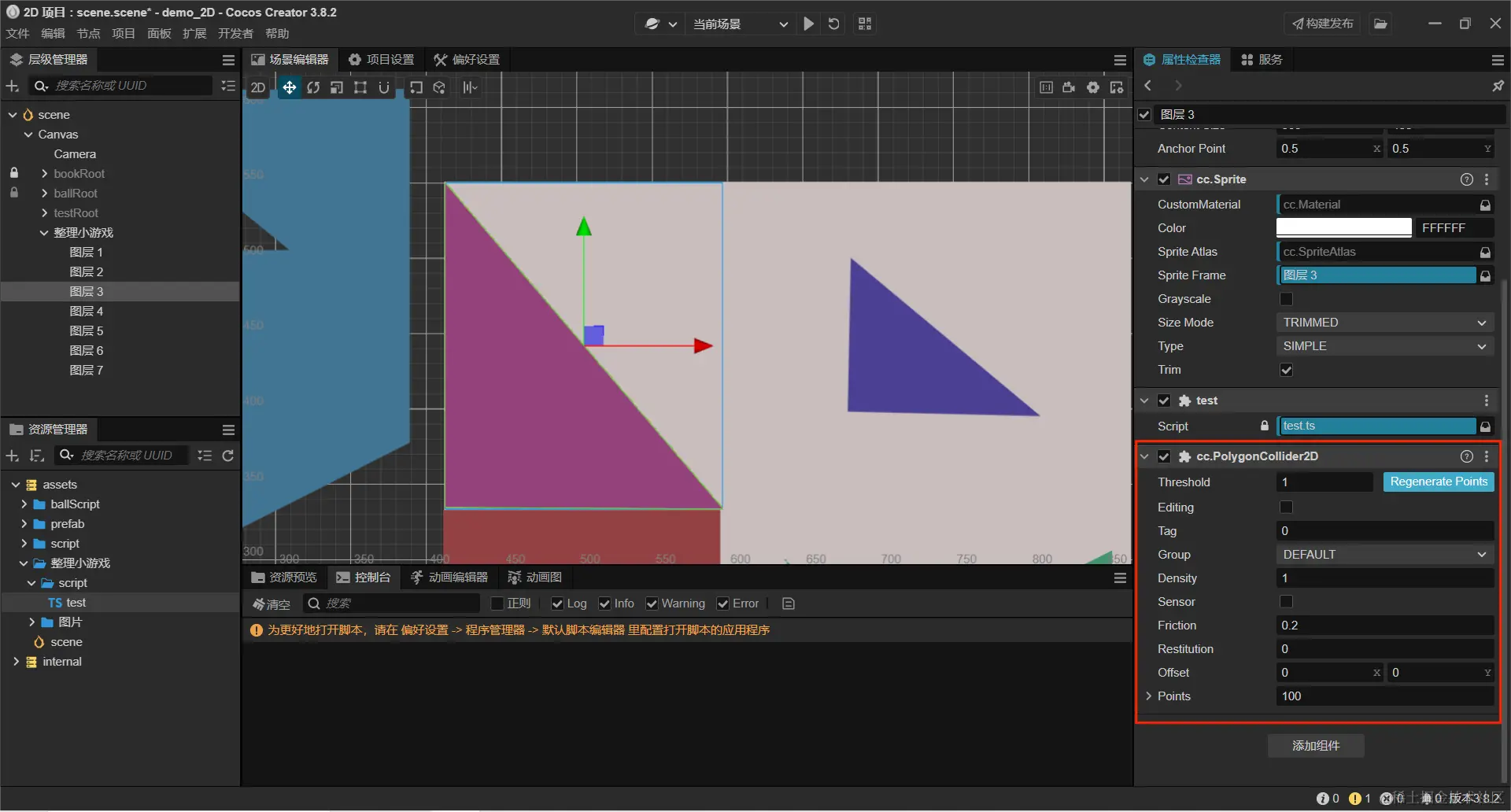
剩下的就是代码了,看如下代码。
import {
_decorator,
Component,
EventMouse,
Node,
UITransform,
Intersection2D,
PolygonCollider2D,
v3,
v2
} from "cc";
const { ccclass, property } = _decorator;
@ccclass("test")
export class test extends Component {
isDown: boolean;
start() {
this.isDown = false;
this.node.on(Node.EventType.MOUSE_DOWN, this.onDown, this);
this.node.on(Node.EventType.MOUSE_UP, this.onUp, this);
this.node.on(Node.EventType.MOUSE_MOVE, this.onMove, this);
this.node.on(Node.EventType.MOUSE_LEAVE, this.onUp, this);
}
onDown(e: EventMouse) {
const collider = this.node.getComponent(PolygonCollider2D);
if (!collider) {
this.node.setSiblingIndex(10);
this.isDown = true;
return;
}
const downPoint = e.getUILocation();
const nodePoint = this.node.getComponent(UITransform).convertToNodeSpaceAR(v3(downPoint.x,downPoint.y));
const points = collider.points;
const is = Intersection2D.pointInPolygon(v2(nodePoint.x,nodePoint.y), points);
if (is) {
this.node.setSiblingIndex(10);
this.isDown = true;
e.preventSwallow = false;
}else{
e.preventSwallow = true;
}
}
onUp(e: EventMouse) {
this.isDown = false;
}
onMove(e: EventMouse) {
if (this.isDown) {
const delta = e.getUIDelta();
const position = this.node.position;
this.node.setPosition(position.x + delta.x, position.y + delta.y);
}
}
update(deltaTime: number) {}
最后终于解决了不规则图形拖拽的问题,完结撒花!!!
当然这只是我能想到的办法,如果有其它办法,可以写在评论区,告诉我,谢谢。



