要求,在常见的Cell布局设计01的基础进行更进一步的升级操作
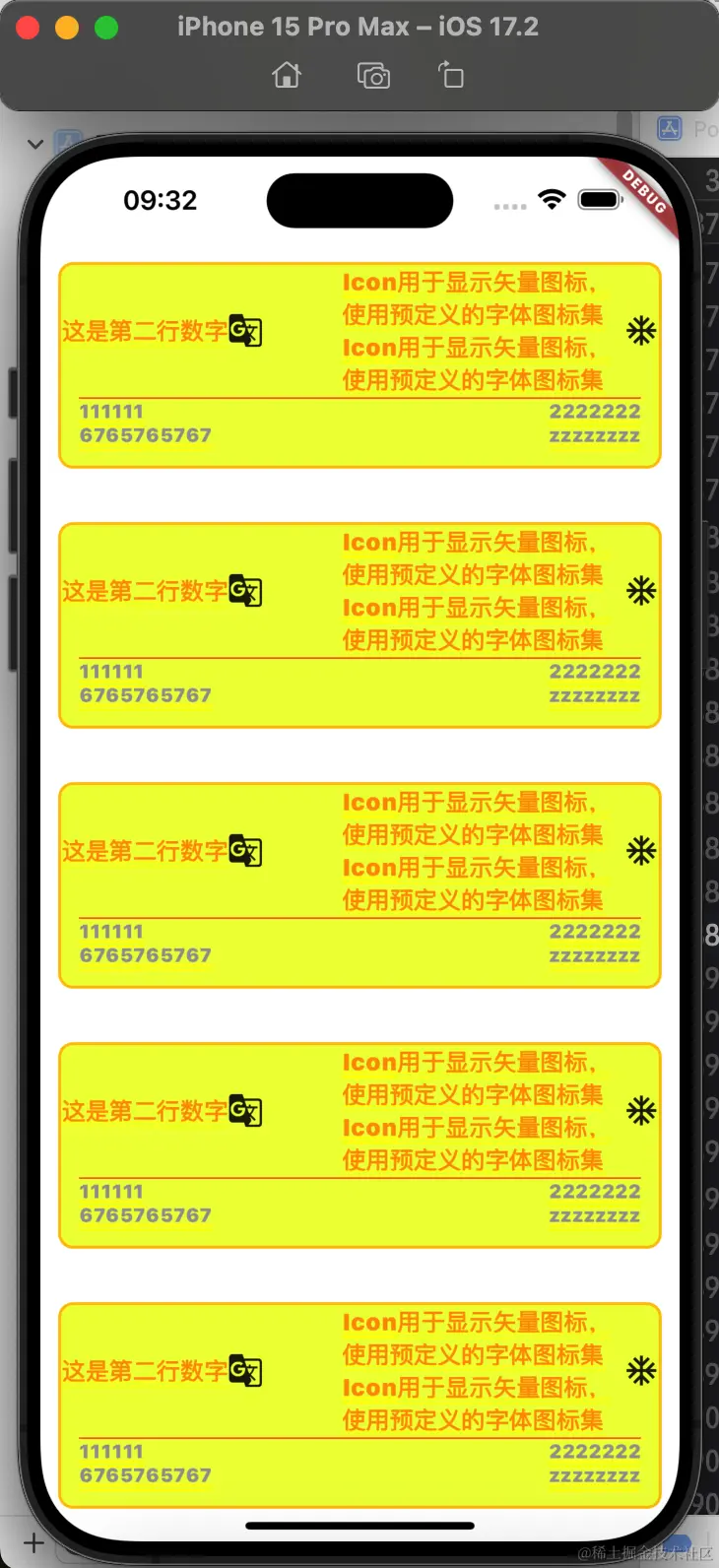
import 'dart:convert';
import 'package:flutter/material.dart';
void main() {
runApp(MyApp());
}
class MyApp extends StatelessWidget {
MyApp({super.key});
@override
Widget build(BuildContext context) {
return MaterialApp(
title: 'Flutter Demo',
theme: ThemeData(
colorScheme: ColorScheme.fromSeed(seedColor: Colors.deepPurple),
useMaterial3: true,
),
home: Container(
child: CreateListView(),
color: Colors.white,
),
);
}
Widget CreateListView() {
return ListView.separated(
separatorBuilder: (BuildContext context, int index) {
return SizedBox(
height: 12,
);
},
itemCount: 122,
itemBuilder: (BuildContext context, int index) {
return CreateCell();
});
}
Widget CreateCell() {
return LayoutBuilder(
builder: (BuildContext context, BoxConstraints constraints) {
return Padding(
padding: EdgeInsets.all(12),
child: Container(
decoration: BoxDecoration(
color: Colors.limeAccent,
borderRadius: BorderRadius.circular(10),
border: Border.all(color: Colors.amber, width: 2)),
child: CreateBigCell()),
);
});
}
Widget CreateBigCell() {
return const Column(
children: [
Row(
children: [
Expanded(
child: Row(
children: [
Text(
"这是第二行数字",
style: TextStyle(color: Colors.orange, fontSize: 16),
),
Icon(Icons.g_translate)
],
)),
Flexible(
child: Text(
"Icon用于显示矢量图标,使用预定义的字体图标集Icon用于显示矢量图标,使用预定义的字体图标集",
style: TextStyle(color: Colors.orange, fontSize: 16),
),
),
Icon(Icons.ac_unit),
],
),
Padding(
padding: EdgeInsets.only(left: 12, right: 12),
child: Divider(
height: 3,
color: Colors.deepOrange,
),
),
Row(
children: [
Expanded(
child:Padding(padding: EdgeInsets.only(left: 12),child: Column(
children: [
Text(
"111111",
style: TextStyle(color: Colors.grey, fontSize: 13),
),
Text(
"6765765767",
style: TextStyle(color: Colors.grey, fontSize: 13),
)
],
crossAxisAlignment: CrossAxisAlignment.start,
)),),
Column(
children: [
Text(
"2222222",
style: TextStyle(color: Colors.grey, fontSize: 13),
),
Text(
"zzzzzzzz",
style: TextStyle(color: Colors.grey, fontSize: 13),
)
],
),
SizedBox(width: 12,),
],
),
SizedBox(height: 12,)
],
);
}
}



