原文: mp.weixin.qq.com/s/tj3VRa3az…
背景
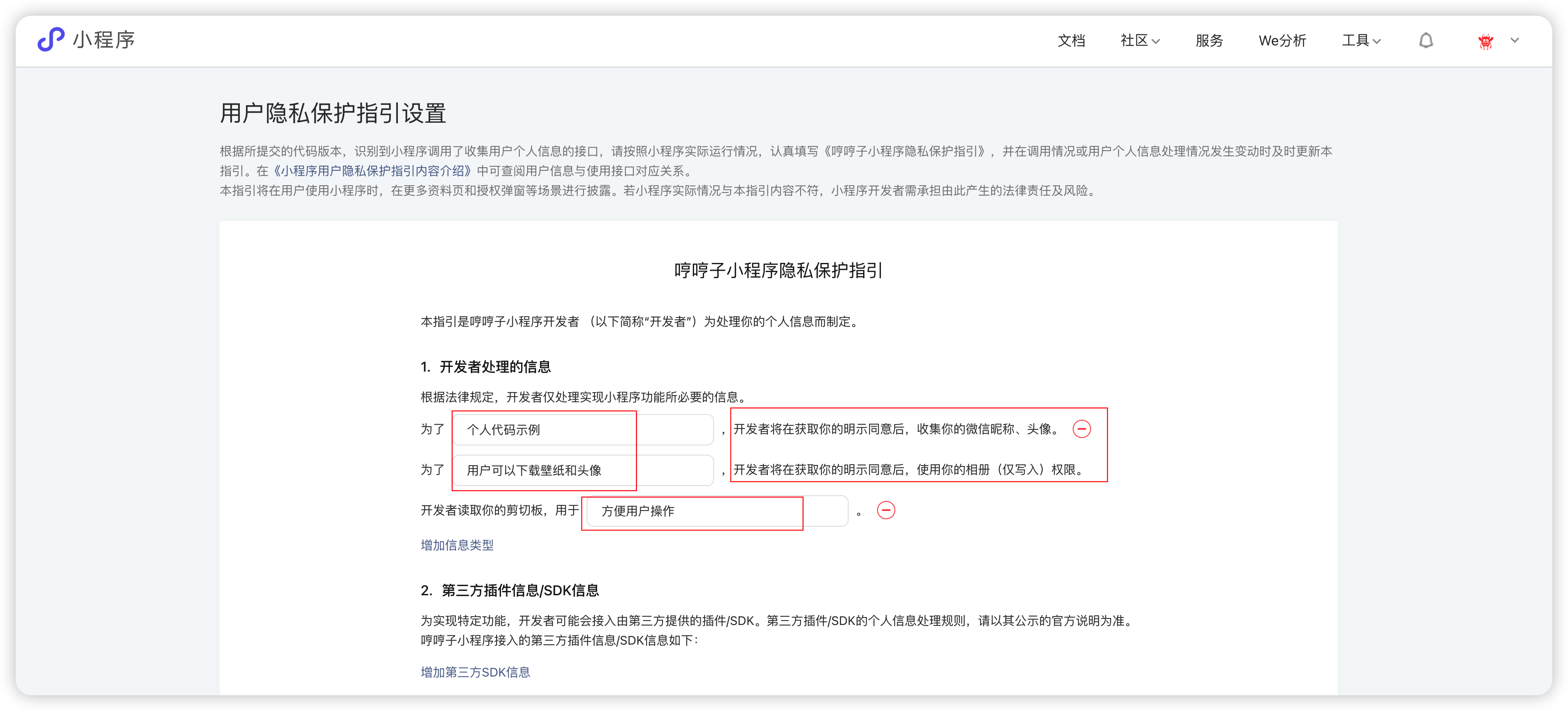
从 2023 年 9 月 15 日起必须用户点击同意隐私保护政策并同步给微信之后,开发者才可以调用微信提供的隐私接口。
用户隐私保护指引
微信公众平台更新用户隐私保护指引 mp.weixin.qq.com/
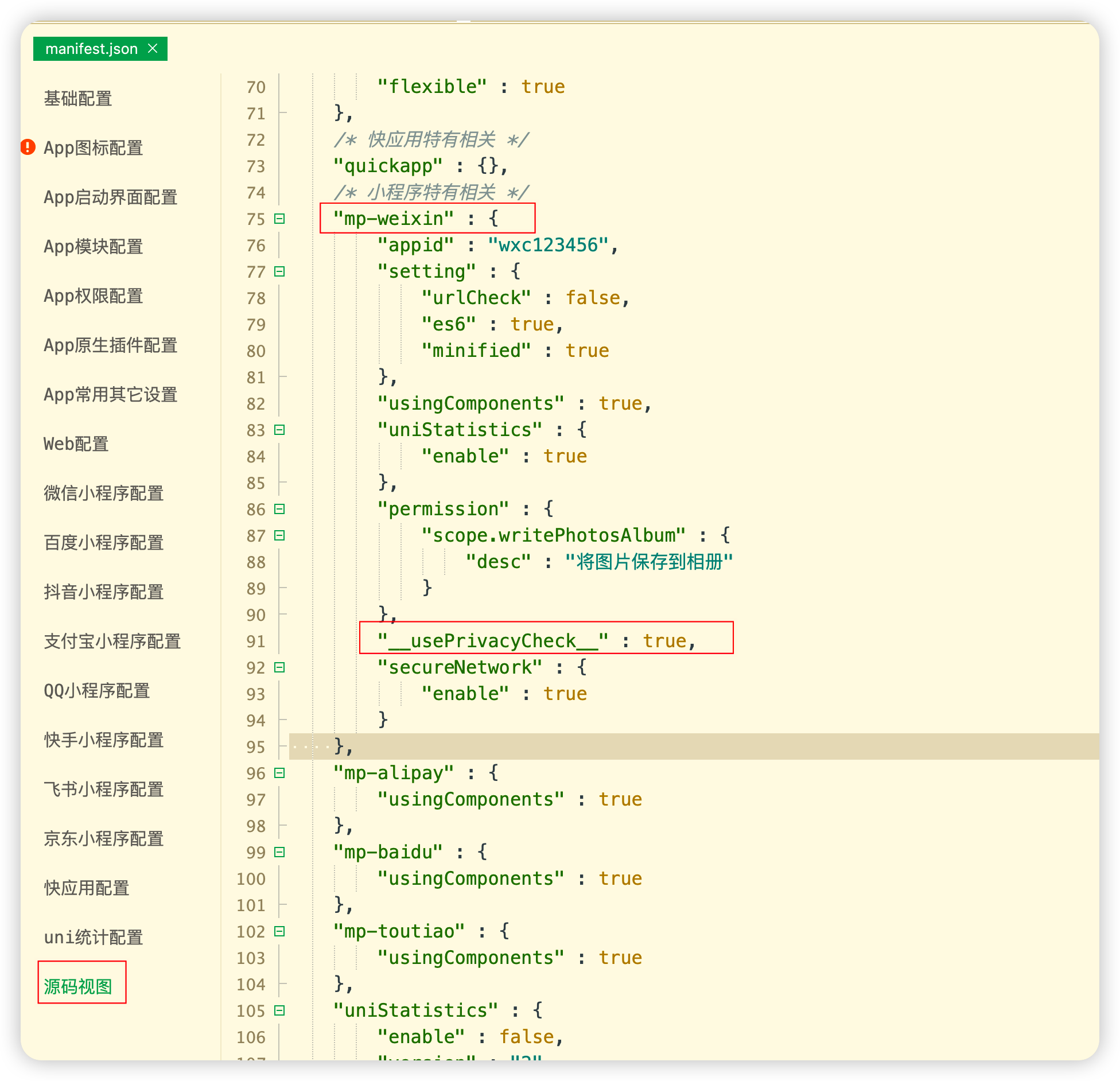
配置manifest.json
授权弹框封装
<template>
	<view class="privacy" v-if="showPrivacy">
		<view class="content">
			<view class="title">隐私保护指引</view>
			<view class="des">
				在使用当前小程序服务之前,请仔细阅读<text class="link" @tap="openPrivacyContract">{{ privacyContractName }}</text>。如你同意{{
                    privacyContractName }},请点击“同意”开始使用。
			</view>
			<view class="btns">
				<button class="item reject" @tap="close">拒绝</button>
				<button id="agree-btn" class="item agree" open-type="agreePrivacyAuthorization"
					@agreeprivacyauthorization="handleAgreePrivacyAuthorization">同意</button>
			</view>
		</view>
	</view>
</template>

<script>
	export default {
		props: {
			showPrivacy: {
				type: Boolean,
				default: false
			}
		},
		data() {
			return {
				privacyContractName: '《XX小程序隐私保护指引》'
			}
		},
		methods: {
			openPrivacyContract() {
				uni.openPrivacyContract({
					fail: (error) => {
						console.log(error)
					}
				})
			},
			// 拒绝隐私协议
			close() {
				this.$emit('close')
			},
			// 同意隐私协议
			handleAgreePrivacyAuthorization() {
				this.$emit('close')
			}
		}
	}
</script>

<style scoped>
	.privacy {
		position: fixed;
		/* top: 0;
		right: 0; */
		bottom: 0;
		/* left: 0; */
		background: rgba(0, 0, 0, .5);
		z-index: 9999999;
		display: flex;
		align-items: center;
		justify-content: center;
	}

	.content {
		/* width: 632rpx; */
		padding: 48rpx;
		box-sizing: border-box;
		background: #fff;
		/* border-radius: 16rpx 16rpx 0 0; */
	}

	.content .title {
		text-align: center;
		color: #333;
		font-weight: bold;
		font-size: 32rpx;
	}

	.content .des {
		font-size: 26rpx;
		color: #666;
		margin-top: 40rpx;
		text-align: justify;
		line-height: 1.6;
	}

	.content .des .link {
		color: #07c160;
		text-decoration: underline;
	}

	.btns {
		margin-top: 48rpx;
		display: flex;
		justify-content: center;
	}

	.btns .item {
		justify-content: space-between;
		width: 192rpx;
		height: 64rpx;
		display: flex;
		align-items: center;
		justify-content: center;
		border-radius: 16rpx;
		box-sizing: border-box;
		border: none;
	}

	.btns .reject {
		background: #f4f4f5 !important;
		color: #909399;
	}

	.btns .agree {
		margin-left: 24rpx;
		background: #07c160 !important;
		color: #fff;
	}
</style>
首页引入
注: data函数声明变量showPrivacy,methods添加close方法
// template
<PrivacyPop :showPrivacy="showPrivacy" @close="close" />

// import
import PrivacyPop from '@/components/privacy-pop/index.vue'

// data
data() {
  return {
  showPrivacy: false
  }
}

// methods
close() {
    this.showPrivacy = false
}
启动验证
onShow() {
    let that = this
    // #ifdef MP
    if (wx.getPrivacySetting) {
        wx.getPrivacySetting({
            success: res => {
                if (res.needAuthorization) {
                    that.showPrivacy = true
                } else {
                    console.log('已授权')
                }
            },
            fail: () => {},
            complete:() => {}
        })
    }
    // #endif
}
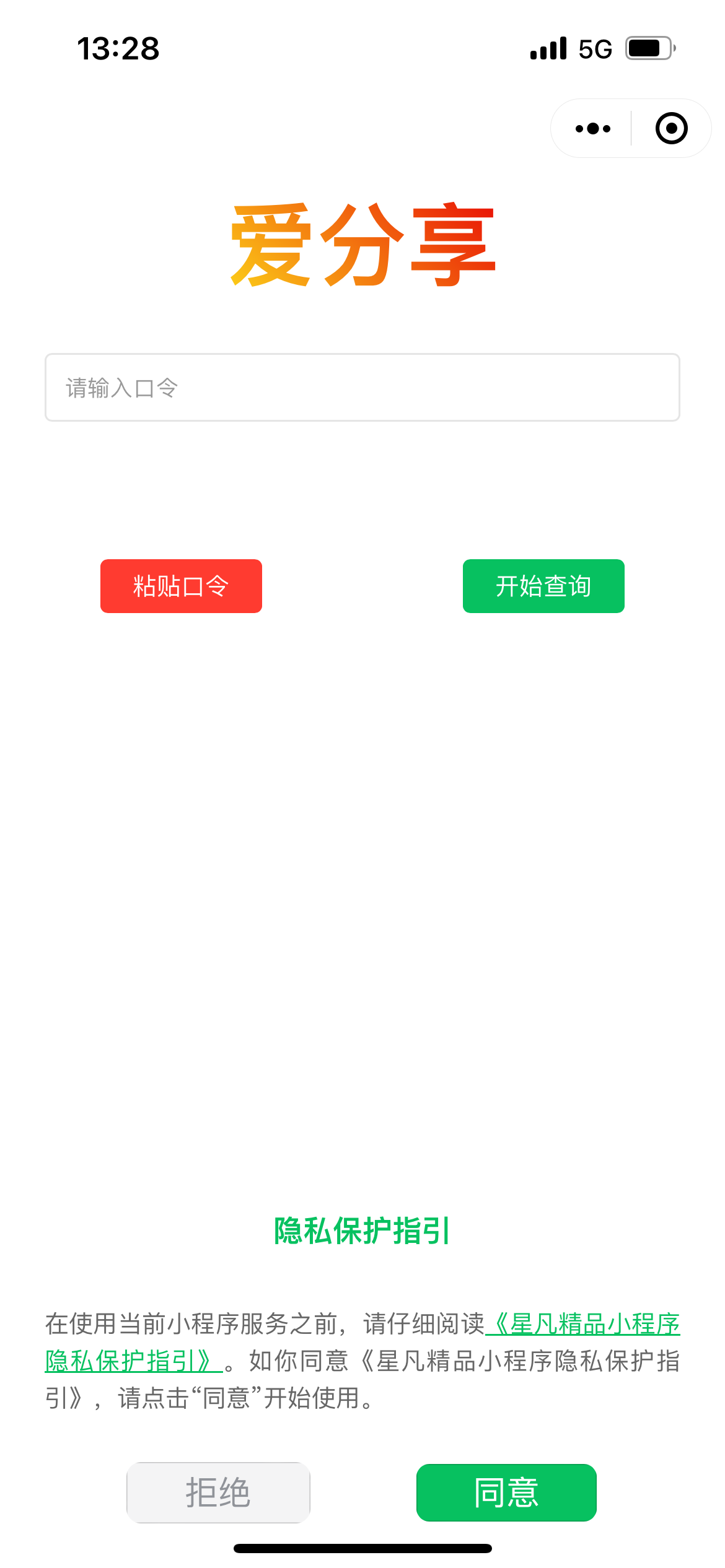
效果图
可在小程序体验
注: 如有技术问题,可在公众号联系我或评论留意
公众号回复 壁纸 即可获取全部源码,免费开源,可商用
本文由mdnice多平台发布