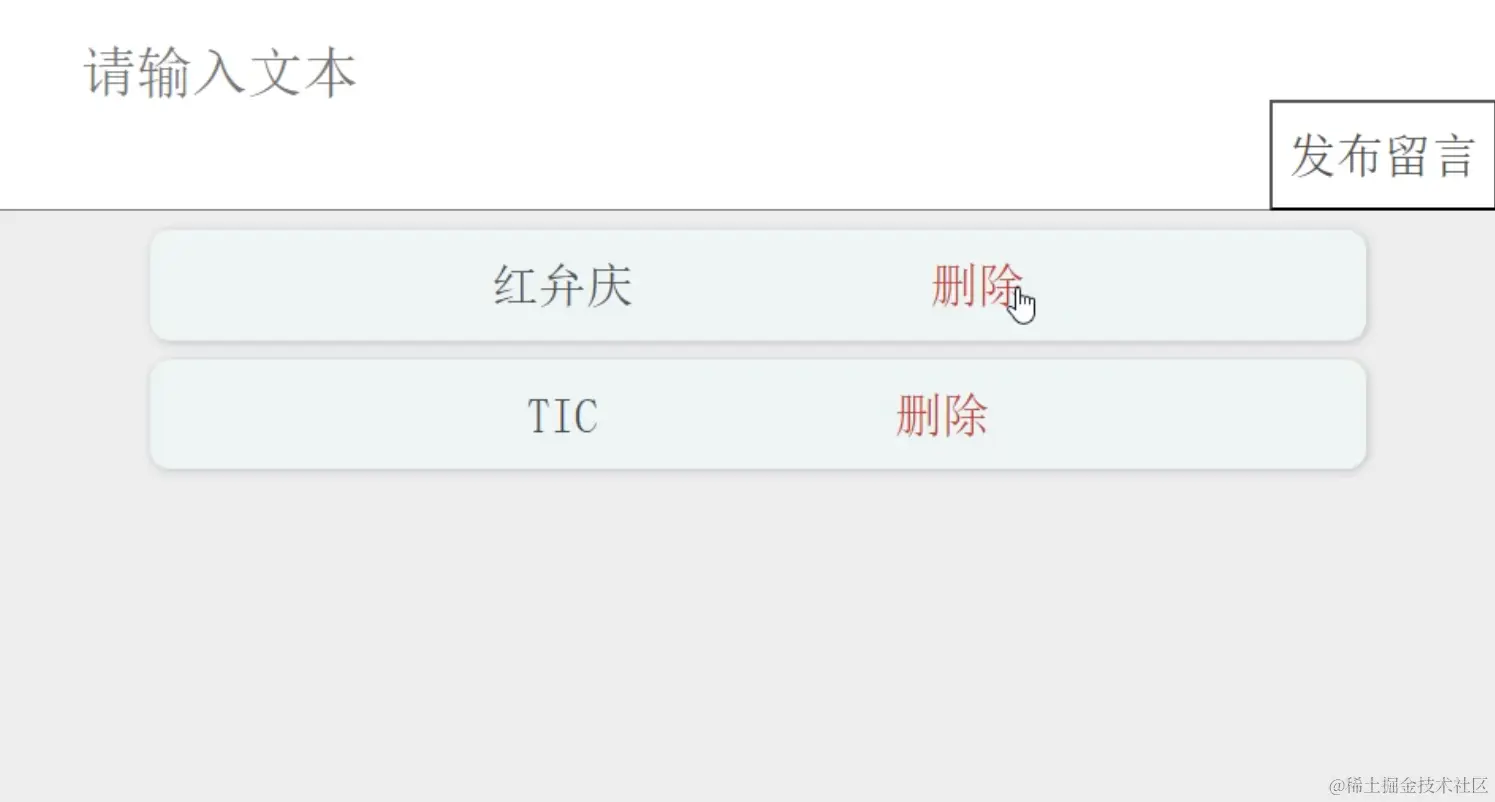
html操作
<!DOCTYPE html>
<html lang="en">

<head>
  <meta charset="UTF-8">
  <meta name="viewport" content="width=device-width, initial-scale=1.0">
  <title>Document</title>
  <link rel="stylesheet" href="./index.css">
</head>

<body>
  <div class="msg">
    <input class="msg_txt" placeholder="请输入文本">
    </input>
    <button class="btn">发布留言</button>

  </div>

  <div class="comment">
    <ul></ul>
  </div>
  <script src="./index.js"></script>
</body>

</html>
css操作
* {
  margin: 0;
  padding: 0;
  color: #4e4d4d;
  font-family: '宋体';
  box-sizing: border-box;
}

.msg {
  display: flex;
  align-items: center;
  justify-content: center;
  font-size: 40px;
  position: relative;
  width: 100vw;
  height: 20vh;
  background-color: seashell;
}

.msg_txt {
  font-size: 28px;
  padding: 50px;
  width: 100%;
  height: 100%;
}

.btn {
  position: absolute;
  right: 0;
  bottom: 0;
  width: 15vw;
  height: 8vh;
  background-color: #fff;
  font-size: 24px;
}

.comment {
  display: flex;
  align-items: center;
  justify-content: center;
  width: 100vw;
  height: 80vh;
  background-color: #eee;
}

ul {
  width: 80%;
  height: 100%;
}

li {
  display: flex;
  align-items: center;
  justify-content: center;
  font-size: 24px;
  width: 100%;
  height: 10%;
  background-color: rgb(238, 245, 245);
  box-shadow: 1px 1px 5px #bdbcbc;
  margin: 10px;
  list-style: none;
  border-radius: 10px;
}

a {
  margin-left: 150px;
  text-decoration: none;
  color: #bf3737;
}
js操作
const btn = document.querySelector('.btn')
const ul = document.querySelector('ul')
const msg_txt = document.querySelector('.msg_txt')
const comment = document.querySelector('.comment')
btn.addEventListener('click', function () {
let lis = document.createElement('li')
if (msg_txt.value === '') {
alert('输入内容不能为空')
} else {
lis.innerHTML = `
${msg_txt.value}
<a href="javascript:;">删除</a>
`
ul.appendChild(lis)
}
msg_txt.value = ''
const as = document.querySelectorAll('a')
for (let i = 0; i < as.length; i++) {
as[i].addEventListener('click', function () {
this.parentNode.remove()
})
}
})