简介
在公众号网页做语音识别功能
方案
- 全部用微信自带的api实现
- 用微信的录音和第三方的语音识别api实现
方案一
- 前端调用微信录音接口,localId 一个微信自己用的本地的ID,没法直接获取录音文件
wx.stopRecord({
  success: function (res) {
    var localId = res.localId;
  }
});
- 调用 微信的 智能接口-识别音频并返回识别结果接口,获取识别结果
wx.translateVoice({
localId: '',
isShowProgressTips: 1,
success: function (res) {
alert(res.translateResult);
}
});
方案二 (这里选择的阿里云的智能语音交互api)
- 前端调用微信录音接口,localId 一个微信自己用的本地的ID,没法直接获取录音文件
wx.stopRecord({
  success: function (res) {
    var localId = res.localId;
  }
});
- 调用 上传语音接口
wx.uploadVoice({
localId: '',
isShowProgressTips: 1,
success: function (res) {
var serverId = res.serverId;
}
});
- 拿到serverId后,再去调用接口下载语音素材
文档地址
- 调用 阿里云的 语音识别
文档地址
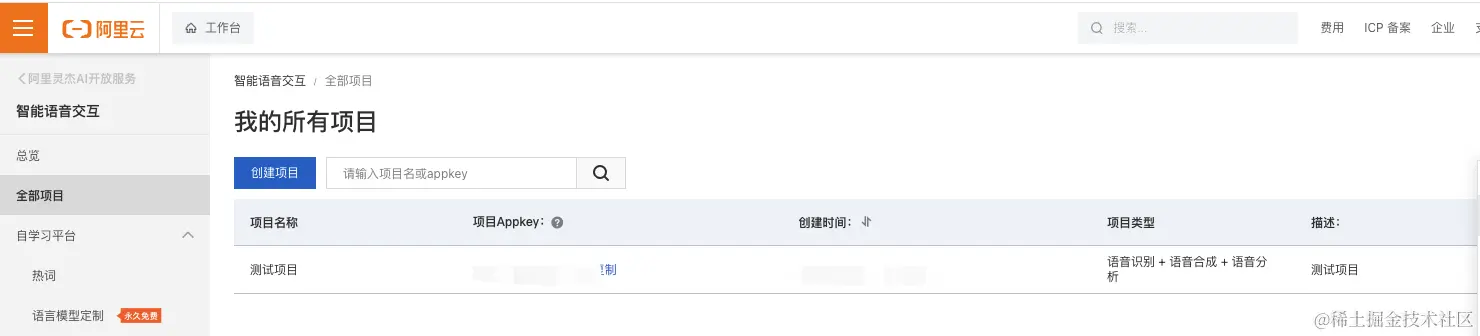
- 需要创建项目,获取Appkey
- 搭建获取token后台服务
文档地址
- 前端调用 RESTful API 接口 获取结果
文档地址
前端调用的demo
<!DOCTYPE html>
<html>
<body>
<input type="file" id="audioFile">
<button onclick="uploadFile()">Upload</button>
<script>
async function uploadFile() {
const audioFileInput = document.getElementById('audioFile')
if (audioFileInput.files.length === 0) {
console.log("No file selected")
return
}
const audioFile = audioFileInput.files[0]
var appkey = ''
var token = ''
var url = 'https://nls-gateway-cn-shanghai.aliyuncs.com/stream/v1/asr'
var format = 'pcm'
var sampleRate = '16000'
var enablePunctuationPrediction = true
var enableInverseTextNormalization = true
var enableVoiceDetection = false
/**
* 设置RESTful请求参数
*/
var requestUrl = url
requestUrl = requestUrl + '?appkey=' + appkey
requestUrl = requestUrl + '&format=' + format
requestUrl = requestUrl + '&sample_rate=' + sampleRate
if (enablePunctuationPrediction) {
requestUrl = requestUrl + '&enable_punctuation_prediction=' + 'true'
}
if (enableInverseTextNormalization) {
requestUrl = requestUrl + '&enable_inverse_text_normalization=' + 'true'
}
if (enableVoiceDetection) {
requestUrl = requestUrl + '&enable_voice_detection=' + 'true'
}
/**
* 读取音频文件
*/
const audioContent = await audioFile.arrayBuffer()
/**
* 设置HTTPS请求头部
*/
var httpHeaders = {
'X-NLS-Token': token,
'Content-type': 'application/octet-stream',
'Content-Length': audioContent.byteLength
}
fetch(requestUrl, {
method: 'POST',
headers: httpHeaders,
body: audioContent
})
.then(response => {
if (!response.ok) {
throw new Error('Network response was not ok')
}
return response.json()
})
.then(data => {
console.log('The audio file recognized result:')
console.log(data)
})
.catch(error => {
console.error('There has been a problem with your fetch operation:', error)
})
}
</script>
</body>
</html>