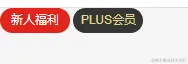
- 认识盒子模型
<html lang="en">
<head>
  <meta charset="UTF-8">
  <meta http-equiv="X-UA-Compatible" content="IE=edge">
  <meta name="viewport" content="width=device-width, initial-scale=1.0">
  <title>Document</title>
  <style>
    .box {
      width: 100px;
      height: 100px;
      background-color: #f00;

      /* padding: 0;
      border: 0 solid #f00;
      margin: 0; */
    }
  </style>
</head>
<body>

  <div class="box">我是box</div>

</body>
</html>
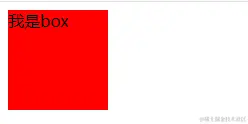
- 盒子模型内容
<html lang="en">
<head>
  <meta charset="UTF-8">
  <meta http-equiv="X-UA-Compatible" content="IE=edge">
  <meta name="viewport" content="width=device-width, initial-scale=1.0">
  <title>Document</title>
  <style>
    .box {
      /* content */
      width: 200px;
      height: 200px;
      background-color: #0f0;
    }
  </style>
</head>
<body>

  <div class="box"></div>

</body>
</html>
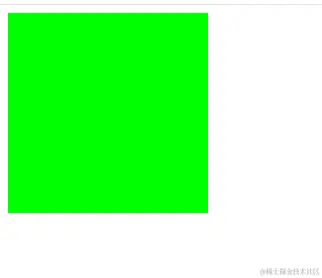
- 盒子模型内容-width默认值
<html lang="en">
<head>
  <meta charset="UTF-8">
  <meta http-equiv="X-UA-Compatible" content="IE=edge">
  <meta name="viewport" content="width=device-width, initial-scale=1.0">
  <title>Document</title>
  <style>
    .box {
      background-color: #f00;

      /* width */
      /* width默认值为auto 交给浏览器来决定 */
      /* 块级元素: 独占一行(父元素) */
      width: auto;
    }

    .title {
      /* 行内级: 包裹内容 */
      display: inline-block;
      width: auto;
    }

    img {
      width: auto;
      width: 200px;
    }
  </style>
</head>
<body>

  <div class="box">我是box</div>
  <span class="title">我是span元素</span>
  <img src="../images/gouwujie01.jpg" alt="">

</body>
</html>

- 盒子模型-min-max-width
<html lang="en">
<head>
  <meta charset="UTF-8">
  <meta http-equiv="X-UA-Compatible" content="IE=edge">
  <meta name="viewport" content="width=device-width, initial-scale=1.0">
  <title>Document</title>
  <style>

    body {
      /* inline-level boxs */
      /* text-align: center; */
    }
    .home {
      height: 2000px;
      background-color: #f00;

      /* 最大的宽度: 750px */
      max-width: 750px;

      /* 最小的宽度: 500px */
      min-width: 600px;

      /* 块级元素居中 */
      margin: 0 auto;
    }
  </style>
</head>
<body>

  <div class="home"></div>

</body>
</html>
- 盒子模型-内边距
<html lang="en">
<head>
  <meta charset="UTF-8">
  <meta http-equiv="X-UA-Compatible" content="IE=edge">
  <meta name="viewport" content="width=device-width, initial-scale=1.0">
  <title>Document</title>
  <style>
    .box {
      /* 设置一个红色的实体边框 */
      border: 1px solid red;
      display: inline-block;

      /* 设置行高也能达到设置内边距一样的效果,但是设置行高终归是设置内容的 */
      /* line-height */
      /* line-height: 36px; */

      /* 内边距: padding */
      /* padding-top: 10px;
      padding-right: 20px;
      padding-bottom: 30px;
      padding-left: 40px; */

      /* 等价于: 缩写属性 */
      padding: 10px 20px 30px 40px;

      /* 其他值的情况 */
      /* 3个值 */
      /* 省略left -> 使用right */
      padding: 10px 20px 30px;
      /* 2个值 */
      /* 省略: left -> 使用right */
      /* 省略: bottom -> 使用top */
      padding: 10px 20px;
      /* 1个值 */
      /* 上下左右都使用同一个值 */
      padding: 10px;
    }
  </style>
</head>
<body>

  <div class="box">我是box</div>

</body>
</html>
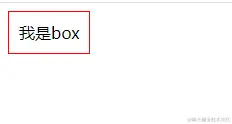
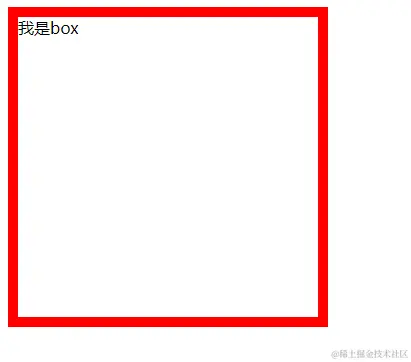
- 盒子模型-边框
<html lang="en">
<head>
  <meta charset="UTF-8">
  <meta http-equiv="X-UA-Compatible" content="IE=edge">
  <meta name="viewport" content="width=device-width, initial-scale=1.0">
  <title>Document</title>
  <style>
    .box {
      display: inline-block;

      width: 300px;
      height: 300px;

      /* width */
      /* border-top-width: 10px;
      border-right-width: 20px;
      border-bottom-width: 30px;
      border-left-width: 40px; */
      /* border-width: 10px 20px 30px 40px; */

      /* style */
      /* border-top-style: solid;
      border-right-style: dashed;
      border-bottom-style: groove;
      border-left-style: ridge; */
      /* border-style: solid dashed groove ridge; */

      /* color */
      /* border-top-color: red;
      border-right-color: blue;
      border-bottom-color: green;
      border-left-color: orange; */
      /* border-color: red blue green orange; */

      /* 总缩写属性 */
      border: 10px solid red;
    }
  </style>
</head>
<body>

  <div class="box">我是box</div>

</body>
</html>
- 盒子模型-圆角
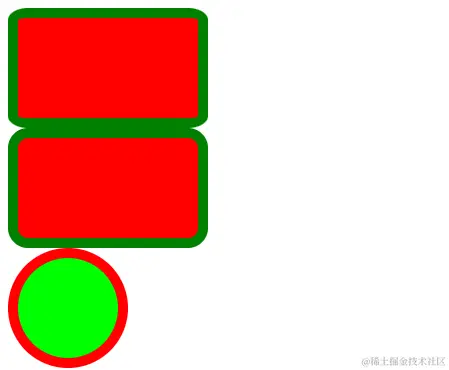
<html lang="en">
<head>
  <meta charset="UTF-8">
  <meta http-equiv="X-UA-Compatible" content="IE=edge">
  <meta name="viewport" content="width=device-width, initial-scale=1.0">
  <title>Document</title>
  <style>

    div {
      width: 180px;
      height: 100px;
      background-color: #f00;

      border: 10px solid green;
    }

    .box {
      /* 设置圆角 */
      /* 设置具体的数值 */
      /* border-radius: 20px; */
      /* 设置百分比 */
      /* 百分比相对于谁, 了解即可 */
      /* 该处的百分比相对于:盒子的具体宽度(包括width,border,padding) 以及具体的高度 */
      border-radius: 10%;
    }

    .content {
      border-radius: 20px;
    }

    .home {
      width: 100px;
      height: 100px;
      border: 10px solid red;
      background-color: #0f0;

      border-radius: 50%;
    }
  </style>
</head>
<body>

  <div class="box"></div>
  <div class="content"></div>


  <div class="home"></div>

</body>
</html>
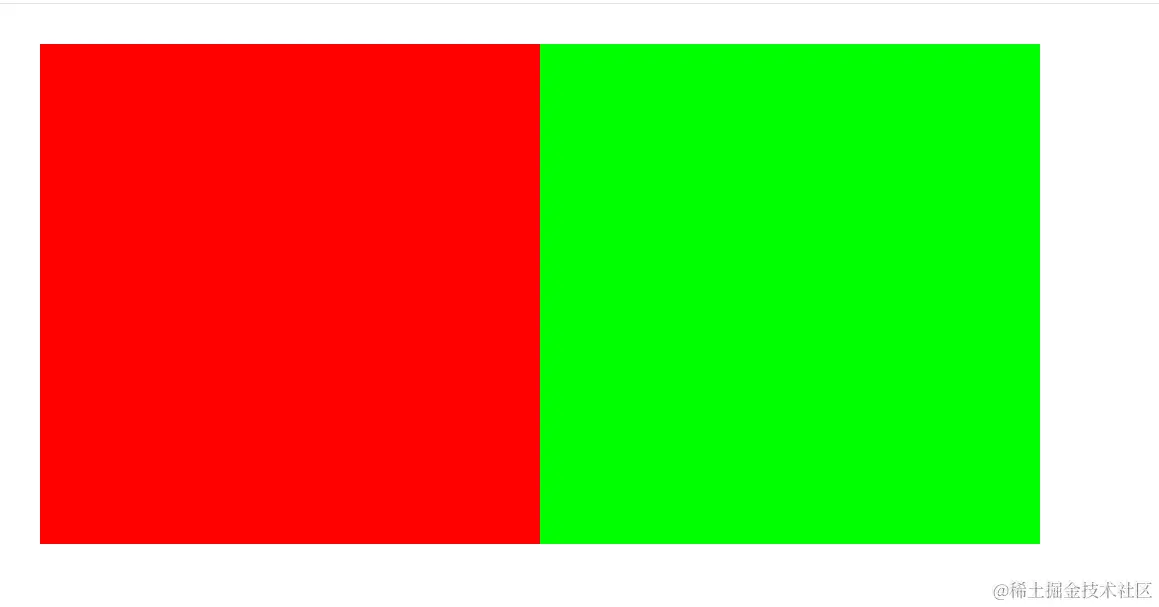
- 盒子模型-外边距
<html lang="en">
<head>
  <meta charset="UTF-8">
  <meta http-equiv="X-UA-Compatible" content="IE=edge">
  <meta name="viewport" content="width=device-width, initial-scale=1.0">
  <title>Document</title>
  <style>
    /* 暂时解决方案:取消盒子之间的默认间距 */
    body {
      font-size: 0;
    }

    .box {
      display: inline-block;
      width: 100px;
      height: 100px;
      background-color: #f00;

      /* margin-bottom: 30px; */
      /* margin-right: 30px; */
    }

    .container {
      display: inline-block;
      width: 100px;
      height: 100px;
      background-color: #0f0;

      /* margin-top: 30px; */
      /* margin-left: 30px; */

      /* 缩写属性 */
      margin: 10 20px;
    }
  </style>
</head>
<body>

  <div class="box"></div>

  <div class="container"></div>

</body>
</html>
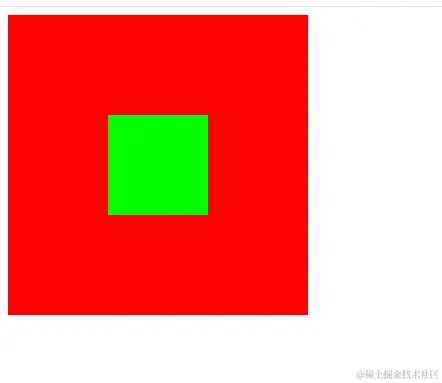
- 盒子模型-padding和margin对比
<html lang="en">
<head>
  <meta charset="UTF-8">
  <meta http-equiv="X-UA-Compatible" content="IE=edge">
  <meta name="viewport" content="width=device-width, initial-scale=1.0">
  <title>Document</title>
  <style>
    .box {
      width: 300px;
      height: 300px;
      background-color: #f00;
      /*
      父元素设置内边距,如果盒子大小为content-box时,padding会加大盒子的体积
      */
      /* 这个是设置内边距的解决方案 */
      /* padding-left: 30px;
      box-sizing: border-box; */

      /* 这个是子元素设置外边距的解决方案 */
      /* overflow: auto; */
      padding-top: 100px;

      box-sizing: border-box;

    }

    .container {
      width: 100px;
      height: 100px;
      background-color: #0f0;
      margin-left: 100px;
      /* 如果子元素设置margin时,设置上外边距时,父元素则会一起下调(这与给父元素设置margin-top无异),这也是一个问题 */
      /* margin-top: 100px; */
    }

    /*
      总结:虽然这种问题有两个解决方案,且每个解决方案都有自己的问题
      一般来说,margin设置的是外边距,其实更倾向于兄弟之间的距离
      而padding是内边距,在这里其实更适合使用内边距

    */
  </style>
</head>
<body>

  <div class="box">
    <div class="container"></div>
  </div>

</body>
</html>
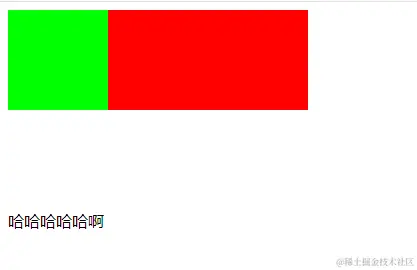
- 盒子模型-margin-bottom传递
<html lang="en">
<head>
  <meta charset="UTF-8">
  <meta http-equiv="X-UA-Compatible" content="IE=edge">
  <meta name="viewport" content="width=device-width, initial-scale=1.0">
  <title>Document</title>

  <style>
    .box {
      width: 300px;
      /* height: auto; */
      background-color: #f00;
    }

    .container {
      width: 100px;
      height: 100px;
      background-color: #0f0;

      margin-bottom: 100px;
    }
  </style>
</head>
<body>

  <div class="box">
    <div class="container"></div>
  </div>

  <div>哈哈哈哈哈啊</div>

</body>
</html>
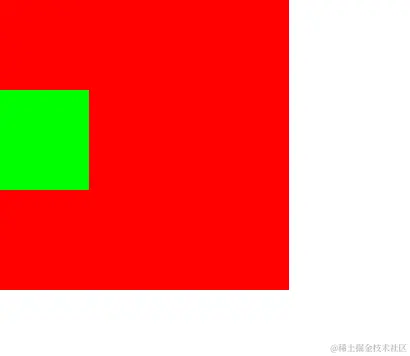
- margin的传递
<html lang="en">
<head>
  <meta charset="UTF-8">
  <meta http-equiv="X-UA-Compatible" content="IE=edge">
  <meta name="viewport" content="width=device-width, initial-scale=1.0">
  <title>Document</title>
  <style>
    .box {
      width: 300px;
      height: 300px;
      background-color: #f00;

      /* border: 1px solid rgba(0,0,0,0); */
      overflow: auto;
    }

    .container {
      width: 100px;
      height: 100px;
      background-color: #0f0;

      /* 左右是不会传递 */
      /* margin-left: 30px; */

      margin-top: 100px;
    }
  </style>
</head>
<body>

  <div class="box">
    <div class="container"></div>
  </div>

</body>
</html>
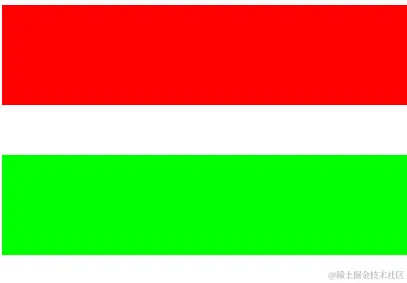
- margin的折叠
<html lang="en">
<head>
  <meta charset="UTF-8">
  <meta http-equiv="X-UA-Compatible" content="IE=edge">
  <meta name="viewport" content="width=device-width, initial-scale=1.0">
  <title>Document</title>
  <style>
    .box1 {
      height: 100px;
      background-color: #f00;

      margin-bottom: 30px;
    }

    .box2 {
      height: 100px;
      background-color: #0f0;

      margin-top: 50px;
    }
  </style>
</head>
<body>

  <div class="box1"></div>
  <div class="box2"></div>

</body>
</html>
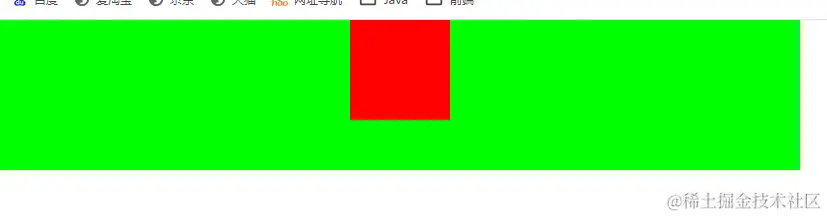
- 块级元素水平居中问题
<html lang="en">
<head>
  <meta charset="UTF-8">
  <meta http-equiv="X-UA-Compatible" content="IE=edge">
  <meta name="viewport" content="width=device-width, initial-scale=1.0">
  <title>Document</title>
  <style>
    body {
      margin: 0;
      padding: 0;

      /* inline-level box */
      /* 行内级: 行内非替换元素span/a 行内替换元素 img input inline-block */
      /* text-align: center; */
    }

    .container {
      width: 800px;
      height: 150px;
      background-color: #0f0;
    }

    .box {
      width: 100px;
      height: 100px;
      background-color: #f00;

      margin: 0 auto;
    }
  </style>
</head>
<body>

  <div class="container">
    <div class="box"></div>
  </div>

</body>
</html>
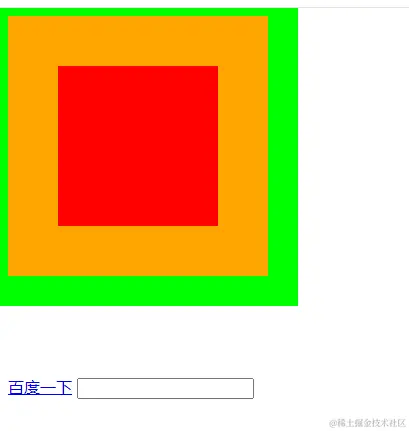
- 盒子模型外轮廓-outline
<html lang="en">
<head>
  <meta charset="UTF-8">
  <meta http-equiv="X-UA-Compatible" content="IE=edge">
  <meta name="viewport" content="width=device-width, initial-scale=1.0">
  <title>Document</title>
  <style>
    .box {
      width: 100px;
      height: 100px;
      background-color: #f00;

      border: 50px solid orange;
      padding: 30px;

      outline: 30px solid #0f0;
    }

    /* 行内级元素设置margin-top无效 */
    a {
      margin-top: 100px;
      display: inline-block;

      outline: none;
    }

    input {
      outline: none;
    }

    /* a:focus {
      outline: none;
    } */
  </style>
</head>
<body>

  <div class="box"></div>

  <a href="#">百度一下</a>
  <input type="text">

</body>
</html>
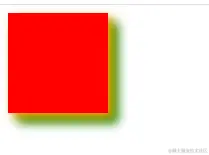
- 盒子阴影-box-shadow
<html lang="en">
<head>
  <meta charset="UTF-8">
  <meta http-equiv="X-UA-Compatible" content="IE=edge">
  <meta name="viewport" content="width=device-width, initial-scale=1.0">
  <title>Document</title>
  <style>
    .box {
      width: 100px;
      height: 100px;
      background-color: #f00;
      /*
      x轴偏移量
      y轴偏移量
      模糊度
      扩散半径
      颜色
      outset:向内扩散(默认向外)
      */
      box-shadow: 5px 5px 10px orange, 10px 10px 10px green;
    }
  </style>
</head>
<body>

  <div class="box"></div>

</body>
</html>
- 文字阴影
<html lang="en">
<head>
  <meta charset="UTF-8">
  <meta http-equiv="X-UA-Compatible" content="IE=edge">
  <meta name="viewport" content="width=device-width, initial-scale=1.0">
  <title>Document</title>
  <style>
    .box {
      font-size: 50px;
      font-weight: 700;

      text-shadow: 5px 5px 5px orange, 10px 10px 5px blue, 15px 15px 5px green;
    }
  </style>
</head>
<body>

  <div class="box"> Hello Coderwhy </div>

</body>
</html>

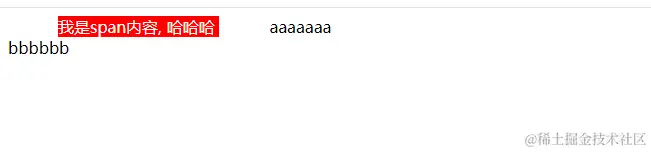
- 行内非替换元素的特殊性
<html lang="en">
<head>
  <meta charset="UTF-8">
  <meta http-equiv="X-UA-Compatible" content="IE=edge">
  <meta name="viewport" content="width=device-width, initial-scale=1.0">
  <title>Document</title>
  <style>
    .content {
      background-color: #f00;
      color: white;

      /* 内容: width/height(压根不生效) */
      width: 300px;
      height: 300px;

      /* 内边距: padding */
      /* 特殊: 上下会被撑起来, 但是不占据空间 */
      /* padding: 50px; */

      /* 边框: border */
      /* 特殊: 上下会被撑起来, 但是不占据空间 */
      /* border: 50px solid orange; */

      /* 外边距: margin */
      /* 特殊: 上下的margin是不生效的 */
      margin: 50px;
    }
  </style>
</head>
<body>

  <span class="content">
    我是span内容, 哈哈哈
  </span>
  aaaaaaa
  <div>bbbbbb</div>

</body>
</html>
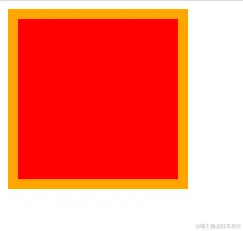
- 盒子模型中前景色的作用范围
<html lang="en">
<head>
  <meta charset="UTF-8">
  <meta http-equiv="X-UA-Compatible" content="IE=edge">
  <meta name="viewport" content="width=device-width, initial-scale=1.0">
  <title>Document</title>
  <style>
    /*
      1> 背景色有没有设置到border下面(有设置)
      2> 前景色会在border没有设置颜色的情况下, 显示出来color颜色
    */
    .box {
      width: 100px;
      height: 100px;
      background-color: #f00;
      color: orange;
      padding: 30px;
      border: 10px solid;
    }
  </style>
</head>
<body>

  <div class="box"></div>

</body>
</html>
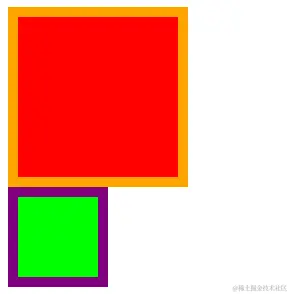
- box-sizing
<html lang="en">
<head>
  <meta charset="UTF-8">
  <meta http-equiv="X-UA-Compatible" content="IE=edge">
  <meta name="viewport" content="width=device-width, initial-scale=1.0">
  <title>Document</title>
  <style>
    .box1 {
      /* 实际宽高:180px,180px */
      box-sizing: content-box;

      width: 100px;
      height: 100px;
      background-color: #f00;

      padding: 30px;
      border: 10px solid orange;
    }

    .box2 {
      /* 实际宽高:100px */
      box-sizing: border-box;
      width: 100px;
      height: 100px;
      background-color: #0f0;

      padding: 30px;
      border: 10px solid purple;
    }
  </style>
</head>
<body>


  <div class="box1"></div>
  <div class="box2"></div>

</body>
</html>
- 盒子模型练习
<html lang="en">
<head>
  <meta charset="UTF-8">
  <meta http-equiv="X-UA-Compatible" content="IE=edge">
  <meta name="viewport" content="width=device-width, initial-scale=1.0">
  <title>Document</title>
  <link rel="stylesheet" href="./css/reset.css">
  <style>
    /* a样式 */
    .btn {
      display: inline-block;
      width: 70px;
      height: 25px;

      /* 水平和垂直居中 */
      line-height: 25px;
      text-align: center;

      border-radius: 13px;
    }

    .btn:hover {
      background-color: #c81623;
      color: #fff;
    }

    .new {
      background-color: #e1251b;
      color: #fff;
    }

    .vip {
      background-color: #363634;
      color: #e5d790;
    }

  </style>
</head>
<body>

  <!-- 新人福利 -->
  <a class="btn new" href="https://xinren.jd.com/?channel=99#/home" target="_blank">新人福利</a>
  <a class="btn vip" href="https://passport.jd.com/new/login.aspx" target="_blank">PLUS会员</a>

</body>
</html>