硬件
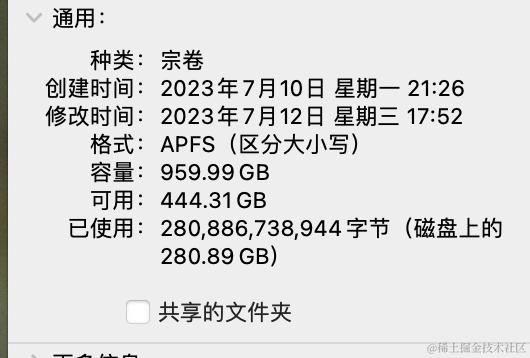
- 需要300G以上空间,如果没有和我一样淘个500的SSD足够了。把硬盘格式化为APFS,建议还是搞大点,因为我一般保留一份比较干净的源码,另一份就开始各种折腾。
- 电脑一台,联网。
下载步骤
进入磁盘,创建源码文件夹(名字随意)
mkdir WORKING_DIRECTORY
cd WORKING_DIRECTORY
找到合适镜像,我选的是清华大学的镜像。
链接如下 :mirrors.tuna.tsinghua.edu.cn/help/AOSP/
如果没有安装repo,会报错。
执行下命令
curl https://mirrors.tuna.tsinghua.edu.cn/git/git-repo -o repo chmod +x repo
修改 repo
终端执行 which repo 找到 repo
用sublime 打开 修改顶部 python 为python3
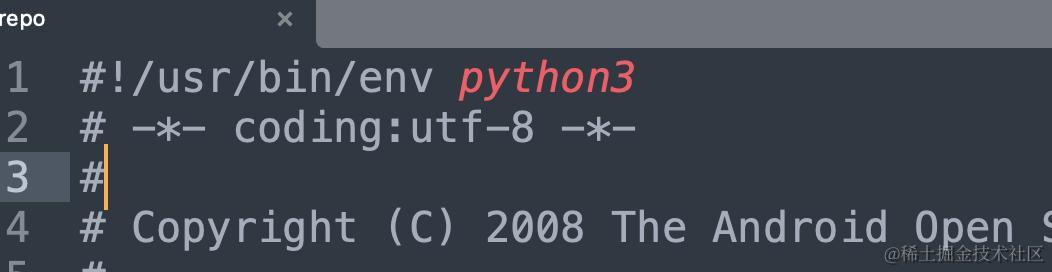
修改 REPO_URL = 'https://gerrit-googlesource.proxy.ustclug.org/git-repo'
执行~/.bashrc 添加 export REPO_URL='https://mirrors.tuna.tsinghua.edu.cn/git/git-repo'
repo init (根据需求选择源码)
执行 repo init -u https://mirrors.tuna.tsinghua.edu.cn/git/AOSP/platform/manifest -b android-4.0.1_r1
这里我是12.0.0_rc3 因为这个版本以后我的电脑编译了,建议还是搞个linux系统
调用 repo sync
耐心等待直到完成 ,这里很耗时。我下载了接近一天一夜。