实现思路
效果
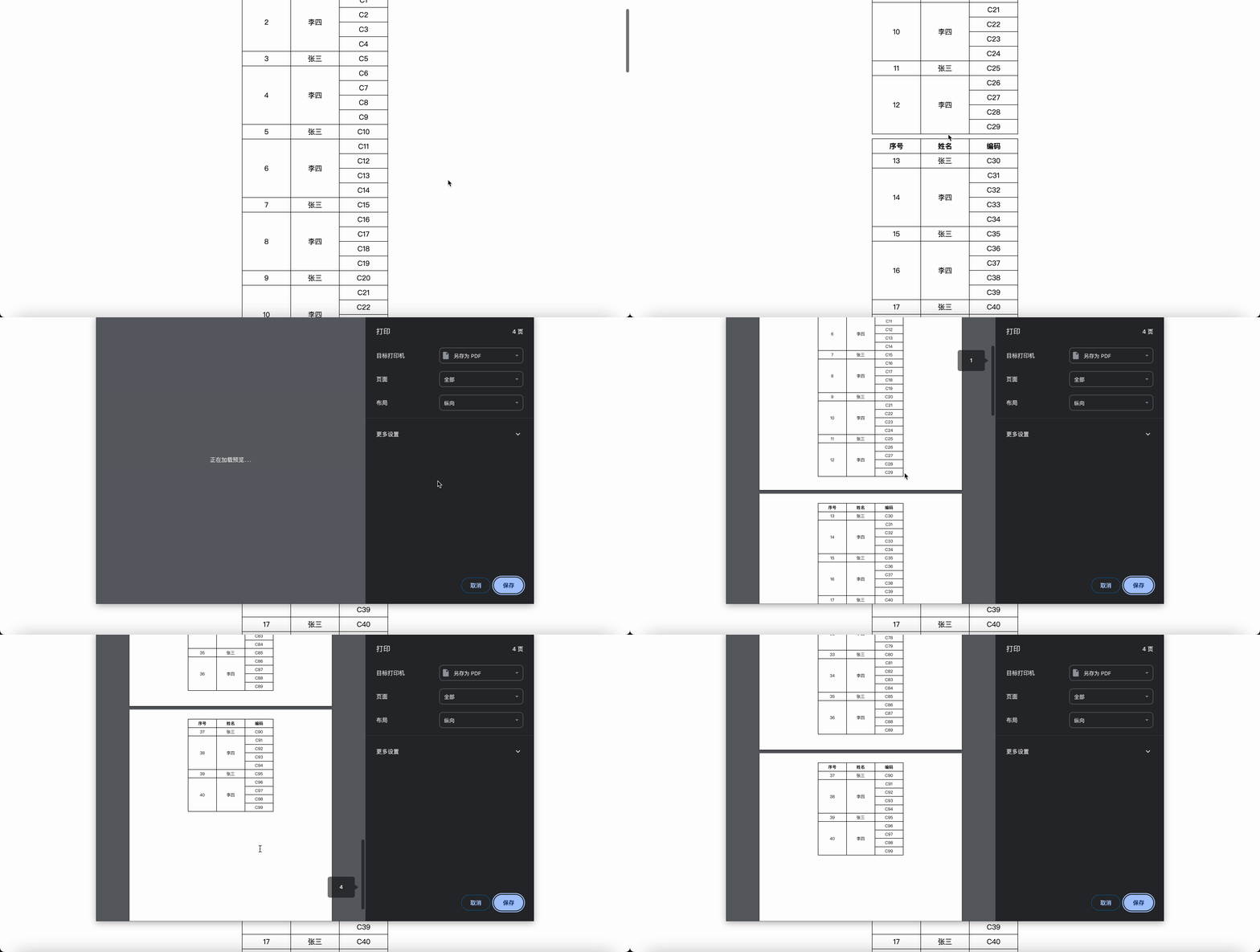
代码
<!DOCTYPE html>
<html lang="en">
<head>
<meta charset="UTF-8">
<meta name="viewport" content="width=device-width, initial-scale=1.0">
<title>Document</title>
<style>
.table {
border: 1px solid #000;
border-collapse: collapse;
margin: 0 auto;
&:not(:nth-last-of-type(1)) {
margin-bottom: 10px;
}
th,
td {
border: 1px solid #000;
text-align: center;
padding: 5px;
}
th {
width: 100px;
}
}
</style>
</head>
<body>
<script src="https://unpkg.com/lodash@4.17.21/lodash.min.js"></script>
<script src="https://unpkg.com/@jinming6/merge-helper@1.2.3/dist/mergeHelper.min.js"></script>
<script>
const { splitIntoFragments, Mode, getFieldSpan, getSortNo } = window['@jinming6/mergeHelper']
const getTableData = () => {
const data = new Array(100).fill(0).map((_, index) => {
return {
index,
name: index % 5 === 0 ? '张三' : '李四',
code: `C${index}`,
}
})
const dataSource = splitIntoFragments({
mode: Mode.Row,
dataSource: data,
pageSize: 30,
mergeFields: ['name'],
genSort: true,
})
dataSource.forEach((arr) => {
const childrens = []
arr.forEach((item) => {
const { rowspan, colspan } = getFieldSpan(item, 'name');
const style = `display: ${rowspan === 0 ? 'none' : 'table-cell'}`
const tr = createElement('tr', 'tRow', `
<td style='${style}' rowspan='${rowspan}' colspan='${colspan}'>${getSortNo(item)}</td>
<td style='${style}' rowspan='${rowspan}' colspan='${colspan}'>${item.name}</td>
<td>${item.code}</td>
`)
childrens.push(tr)
})
const table = createElement('table', 'table', `
<thead>
<tr>
<th>序号</th>
<th>姓名</th>
<th>编码</th>
</tr>
</thead>
<tbody></tbody>
`)
table.querySelector('tbody').append(...childrens)
document.body.appendChild(table)
})
}
const createElement = (tagName, className, content) => {
const element = document.createElement(tagName)
element.className = className
element.innerHTML = content
return element
}
window.onload = () => {
getTableData()
}
</script>
</body>
</html>