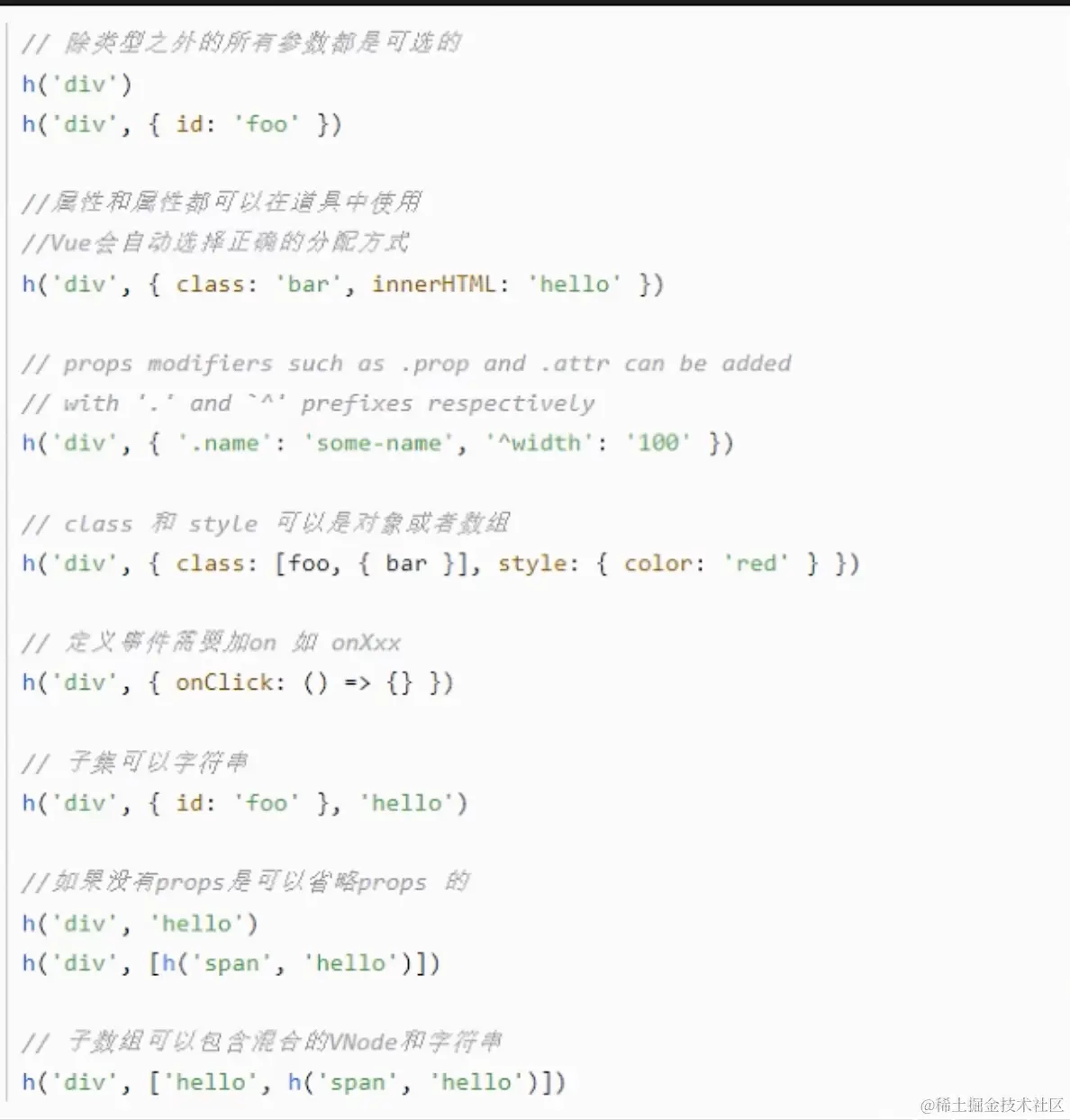
h函数
<template>
<div>
<div>我是index</div>
<div class="box">
<table border="2">
<tr>
<th>name</th>
<th>age</th>
<th>op</th>
</tr>
<tr v-for="item in list" :key="item.name">
<td>{{ item.name }}</td>
<td>{{ item.age }}</td>
<td>
<span style="margin-right: 10px"><btn type="success" />编辑</span>
<span><btn type="error" />删除</span>
</td>
</tr>
</table>
</div>
</div>
</template>
<script lang="ts">
export default {
name: 'ApplyAWSIndex',
};
</script>
<script setup lang="ts">
import { ref, h } from 'vue';
import { Button } from 'tdesign-vue-next';
const list = ref([
{ name: 'menffy', age: 19 },
{ name: 'menffy', age: 19 },
{ name: 'menffy', age: 19 },
{ name: 'menffy', age: 19 },
{ name: 'menffy', age: 19 },
{ name: 'menffy', age: 19 },
]);
interface Props {
type: 'success' | 'error';
}
const Btn = (props: Props, ctx) => {
console.log('ctx', ctx);
return h(
'button',
{
id: 'test',
class: 'testClass',
style: { color: props.type === 'success' ? 'green' : 'red' },
onClick: () => {
ctx.emit('click', 123);
console.log('click');
},
},
'click',
);
};
</script>
<style scoped lang="less">
.box {
background-color: white;
}
</style>

支持其他写法