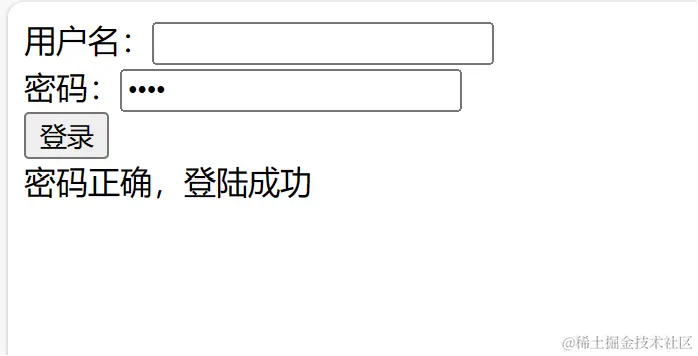
- 使用双向绑定将 userName 和 password 绑定在 用户名 、 密码。
- 创建一个 新的 html 节点并将 message 绑定在这个节点上,将它的 id 设置为 msgDom。
- 对 登录 按钮绑定一个点击事件。
- 自己定义一个 showMsg 变量,并且用条件语句绑定在 msgDom。
- 在点击事件中判断密码是否为 qzzg ,不匹配则显示 message。
<!DOCTYPE html>
<html lang="en">
<head>
    <meta charset="UTF-8">
    <meta name="viewport" content="width=device-width, initial-scale=1.0">
    <title>Document</title>
</head>
<body>
<div id="app">
    <div>用户名:<input v-model="userName" /></div>
    <div>密码:<input v-model="password" type="password" /></div>
    <button @click="checkLogin">登录</button>
    <div v-if="showMsg" id="msgDom">{{ showMsg}}</div>
</div>
</body>
<script src="https://cdn.jsdelivr.net/npm/vue@3.4.14/dist/vue.global.min.js"></script>
<script>
    const { createApp } = Vue;
    const app = createApp({
        data() {
            return {
                userName: '',
                password: '',
                message: '密码错误,请重新输入!',
                showMsg:'',
            }
        },
        methods: {
            checkLogin() {
                if(this.password === "qzzg") {
                    this.showMsg = "密码正确,登陆成功";
                } else {
                    this.showMsg = "密码错误,请重新输入!";

                }
            }
        }
    });
    app.mount('#app');
</script>
</html>
效果展示