创建vue项目
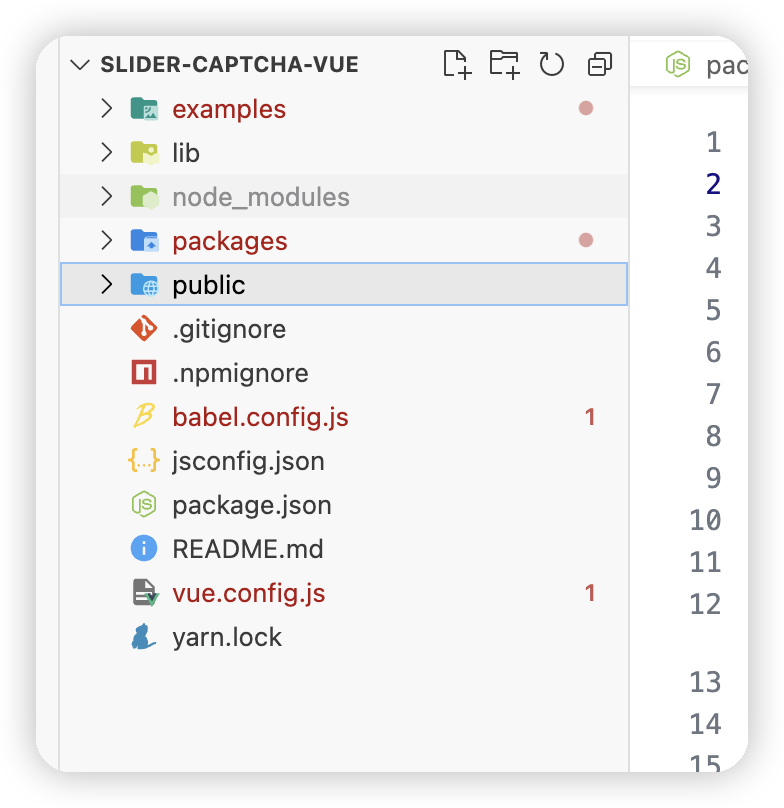
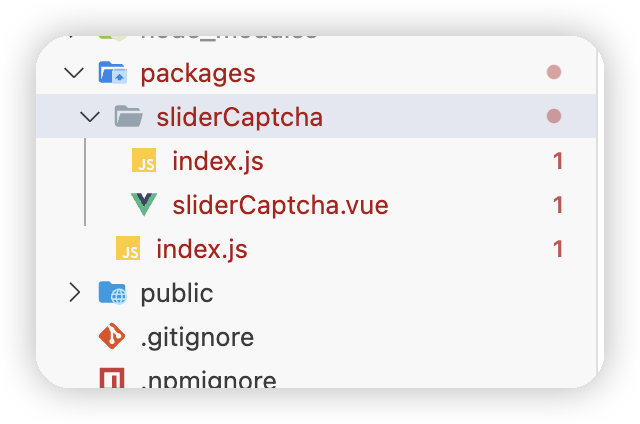
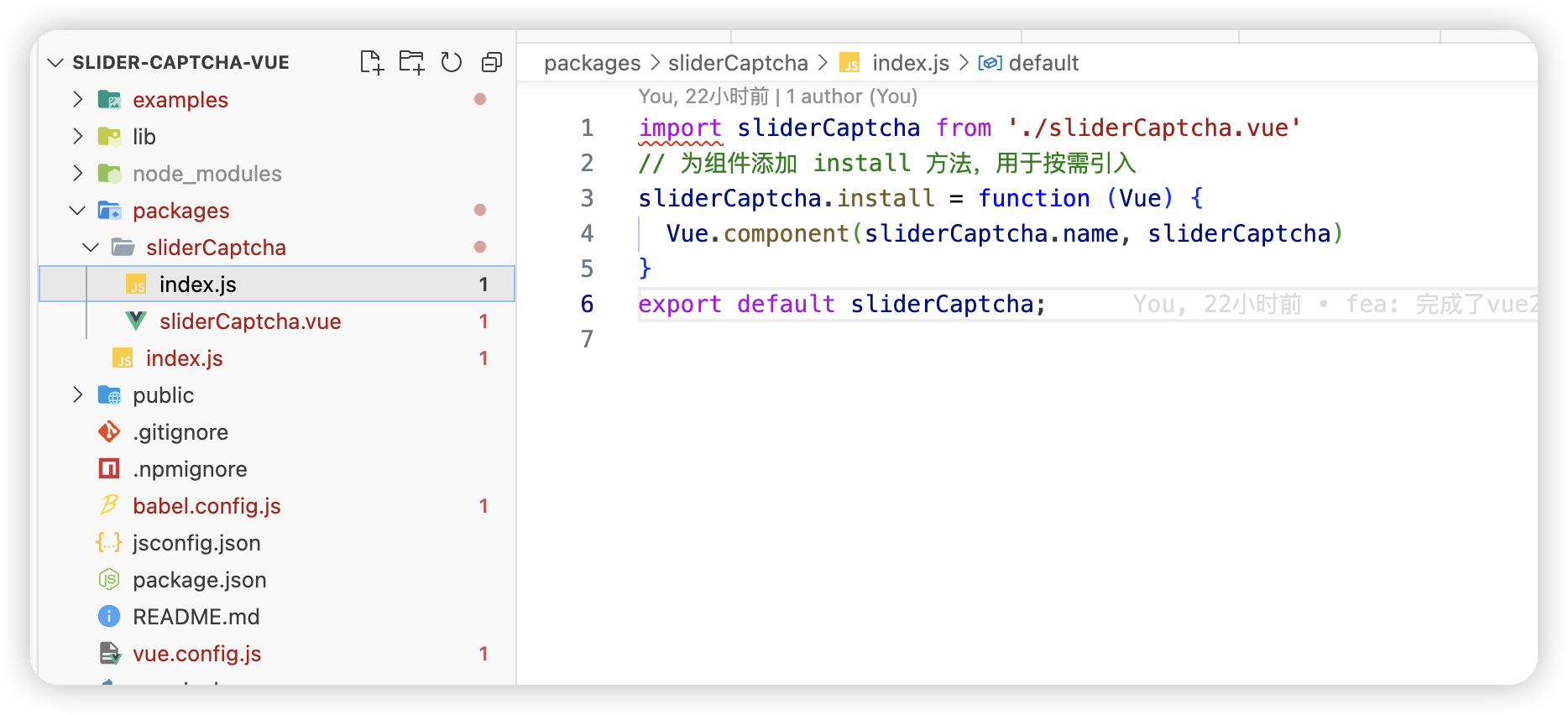
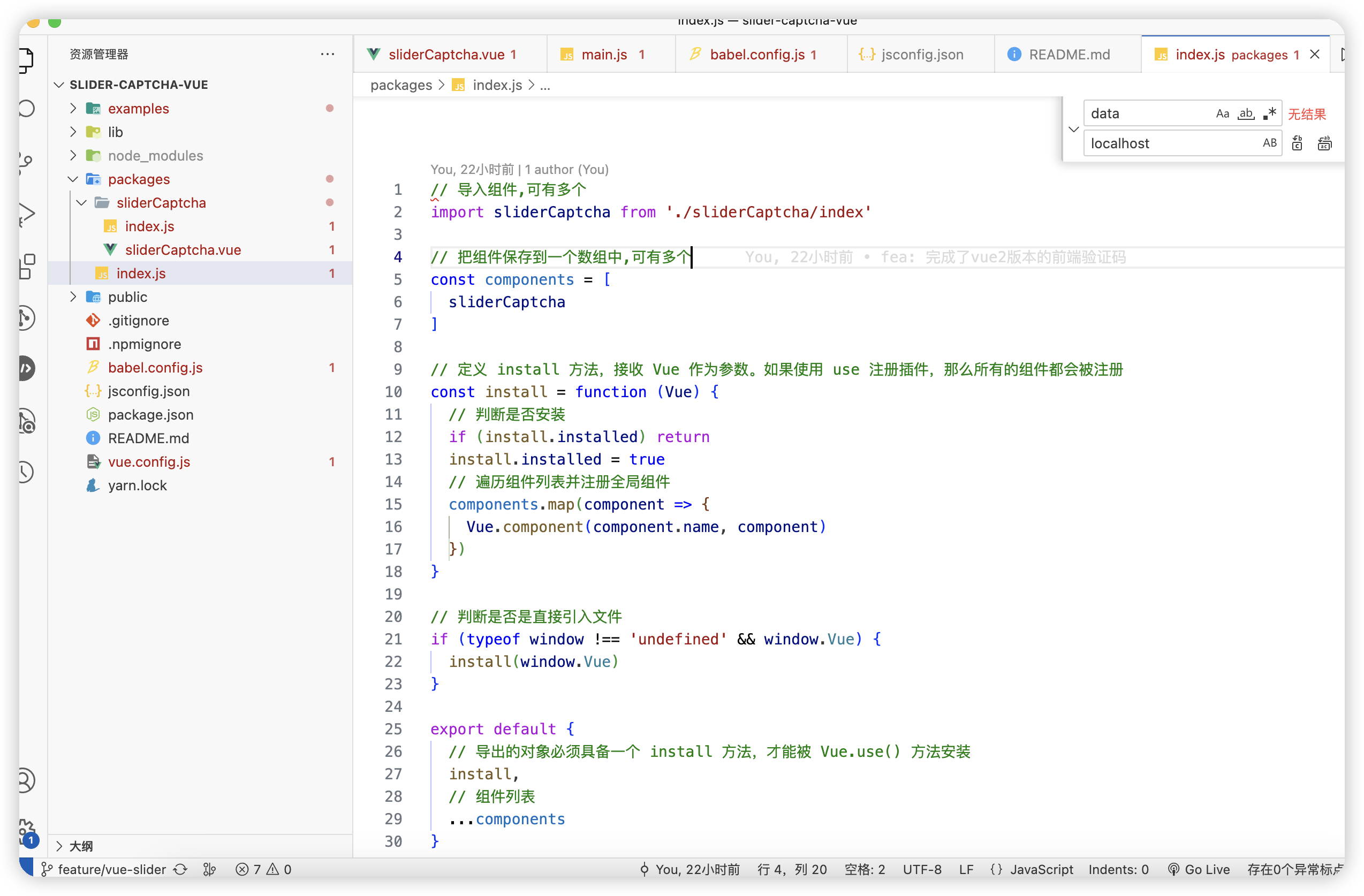
修改文件夹目录结构为
修改配置文件 vue.config.js
    const path = require('path')
    const env = process.env.NODE_ENV === 'production'
    const resolve = dir => path.join(__dirname, dir)
    // const assetsCDN = {
    //   externals: {
    //     vue: 'Vue',
    //     axios: 'axios'
    //   },
    //   css: [],
    //   js: [
    //     '//unpkg.com/vue@2.6.10/dist/vue.min.js',
    //     '//unpkg.com/axios@0.19.0/dist/axios.min.js'
    //   ]
    // }
    module.exports = {
      pages: {
        index: {
          // page 的入口
          entry: 'examples/main.js',
          // 模板来源
          template: 'public/index.html',
          // 输出文件名
          filename: 'index.html'
        }
      },
      chainWebpack: config => {
        const svgRule = config.module.rule('svg')
        svgRule.uses.clear()
        svgRule
          .use('babel-loader')
          .loader('babel-loader')
          .end()
          .use('vue-svg-loader')
          .loader('vue-svg-loader').options({
            svgo: {
              plugins: [
                { cleanupIDs: false },
                { convertShapeToPath: false },
                { convertStyleToAttrs: false }
              ]
            }
          })
        // 添加别名
        config.resolve.alias.set('@', resolve('demo'))
          .set('@ant-design/icons/lib/dist$', resolve('./icons.js'))
        if (env) {
          // config.plugin('html').tap(args => {
          //   args[0].cdn = assetsCDN
          //   return args
          // })
        }
        return config
      },
      configureWebpack: config => {
        config.resolve.extensions = ['.vue', '.js', '.jsx', '.json', '.less', '.css', '.scss', '.jpg', '.png', '.svg']
        if (env) {
          // config.externals = assetsCDN.externals
        }
      },
      css: {
        // extract: false,
        loaderOptions: {
          less: {
            lessOptions: {
              javascriptEnabled: true
            }
          }
        }
      },
      // LESS全局变量
      pluginOptions: {
        'style-resources-loader': {
          preProcessor: 'less',
          patterns: [resolve('./demo/var.less')]
        }
      },
      publicPath: process.env.VUE_APP_PUBLIC_PATH,
      productionSourceMap: false,
      runtimeCompiler: true,
      lintOnSave: false
    }
package.json
{
  "name": "gobestsoft-components-slider-captcha-vue",
  "version": "2.0.1",
  "description": "一款与后端jar包配合使用的验证码生成并校验的工具",
  "private": false,
  "author": "ncy",
  "license": "MIT",
  "main": "lib/silder-captcha.umd.min.js",
  "keywords": [
    "vue",
    "demo"
  ],
  "scripts": {
    "serve": "vue-cli-service serve",
    "build": "vue-cli-service build",
    "lint": "vue-cli-service lint",
    "lib": "vue-cli-service build --target lib --name silder-captcha --dest lib packages/index.js"
  },
  "dependencies": {
    "ant-design-vue": "^1.6.0",
    "axios": "^0.19.2",
    "core-js": "^3.6.4",
    "vue": "^2.6.11"
  },
  "devDependencies": {
    "@vue/cli-plugin-babel": "~4.3.0",
    "@vue/cli-plugin-eslint": "~4.3.0",
    "@vue/cli-service": "~4.3.0",
    "@vue/eslint-config-standard": "^5.1.2",
    "babel-eslint": "^10.1.0",
    "babel-plugin-import": "^1.13.0",
    "eslint": "^6.7.2",
    "eslint-plugin-import": "^2.20.2",
    "eslint-plugin-node": "^11.1.0",
    "eslint-plugin-promise": "^4.2.1",
    "eslint-plugin-standard": "^4.0.0",
    "eslint-plugin-vue": "^6.2.2",
    "less": "^3.11.1",
    "less-loader": "^6.1.0",
    "vue-svg-loader": "^0.16.0",
    "vue-template-compiler": "^2.6.11"
  },
  "eslintConfig": {
    "root": true,
    "env": {
      "node": true
    },
    "extends": [
      "plugin:vue/essential",
      "eslint:recommended"
    ],
    "parserOptions": {
      "parser": "@babel/eslint-parser"
    },
    "rules": {}
  },
  "browserslist": [
    "> 1%",
    "last 2 versions",
    "not dead"
  ]
}
封装成功后在examples中验证
在main.js中引用并注册
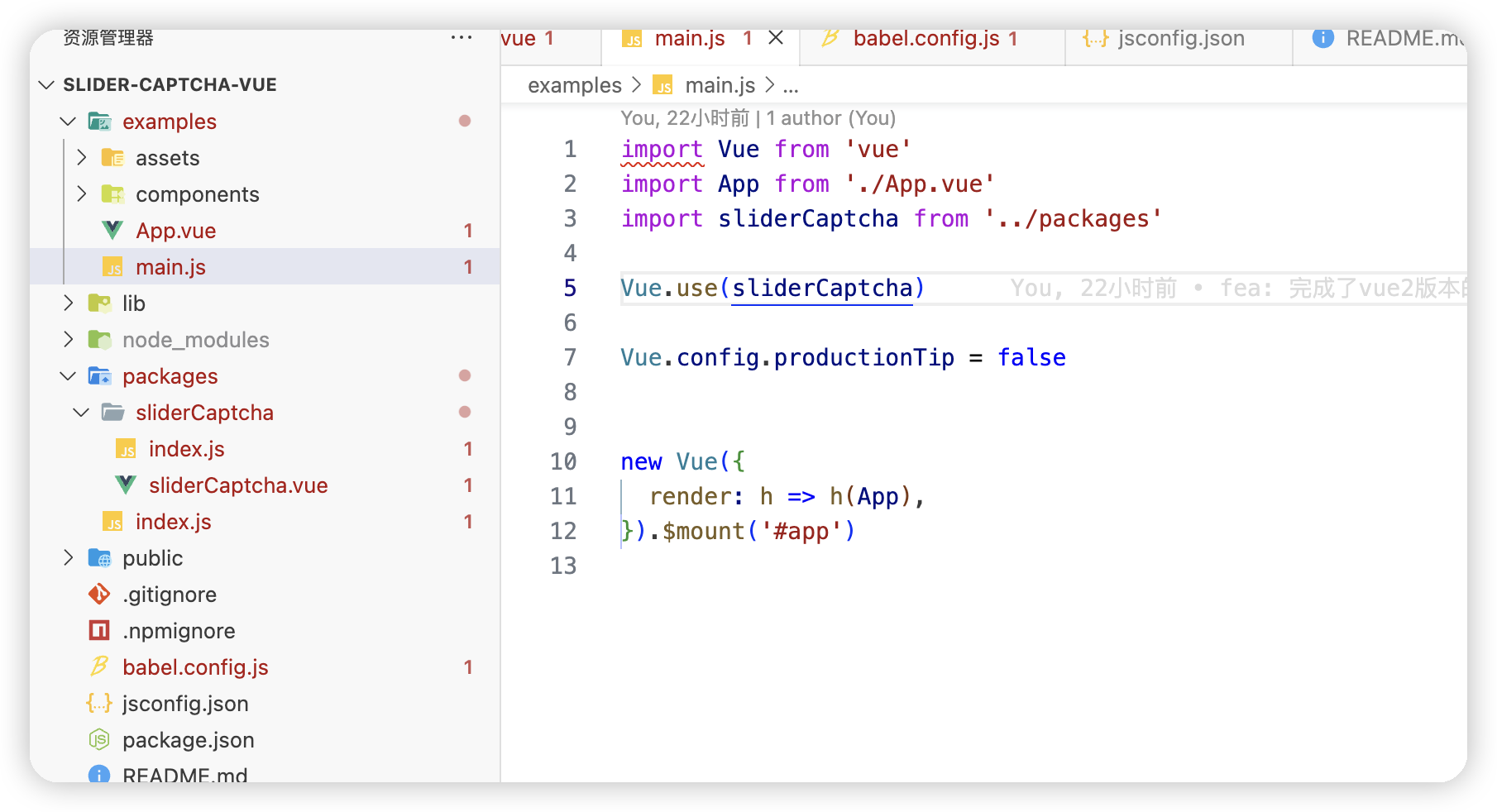
在APP.vue中调用
<template>
  <div id="app">
    <slider-captcha @getImage="getImage" @onFinish="onFinish" />
  </div>
</template>

<script>

import axios from 'axios'

export default {
  name: 'App',
  components: {

  },
  data() {
    return {

    }
  },
  methods: {
    async getImage(callback) {
      const _res = await axios.get("http://localhost:8081/gen")
      console.log(_res)
      if (_res.status === 200) {
        callback(_res.data)
      }
    },
    async onFinish(data, callback) {
      // const res = await axios.post("http://localhost:8081/login", {
      //   method: 'POST',
      //   body:{
      //     form: { username: 'demo', password: 'demo' },
      //     ...data
      //   },
      //   headers: {
      //     "Content-Type": "application/json",
      //   },
      // })
      callback({ success: true })
    },
    onRefresh() {
      console.log('onRefresh')
    }
  },
  mounted() {
  }
}
</script>

<style>
#app {
  font-family: Avenir, Helvetica, Arial, sans-serif;
  -webkit-font-smoothing: antialiased;
  -moz-osx-font-smoothing: grayscale;
  text-align: center;
  color: #2c3e50;
  margin-top: 60px;
}
</style>
验证结束之后打包发布
yarn lib
npm publish
注意包名或版本号不能与之前冲突