一、流程
1.配置pom文件引入依赖
    <dependency>
        <groupId>org.mybatis.spring.boot</groupId>
        <artifactId>mybatis-spring-boot-starter</artifactId>
        <version>3.0.0</version>
    </dependency>
    <dependency>
        <groupId>com.mysql</groupId>
        <artifactId>mysql-connector-j</artifactId>
        <version>8.0.31</version>
    </dependency>
    ```
    <dependency>
        <groupId>org.mybatis</groupId>
        <artifactId>mybatis-spring</artifactId>
        <version>3.0.3</version>
    </dependency>
## 2.创建实体类,与数据库中字段名称一致
public class User {
private Integer id;
private String name;
private Short age;
private Short gender;
private String phone;
构造方法和getter、setter方法 //此处省略
## 3.创建mapper接口
@Mapper public interface UserMapper { @Select("select * from user where id=#{id}") public User finderUser(Integer id); }
## 4.创建service接口和实现类
### 4.1 接口 UserService
public interface UserService { public User findById(Integer id); }
### 4.2实现类 UserServiceImpl
@Service public class UserServiceImpl implements UserService { @Autowired private UserMapper userMapper; @Override public User findById(Integer id){ return userMapper.finderUser(id); } }
## 5创建Controller
@RestController public class UserController { @Autowired private UserService userService; @RequestMapping("/findById") public User findById(Integer id){ return userService.findById(id); } }
## 6配置数据库连接yml
spring: datasource: driver-class-name: com.mysql.jdbc.Driver url: jdbc:mysql://localhost:3306/spring username: root password: root
# 二、实现效果
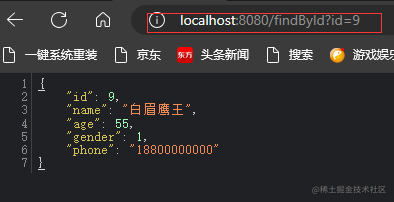
# 三、问题
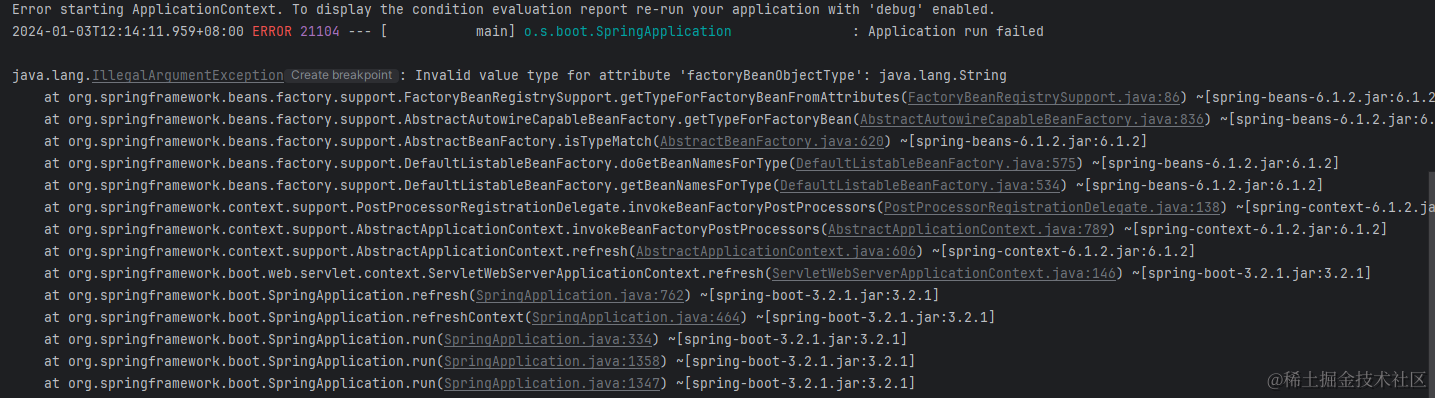
如果出现下面这个问题,很可能是没有引入mybatis依赖,将其引入就可以解决
    <dependency>
        <groupId>org.mybatis</groupId>
        <artifactId>mybatis-spring</artifactId>
        <version>3.0.3</version>
    </dependency>
END