- 下载JavaGateway
apt install zabbix-java-gateway
- 配置JavaGateway
vim /etc/zabbix/zabbix_java_gateway.conf
LISTEN_IP=127.0.0.1
LISTEN_PORT=10052
START_POLLERS=5
- 配置zabbix-server.conf
vim /etc/zabbix/zabbix_server.conf

JavaGateway=127.0.0.1
JavaGatewayPort=10052
StartJavaPollers=5
- 重启JavaGateway 和Zabbix-server
sudo systemctl restart zabbix-server.service
sudo systemctl restart zabbix-java-gateway.service
- 启动Java程序
nohup java \
-Djava.rmi.server.hostname=10.221.24.61 \
-Dcom.sun.management.jmxremote \
-Dcom.sun.management.jmxremote.port=12345 \
-Dcom.sun.management.jmxremote.authenticate=false \
-Dcom.sun.management.jmxremote.ssl=false \
-Dcom.sun.management.jmxremote.registry.ssl=false \
-jar app.jar &
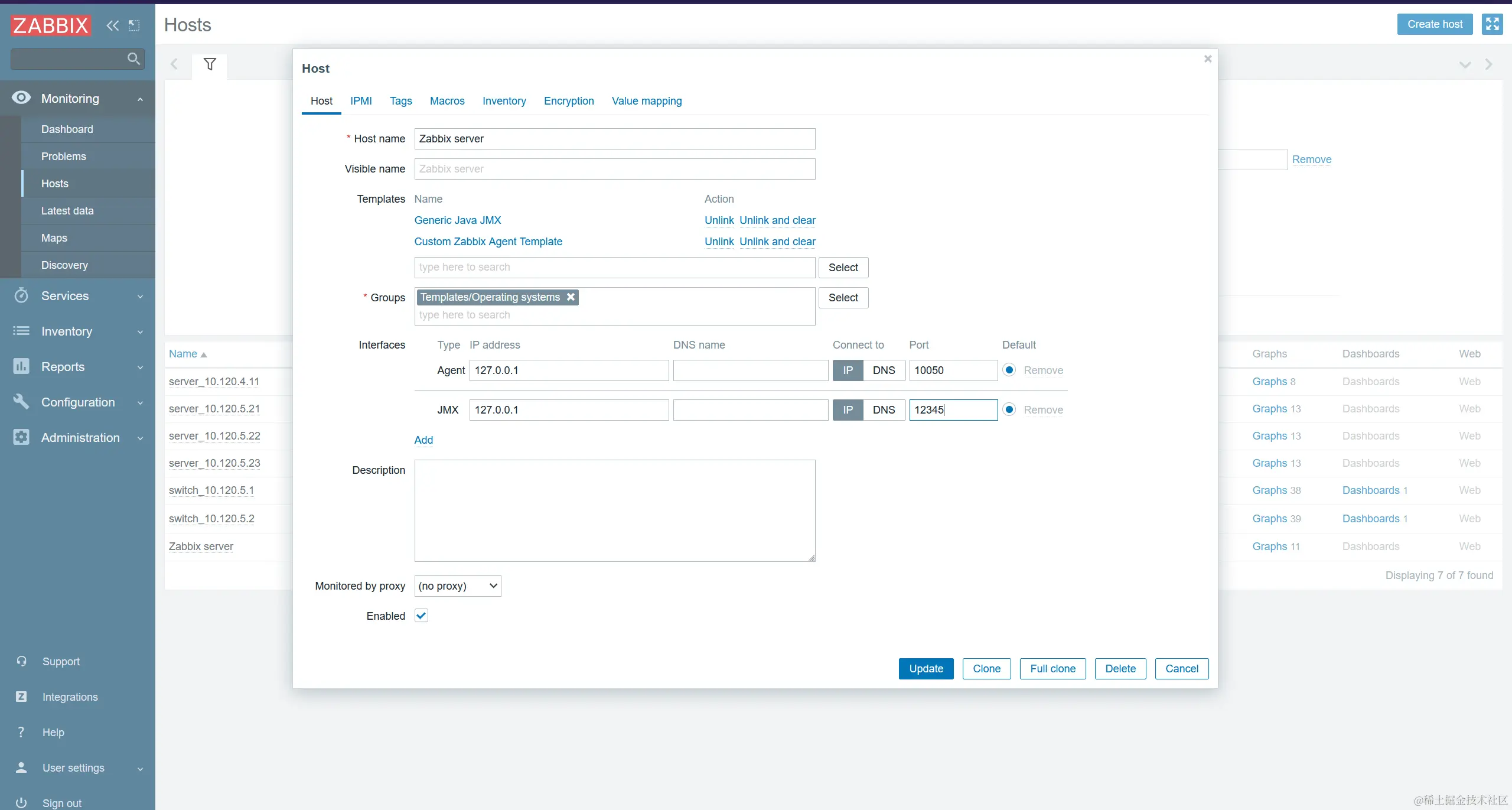
- 在Zabbix中添加主机