常用
//RS232使用MAX232 “负逻辑”的电压约定,用0v的TTL低电平把转成3~15V,5V的TTL高电平转成 -15 ~ -3v,不是差分信号,可达15米,2MHZ;
RS485是差分信号+地线共3根,可以达到1200米,50Mhz
//作为中断使用的GPIO,需要确认GPIO是否支持中断,避免使用不支持中断的GPIO
//一般,一片cmos电路最多可以同时接8个负载芯片
//isp要求单片机有驻留专门的程序,用以与上位机通信,接收固件数据并烧录到自身的ROM中,所以需要具备基本的最小系统电路(时钟和复位);
icp可以理解为MCU就是一块可供外部读写的存储芯片,不需要预置任何程序,不需要具备单片机可以运行的状态.
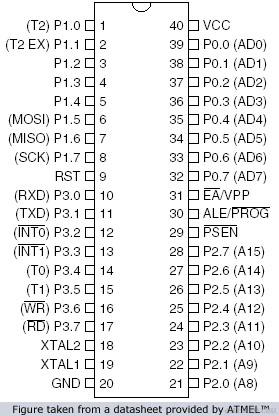
51单片机
Cortex-M核 +RTOS开发
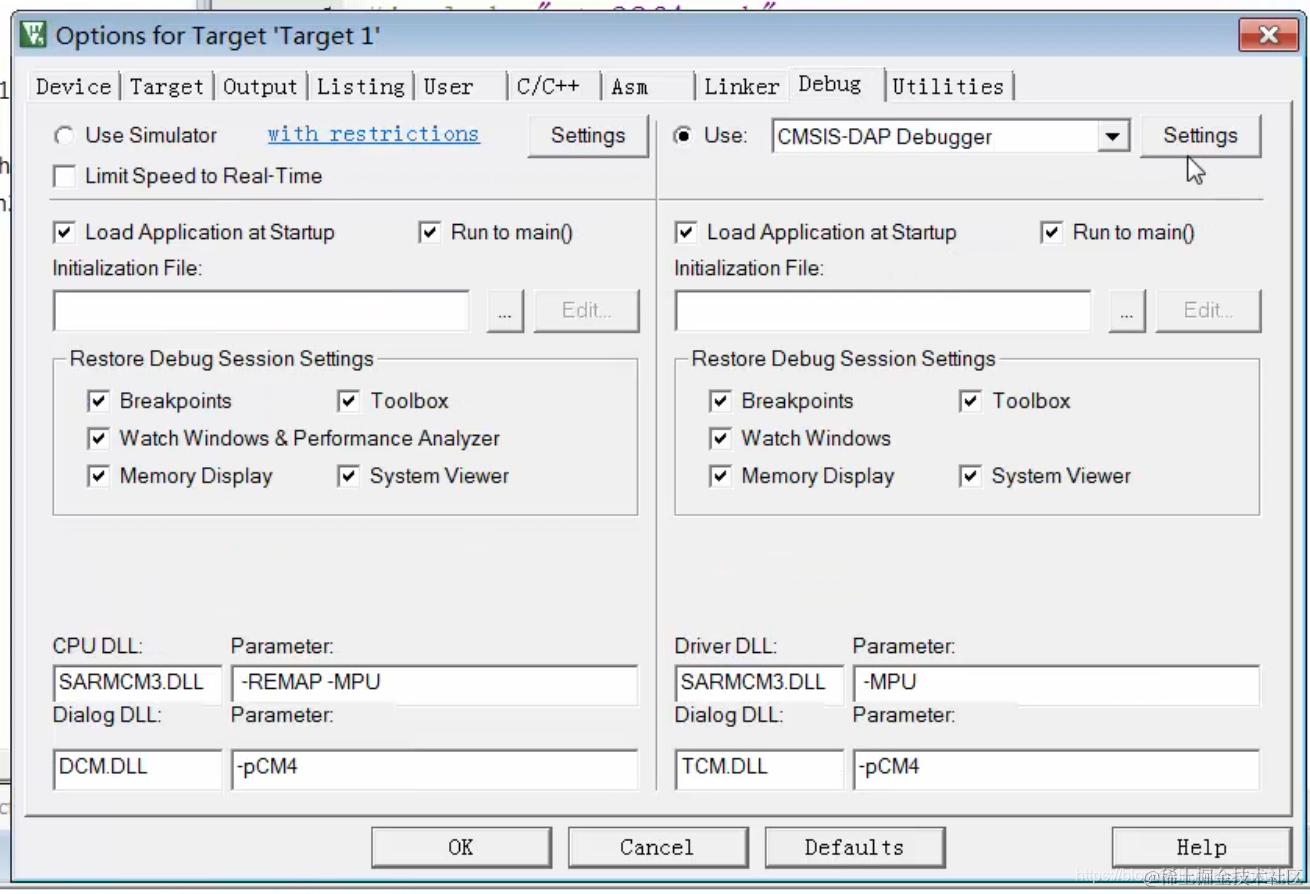
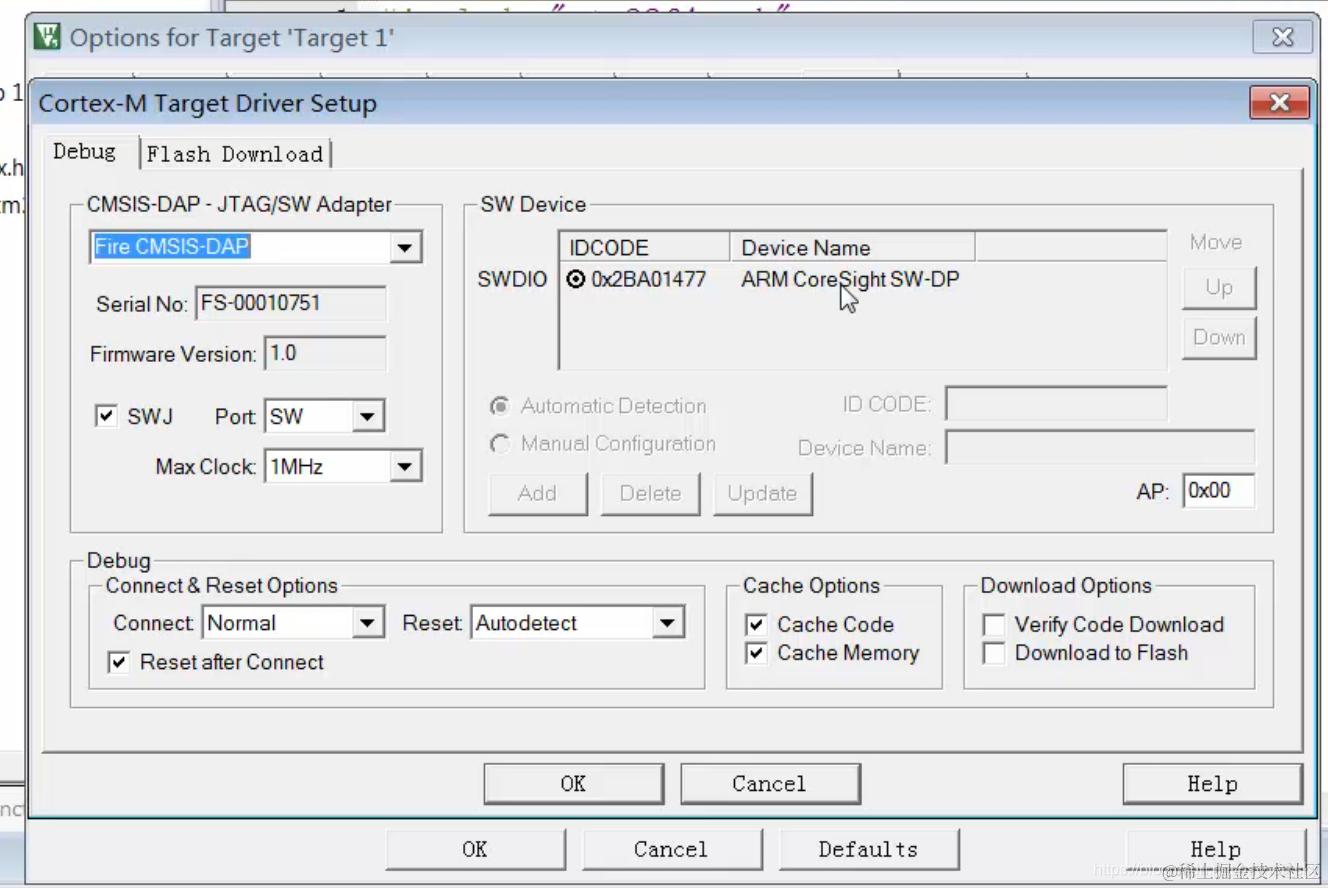
//野火F407开发板的DAP仿真器配置:
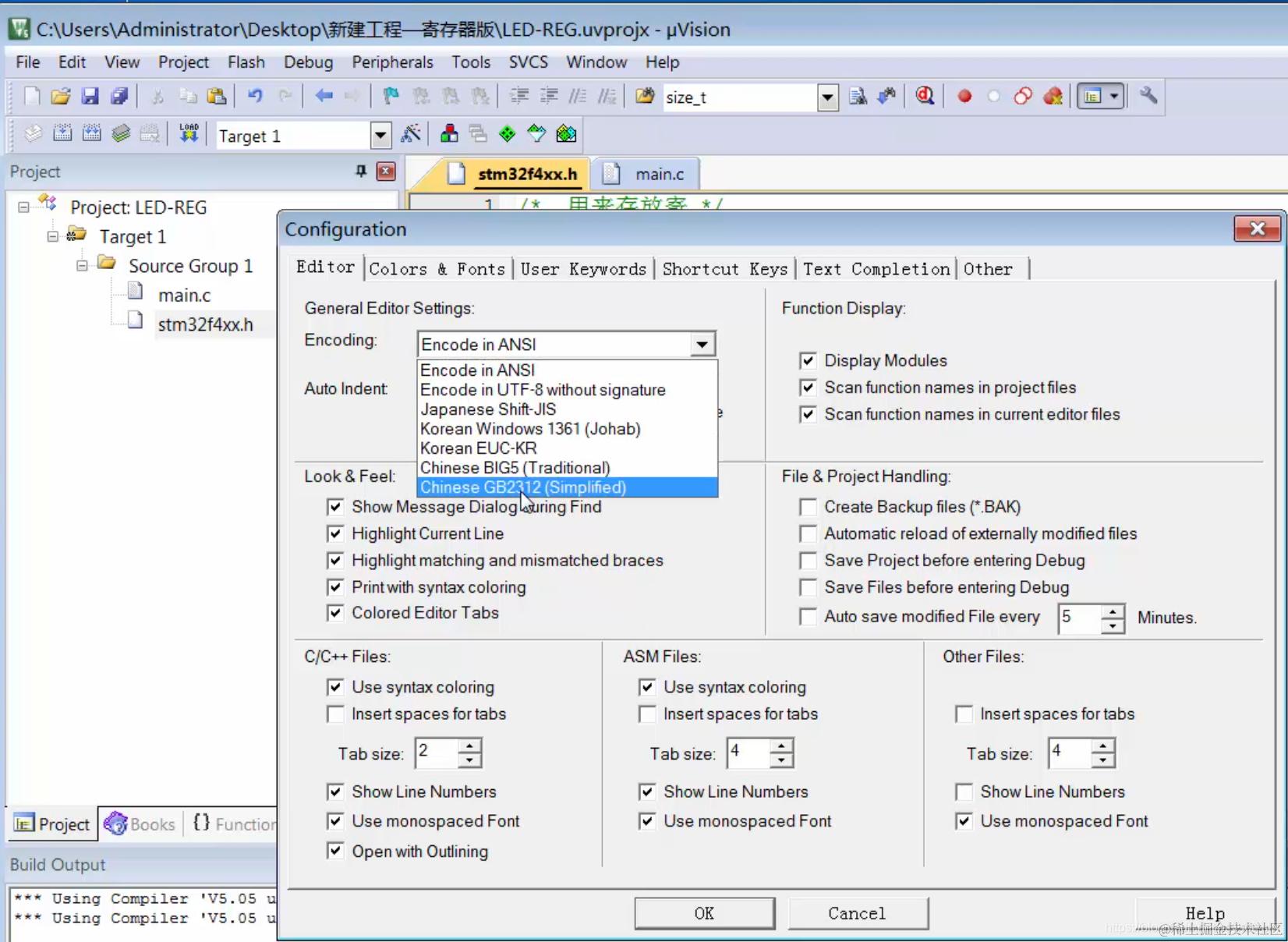
//Keil 中1个汉字是双字节,删除需要按2次,如下操作可以解决:
其他
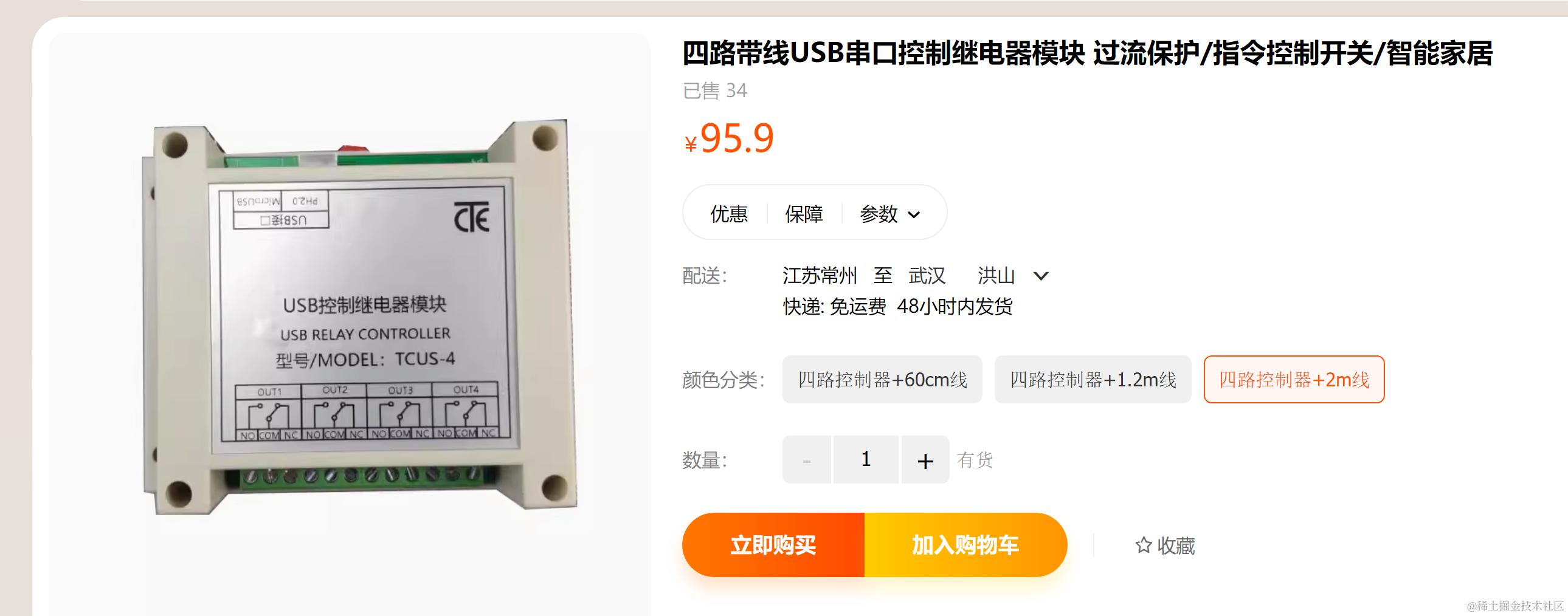
//四路带线USB串口控制继电器模块用法:
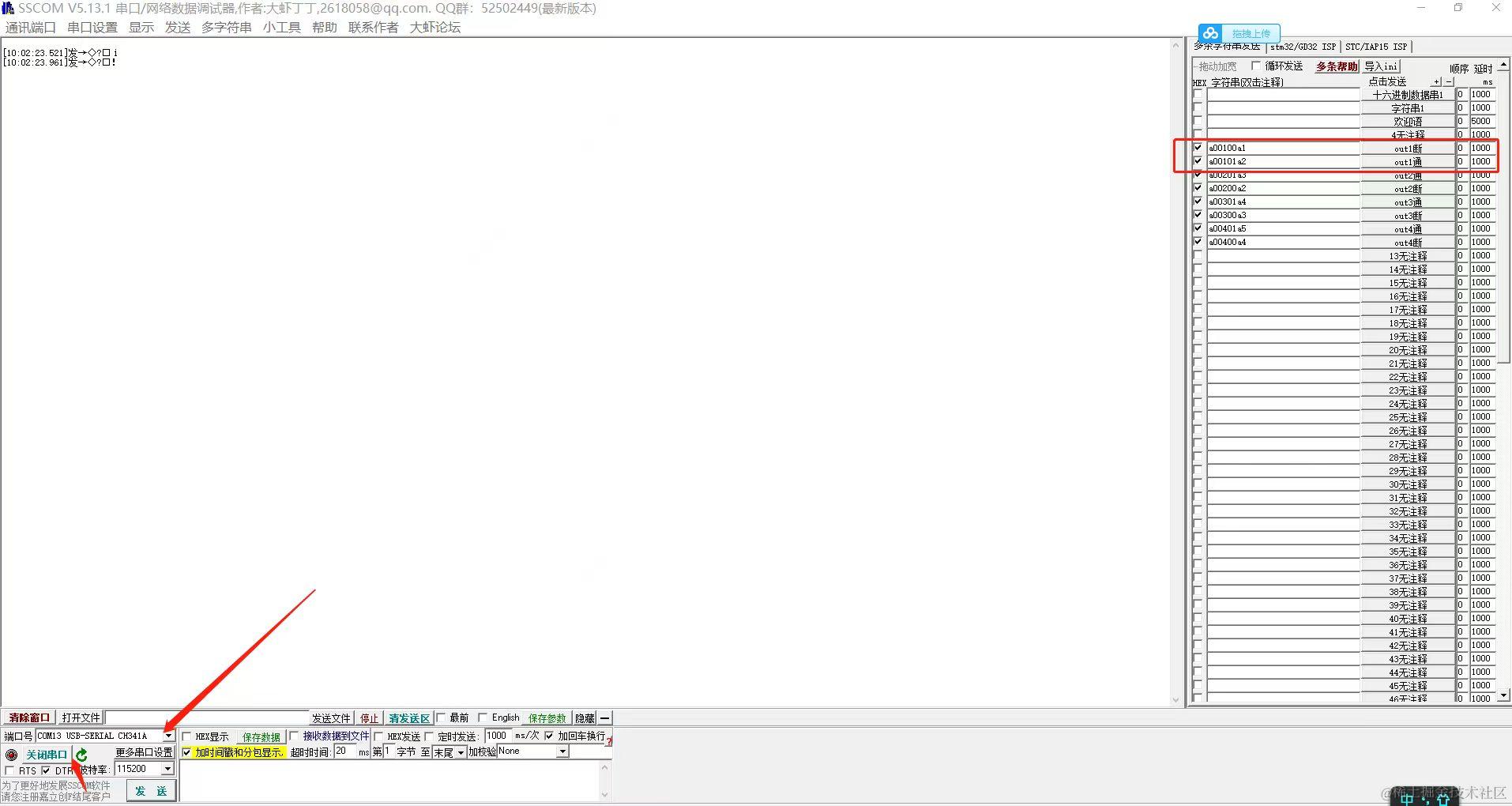
淘宝的使用CH340 的通过usb来控制 继电器的串口命令:
a00100a1
a00101a2
a00201a3
a00200a2
a00301a4
a00300a3
RT-Thread
//英飞凌XMC7100的msh的打印:
msh >help
RT-Thread shell commands:
reboot           - Reboot System
pin              - pin [option]
list             - list objects
version          - show RT-Thread version information
clear            - clear the terminal screen
free             - Show the memory usage in the system
ps               - List threads in the system
help             - RT-Thread shell help
backtrace        - print backtrace of a thread

msh >ps
thread   pri  status      sp     stack size max used left tick   error  tcb addr   usage
-------- ---  ------- ---------- ----------  ------  ---------- ------- ---------- -----
tshell    20  running 0x000000b4 0x00001000    09%   0x00000009 OK      0x28006cc0  N/A
tidle0    31  ready   0x0000006c 0x00000100    42%   0x00000005 OK      0x28005754  N/A
timer      4  suspend 0x0000009c 0x00000200    30%   0x00000009 EINTRPT 0x28005b4c  N/A
main      10  suspend 0x000000ac 0x00000800    10%   0x00000012 EINTRPT 0x280061e0  N/A
msh >pin
pin [option] GPIO
     num:      get pin number from hardware pin
     mode:     set pin mode to output/input/input_pullup/input_pulldown/output_od
               e.g. MSH >pin mode GPIO output
     read:     read pin level of hardware pin
               e.g. MSH >pin read GPIO
     write:    write pin level(high/low or on/off) to hardware pin
               e.g. MSH >pin write GPIO high
     help:     this help list
GPIO e.g.:pin: command failed -88.
msh >list
Usage: list [options]
[options]:
    thread           - list threads
    timer            - list timers
    sem              - list semaphores
    event            - list events
    mutex            - list mutexs
    mailbox          - list mailboxs
    msgqueue         - list message queues
    mempool          - list memory pools
    device           - list devices
msh >version

 \ | /
- RT -     Thread Operating System
 / | \     5.2.2 build Oct 18 2025 14:03:18
 2006 - 2024 Copyright by RT-Thread team
msh >free
total    : 758192
used     : 8088
maximum  : 8088
available: 750104

msh >list thread
thread   pri  status      sp     stack size max used left tick   error  tcb addr   usage
-------- ---  ------- ---------- ----------  ------  ---------- ------- ---------- -----
tshell    20  running 0x000000b4 0x00001000    09%   0x00000003 OK      0x28006cc0  N/A
tidle0    31  ready   0x0000006c 0x00000100    42%   0x00000017 OK      0x28005754  N/A
timer      4  suspend 0x0000009c 0x00000200    30%   0x00000009 EINTRPT 0x28005b4c  N/A
main      10  suspend 0x000000ac 0x00000800    10%   0x00000012 EINTRPT 0x280061e0  N/A
msh >list timer
timer     periodic   timeout    activated     mode
-------- ---------- ---------- ----------- ---------
tshell   0x00000000 0x00000000 deactivated one shot
tidle0   0x00000000 0x00000000 deactivated one shot
timer    0x00000000 0x00000000 deactivated one shot
main     0x000003e8 0x0003018b activated   one shot
current tick:0x0002ffa2
msh >list sem
semaphor v   suspend thread
-------- --- --------------
shrx     001 0
stimer   000 1:timer
msh >list mutex
mutex      owner  hold priority suspend thread
-------- -------- ---- -------- --------------
heap     (null)   0000      255  0000
msh >list mailbox
mailbox  entry size suspend thread
-------- ----  ---- --------------
msh >list device
device           type         ref count
-------- -------------------- ----------
uart4    Character Device     2
uart2    Character Device     0
pin      Pin Device           0
msh >
//Q: pkgs--update 和pkgs--upgrade 有什么区别呢?
A:
一个更新目录,一个更新具体package内容
前者更新当前项目引用的包到项目下的packages文件夹,后者更新本机的env文件夹下的软件包列表,它决定你的env菜单会出现哪些菜单项
update会下载包的源码,upgrade会下载包含包下载地址的json文件到env目录下的packages文件夹里,不会下载源码文件
//env加入windows的文件管理器菜单:
//board/kconfig的修改后的menuconfig: