这里只讲ak 使用方式
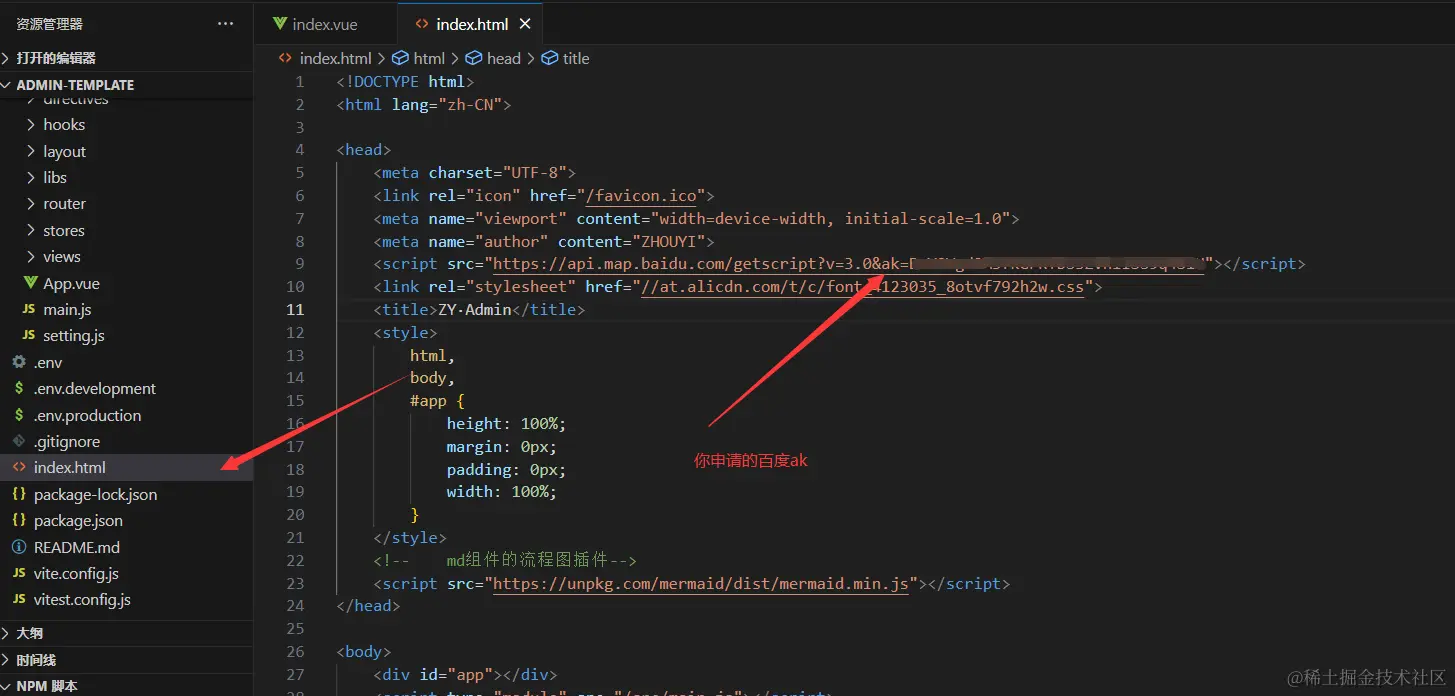
所有的有坑的地方已经在代码注释中写出
<template>
<div style="width: 100%;height: 100%;">
<div class="map" ref="baiduRef"></div>
</div>
</template>
<script setup>
import { ref, onMounted, onBeforeMount } from 'vue'
const baiduRef = ref()
let map = {}
const pointCustom = ref()
function initMap() {
let myCity = new BMap.LocalCity();
myCity.get(
result => {
let geoc = new BMap.Geocoder();
geoc.getLocation(result.center, res => {
map = new BMap.Map(baiduRef.value, { enableMapClick: false });
pointCustom.value = result.center
map.centerAndZoom(result.center, 15);
map.enableScrollWheelZoom(true);
map.setMapStyleV2({
styleId: "d5a49e0ca596b9264c00b6fae7faab69",
});
let myIcon = new BMap.Icon("https://file.hblg.vip/biz_school/2022/08/03/8f5a74b3365440189e28d9a49e776e33.png", new BMap.Size(50, 50));
let nowMarker = new BMap.Marker(result.center, { icon: myIcon });
nowMarker.setZIndex(9999999)
map.addOverlay(nowMarker);
initializeMap(pointCustom.value)
});
},
{ enableHighAccuracy: true }
);
}
const initializeMap = (point) => {
let CustomDiv = null
const CustomOverlay = class extends BMap.Overlay {
initialize(map) {
const div = document.createElement('div');
div.style.position = 'absolute';
div.innerHTML = ` <div style="font-size: 16px;">
<div>标题:${'自定义覆盖物'}</div>
<div>简介:${'可以自定义容器'}</div>
</div>`;
div.setAttribute("class", "CustomOverlay")
map.getPanes().labelPane.appendChild(div);
CustomDiv = div
return div;
}
draw() {
const position = map.pointToOverlayPixel(point);
CustomDiv.style.left =
position.x -
parseInt(getStyle(CustomDiv, 'width')) / 2 -
(parseInt(getStyle(CustomDiv, 'padding-left')) +
parseInt(getStyle(CustomDiv, 'padding-right'))) /
2 +
'px';
CustomDiv.style.top = position.y - parseInt(getStyle(CustomDiv, 'height')) / 2 + 'px';
}
};
const overlay = new CustomOverlay();
map.addOverlay(overlay);
map.addEventListener('moveend', () => {
const position = map.getCenter();
overlay._point = position;
overlay.draw();
});
function getStyle(node, attr) {
if (typeof getComputedStyle != 'undefined') {
var value = getComputedStyle(node, null).getPropertyValue(attr)
return attr == 'opacity' ? value * 100 : value
} else if (typeof node.currentStyle != 'undefined') {
if (attr == 'opacity') {
return Number(
node.currentStyle
.getAttribute('filter')
.match(/(?:opacity[=:])(\d+)/)[1]
)
} else {
return node.currentStyle.getAttribute(attr)
}
}
}
}
onMounted(() => {
initMap()
})
</script>
<style>
.CustomOverlay {
width: 200px;
height: 100px;
padding: 15px;
background-color: rgba(255, 166, 0, 0.5);
color: red;
border: 1px red solid;
}
</style>
<style lang="scss" scoped>
.map {
width: 100%;
height: 100%
}
</style>



