一、效果
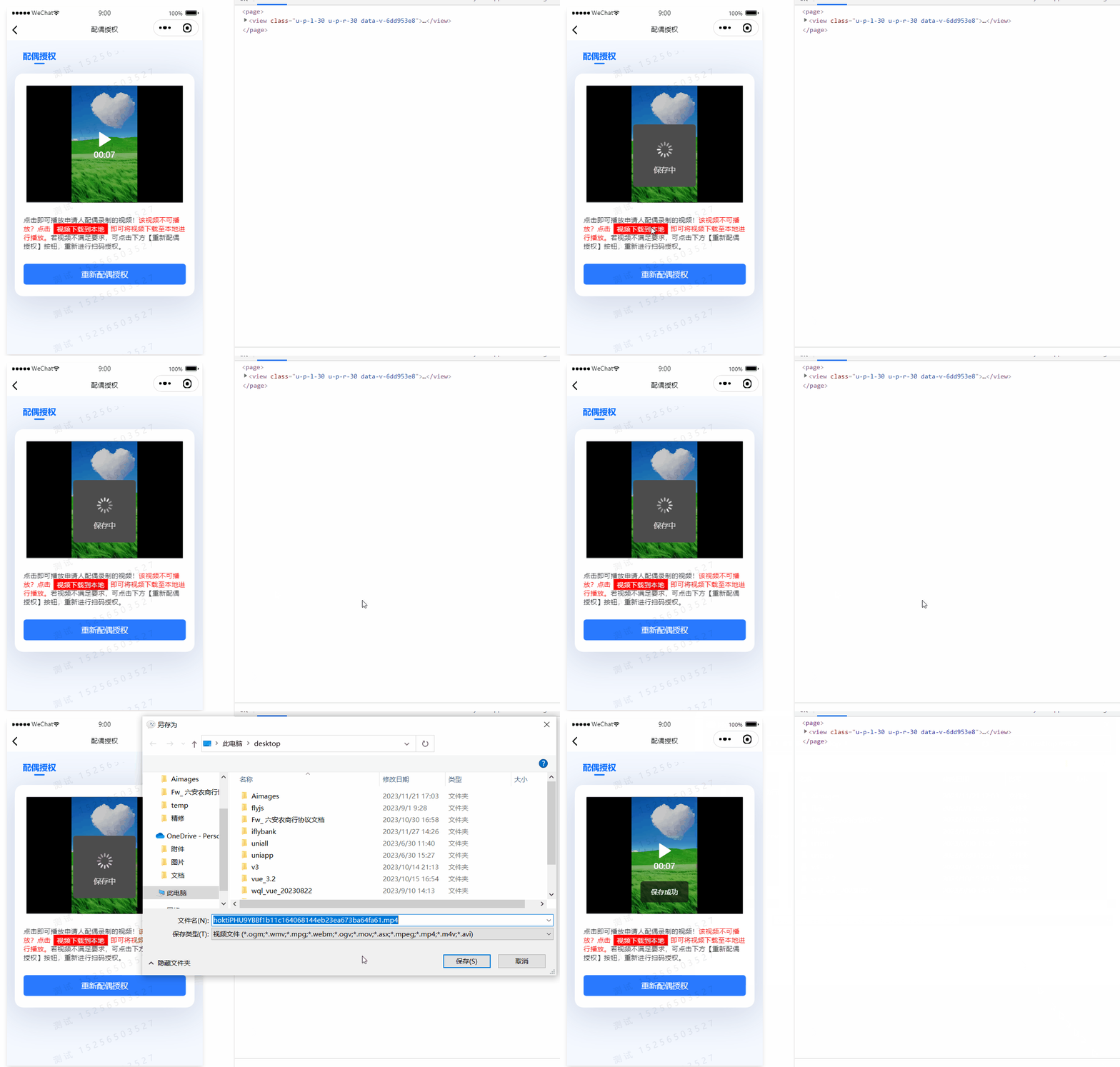
二、实现
handleDownloadVideo() {
uni.showLoading({ title: "保存中", mask: true });
const url = config.baseUrl + this.apouseVideoUrl;
const filepath =
wx.env.USER_DATA_PATH + "/" + new Date().valueOf() + ".mp4";
uni.downloadFile({
url,
filepath,
success: (res) => {
if (res.statusCode == 200) {
uni.saveVideoToPhotosAlbum({
filePath: res.tempFilePath,
success: () => {
uni.hideLoading();
uni.showToast({
icon: "none",
title: "保存成功",
duration: 2000,
});
},
fail: () => {
uni.hideLoading();
uni.showToast({
icon: "none",
title: "保存视频失败,请重试",
duration: 2000,
});
},
});
}
console.log("res", res);
},
fail: () => {
uni.hideLoading();
uni.showToast({
icon: "none",
title: "视频解析失败",
duration: 2000,
});
},
});
},



