npm install cropperjs
import Cropper from 'cropperjs';
import 'cropperjs/dist/cropper.css';
<template>
<view class="cropping-img-con flex-column">
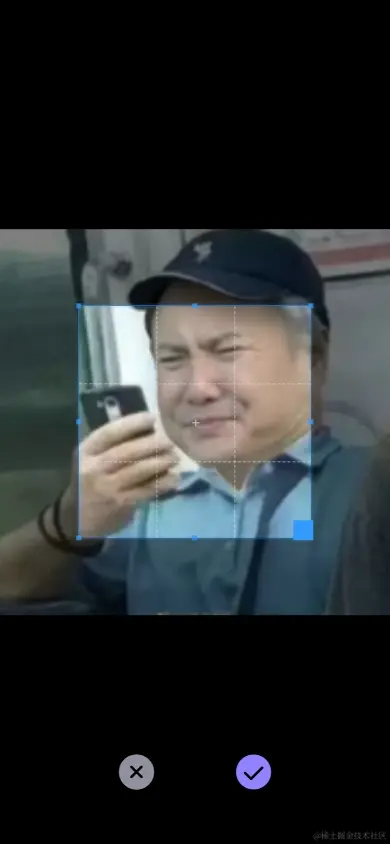
<img ref="croppingImg" :src="props.url" />
<view class="croppimg-img-btn flex-around">
<u-icon name="close-circle-fill" color="#91909e" size="40" class="btn btn1" @click="cannel"></u-icon>
<u-icon name="checkmark-circle-fill" color="#9282fd" size="40" class="btn btn2" @click="confirm"></u-icon>
</view>
</view>
</template>
<script setup lang="ts">
import Cropper from 'cropperjs';
import 'cropperjs/dist/cropper.css';
import { ref } from 'vue'
const props: any = defineProps({
url: {
type: String,
default: ""
}
})
const init = () => {
cropper.value = new Cropper(croppingImg.value, {
viewMode: 1,
dragMode: 'none',
initialAspectRatio: 1,
aspectRatio: 1,
preview: '.before',
background: false,
autoCropArea: 0.6,
zoomOnWheel: false,
crop: () => {
},
});
}
const cropper = ref()
const croppingImg: any = ref('')
const cannel = () => {
emit('returnImg', '')
}
const emit = defineEmits(['returnImg'])
const confirm = () => {
let res = cropper.value.getCroppedCanvas().toDataURL('image/jpeg')
emit('returnImg', res)
}
defineExpose({
init
});
</script>
<style lang="scss" scoped>
.cropping-img-con {
position: fixed;
top: 0;
left: 0;
width: 100%;
height: 100%;
z-index: 999;
background-color: #000;
.croppimg-img-btn {
width: 60%;
position: absolute;
bottom: 100rpx;
}
}
</style>