canvas添加水印思路
1.在画布上写上水印的名称(时间加上用户名)

2.canvas转化为base64,作为body的背景色
3.优化倾斜度和透明度
4.如果用户去除body的style水印消失
5.鸡肋 MutationObserver
在画布上写上水印的名称
<body>
<canvas id="canvasDom" ></canvas>
<script>
function curentTime(userName='张三'){
let newTime = new Date();
let newYarn = newTime.getFullYear()
let newMonth = (newTime.getMonth() + 1) > 9 ? ( newTime.getMonth() + 1) : "0" + ( newTime.getMonth() + 1);
let newDay = newTime.getDate() > 9 ? newTime.getDate() : "0"+date.getDate();
return newYarn + '-' + newMonth +' -' + newDay + '-'+ userName
}
let canvasDom=document.getElementById('canvasDom')
canvasDom.width=800
canvasDom.height=460
const ctx= canvasDom.getContext('2d')
ctx.font = "30px Verdana"
ctx.fillText(curentTime(), 100,100)
</script>
</body>

canvas转化为base64,作为body的背景色
我们使用 toDataURL('image/png')将画布转为base64.
然后在在将它作为背景色设置在body上。
这样我们就实现了水印的添加
let canvasDom=document.getElementById('canvasDom')
canvasDom.width=800
canvasDom.height=460
canvasDom.style.display='none'
const ctx= canvasDom.getContext('2d')
ctx.font = "30px Verdana"
ctx.fillText(curentTime(), 30,210)
const img=canvasDom.toDataURL('image/png')
console.log('img', img)
let body = document.getElementById('body')
body.setAttribute('style',`background-image:url("${img}")`)
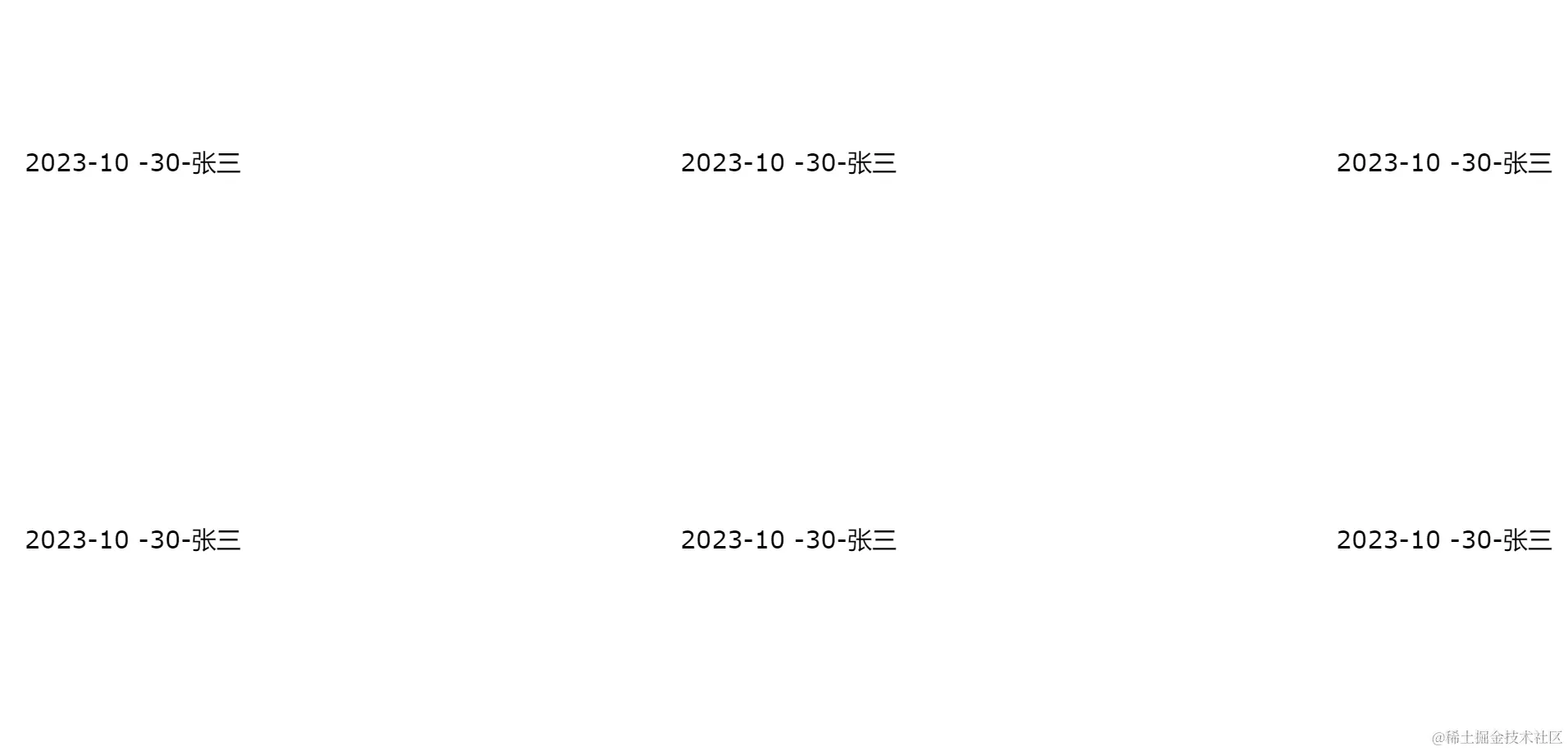
优化倾斜度和透明度
ctx.fillStyle = 'rgba(0,0,0,.3)'
ctx.rotate(0.2)
ctx.fillText(curentTime(), 30,150)
需要注意的是:透明度和清晰度要在文字填充之前设置。
否者就不会生效。
这个也很好理解,因为有先后顺序。
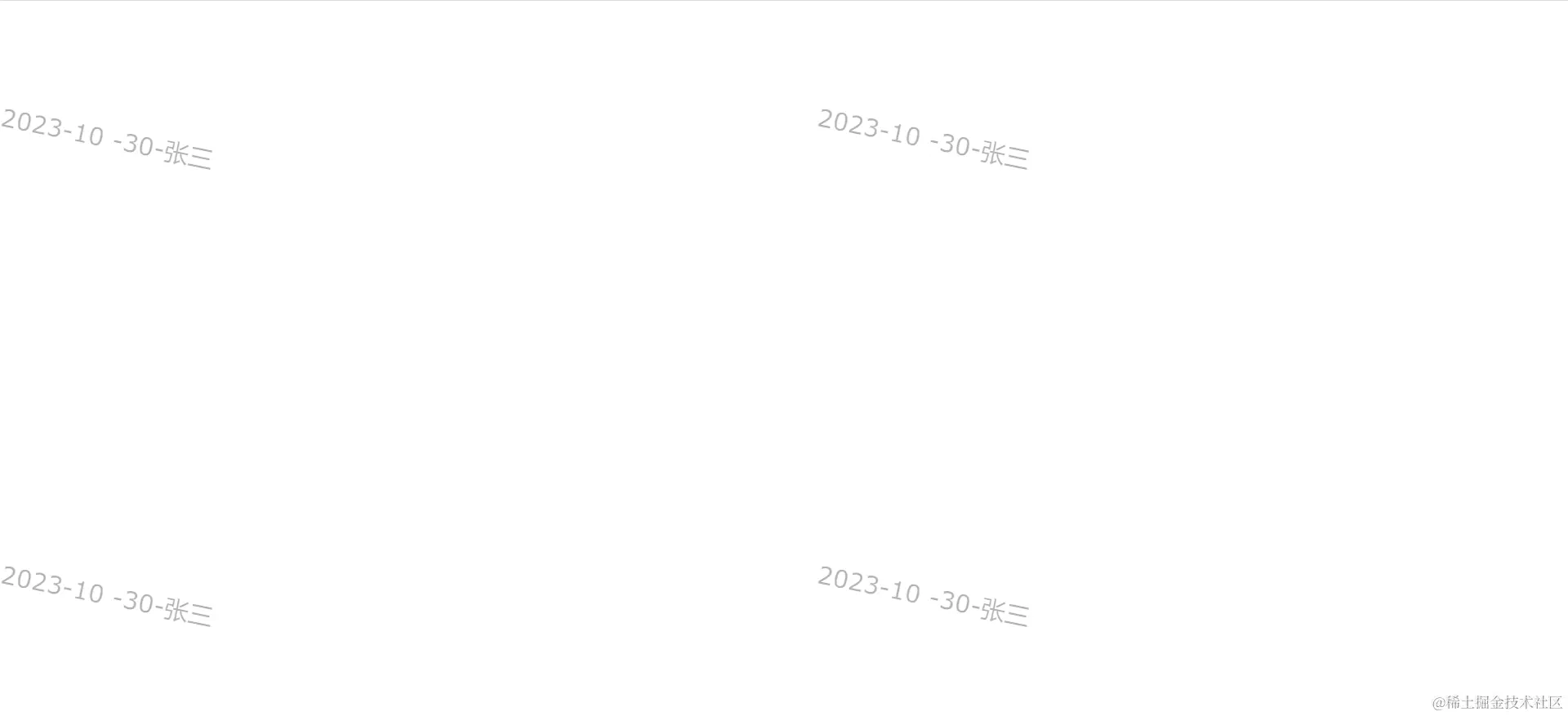
出现了一点小的意外
如果别人知道了我们的原理。
就只需要通过控制台取消掉body的style就行。
也就是说:咋们这个方法可能是白做了。
难受,啊!
如果不能取消或者可以监听就好了。
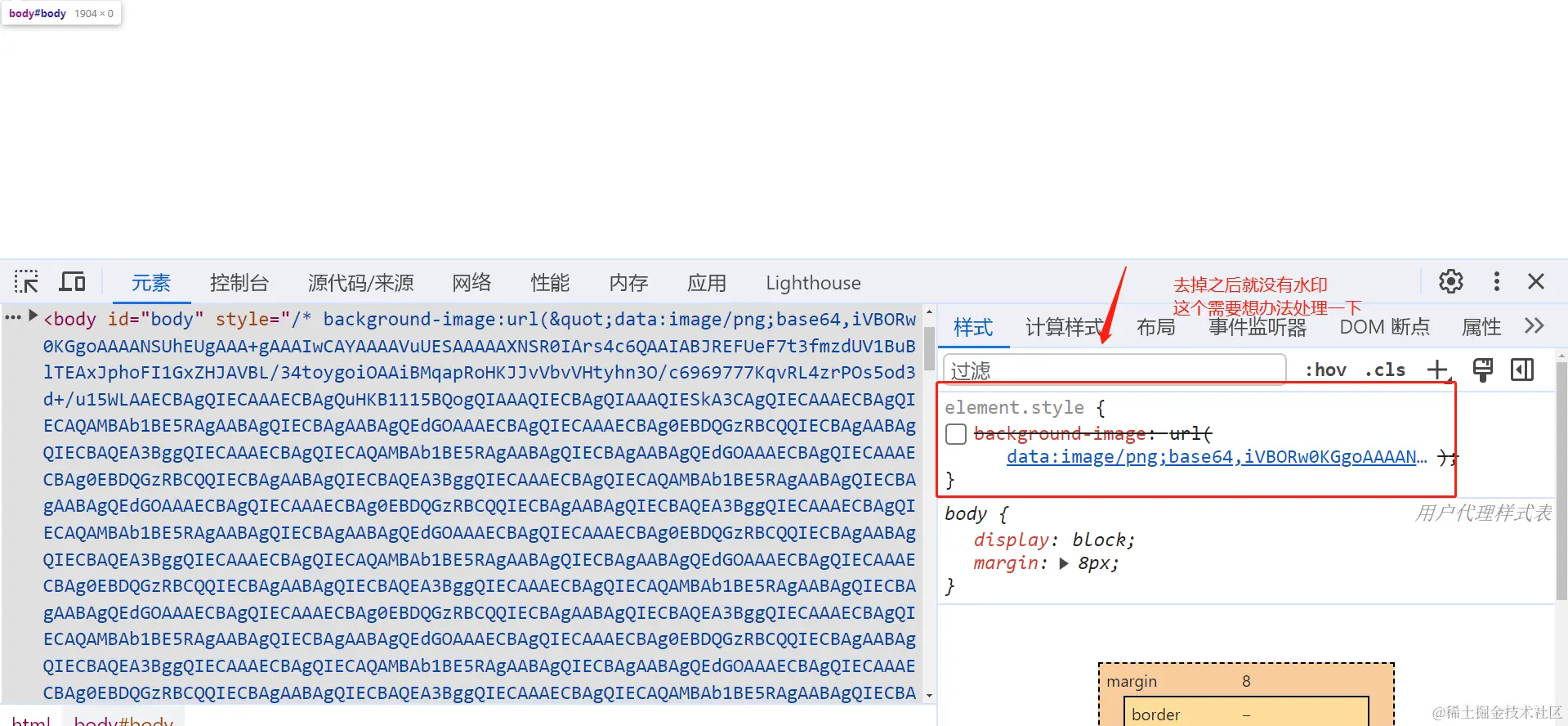
鸡肋辅助 MutationObserver 登场
如果有一个方法可以监听DOM树属性发生变化就好了。
如果发生了变化。我在重新调用一次就可以解决。
其实还真的存在这样一个API。
他就是MutationObserver。
MutationObserver给我们提供DOM树属性在某个范围内发生变化时作出一定的反应。
MutationObserver的基本用法就是:
var MutationObserver = window.MutationObserver ||
window.WebKitMutationObserver ||
window.MozMutationObserver
var target = document.getElementById('domID');
function callBack(){
console.log('dom树发生变化我会被触发')
}
var observer = new MutationObserver(callBack);
var config = { attributes: true, childList: true, characterData: true }
observer.observe(target, config);
observer.disconnect();
在控制台属性发生变化重新调用一次
function watchBody(){
 console.log('body的DOM发生了变化被我监听到了')
}
const observer = new MutationObserver(watchBody)
const targetNode = body
const setConfig = { attributes: true}
observer.observe(targetNode, setConfig)
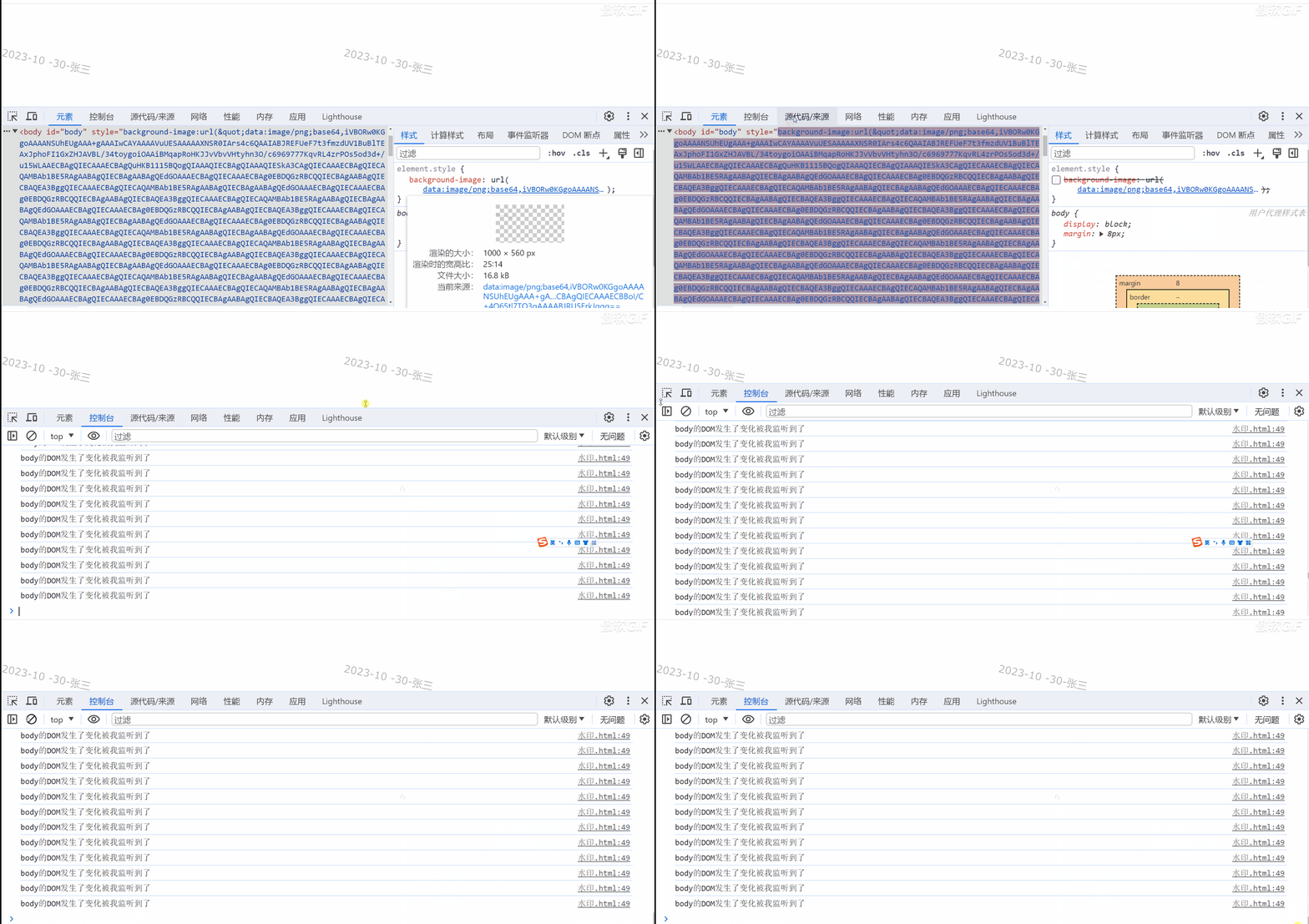
报告:又发现问题,出现多次调用
虽然我们通过监听dom数属性发生变化后,
再次调用水印的方法。用户无法去除水印。
但是造成了多次调用,页面卡死。
目前还没有好的办法去解决使用MutationObserver造成页面卡死这个问题。
所以这种水印只能做到防小人不防君子
function watchBody(){
let hasBackgroundImage = document.getElementById('body').style
if(hasBackgroundImage){
waterMark()
}
}
let observer;
function watchAtt(){
observer = new MutationObserver(watchBody)
const targetNode = document.getElementById('body')
const setConfig = { attributes: true}
observer.observe(targetNode, setConfig)
}
watchAtt()
window.onbeforeunload=function (){
console.log(11111)
observer.disconnect();
}
完整代码
<!DOCTYPE html>
<html lang="en">
<head>
<meta charset="UTF-8">
<meta name="viewport" content="width=device-width, initial-scale=1.0">
<title>Document</title>
</head>
<body id="body">
<canvas id="canvasDom" ></canvas>
<script>
function curentTime(userName='张三'){
let newTime = new Date();
let newYarn = newTime.getFullYear()
let newMonth = (newTime.getMonth() + 1) > 9 ? ( newTime.getMonth() + 1) : "0" + ( newTime.getMonth() + 1);
let newDay = newTime.getDate() > 9 ? newTime.getDate() : "0"+date.getDate();
return newYarn + '-' + newMonth +' -' + newDay + '-'+ userName
}
{
let canvasDom=document.getElementById('canvasDom')
canvasDom.width=1000
canvasDom.height=560
canvasDom.style.display='none'
const ctx= canvasDom.getContext('2d')
ctx.font = "30px Verdana"
ctx.fillStyle = 'rgba(0,0,0,.3)'
ctx.rotate(0.2)
ctx.fillText(curentTime(), 30,150)
const img=canvasDom.toDataURL('image/png')
let body = document.getElementById('body')
body.setAttribute('style',`background-image:url("${img}")`)
}
waterMark()
function watchBody(){
let hasBackgroundImage = document.getElementById('body').style
if(hasBackgroundImage){
waterMark()
}
}
let observer;
function watchAtt(){
observer = new MutationObserver(watchBody)
const targetNode = document.getElementById('body')
const setConfig = { attributes: true}
observer.observe(targetNode, setConfig)
}
watchAtt()
window.onbeforeunload=function (){
console.log(11111)
observer.disconnect();
}
</script>
</body>
</html>