效果
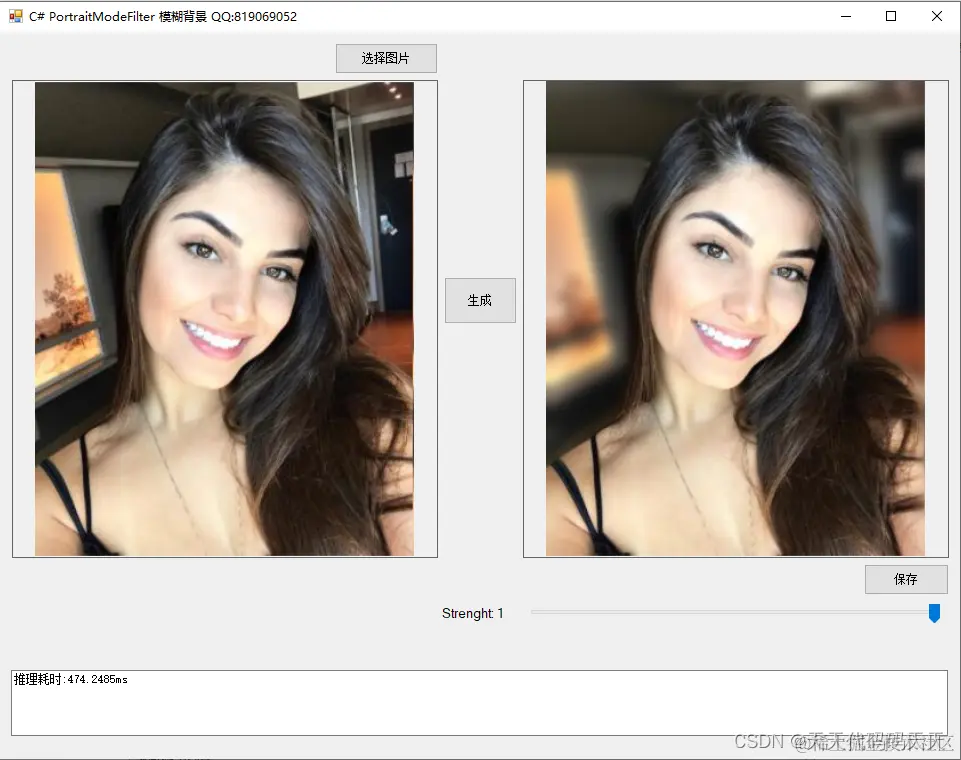
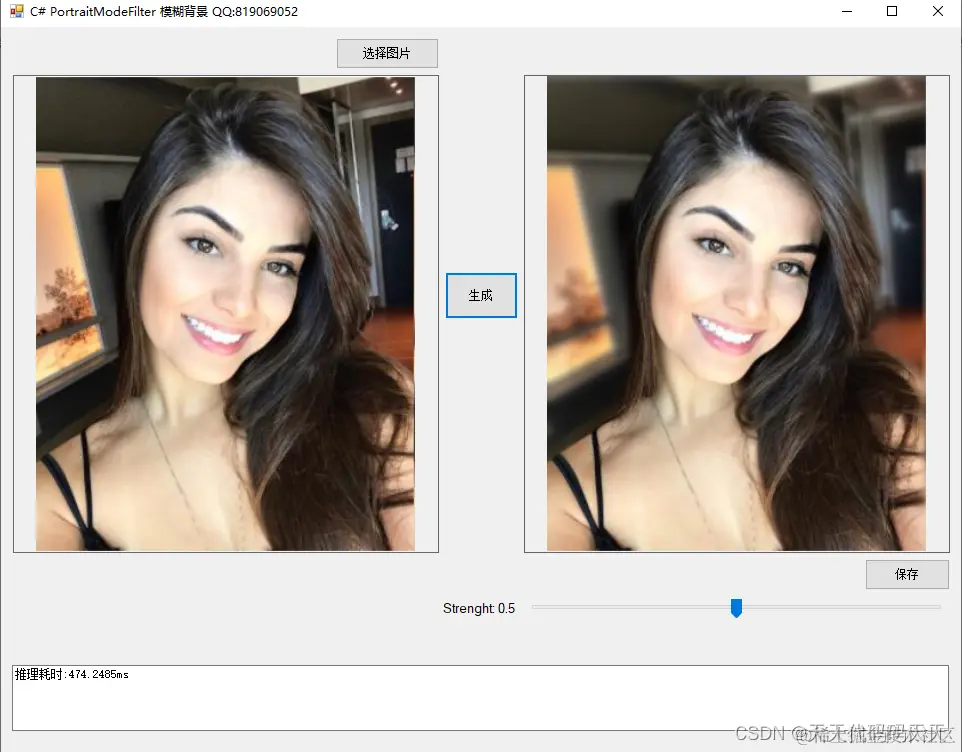
项目
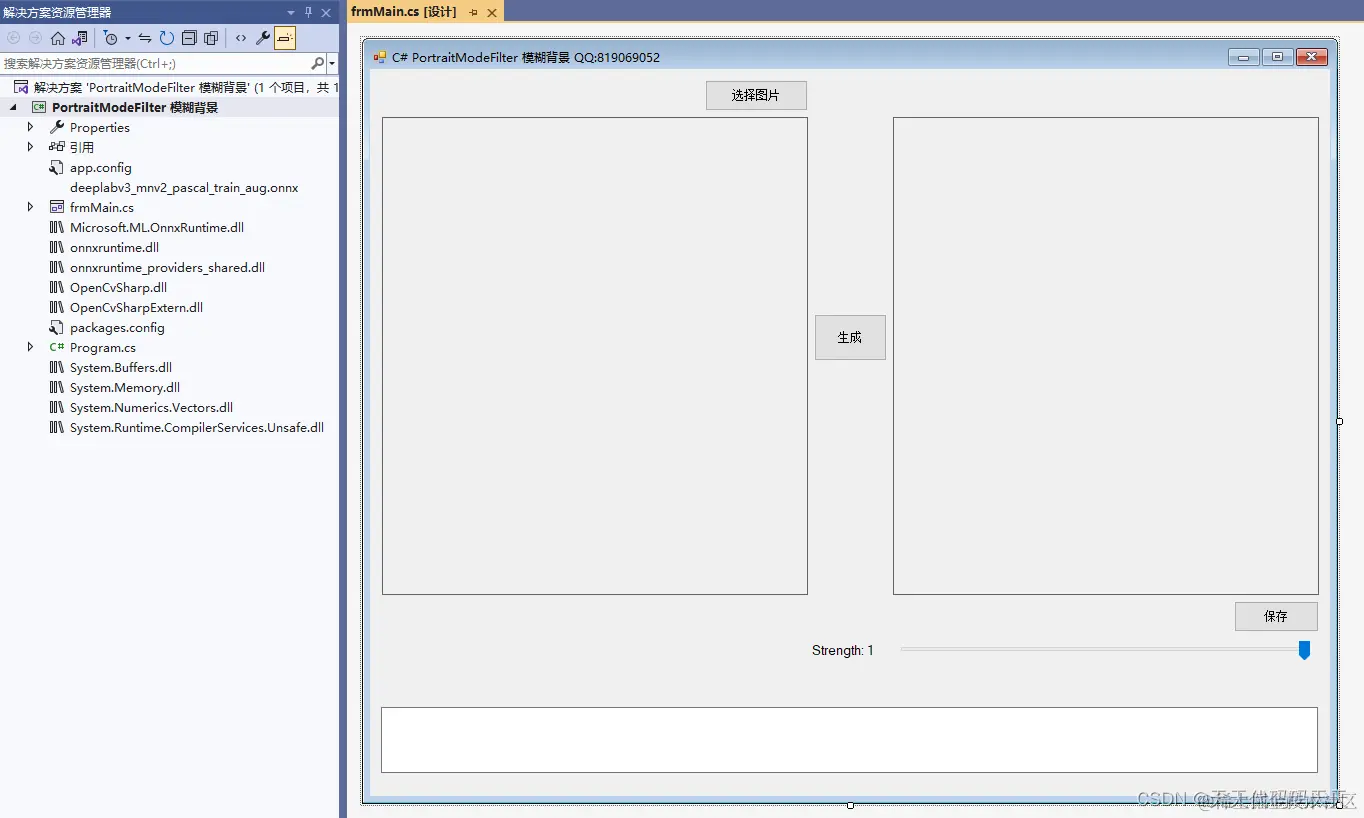
代码
using Microsoft.ML.OnnxRuntime
using Microsoft.ML.OnnxRuntime.Tensors
using OpenCvSharp
using System
using System.Collections.Generic
using System.Drawing
using System.Drawing.Imaging
using System.Linq
using System.Windows.Forms
using UMapx.Core
using UMapx.Imaging
namespace PortraitModeFilter_模糊背景
{
public partial class frmMain : Form
{
public frmMain()
{
InitializeComponent()
}
string fileFilter = "*.*|*.bmp;*.jpg;*.jpeg;*.tiff;*.tiff;*.png"
string image_path = ""
string startupPath
DateTime dt1 = DateTime.Now
DateTime dt2 = DateTime.Now
string model_path
Mat image
Bitmap src
Bitmap mask
int modelSize = 512
SessionOptions options
InferenceSession onnx_session
Tensor<byte> input_tensor
List<NamedOnnxValue> input_ontainer
IDisposableReadOnlyCollection<DisposableNamedOnnxValue> result_infer
DisposableNamedOnnxValue[] results_onnxvalue
Tensor<long> result_tensors
long[] result_array
double strength = 1
OpenFileDialog ofd
private void button1_Click(object sender, EventArgs e)
{
if (ofd.ShowDialog() != DialogResult.OK) return
pictureBox1.Image = null
image_path = ofd.FileName
src = new Bitmap(image_path)
pictureBox1.Image = src
textBox1.Text = ""
image = new Mat(image_path)
pictureBox2.Image = null
trackBar1.Enabled = false
}
private void Form2_Load(object sender, EventArgs e)
{
trackBar1.Enabled = false
startupPath = Application.StartupPath
ofd = new OpenFileDialog()
ofd.Filter = fileFilter
model_path = startupPath + "\\deeplabv3_mnv2_pascal_train_aug.onnx"
//创建输出会话,用于输出模型读取信息
options = new SessionOptions()
options.LogSeverityLevel = OrtLoggingLevel.ORT_LOGGING_LEVEL_INFO
// 设置为CPU上运行
options.AppendExecutionProvider_CPU(0)
// 创建推理模型类,读取本地模型文件
onnx_session = new InferenceSession(model_path, options)
// 创建输入容器
input_ontainer = new List<NamedOnnxValue>()
// 创建输入容器
input_ontainer = new List<NamedOnnxValue>()
}
private void button2_Click(object sender, EventArgs e)
{
if (image_path == "")
{
return
}
textBox1.Text = "生成中……"
pictureBox2.Image = null
Application.DoEvents()
//缩放图片大小
int oldwidth = image.Cols
int oldheight = image.Rows
int maxEdge = Math.Max(image.Rows, image.Cols)
float ratio = 1.0f * modelSize / maxEdge
int newHeight = (int)(image.Rows * ratio)
int newWidth = (int)(image.Cols * ratio)
Mat resize_image = image.Resize(new OpenCvSharp.Size(newWidth, newHeight))
input_tensor = new DenseTensor<byte>(new[] { 1, newHeight, newWidth, 3 })
// 输入Tensor
for (int y = 0
{
for (int x = 0
{
input_tensor[0, y, x, 2] = resize_image.At<Vec3b>(y, x)[0]
input_tensor[0, y, x, 1] = resize_image.At<Vec3b>(y, x)[1]
input_tensor[0, y, x, 0] = resize_image.At<Vec3b>(y, x)[2]
}
}
//将 input_tensor 放入一个输入参数的容器,并指定名称
input_ontainer.Add(NamedOnnxValue.CreateFromTensor(onnx_session.InputNames[0].ToString(), input_tensor))
dt1 = DateTime.Now
//运行 Inference 并获取结果
result_infer = onnx_session.Run(input_ontainer)
dt2 = DateTime.Now
//将输出结果转为DisposableNamedOnnxValue数组
results_onnxvalue = result_infer.ToArray()
//读取第一个节点输出并转为Tensor数据
result_tensors = results_onnxvalue[0].AsTensor<Int64>()
result_array = result_tensors.ToArray()
//得到掩码图
mask = SegmentationMap(result_array, newWidth, newHeight)
mask = new Bitmap(mask, new System.Drawing.Size(oldwidth, oldheight))
trackBar1.Enabled = true
//模糊背景
pictureBox2.Image = Filter(src, mask)
textBox1.Text = "推理耗时:" + (dt2 - dt1).TotalMilliseconds + "ms"
}
/// <summary>
/// Converts an RGB tensor array to a color image.
/// </summary>
/// <param name="tensor">RGBA tensor array</param>
/// <param name="width">Bitmap width</param>
/// <param name="height">Bitmap height</param>
public unsafe Bitmap SegmentationMap(long[] tensor, int width, int height)
{
Bitmap Data = new Bitmap(width, height)
BitmapData bmData = Data.LockBits(new Rectangle(0, 0, width, height), ImageLockMode.ReadWrite, PixelFormat.Format24bppRgb)
int stride = bmData.Stride
byte* p = (byte*)bmData.Scan0.ToPointer()
int pos = 0
for (int j = 0
{
int k, jstride = j * stride
for (int i = 0
{
k = jstride + i * 3
var z = (tensor[pos] == 15) ? (byte)255 : (byte)0
// rgb
p[k + 2] = z
p[k + 1] = z
p[k + 0] = z
}
}
Data.UnlockBits(bmData)
return Data
}
private void button3_Click(object sender, EventArgs e)
{
if (pictureBox2.Image == null)
{
return
}
Bitmap output = new Bitmap(pictureBox2.Image)
var sdf = new SaveFileDialog()
sdf.Title = "保存"
sdf.Filter = "Images (*.jpg)|*.jpg|Images (*.png)|*.png|Images (*.bmp)|*.bmp|Images (*.emf)|*.emf|Images (*.exif)|*.exif|Images (*.gif)|*.gif|Images (*.ico)|*.ico|Images (*.tiff)|*.tiff|Images (*.wmf)|*.wmf"
if (sdf.ShowDialog() == DialogResult.OK)
{
switch (sdf.FilterIndex)
{
case 1:
{
output.Save(sdf.FileName, ImageFormat.Jpeg)
break
}
case 2:
{
output.Save(sdf.FileName, ImageFormat.Png)
break
}
case 3:
{
output.Save(sdf.FileName, ImageFormat.Bmp)
break
}
case 4:
{
output.Save(sdf.FileName, ImageFormat.Emf)
break
}
case 5:
{
output.Save(sdf.FileName, ImageFormat.Exif)
break
}
case 6:
{
output.Save(sdf.FileName, ImageFormat.Gif)
break
}
case 7:
{
output.Save(sdf.FileName, ImageFormat.Icon)
break
}
case 8:
{
output.Save(sdf.FileName, ImageFormat.Tiff)
break
}
case 9:
{
output.Save(sdf.FileName, ImageFormat.Wmf)
break
}
}
MessageBox.Show("保存成功,位置:" + sdf.FileName)
}
}
private void trackBar1_Scroll(object sender, EventArgs e)
{
strength = trackBar1.Value / 100.0
label1.Text = $"Strenght: {strength}";
pictureBox2.Image = Filter(src, mask);
}
BoxBlur _boxBlur = new BoxBlur();
AlphaChannelFilter _alphaChannelFilter = new AlphaChannelFilter();
Merge _merge = new Merge(0, 0, 255);
Bitmap Filter(Bitmap image, Bitmap mask)
{
int radius = (int)(strength * 2 * ((Math.Max(image.Height, image.Width) / 100) + 1));
// deep person lab
var alphaMask = (Bitmap)src.Clone();
var portrait = (Bitmap)src.Clone();
var segmentantionMask = (Bitmap)mask.Clone();
// gaussian blur approximation
_boxBlur.Size = new SizeInt(radius, radius);
_boxBlur.Apply(portrait);
_boxBlur.Apply(segmentantionMask);
_boxBlur.Size = new SizeInt(radius / 2, radius / 2);
_boxBlur.Apply(portrait);
_boxBlur.Apply(segmentantionMask);
// merging images
_alphaChannelFilter.Apply(alphaMask, segmentantionMask);
_merge.Apply(portrait, alphaMask);
alphaMask.Dispose();
segmentantionMask.Dispose();
return portrait;
}
}
}
下载
可执行程序exe下载
源码下载