@说明
sudo cp hello calc mcp fileinfo guessnum /bin/
@HelloShell(/bin/hello)
#!/bin/bash
word="Hello Shell"
echo "Hello Shell!"

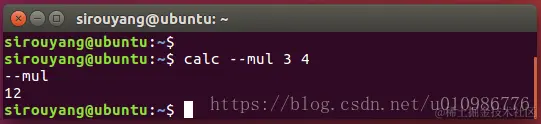
@数学计算(/bin/calc)
#!/bin/bash
if [[ $1 = "--add" ]];then
echo --add
echo $(($2+$3))
elif [[ $1 = "--sub" ]];then
echo --sub
echo $(($2-$3))
elif [[ $1 = "--mul" ]];then
echo --mul
echo $(($2*$3))
elif [[ $1 = "--div" ]];then
echo --div
echo $(($2/$3))
elif [[ $1 = "--mod" ]];then
echo --mod
echo $(($2%$3))
else
echo $1
echo fuck off,不支持的操作符
fi
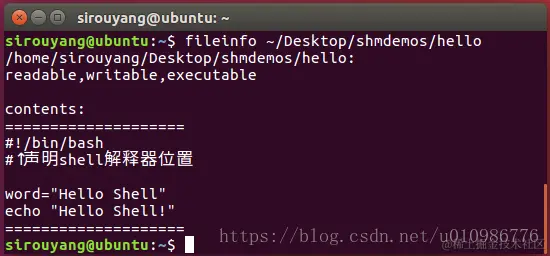
@显示文件信息(/bin/fileinfo)
#!/bin/bash
fileinfo(){
if [[ ! -e $1 ]];then
echo "$1 doesn't exist!"
return 0
fi
echo $1:
if [[ -r $1 ]];then
echo -n "readable,"
else
echo -n "NOT-readble,"
fi
if [[ -w $1 ]];then
echo -n "writable,"
else
echo -n "NOT-writable,"
fi
if [[ -x $1 ]];then
echo "executable"
else
echo "NOT-executable"
fi
echo -e "\ncontents":
echo ====================
cat $1
echo ====================
}
fileinfo $1
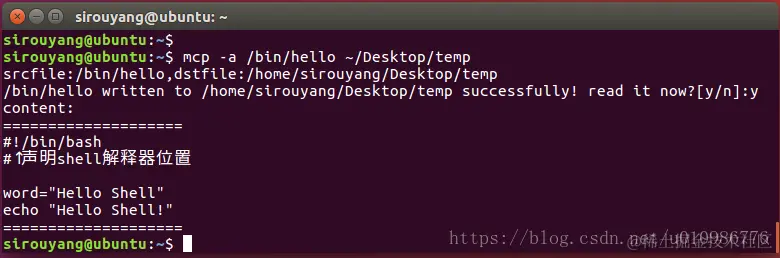
@自定义的文件拷贝(/bin/mcp)
#!/bin/bash
docp(){
append=0
if [[ $1 = "-a" ]];then
append=1
srcfile=$2
dstfile=$3
else
append=0
srcfile=$1
dstfile=$2
fi
echo "srcfile:$srcfile,dstfile:$dstfile"
if [[ ! -e $srcfile ]];then
echo "stupid! souce file does not exist!"
return 0
fi
if [[ ! -e $dstfile ]];then
touch $dstfile
fi
if [[ $append -eq 1 ]];then
cat < $srcfile >> $dstfile
else
cat < $srcfile > $dstfile
fi
echo -n "$srcfile written to $dstfile successfully! read it now?[y/n]:"
read temp
if [[ $temp = 'y' ]];then
echo "content:"
echo ====================
cat < $dstfile
echo ====================
fi
}
docp $1 $2 $3
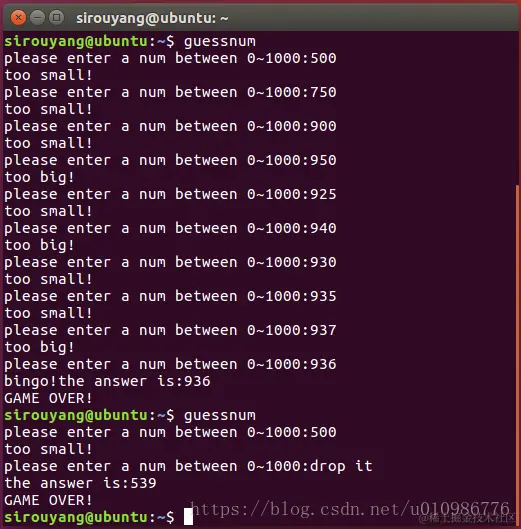
@猜数字小游戏(/bin/guessnum)
#!/bin/bash
answer=`rand --max 1000`
echo $answer
while true
do
echo -n "please enter a num between 0~1000:"
read guess
if [[ $guess = "drop it" ]];then
echo "the answer is:$answer"
break
fi
if [[ $guess -eq $answer ]];then
echo "bingo!the answer is:$answer"
break
elif [[ $guess -gt $answer ]];then
echo "too big!"
else
echo "too small!"
fi
done
echo "GAME OVER!"