⭐建议集成gitee即可,github的网络请求不太稳定,梯子可能也会出现不稳定的情况
GitEE oauth2登录集成
在 GitEE 中创建一个第三方应用
步骤如下
找到gitee创建第三方应用的这个位置
创建应用
拿到相应的配置
demo-authorizationserver 的授权服务器配置
spring:
 security:
   oauth2:
     client:
       registration:
         gitee:
           # 指定oauth登录提供者,该oauth登录由provider中的gitee来处理
           provider: gitee
           # 客户端名字
           client-name: Sign in with Gitee
           # 认证方式
           authorization-grant-type: authorization_code
           # 客户端id,使用自己的gitee的客户端id
           client-id: 29b85c97ed682910eaa4276d84a0c4532f00b962e1b9fe8552520129e65ae432
           # 客户端秘钥,使用自己的gitee的客户端秘钥
           client-secret: 8c6df920482a83d4662a34b76a9c3a62c8e80713e4f2957bb0459c3ceb70d73b
           # 回调地址 与gitee 配置的回调地址一致才行
           redirect-uri: http://192.168.56.1:9000/login/oauth2/code/gitee
           # 申请scope列表
           scope:
             - emails
             - user_info

       provider:
         gitee:
         # 设置用户信息名称对应的字段属性
         user-name-attribute: login
         # 获取token的地址
         token-uri: https://gitee.com/oauth/token
         # 获取用户信息的地址
         user-info-uri: https://gitee.com/api/v5/user
         # 发起授权申请的地址
         authorization-uri: https://gitee.com/oauth/authorize
demo-authorizationserver 中 resource/templates/login.html 中的
/oauth2/authorization/giteegitee 对应就是{registrationId}<a class="w-100 btn btn-light btn-block bg-white" href="/oauth2/authorization/gitee" role="link" style="margin-top: 10px"> <img src="/assets/img/gitee.png" th:src="@{/assets/img/gitee.png}" width="20" style="margin-right: 5px;" alt="Sign in with Gitee"> Sign in with Gitee </a>
GitEE oauth2 demo示例
访问客户端的主页:http://127.0.0.1:8080/index时,浏览器会重定向到:`http://192.168.56.1:9000/login`(因为demo-client中的配置我们修改为http://192.168.56.1:9000了)
因为刚刚已经登录过gitee了,所以这个地方直接到授权页了,如果没有登录的情况下会先重定向到 gitee 的登录页
gitee授权完成后(授权后就会回调到我们本地服务,然后跳转到授权页)
客户端成功访问资源服务
GitHub oauth2登录集成
GitHub oauth文档URL docs.github.com/en/apps/oau…
在GitHub中创建一个oauth应用
示例步骤如下图
demo-authorizationserver 的授权服务器配置**
spring:
 security:
   oauth2:
     client:
       registration:
         github-idp: # 这个唯一就可以了 对应的也就是 {registrationId}
           provider: github # 换个对应如下的 provider
           client-id: 2205af0f0cc93e3a22ea #刚刚创建应用的client-id
           client-secret: 649d88df840a57d2591c4832b438cc9af2727240 #刚刚创建应用的client-secret
           redirect-uri: http://localhost:9000/login/oauth2/code/github # 模板 `{baseUrl}/login/oauth2/code/{registrationId}`
           scope: user:email, read:user #这个可以参考文档根据需要修改
           client-name: Sign in with GitH        provider:
         github:
           user-name-attribute: login
demo-authorizationserver 中 resource/templates/login.html 中的
/oauth2/authorization/github-idpgithub-id 对应就是{registrationId}<a class="w-100 btn btn-light btn-block bg-white" >href="/oauth2/authorization/github-idp" role="link" style="margin-top: 10px"> <img src="/assets/img/github.png" th:src="@{/assets/img/github.png}" >width="24" style="margin-right: 5px;" alt="Sign in with Github"> Sign in with Github </a>
GitHub oauth2登录 demo 示例
访问客户端的主页:
http://127.0.0.1:8080/index时,浏览器会重定向到:http://localhost:9000/login选择GitHub登录
跳转到 GitHub登录页
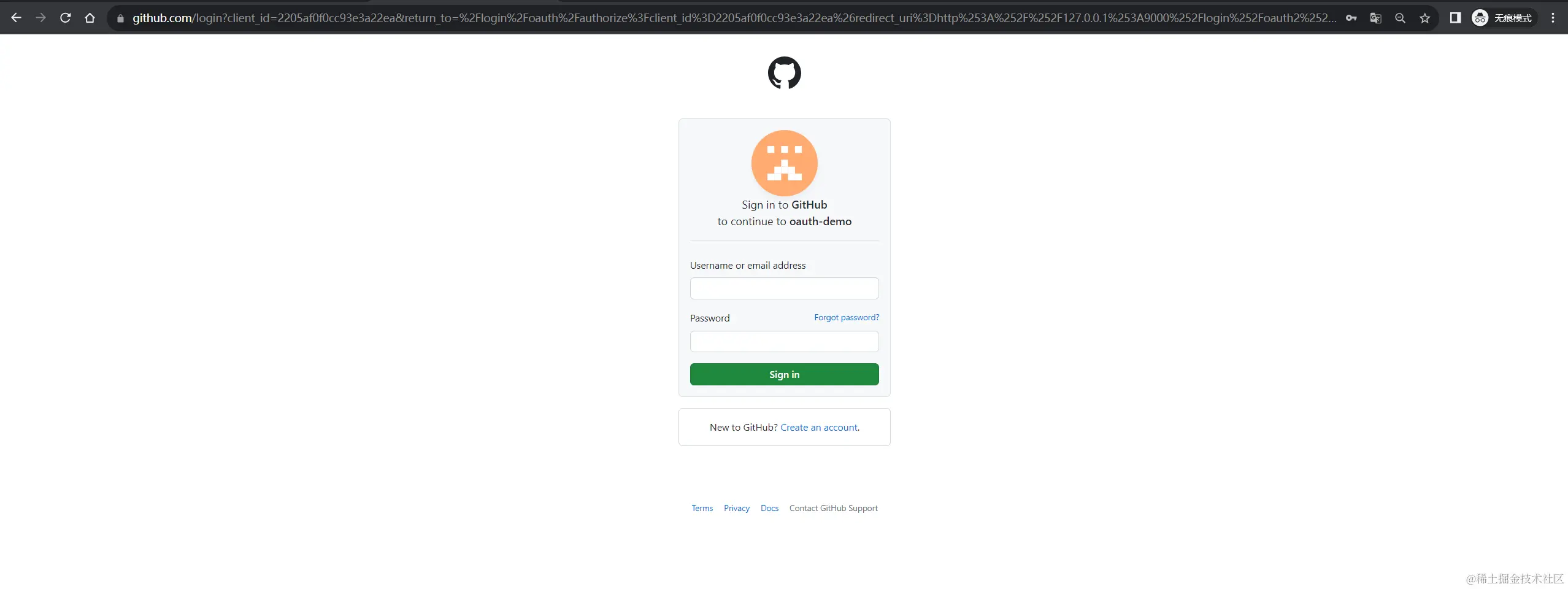
授权服务进行授权
客户端成功访问
客户端成功访问资源服务
总结
有没有发现一行代码都没有写,就加对应的client配置就完成了 oauth2 认证授权了,这就是用 Spring Authorization Server、Spring Security 的意义所在,体验到真香了吧!😎😎
番外
1.为什么 访问 /login/oauth2/code/gitee 就能跳转到 gitee 的登录页 ?
/login/oauth2/code/gitee实际访问的是http://192.168.56.1:9000/login/oauth2/code/gitee, 因为在demo-authorizationserver【授权服务器】上进行操作的,然后这个请求对应的是OAuth2LoginAuthenticationFilterfilter 处理当前URL ;内部会根据模板URL/login/oauth2/code/{registrationId}解析出 gitee ,然后找到对应配置会封装一个 gitee 的登录请求再进行重定向,所以就跳转到了gitee的登录页面。
- 第三方回调地址 一定要与授权服务器(demo-authorizationserver)的yml中的回调地址一致,否则出现异常。
- demo-client的
spring.security.oauth2.client.provider.issuer-uri配置一定不要与 demo-authorizationserver服务在同一个域下。
例如当前demo-client 是
http://127.0.0.1:8080,
那么spring.security.oauth2.client.provider.issuer-uri配http://192.168.56.1:9000,就不能配置http://127.0.0.1:9000
原因如下:
①访问 demo-client 是http://127.0.0.1:8080时,
②会重定向到http://192.168.56.1:9000/oauth2/authorize?redirect_uri=http://127.0.0.1:8080/login/oauth2/code/messaging-client-oidc,
③demo-authorizationserver 中 HttpSessionRequestCache Saved requesthttp://192.168.56.1:9000/oauth2/authorize?redirect_uri=http://127.0.0.1:8080/login/oauth2/code/messaging-client-oidc
④ demo-authorizationserver 认证授权成功会删demo-authorizationserver服务中 seesion中的SPRING_SECURITY_CONTEXT 属性,那么在重定向回 demo-client 时redirect_uri=http://127.0.0.1:8080/login/oauth2/code/messaging-client-oidc,HttpServletRequest seesion 中就没有 SPRING_SECURITY_CONTEXT 属性 也就是 OAuth2LoginAuthenticationFilter 中@Override public Authentication attemptAuthentication(HttpServletRequest request, HttpServletResponse >response) throws AuthenticationException { OAuth2AuthorizationRequest authorizationRequest = this.authorizationRequestRepository .removeAuthorizationRequest(request, response); //获取到为 null if (authorizationRequest == null) { 也就是这个异常了 OAuth2Error oauth2Error = new OAuth2Error(AUTHORIZATION_REQUEST_NOT_FOUND_ERROR_CODE); throw new OAuth2AuthenticationException(oauth2Error, oauth2Error.toString()); }
后面扩展篇会有对第三方登录的一些特殊处理(例如:第三方用户信息存储、jwt中信息扩展等)