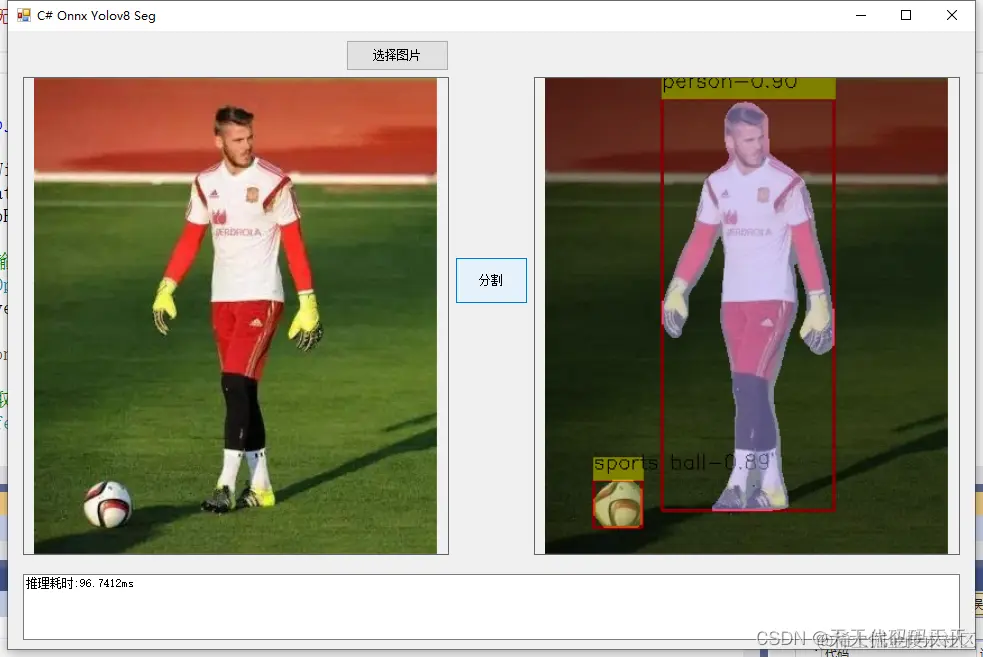
效果
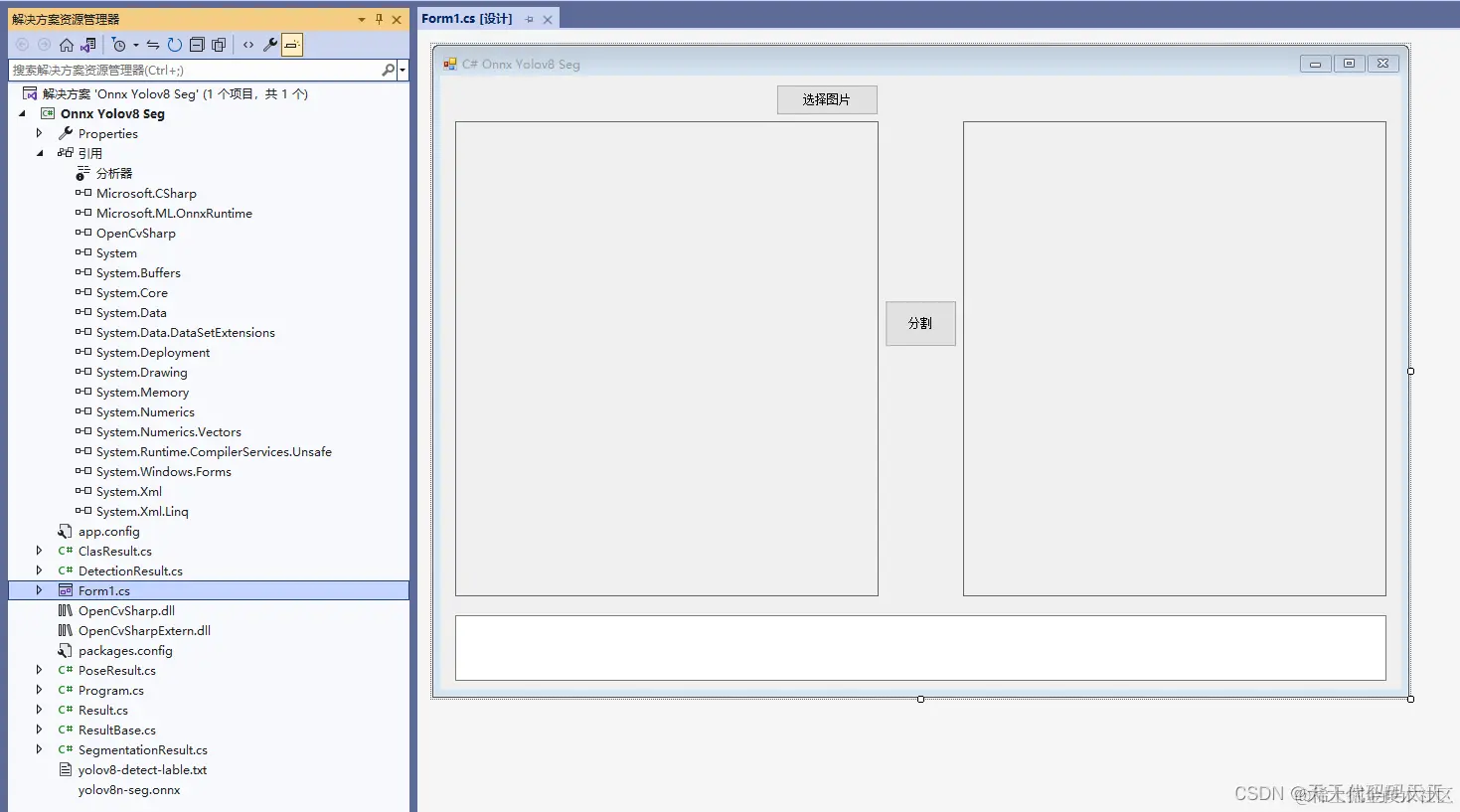
项目
代码
using Microsoft.ML.OnnxRuntime
using Microsoft.ML.OnnxRuntime.Tensors
using OpenCvSharp
using System
using System.Collections.Generic
using System.ComponentModel
using System.Data
using System.Drawing
using System.Linq
using System.Text
using System.Windows.Forms
using static System.Net.Mime.MediaTypeNames
namespace Onnx_Yolov8_Demo
{
public partial class Form1 : Form
{
public Form1()
{
InitializeComponent()
}
string fileFilter = "*.*|*.bmp;*.jpg;*.jpeg;*.tiff;*.tiff;*.png"
string image_path = ""
string startupPath
string classer_path
DateTime dt1 = DateTime.Now
DateTime dt2 = DateTime.Now
string model_path
Mat image
SegmentationResult result_pro
Mat result_image
SessionOptions options
InferenceSession onnx_session
Tensor<float> input_tensor
List<NamedOnnxValue> input_ontainer
IDisposableReadOnlyCollection<DisposableNamedOnnxValue> result_infer
DisposableNamedOnnxValue[] results_onnxvalue
Tensor<float> result_tensors_det
Tensor<float> result_tensors_proto
private void button1_Click(object sender, EventArgs e)
{
OpenFileDialog ofd = new OpenFileDialog()
ofd.Filter = fileFilter
if (ofd.ShowDialog() != DialogResult.OK) return
pictureBox1.Image = null
image_path = ofd.FileName
pictureBox1.Image = new Bitmap(image_path)
textBox1.Text = ""
image = new Mat(image_path)
pictureBox2.Image = null
}
private void button2_Click(object sender, EventArgs e)
{
if (image_path == "")
{
return
}
// 配置图片数据
image = new Mat(image_path)
int max_image_length = image.Cols > image.Rows ? image.Cols : image.Rows
Mat max_image = Mat.Zeros(new OpenCvSharp.Size(max_image_length, max_image_length), MatType.CV_8UC3)
Rect roi = new Rect(0, 0, image.Cols, image.Rows)
image.CopyTo(new Mat(max_image, roi))
float[] det_result_array = new float[8400 * 116]
float[] proto_result_array = new float[32 * 160 * 160]
float[] factors = new float[4]
factors[0] = factors[1] = (float)(max_image_length / 640.0)
factors[2] = image.Rows
factors[3] = image.Cols
// 将图片转为RGB通道
Mat image_rgb = new Mat()
Cv2.CvtColor(max_image, image_rgb, ColorConversionCodes.BGR2RGB)
Mat resize_image = new Mat()
Cv2.Resize(image_rgb, resize_image, new OpenCvSharp.Size(640, 640))
// 输入Tensor
// input_tensor = new DenseTensor<float>(new[] { 1, 3, 640, 640 })
for (int y = 0
{
for (int x = 0
{
input_tensor[0, 0, y, x] = resize_image.At<Vec3b>(y, x)[0] / 255f
input_tensor[0, 1, y, x] = resize_image.At<Vec3b>(y, x)[1] / 255f
input_tensor[0, 2, y, x] = resize_image.At<Vec3b>(y, x)[2] / 255f
}
}
//将 input_tensor 放入一个输入参数的容器,并指定名称
input_ontainer.Add(NamedOnnxValue.CreateFromTensor("images", input_tensor))
dt1 = DateTime.Now
//运行 Inference 并获取结果
result_infer = onnx_session.Run(input_ontainer)
dt2 = DateTime.Now
// 将输出结果转为DisposableNamedOnnxValue数组
results_onnxvalue = result_infer.ToArray()
// 读取第一个节点输出并转为Tensor数据
result_tensors_det = results_onnxvalue[0].AsTensor<float>()
result_tensors_proto = results_onnxvalue[1].AsTensor<float>()
det_result_array = result_tensors_det.ToArray()
proto_result_array = result_tensors_proto.ToArray()
resize_image.Dispose()
image_rgb.Dispose()
result_pro = new SegmentationResult(classer_path, factors)
result_image = result_pro.draw_result(result_pro.process_result(det_result_array, proto_result_array), image.Clone())
if (!result_image.Empty())
{
pictureBox2.Image = new Bitmap(result_image.ToMemoryStream())
textBox1.Text = "推理耗时:" + (dt2 - dt1).TotalMilliseconds + "ms"
}
else
{
textBox1.Text = "无信息"
}
}
private void Form1_Load(object sender, EventArgs e)
{
startupPath = System.Windows.Forms.Application.StartupPath
model_path = startupPath + "\\yolov8n-seg.onnx"
classer_path = startupPath + "\\yolov8-detect-lable.txt"
// 创建输出会话,用于输出模型读取信息
options = new SessionOptions()
options.LogSeverityLevel = OrtLoggingLevel.ORT_LOGGING_LEVEL_INFO
// 设置为CPU上运行
options.AppendExecutionProvider_CPU(0)
// 创建推理模型类,读取本地模型文件
onnx_session = new InferenceSession(model_path, options)
// 输入Tensor
input_tensor = new DenseTensor<float>(new[] { 1, 3, 640, 640 })
// 创建输入容器
input_ontainer = new List<NamedOnnxValue>()
}
}
}
完整Demo下载
exe程序下载



