<iframe src="./B.html" frameborder="1" id="Bframe"></iframe>
const msg = {
name: "Fhup"
}
window.onload = () => {
let frame = window.frames[0]
frame.postMessage(msg, "http://127.0.0.1:5501/demo.html")
}
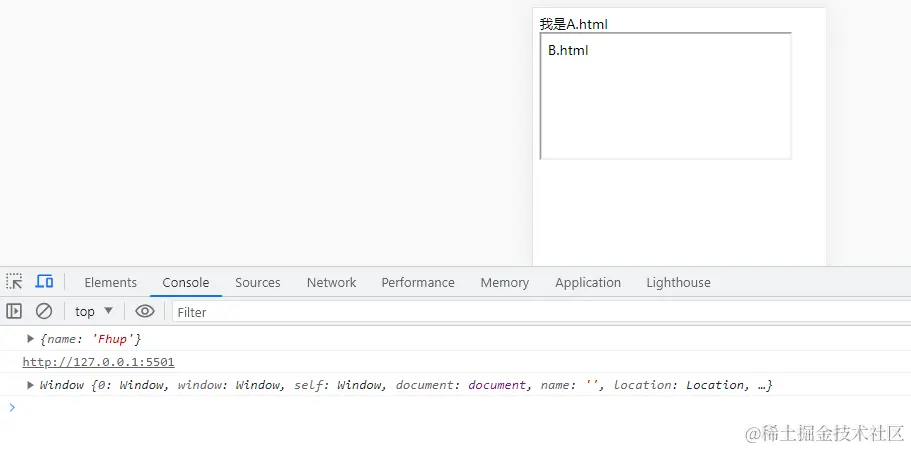
window.addEventListener("message", (e) => {
console.log(e.data)
console.log(e.origin)
console.log(e.source)
})
<iframe src="./B.html" frameborder="1" id="Bframe"></iframe>
window.addEventListener("message", (e) => {
console.log(e.data)
console.log(e.origin)
console.log(e.source)
})
const msg = {
name: "Fhup"
}
window.top.postMessage(msg, "http://127.0.0.1:5501/demo.html")
在react中进行iframe通信
从低代码到iframe
const iFrame = document.getElementById('previewIframe') as HTMLIFrameElement;
useEffect(() => {
if (iFrame && iFrame.contentWindow) {
setTimeout(() => {
iFrame.contentWindow!.postMessage(shopSchema?.schema, 'http://localhost:3007/#/preview');
}, 1000)
}
}, [])
useEffect(() => {
window.addEventListener('message', (e) => {
if (e.origin === 'http://localhost:3000') {
e.data && setXXX(e.data)
}
});
}, []);
从iframe发送数据到低代码
  useUpdateEffect(() => {
    window.parent.postMessage({ xxx1: info1, xxx2: info2 }, "*");
  }, [])
useEffect(() => {
window.addEventListener('message', ({ data }) => {
const { xxx1, xxx2 } = data;
setXXX(xxx1);
});
}, []);