App.vue
<template>
  <div class="app">
    <div class="search"><input type="text" v-model="input">
        <button @click="search">搜索</button>
    </div>
    <div class="map">
      <map-container  :search="input2"  />
    </div>
  </div>
</template>

<script setup lang="ts">
import { ref } from "vue";
import MapContainer from "./components/MapContainer.vue";
const input = ref("");
const input2 = ref("");
function search() {
  input2.value=input.value
}
</script>
<style scoped>
.app {
  width: 100vw;
  height: 100vh;
}
.map{
  width: 100%;
  height: calc(100vh - 50px);
}
.search{
  width: 100vw;
  height: 50px;
}
</style>
MapContainer.vue
<template>
<div id="container"></div>
</template>
<script setup lang="ts">
import AMapLoader from "@amap/amap-jsapi-loader";
import { ref, onMounted, watch } from "vue";
const props = defineProps({
search: String,
});
const map = ref<any>(null);
let geocoder:any;
let locationArr=ref<any>([121.473667, 31.230525])
watch(
() => props.search,
(newValue) => {
console.log("search", newValue);
searchLocation(geocoder);
}
);
function initMap() {
AMapLoader.load({
key: "2c1c4affeb410923990fec54c5af721a",
version: "2.0",
plugins: [
"AMap.ToolBar",
"AMap.Scale",
"AMap.HawkEye",
"AMap.MapType",
"AMap.Geolocation",
"AMap.Geocoder",
],
})
.then((AMap) => {
map.value = new AMap.Map("container", {
viewMode: "3D",
zoom: 10,
center: locationArr.value,
});
map.value.addControl(new AMap.Scale());
map.value.addControl(new AMap.ToolBar());
map.value.addControl(new AMap.HawkEye());
map.value.addControl(new AMap.MapType());
map.value.addControl(new AMap.Geolocation());
geocoder = new AMap.Geocoder({ city: "010" });
})
.catch((e) => {
console.log(e);
});
}
function searchLocation(geocoder: any) {
geocoder.getLocation(props.search, function (status:any, result:any) {
if (status === "complete" && result.info === "OK") {
console.log('result',result);
console.log('result',result.geocodes[0].location);
let lngLat=[result.geocodes[0].location.lng,result.geocodes[0].location.lat]
console.log('result',lngLat);
locationArr.value=lngLat
initMap()
}
});
}
onMounted(() => {
initMap();
});
</script>
<style scoped>
#container {
padding: 0px;
margin: 0px;
width: 100%;
height: 100%;
}
</style>
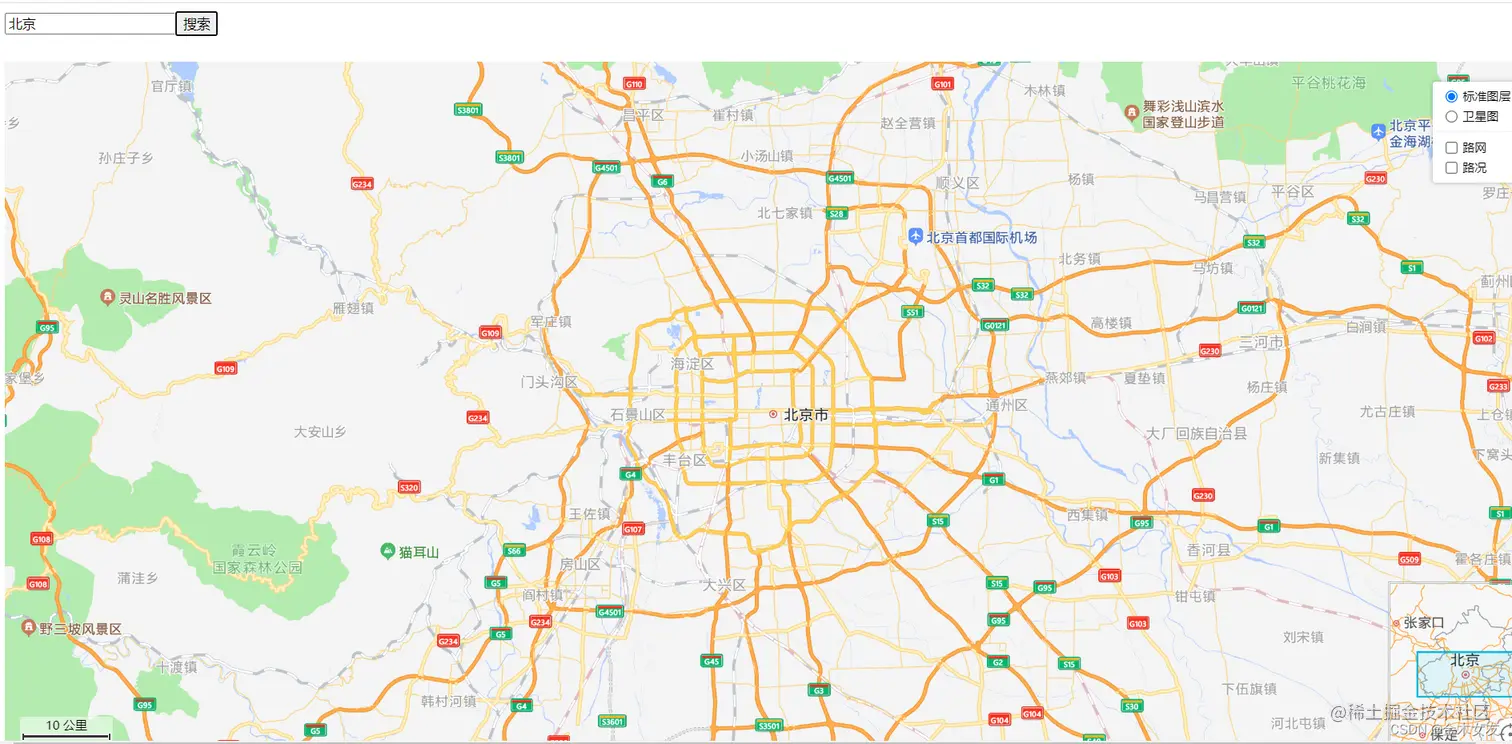
效果