

背景
前端在做图片旋转的时候,如果我们用css的 transform: rotate(90deg) 旋转图片的时候会发现;旋转后图片所占位置和宽高是不发生变化的;这就导致我们旋转一个长方形的图片;旋转后该元素的布局可能发生混乱,
当然我们可以通过其他方式解决布局的问题;
这里我们介绍的是直接将图片放在canvas上旋转;旋转后;再将canvas转换为base64;重新替换原图的src
下面是示例图片
旋转对比
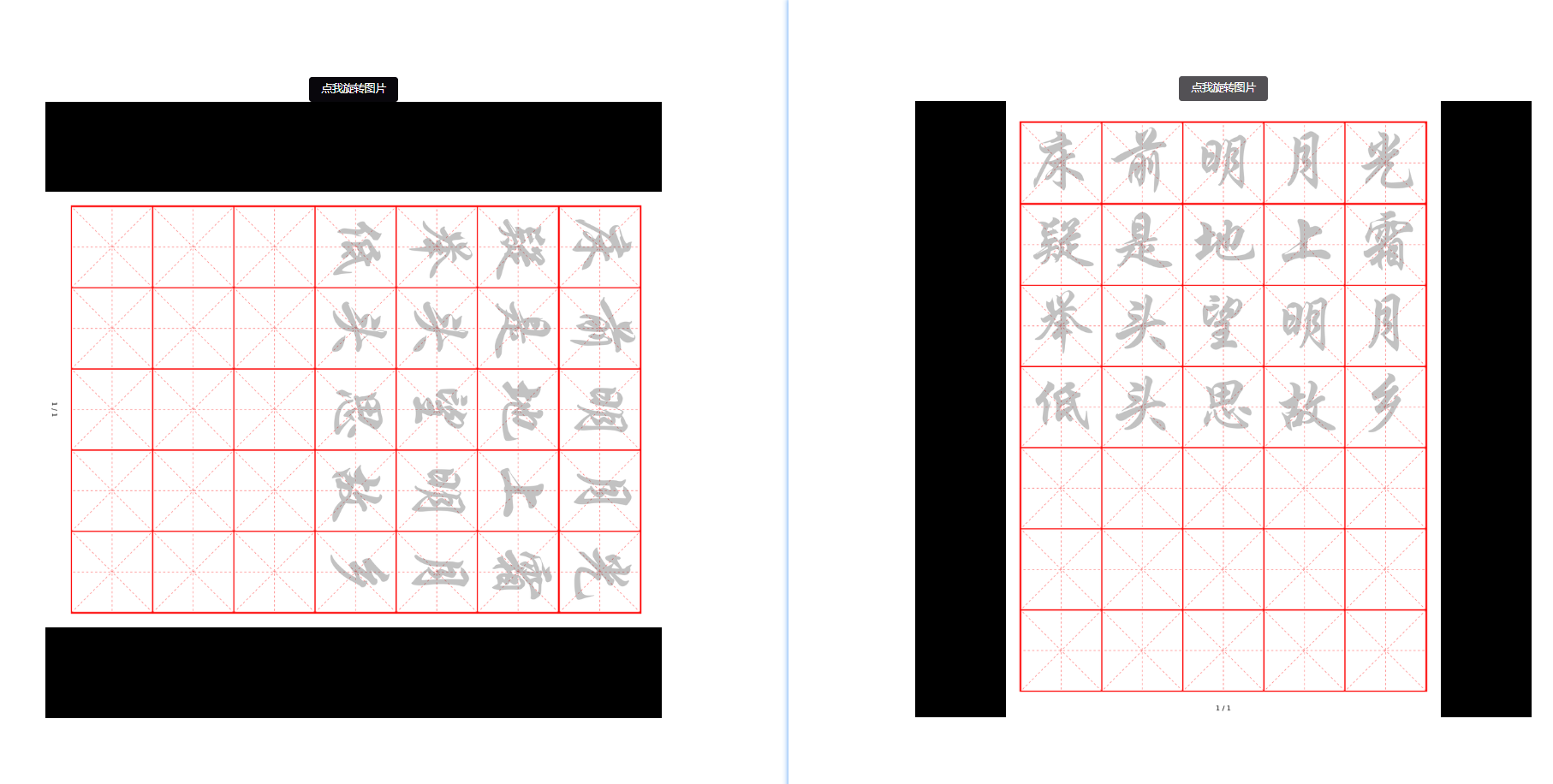
直接上核心代码
/**
 * @param src 图片路径
 * @param rotate 旋转角度
 * @returns {Promise<base64>}
 */
export function rotateImg(src, rotate) {
  return new Promise(((resolve, reject) => {
    let img = new Image()
    img.src = src
    img.setAttribute('crossOrigin', 'Anonymous')
    img.onload = () => {
      let canvas = document.createElement('canvas')
      let context = canvas.getContext('2d')
      if (rotate > 45 && rotate <= 135) { // 90 宽高颠倒
        canvas.width = img.height
        canvas.height = img.width
      } else if (rotate > 225 && rotate <= 315) { // 270 宽高颠倒
        canvas.width = img.height
        canvas.height = img.width
      } else {
        canvas.width = img.width
        canvas.height = img.height
      }
      context.clearRect(0, 0, canvas.width, canvas.height)
      context.translate(canvas.width / 2, canvas.height / 2)
      context.rotate(rotate * Math.PI / 180)
      context.translate(-canvas.width / 2, -canvas.height / 2)
      context.drawImage(img, canvas.width / 2 - img.width / 2, canvas.height / 2 - img.height / 2, img.width, img.height)
      context.translate(canvas.width / 2, canvas.height / 2)
      context.rotate(-rotate * Math.PI / 180)
      context.translate(-canvas.width / 2, -canvas.height / 2)
      context.restore()
      let base64 = canvas.toDataURL()
      resolve(base64)
    }
    img.onerror = reject
  }))
}
下面是体验地址
示例代码已经部署在gitee;下面是地址 体验地址

