效果
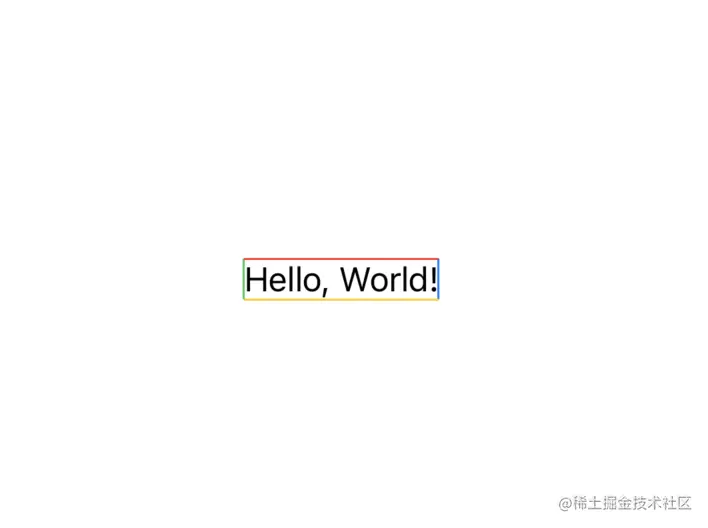
使用
 var body: some View {
    Text("Hello, World!")
      .border(.top, width: 1, color: Color.red)
      .border(.left, width: 1, color: Color.green)
      .border(.bottom, width: 1, color: Color.yellow)
      .border(.right, width: 1, color: Color.blue)
  }
实现方案
enum BorderPosition {
  case top
  case left
  case right
  case bottom
}

extension View {
  func border(_ position: BorderPosition,
        width: CGFloat,
        color: Color) -> some View {
    background {
      GeometryReader { proxy in
        switch position {
        case .top:
          Rectangle()
            .foregroundColor(color)
            .frame(width: proxy.size.width, height: width)
            .position(x: proxy.size.width * 0.5, y: 0)
        case .left:
          Rectangle().foregroundColor(color)
            .frame(width: width, height: proxy.size.height)
            .position(x: 0, y: proxy.size.height * 0.5)
        case .right:
          Rectangle().foregroundColor(color)
            .frame(width: width, height: proxy.size.height)
            .position(x: proxy.size.width, y: proxy.size.height * 0.5)
        case .bottom:
          Rectangle()
            .foregroundColor(color)
            .frame(width: proxy.size.width, height: width)
            .position(x: proxy.size.width * 0.5, y: proxy.size.height)
        }
      }
    }
  }
}