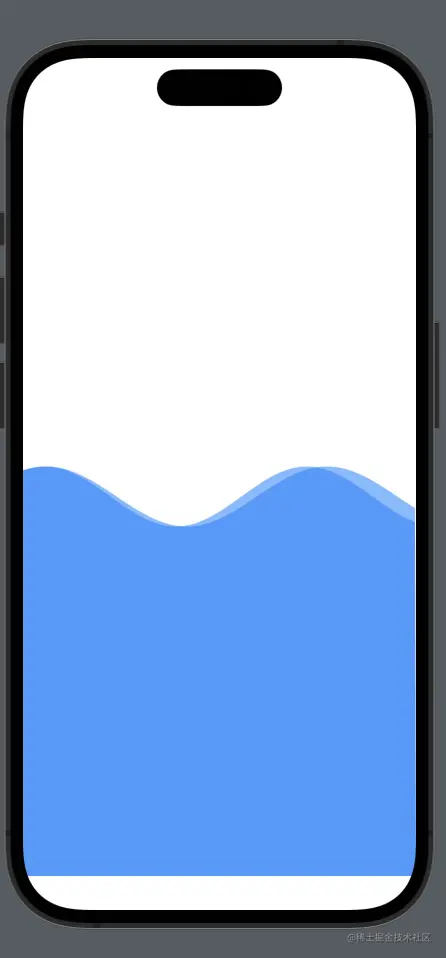
代码
import SwiftUI
struct WaveView: Shape {
var amplitude: CGFloat = 50.0
var frequency: CGFloat = 2.0
var phase: CGFloat = 0.0
var animatableData: CGFloat {
get { phase }
set { phase = newValue }
}
func path(in rect: CGRect) -> Path {
let path = UIBezierPath()
let startPoint = CGPoint(x: 0, y: rect.height / 2)
path.move(to: startPoint)
for x in stride(from: 0, to: rect.width, by: 1) {
let y = amplitude * sin((x / rect.width) * frequency * 2 * .pi + phase) + rect.height / 2
path.addLine(to: CGPoint(x: x, y: y))
}
path.addLine(to: CGPoint(x: rect.width, y: rect.height))
path.addLine(to: CGPoint(x: 0, y: rect.height))
path.close()
return Path(path.cgPath)
}
}
struct WaveAnimation: View {
@State private var wavePhase: CGFloat = 0.0
var body: some View {
VStack{
ZStack {
WaveView(amplitude: 30, frequency: 1.5, phase: wavePhase)
.fill(Color.blue)
.opacity(0.5)
.animation(Animation.linear(duration: 2).repeatForever(autoreverses: false))
WaveView(amplitude: 30, frequency: 1.4, phase: wavePhase)
.fill(Color.blue)
.opacity(0.5)
.animation(Animation.linear(duration: 2).repeatForever(autoreverses: false))
}
}
.onAppear {
withAnimation {
self.wavePhase = .pi * 2
}
}
}
}
struct ContenView_Previews: PreviewProvider {
static var previews: some View {
WaveAnimation()
}
}