Hexo 基础修改
修改网站关键信息
Hexo 初始化后,博客网站有一些关键信息是默认的,需要修改为我们自己的信息。
网站资料
修改网站各种资料,例如标题、副标题和邮箱等个人资料,请修改博客根目录的站点配置文件 _config.yml:
# Site
title: Higanbana
subtitle: '希望能成为一个有趣的人'
description: ''
keywords:
author: Higanbana
language: zh-CN
timezone: 'Asia/Shanghai'
Butterfly 主题安装
hexo-theme-butterfly 主题是基于 hexo-theme-melody 的基础上进行开发的。
{% tabs test1 %}
稳定版【建议】
在你的 Hexo 根目录里
git clone -b master https://github.com/jerryc127/hexo-theme-butterfly.git themes/butterfly

测试版
测试版可能存在 bug,追求稳定的请安装稳定版
如果想要安装比较新的 dev 分支,可以
git clone -b dev https://github.com/jerryc127/hexo-theme-butterfly.git themes/butterfly
升级方法:在主题目录下,运行 git pull
稳定版【建议】
在你的 Hexo 根目录里
git clone -b master https://gitee.com/immyw/hexo-theme-butterfly.git themes/butterfly

测试版
测试版可能存在Bugs,追求稳定的请安装稳定版
如果想要安装比较新的dev分支,可以
git clone -b dev https://gitee.com/immyw/hexo-theme-butterfly.git themes/butterfly
升级方法:在主题目录下,运行 git pull
此方法只支持 Hexo 5.0.0 以上版本
通过 npm 安装并不会在 themes 里生成主题文件夹,而是在 node_modules 里生成
在你的 Hexo 根目录里
npm install hexo-theme-butterfly
升级方法:在 Hexo 根目录下,运行
npm update hexo-theme-butterfly
{% endtabs %}
应用主题
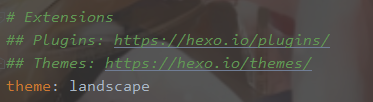
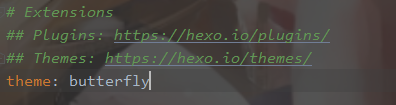
修改 Hexo 根目录下的 _config.yml,把主题改为 butterfly
theme: butterfly
安装插件
如果你没有 pug 以及 stylus 的渲染器,请下载安装:
npm install hexo-renderer-pug hexo-renderer-stylus --save

升级建议
为了减少升级主题后带来的不便,请使用以下方法(建议,可以不做)。
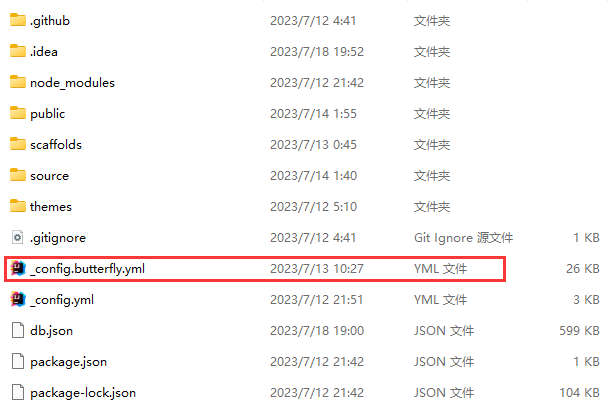
在 hexo 的根目录创建一个文件 _config.butterfly.yml,
并把主题目录的 _config.yml 内容复制到 _config.butterfly.yml 去。
( 注意: 复制的是主题的 _config.yml ,而不是 hexo 的 _config.yml)
注意: 不要把主题目录的
_config.yml删掉
注意: 以后只需要在
_config.butterfly.yml进行配置就行。 如果使用了_config.butterfly.yml, 配置主题的_config.yml将不会有效果。
Hexo会自动合併主题中的 _config.yml 和 _config.butterfly.yml 里的配置,
如果存在同名配置,会使用 _config.butterfly.yml 的配置,其优先度较高。
 ````
````