实现的效果如下
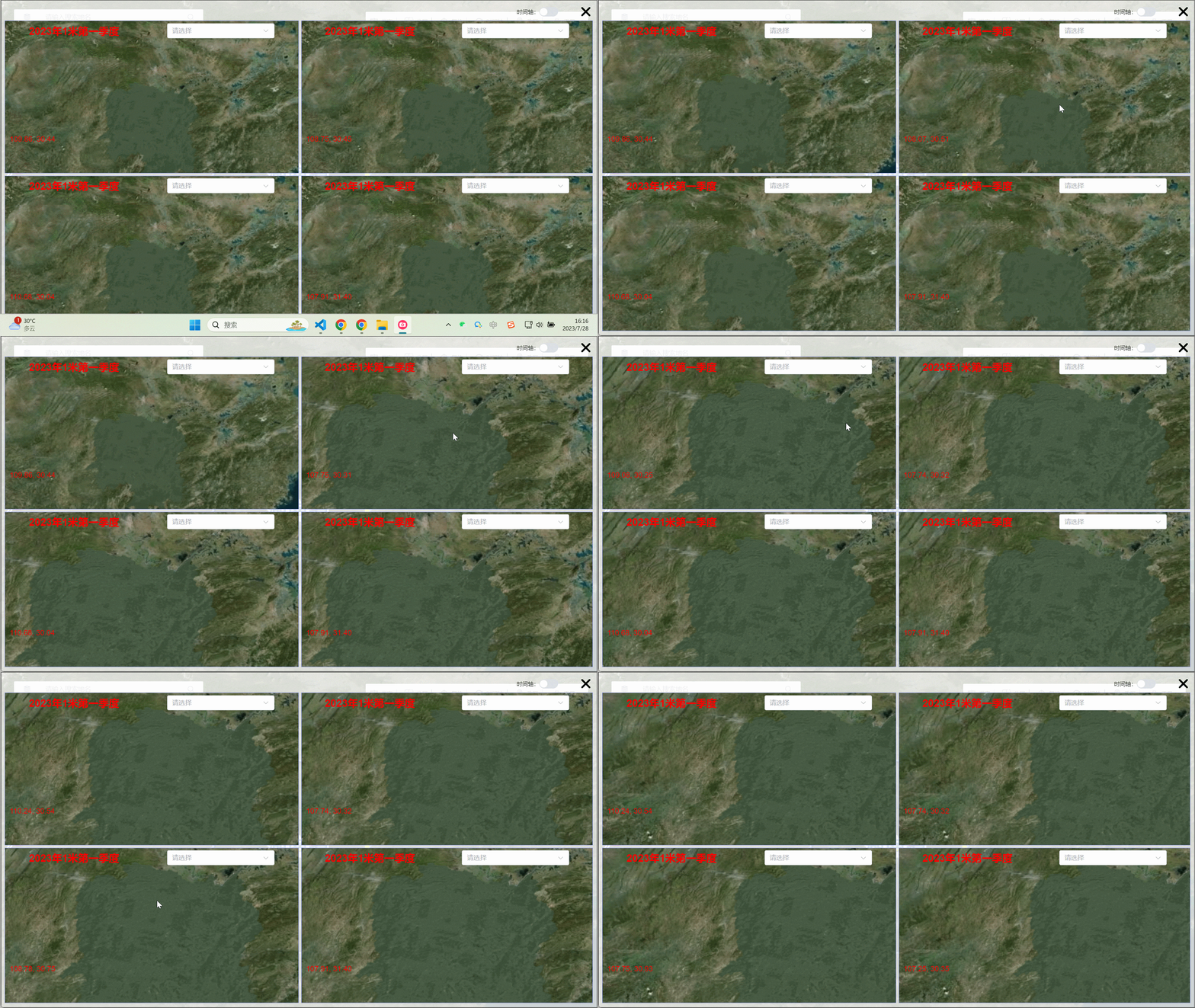
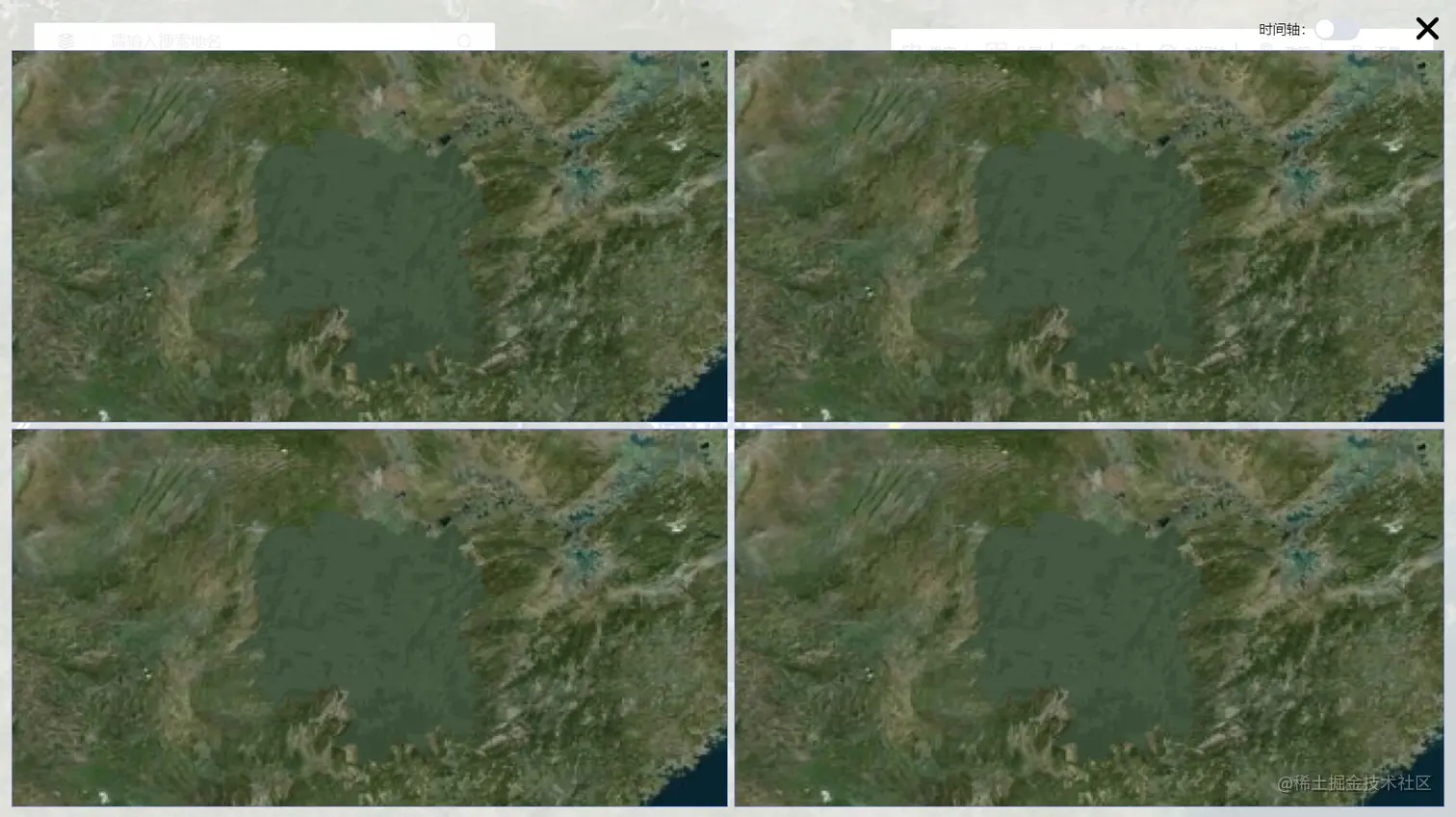
第一步来定义我们的地图样式
<div class="split-screen-map">
<div class="screen-map-container">
layerValue 表示要分成几个屏
<div v-for="(item, index) in layerValue" :key="index" :id="'screenCesiumContainer' + index" @mouseenter="handleMouseEnter(item, index)"
class="scereen-map-content">
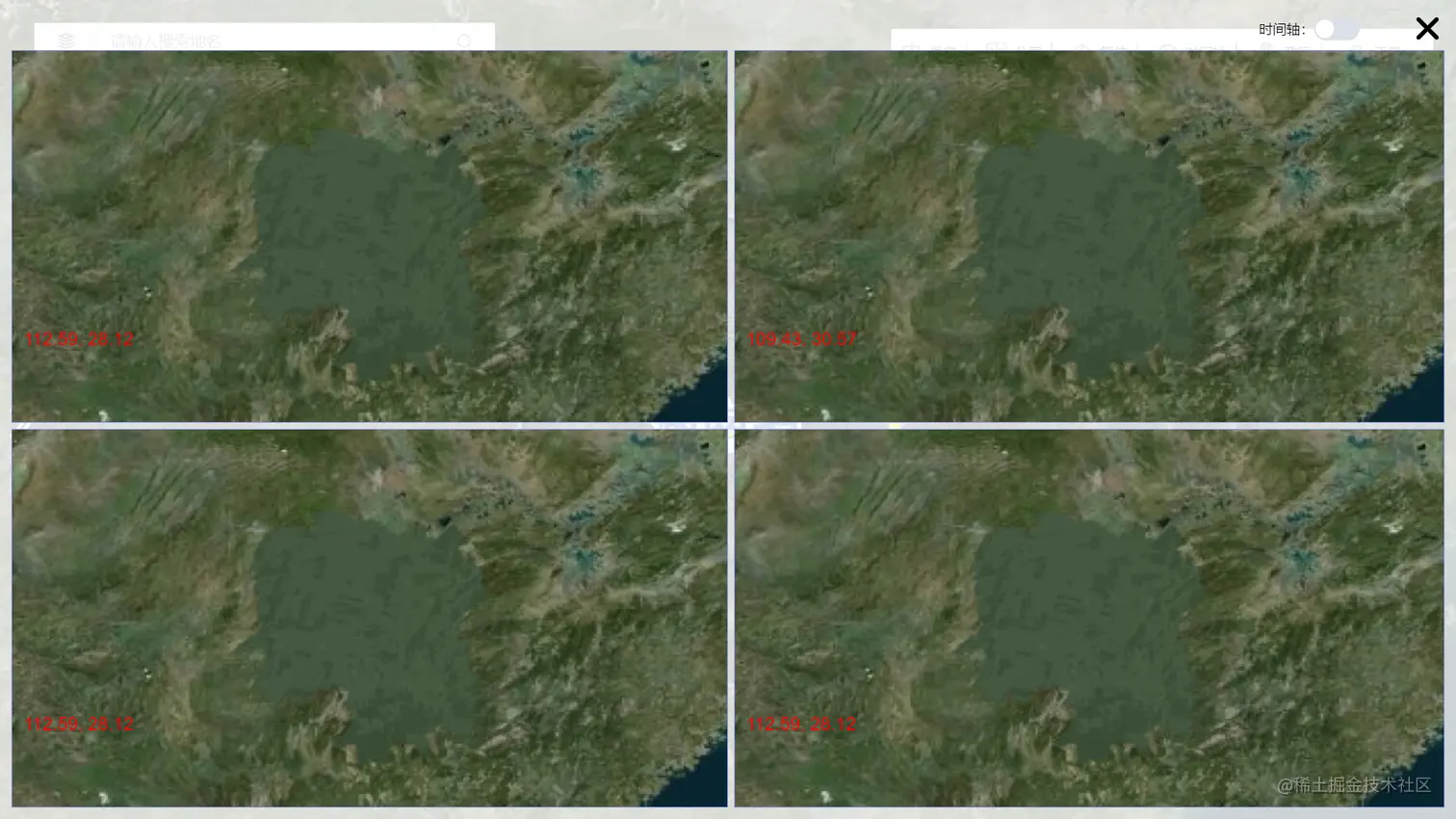
经纬度表示我们划过屏幕可以显示我们当前屏幕的经纬度信息
<div class="infoText">
<span>{{ item.longitude }}, </span>
<span>{{ item.latitude }}</span>
</div>
</div>
</div>
</div>
<style>
.split-screen-map {
width: 100vw;
height: 100vh;
position: fixed;
z-index: 1999;
padding: 10px;
top: 0;
left: 0;
background: rgba(255, 255, 255, 0.8);
}
.screen-map-container {
height: calc(100vh - 60px);
width: 100%;
display: grid;
grid-template-columns: 50% 50%;
justify-content: center;
}
.scereen-map-content {
border: 1px solid #8d99ff;
height: 100%;
overflow: hidden;
display: grid;
grid-template-rows: repeat(2, 100%);
grid-template-columns: repeat(2, 100%);
position: relative;
}
.infoText {
padding-left: 10px;
text-align: left;
line-height: 26px;
position: absolute;
width: 100%;
height: 26px;
color: #f00;
bottom: 60px;
z-index: 1000;
}
</style>
第二步来初始化地图实现地图的展示、记录鼠标移入地图
let radioValue=4;表示我们要将生成几张地图
function initMap() {
for (let i = 0; i < radioValue; i++) {
let viewerScreen = new Cesium.Viewer('screenCesiumContainer' + i, {
animation: false,
homeButton: false,
geocoder: false,
baseLayerPicker: false,
timeline: false,
fullscreenButton: false,
infoBox: false,
sceneModePicker: false,
sceneMode: Cesium.SceneMode.SCENE2D,
navigationInstructionsInitiallyVisible: false,
navigationHelpButton: false,
selectionIndicator: false,
orderIndependentTranslucency: false,
contextOptions: {
webgl: {
alpha: true,
},
},
})
viewerScreen._cesiumWidget._creditContainer.style.display = 'none'
viewerScreen.scene.morphTo2D(0)
将地图定位到地图的位置和高度
viewerScreen.camera.setView({
destination: Cesium.Cartesian3.fromDegrees(111.73, 27.8, radioValue == 2 ? 1200000 : 1700000),
})
viewerScreen.scene.skyBox.show = false
viewerScreen.scene.backgroundColor = new Cesium.Color(0.0, 0.0, 0.0, 0.0)
viewerScreen.scene.globe.baseColor = new Cesium.Color(0, 0, 0, 0)
用来保存地图的值
layerValue.value[i].viewerScreen = viewerScreen
}
}
第三步实现鼠标划过记录当前的地图的经纬度信息
- 给地图添加 handleMouseEnter 方法 记录当前鼠标进入了哪个地图
- 计算当前鼠标的经纬度信息并更新
给地图添加 handleMouseEnter 方法 记录当前鼠标进入了哪个地图
<div v-for="(item, index) in layerValue" :key="index" :id="'screenCesiumContainer' + index"
class="scereen-map-content" @mouseenter="handleMouseEnter(item, index)">
<div class="layer-select-class">
</div>
</div>
这个方法在初始化中存放
moveLonLatFn(viewerScreen, i)
function moveLonLatFn(viewerScreen, i) {
new Cesium.ScreenSpaceEventHandler(viewerScreen.scene.canvas).setInputAction(function (movement) {
const res = getLatLon(movement)
layerValue.value[i].longitude = res.longitude
layerValue.value[i].latitude = res.latitude
}, Cesium.ScreenSpaceEventType.MOUSE_MOVE)
}
let currentView = null
let currentIndex = undefined
function handleMouseEnter(item, index) {
currentView = item.viewerScreen
currentIndex = index
}
第四步实现随便一个地图拖拽另外3个地图跟随移动
给地图添加事件
viewerScreen.camera.changed.addEventListener(handleMapChange)
viewerScreen.scene.preRender.addEventListener(handleMapChange)
function handleMapChange() {
if (!currentView) return
const destination = Cesium.Cartographic.toCartesian(currentView.camera.positionCartographic)
layerValue.value.forEach((item, index) => {
if (index != currentIndex) {
item.viewerScreen.camera.setView({
destination: new Cesium.Cartesian3(destination.x, destination.y, destination.z),
orientation: {
direction: currentView.scene.camera._direction,
up: currentView.scene.camera.up,
heading: currentView.scene.camera.heading,
pitch: currentView.scene.camera.pitch,
roll: currentView.scene.camera.roll,
},
})
}
})
}
全部代码
<template>
<div class="split-screen-map">
<div class="screen-map-container">
<div v-for="(item, index) in layerValue" :key="index" :id="'screenCesiumContainer' + index"
class="scereen-map-content" @mouseenter="handleMouseEnter(item, index)">
<div class="layer-select-class">
</div>
<div class="infoText">
<span>{{ item.longitude }}, </span>
<span>{{ item.latitude }}</span>
</div>
</div>
</div>
</div>
</template>
<script setup>
import * as Cesium from 'cesium'
let props = defineProps({
isShowSplitScreen: {
type: Boolean,
default: false,
},
radioValue: {
type: Number,
default: 2,
},
})
let emit = defineEmits(['update:isShowSplitScreen', 'isShowSplitScreenFn'])
let layerValue = ref([])
watch(
() => props.radioValue,
() => {
layerValue.value = []
let defaultUrl = layerOptions.map((item) => item.value)[0]
for (let i = 0; i < props.radioValue; i++) {
layerValue.value.push({
layerUrlList: [],
layerList: [],
longitude: 112.59,
latitude: 28.12,
viewerScreen: null,
viewEvent: null,
stairModel: 1123,
omenModel: 11232,
YyImg: {},
YyImgList: [],
})
}
nextTick(() => {
initMap()
})
},
{
deep: true,
immediate: true,
}
)
function initMap() {
for (let i = 0; i < props.radioValue; i++) {
let viewerScreen = new Cesium.Viewer('screenCesiumContainer' + i, {
animation: false,
homeButton: false,
geocoder: false,
baseLayerPicker: false,
timeline: false,
fullscreenButton: false,
infoBox: false,
sceneModePicker: false,
sceneMode: Cesium.SceneMode.SCENE2D,
navigationInstructionsInitiallyVisible: false,
navigationHelpButton: false,
selectionIndicator: false,
orderIndependentTranslucency: false,
contextOptions: {
webgl: {
alpha: true,
},
},
})
viewerScreen._cesiumWidget._creditContainer.style.display = 'none'
viewerScreen.scene.morphTo2D(0)
viewerScreen.camera.setView({
destination: Cesium.Cartesian3.fromDegrees(111.73, 27.8, props.radioValue == 2 ? 1200000 : 1700000),
})
viewerScreen.scene.skyBox.show = false
viewerScreen.scene.backgroundColor = new Cesium.Color(0.0, 0.0, 0.0, 0.0)
viewerScreen.scene.globe.baseColor = new Cesium.Color(0, 0, 0, 0)
layerValue.value[i].viewerScreen = viewerScreen
viewerScreen.camera.changed.addEventListener(handleMapChange)
viewerScreen.scene.preRender.addEventListener(handleMapChange)
viewerScreen.camera.percentageChanged = 0.01
moveLonLatFn(viewerScreen, i)
}
}
let currentView = null
let currentIndex = undefined
function handleMouseEnter(item, index) {
currentView = item.viewerScreen
currentIndex = index
}
function handleMapChange() {
if (!currentView) return
const destination = Cesium.Cartographic.toCartesian(currentView.camera.positionCartographic)
layerValue.value.forEach((item, index) => {
if (index != currentIndex) {
item.viewerScreen.camera.setView({
destination: new Cesium.Cartesian3(destination.x, destination.y, destination.z),
orientation: {
direction: currentView.scene.camera._direction,
up: currentView.scene.camera.up,
heading: currentView.scene.camera.heading,
pitch: currentView.scene.camera.pitch,
roll: currentView.scene.camera.roll,
},
})
}
})
}
}
function moveLonLatFn(viewerScreen, i) {
new Cesium.ScreenSpaceEventHandler(viewerScreen.scene.canvas).setInputAction(function (movement) {
const res = getLatLon(movement)
layerValue.value[i].longitude = res.longitude
layerValue.value[i].latitude = res.latitude
}, Cesium.ScreenSpaceEventType.MOUSE_MOVE)
}
onUnmounted(() => {
if (layerValue.value && layerValue.value.length) {
layerValue.value.forEach((item) => {
if (item.viewerScreen) {
item.viewerScreen.destroy()
item.viewerScreen = null
}
})
}
})
</script>
<style scoped lang="scss">
.split-screen-map {
width: 100vw;
height: 100vh;
position: fixed;
z-index: 1999;
padding: 10px;
top: 0;
left: 0;
background: rgba(255, 255, 255, 0.8);
}
.switch_time_line {
position: absolute;
right: 85px;
top: 9px;
display: flex;
align-items: center;
font-size: 12px;
}
.close-btn {
width: 100%;
text-align: right;
cursor: pointer;
}
.screen-map-container {
height: calc(100vh - 60px);
width: 100%;
display: grid;
grid-template-columns: 50% 50%;
justify-content: center;
}
.scereen-map-content {
border: 1px solid #8d99ff;
height: 100%;
overflow: hidden;
display: grid;
grid-template-rows: repeat(2, 100%);
grid-template-columns: repeat(2, 100%);
position: relative;
}
.infoText {
padding-left: 10px;
text-align: left;
line-height: 26px;
position: absolute;
width: 100%;
height: 26px;
color: #f00;
bottom: 60px;
z-index: 1000;
}
.scereen-map-content:nth-child(2) {
margin-left: 5px;
}
.scereen-map-content:nth-child(3) {
margin-top: 5px;
}
.scereen-map-content:nth-child(4) {
margin-left: 5px;
margin-top: 5px;
}
.layer-select-class {
position: absolute;
top: 0;
left: 0;
display: flex;
width: 100%;
padding-top: 5px;
justify-content: space-around;
align-items: center;
z-index: 10;
}
.time_line_sceren {
position: absolute;
bottom: 1px;
}
// #timeAxisLeft {
// position: absolute;
// bottom: 0px;
// width: 100%;
// left: 0;
// }
// .timer_shaft {
// // width: 840px;
//
// display: flex;
// align-items: center;
// position: relative;
// bottom: 1px;
// z-index: 999;
// height: 66px;
// background: #eee;
// border-radius: 5px;
// opacity: 0.9;
// .select-type {
// // position: absolute;
// // top: 20px;
// // left: 15px;
// display: flex;
// }
// .time_inner {
// width: calc(100% - 250px);
// // position: absolute;
// position: relative;
// display: flex;
// margin-left: 3%;
// margin-bottom: 20px;
// .time_inner_left {
// position: absolute;
// left: -15px;
// top: -2px;
// font-size: 24px;
// cursor: pointer;
// }
// .time_inner_right {
// position: absolute;
// right: -33px;
// top: -2px;
// font-size: 24px;
// cursor: pointer;
// }
// .time_inner_center {
// height: 20px;
// margin-left: 10px;
// display: flex;
// position: absolute;
// top: 0;
// left: 0;
// justify-content: space-evenly;
// border-radius: 8px;
// background: linear-gradient(180deg, #2f97fe, #0262c1);
// .long_css {
// width: calc(100% / 4);
// // width: 4px;
// // border-right: 4px;
// // border-color: black;
// // border-width:;
// border-right: 1px solid black;
// background-color: red;
// height: 100%;
// // height: 100%;
// // background-color: black;
// // margin-right: calc(100% / 5);
// // margin-left: calc((100% - 14px) / 5);
// }
// // .long_css:nth ::after {
// // content: '';
// // width: calc(100% / 4);
// // // width: 4px;
// // // border-right: 4px;
// // // border-color: black;
// // // border-width:;
// // border-right: 1px solid black;
// // background-color: red;
// // height: 100%;
// // }
// }
// }
// }
</style>