一、 使用pdfjs-dist预览pdf文件
①:背景
因需求需要在内网中预览pdf文件(所以微软的在线预览就不能使用了)
②:效果
1. 预览功能
预览效果(包含目录和分页)
2.下载功能
3.打印功能
点击打印按钮
打开打印预览页面**
4. 其他功能
③:下载Pdf.js
废话不多说,正主开始
1.下载
百度网盘 下载(已配置好的)
提取码:Coke
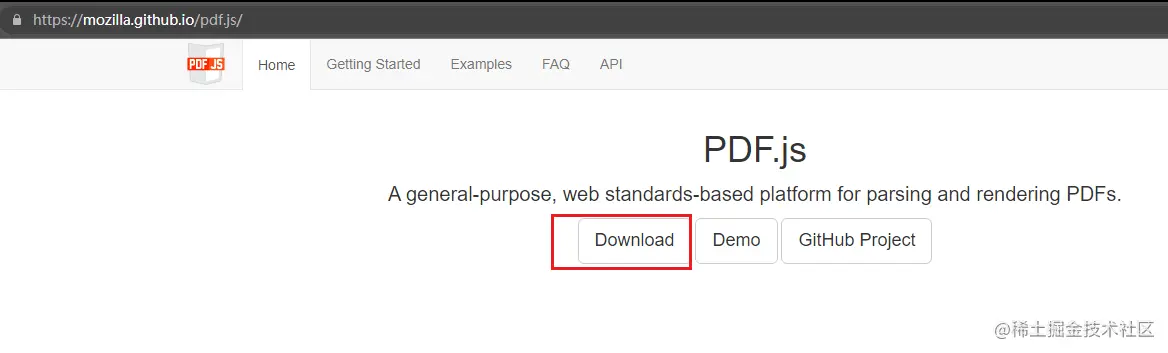
下载链接(官方)需要进行以下配置:mozilla.github.io/pdf.js/
下载
下载后得到一个文件夹
2.修改配置
1. 将pdfjs-3.8.162-dist复制到项目中
复制到public目录下 不要放在src目录下 否则会造成一些不必要的异常
2.解决跨域问题
pdfjs-3.8.162-dist/web/viewer.js中注释掉以下代码
3. 将pdf.worker.js文件复制到public目录下
pdfjs-3.8.162-dist/build/pdf.worker.js
在复制后的pdf.worker.js文件中添加以下代码
module.exports = {
  configureWebpack: {
    module: {
      rules: [
        {
          test: /.worker.js$/,
          use: { loader: 'worker-loader' }
        }
      ]
    }
  }
}
以上代码中用到了worker-loader需要安装worker-loader
yarn add worker-loader@3.0.8
④:安装 pdfjs-dist
yarn add pdfjs-dist@2.6.347
⑤:前端vue代码(示例)
1.关键代码解读
1.通过动态的url地址(后台返回的pdf文件二进制流)来预览pdf
<iframe :src="url" name="发票图片" style="width: 60%; height: 85vh;"></iframe>
2.上传pdf文件 请求
const response = await axios.post(this.$baseUrl + '/pdfAndWord/uploadPdf', formData)
3.获取pdf文件二进制流 请求
const res = await axios.get(
  `${this.$baseUrl}/pdfAndWord/getPdf?fileName=${file.name}`,
  { responseType: 'blob' }
)
2. 完整代码
<template>
  <div>
    <a-upload
      style="margin-bottom: 20px"
      :file-list="fileList"
      accept=".pdf, .docx"
      :before-upload="beforeUpload"
    >
      <a-button>
        <a-icon type="upload"/>
        上传pdf文件
      </a-button>
    </a-upload>
    <iframe :src="url" name="发票图片" style="width: 60%; height: 85vh;"></iframe>
  </div>
</template>

<script>
import axios from 'axios'

export default {
  name: 'PDF',
  data () {
    return {
      fileList: [],
      pdfFile: null,
      pdfDocument: null,
      url: ''
    }
  },
  methods: {
    async beforeUpload (file) {
      if (file) {
        this.pdfFile = file
        this.fileList = []
        this.fileList = [...this.fileList, file]
        const formData = new FormData()
        formData.append('pdfFile', this.pdfFile)
        // 上传pdf
        try {
          const response = await axios.post(this.$baseUrl + '/pdfAndWord/uploadPdf', formData)
          console.log(response, 'response')
          if (response.data.code === 200) {
            // 获取pdf
            await this.getPdf(file)
          }
        } catch (error) {
          console.log('上传PDF文件时出错:', error)
        }
      }
      return false
    },
    // 获取pdf
    async getPdf (file) {
      try {
        const res = await axios.get(
          `${this.$baseUrl}/pdfAndWord/getPdf?fileName=${file.name}`,
          { responseType: 'blob' }
        )
        console.log('res 获取到的请求结果!', res.data)
        const url = URL.createObjectURL(new Blob([res.data], { type: 'application/pdf' }))
        console.log(url)
        this.url = `/pdfjs-3.8.162-dist/web/viewer.html?file=${encodeURIComponent(url)}`
      } catch (error) {
        console.log('获取PDF文件时出错:', error)
      }
    }
  }
}
</script>
⑥:后台接口代码(示例)
@Value("${file.upload-path}")
private String uploadPath;

@ApiOperation(value = "上传pdf文件", notes = "上传pdf文件")
@PostMapping("/uploadPdf")
private Result<?> uploadPdf(@ApiParam(value = "上传的pdf文件", readOnly = true)
                                      @RequestParam("pdfFile") MultipartFile pdfFile){
    if (pdfFile.isEmpty()){
        return Result.success("PDF文件为空");
    }
    try {
        String fileName = pdfFile.getOriginalFilename();
        Path filePath = Paths.get(uploadPath, fileName);
        Files.copy(pdfFile.getInputStream(), filePath);
    }catch (IOException e){
        return Result.success("保存PDF文件时出错");
    }
    return Result.success("PDF文件上传成功");
}

@GetMapping("/getPdf")
@ApiOperation(value = "获取pdf文件", notes = "获取pdf文件")
private ResponseEntity<byte[]> getPdf(@ApiParam(value = "获取pdf文件", readOnly = true)
        @RequestParam("fileName") String fileName){
    try {
        Path filePath = Paths.get(uploadPath, fileName);
        UrlResource resource = new UrlResource(filePath.toUri());
        File file = resource.getFile();
        if (file.exists() && file.canRead()) {
            // 读取PDF文件内容为字节数组
            byte[] fileContent = Files.readAllBytes(filePath);

            // 设置响应头
            HttpHeaders headers = new HttpHeaders();
            headers.setContentDispositionFormData("attachment", fileName);
            headers.setContentType(MediaType.APPLICATION_PDF);

            // 返回字节数组作为响应体
            return new ResponseEntity<>(fileContent, headers, HttpStatus.OK);
        }else {
            return ResponseEntity.notFound().build();
        }
    }catch (Exception e){
        e.printStackTrace();
        return ResponseEntity.status(HttpStatus.INTERNAL_SERVER_ERROR).build();
    }
}
⑦:测试
效果杠杠滴
为了记录这个笔记的准确性(不受原有的环境影响) 我重新搭建的环境,觉得有用的老铁点个赞再走😁😁😁