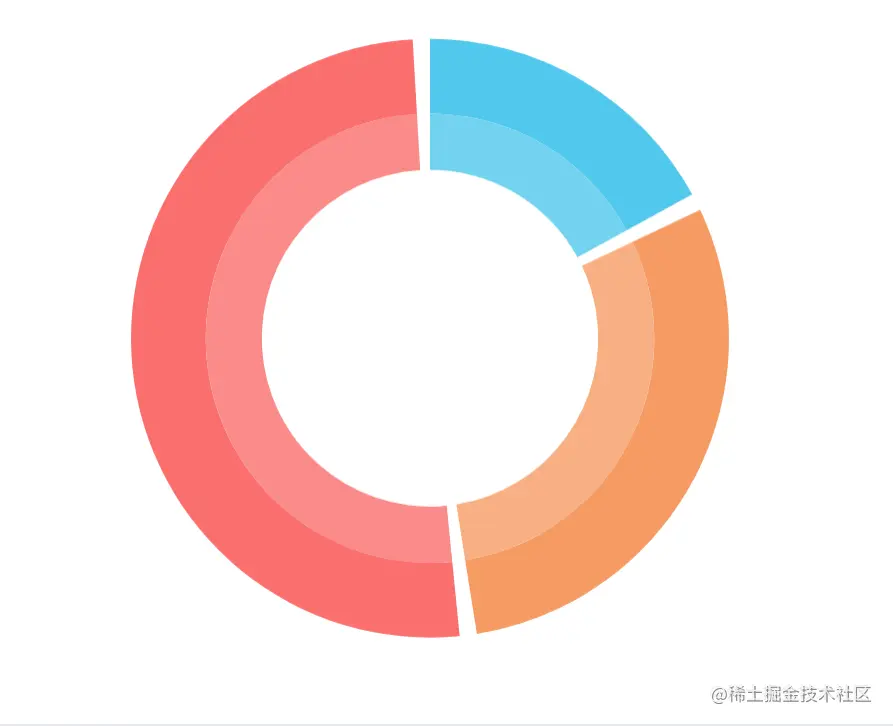
const sourceData = [
{
name: '小学',
value: 129
},
{
name: '中学',
value: 224
},
{
name: '高中',
value: 384
},
]
const total = sourceData.reduce((num, item) => {
num += item.value
return num
}, 0)
const inSplitWidth = 2
const inSplitValue = Math.floor(total / (200 / inSplitWidth))
const itemSplitWidth = 0
const outSplitWidth = inSplitWidth + itemSplitWidth
const outSplitValue = Math.floor(total / (200 / outSplitWidth))
const valueTotal = total + inSplitValue * sourceData.length
function getTextAngle(currentAngle, angle) {
currentAngle = currentAngle + angle
console.log('currentAngle', currentAngle)
if (currentAngle <= 90) {
return -currentAngle;
} else if (currentAngle <= 180 && currentAngle > 90) {
return 180 - currentAngle;
} else if (currentAngle < 270 && currentAngle > 180) {
return 180 - currentAngle;
} else if (currentAngle < 360 && currentAngle >= 270) {
return 360 - currentAngle;
}
}
const valueData = sourceData.reduce((arr, item) => {
const currentTotal = arr.reduce((total, item) => {
total += item.value
return total
}, 0)
const currentAngle = 360 * (currentTotal / valueTotal)
const angle = 360 * (item.value / valueTotal) / 2
console.log('current angle', currentAngle)
arr.push({
name: item.name,
value: item.value,
itemStyle: {
},
label: {
lineHeight: 90,
rotate: getTextAngle(currentAngle, angle)
}
}, {
name: '',
value: inSplitValue,
itemStyle: {
color: 'transparent',
opacity: 0
},
label: {
show: false
},
labelLine: {
show: false
}
})
return arr
}, [])
const itemReduced = outSplitValue - inSplitValue
const outValueData = sourceData.reduce((arr, item, index) => {
const currentTotal = arr.reduce((total, item) => {
total += item.value
return total
}, 0)
const currentAngle = 360 * (currentTotal / valueTotal)
const angle = 360 * (item.value / valueTotal) / 2
arr.push({
value: item.value - itemReduced,
}, {
name: '',
value: outSplitValue,
itemStyle: {
color: 'transparent',
opacity: 0
},
label: {
show: false
},
labelLine: {
show: false
}
})
return arr
}, [])
option = {
series: [
{
type: 'pie',
data: valueData,
color: ['#51C8ED', '#F69B64', '#FA6F6F'],
label: {
show: false,
},
labelLine: {
show: false
},
emphasis: {
scale: true,
scaleSize: 20
},
blur: {
itemStyle: {
opacity: 1
}
},
radius: ['60%', '80%'],
},
{
nama:'人员类型',
type: 'pie',
startAngle: -360 * (itemReduced / 2 / valueTotal) + 90,
radius: ['45%', '60%'],
color: ['#73D3F0', '#F7AF83', '#FB8B8B'],
label: {
show: false,
},
labelLine: {
show: false,
length: 10,
},
data: outValueData
}
]
};