安装git
配置用户名和邮箱
git config --global user.name "your name" # user.name后面是空格!
git config --global user.email "your email"
git config --list
常用git指令
- 初始化仓库
git init- 在当前目录下创建一个新的Git仓库。
- 克隆仓库
git clone <repository> - 克隆远程仓库到本地。
- 添加文件到暂存区
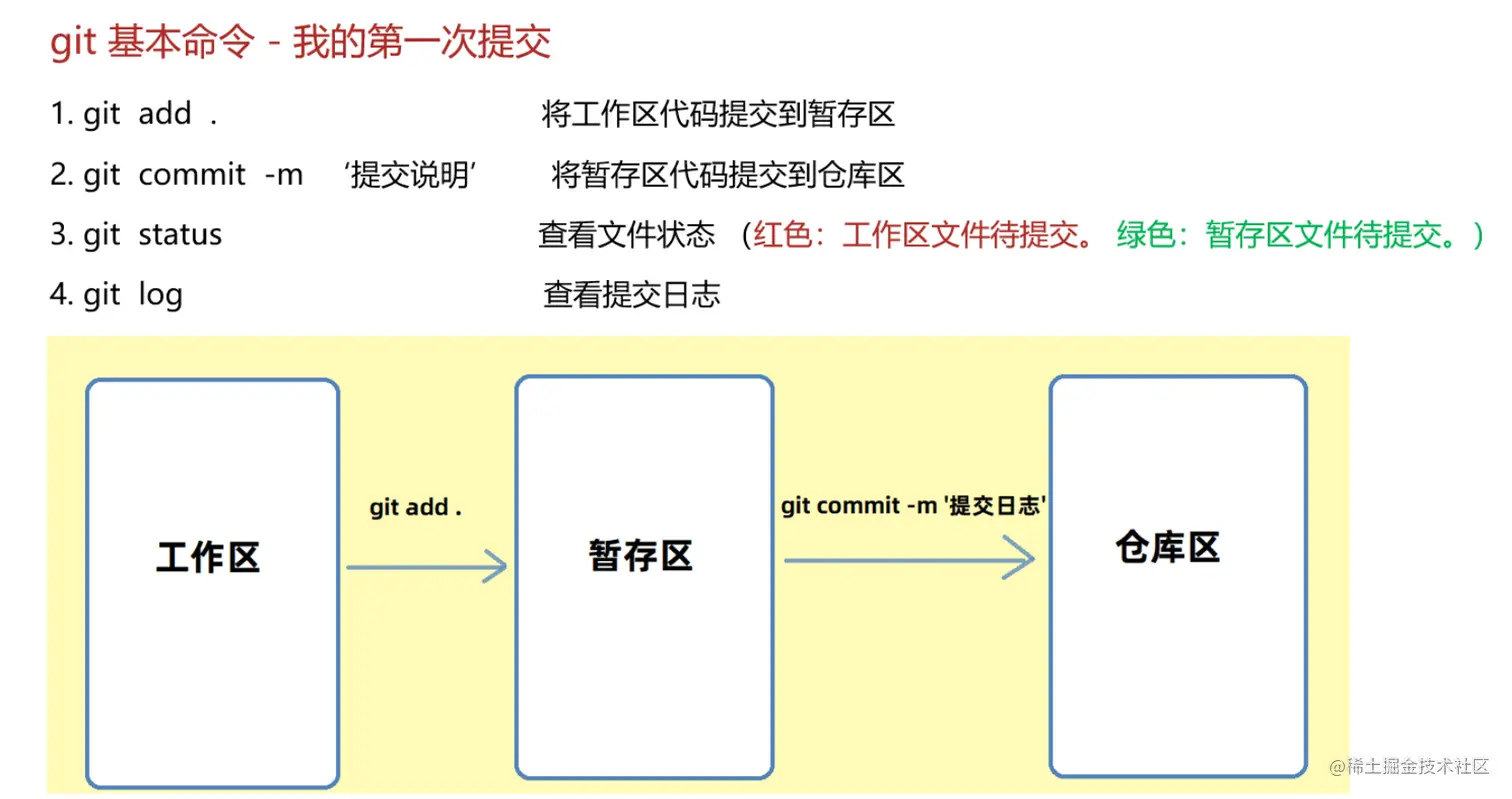
git add <file>- 将文件添加到 Git 的暂存区,准备进行提交。
git add . 或 git add -A - 将当前目录下的所有文件和子目录都添加到暂存区。
git add -u- 将所有已修改(但未被删除)的文件添加到暂存区。
- 提交更改
git commit -m "commit message"- 将暂存区的更改提交到本地仓库,
-m 选项用于指定提交信息。
- 查看仓库状态
git status- 查看当前仓库的文件状态,包括已修改、已暂存或未跟踪的文件。
- 简化的看文件信息
- 拉取远程仓库的更新
- 推送本地提交到远程仓库
- 切换分支
- 合并分支
- 查看当前仓库所有分支
- 撤销修改
- 查看历史信息
git log -n git log --oneline
git log
git log -2
git log --oneline
git log -2 --pretty=oneline
git log -2 --pretty=format:"%h | %an | %ar | %s"
- 版本回退
git reset --hard <CommitID>
git log --oneline
git reset --hard <CommitID>
git reflog
组合指令
- 与远程仓库进行关联绑定
git remote add origin <remote_repository_url>
- 查看已添加的远程仓库列表
- 将当前本地分支的提交推送到名为
<branch_name> 的远程分支,并将二者进行关联。
git push -u origin <branch_name> 或git push --set-upstream origin <branch_name>
- 将新创建的本地分支推送到远程仓库
git push -u origin <branch-name>
- 创建新分支并切换到该分支
git checkout -b <branch_name>
- 解决git status中文显示问题
git config --global core.quotepath false
- 跳过使用暂存区
- 已经提交过的文件修改了,可以直接跳过暂存区,提交到仓库
git commit -a -m "提交" 或git commit -am "update"
- 删除分支
git branch -d <branch_name>- 删除某个分支时不能在该分支上
文件状态
- 未跟踪的文件 指的是,在git仓库目录下,新建的那些文件,一开始都是未跟踪状态
- 已跟踪的文件 是指那些被纳入了版本控制的文件,(已经被
git add .添加过)
1. Untracked 未跟踪

2. 已跟踪
- Unmodify 未修改    ==> 文件从git暂存区,提交到了仓库,文件和仓库中的代码一致
- Modified 已修改
- Staged 已暂存
如何生成ssh-key秘钥
ssh-keygen -t ed25519 -C "xxxxx@xxxxx.com"
cat ~/.ssh/id_ed25519.pub
ssh -T git@gitee.com