一、CSS样式隐藏属性
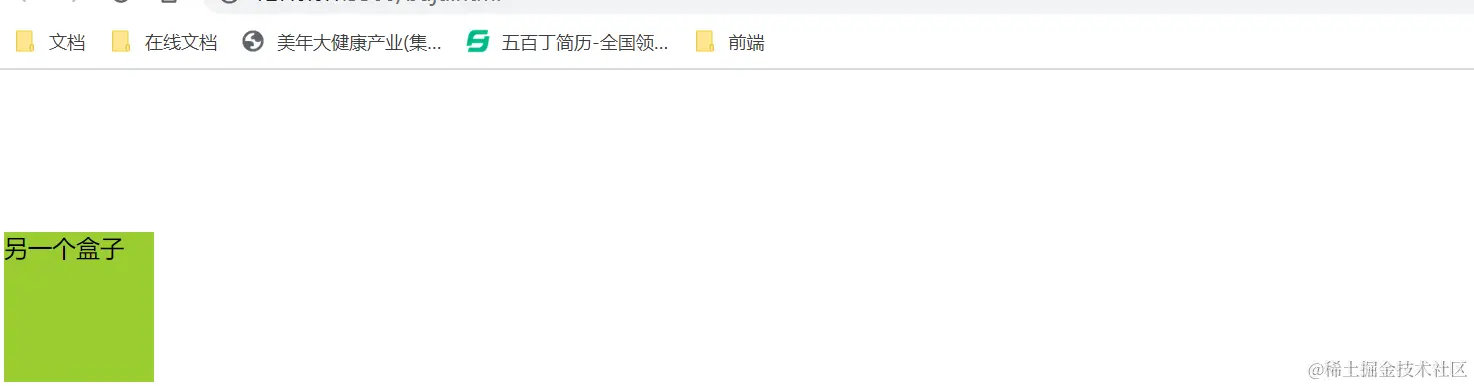
1、display:none;
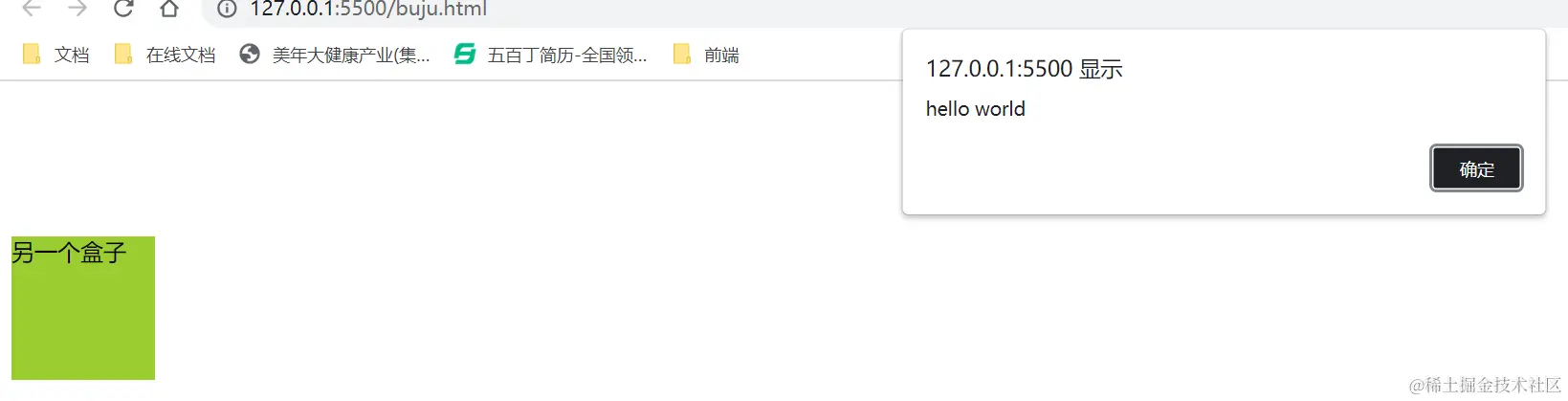
2、opacity:0;
3、visibility:hidden;
二、隐藏属性间的区别
1、display:none 隐藏
不会占据原来的位置
2、opacity:0 隐藏
会占据原来的位置,可以点击触摸等
2、visibility:hidden 隐藏
会占据原来的位置,不可以进行点击触摸等
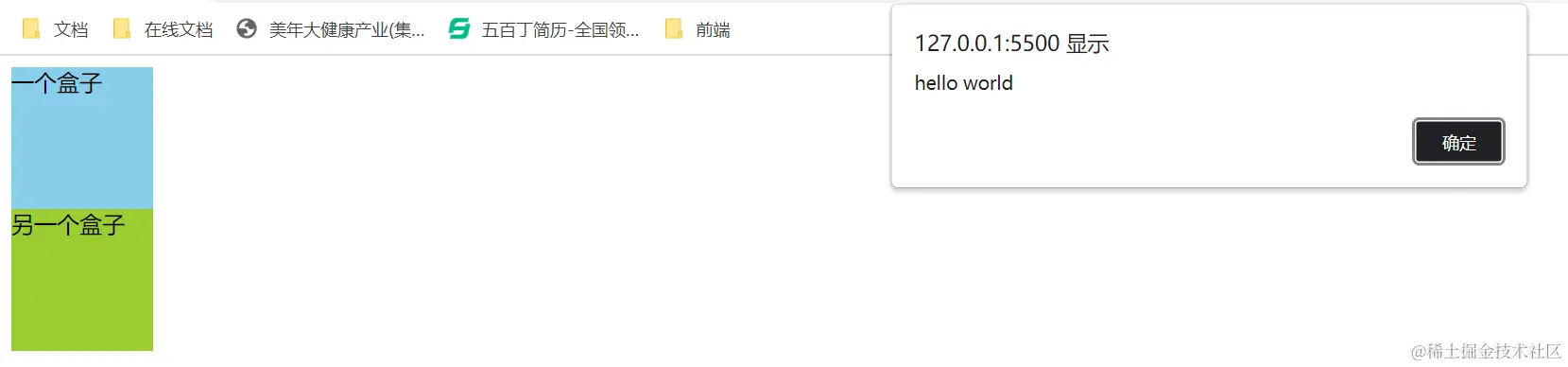
三、各隐藏属性效果图展示
未隐藏时代码
css:
<style>
        .father {
            height: 200px;
        }
       .one{
            width: 100px;
            height: 100px;
            background-color: skyblue;
           }
        .other{
            width: 100px;
            height: 100px;
            background-color: yellowgreen;
        }
    </style>

  html:
  div class="father">
        <div class="one">一个盒子</div>
        <div class="other">另一个盒子</div>
    </div>

 js:
 <script>
        let one = document.querySelector('.one')
         one.onclick = ()=>{
            alert('hello world')
         }
    </script>
效果图:
display:none隐藏时代码
css:
<style>
        .father {
            height: 200px;
        }
       .one{
            width: 100px;
            height: 100px;
            background-color: skyblue;
            display: none;
        }
        .other{
            width: 100px;
            height: 100px;
            background-color: yellowgreen;
        }
    </style>

  html:
  div class="father">
        <div class="one">一个盒子</div>
        <div class="other">另一个盒子</div>
    </div>

 js:
 <script>
        let one = document.querySelector('.one')
         one.onclick = ()=>{
            alert('hello world')
         }
    </script>
效果图

opacity:0隐藏时代码
css部分:
<style>
        .father {
            height: 200px;
         }
       .one{
            width: 100px;
            height: 100px;
            background-color: skyblue;
            opacity: 0;
            }
        .other{
            width: 100px;
            height: 100px;
            background-color: yellowgreen;
         }
    </style>

   html部分:
    <div class="father">

        <div class="one">一个盒子</div>
        <div class="other">另一个盒子</div>
    </div>

    js部分:
    <script>
        let one = document.querySelector('.one')
         one.onclick = ()=>{
            alert('hello world')
         }
    </script>
效果图片:
visibility:hidden隐藏时代码
css部分:
<style>
        .father {
            height: 200px;
         }
       .one{
            width: 100px;
            height: 100px;
            background-color: skyblue;
            visibility:hidden;
            }
        .other{
            width: 100px;
            height: 100px;
            background-color: yellowgreen;
         }
    </style>

   html部分:
    <div class="father">

        <div class="one">一个盒子</div>
        <div class="other">另一个盒子</div>
    </div>

    js部分:
    <script>
        let one = document.querySelector('.one')
         one.onclick = ()=>{
            alert('hello world')
         }
    </script>
效果图: