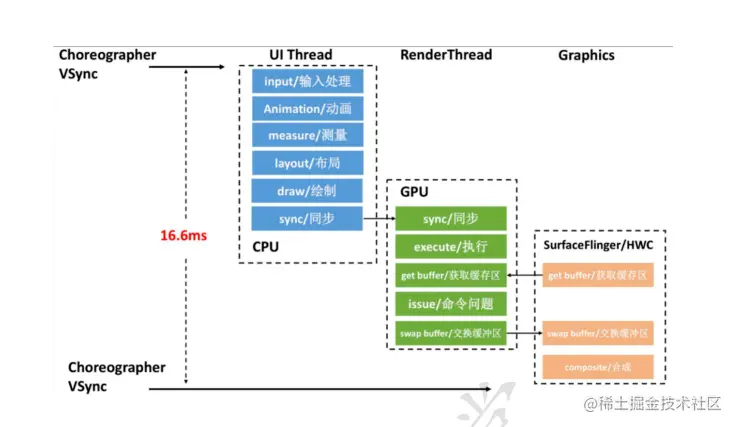
1、渲染流程
2、systrace
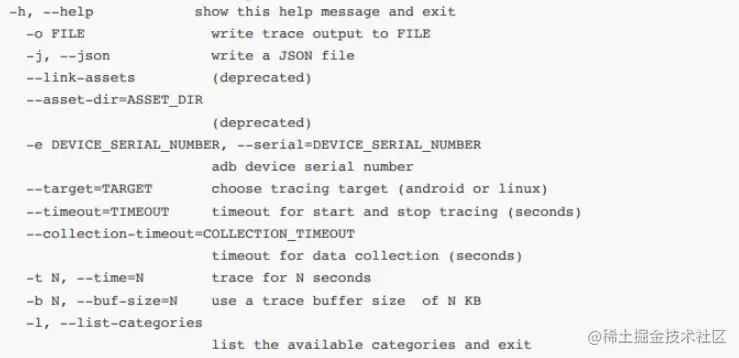
- 关键的option -a -e device -t -b buffer(Kb)权限 root
- systrace的使⽤ Frame、alert、时间分⽚、看具体的app⾥⾯的CPU+GPU
- 线上的release的app?反射来操作 setAppTracingAllowed
    try {
    Class<?> trace = Class.forName("android.os.Trace");
    Method declaredMethod = trace.getDeclaredMethod("**", boolean.class);
    declaredMethod.invoke(null,true);
    } catch (ClassNotFoundException | NoSuchMethodException |
    IllegalAccessException | InvocationTargetException e) {
    e.printStackTrace();
}
3、卡顿线上监控
Looper.getMainLooper().setMessageLogging()
CpuSampler:cpu的采集
StackSampler:堆栈采集
Looper的原理 怎么就能判断 卡顿
hander.postMessage--->mainLooper----消息队列--->print(T1)--->dispatchMessage--->print(T2)
T2-T1 dump
dispatchMessage中 postDelay 做采集
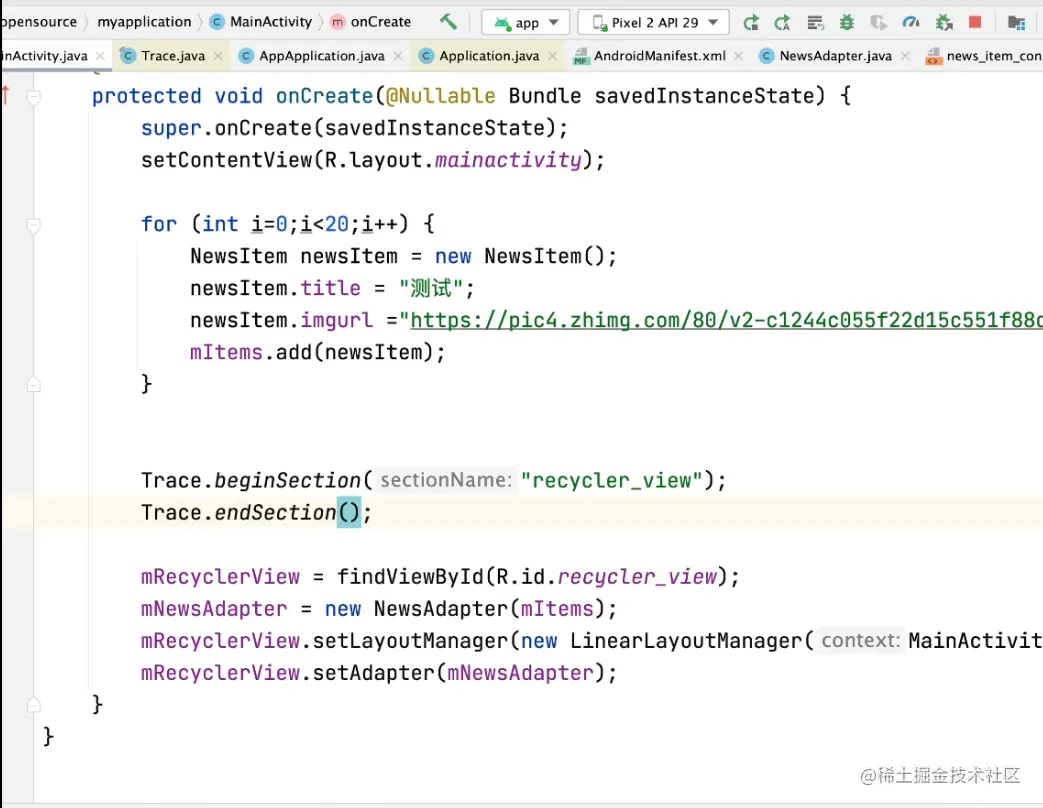
    可以通过找标签来算时间。
    并发动画 有个监听,在activity结束后还执行就是掉帧。
    systrace的使用
    fragment可能有问题  onCreate。
    用beginSection和endSection查看耗时。
4、android 布局加载原理(布局优化x2c的思路)
- cliprect canvas
- 字节在面试中说一套东西和x2c类似
- xml的资源进行View的转换(inflate) setContent --> layout inflate --->xmlResourceparse
缺点:反射(通过解析xml 的 tag 创建新对象)   IO开销 (XML从磁盘加载到内存)
AppCompactActivity/LayoutInflaterCompat-》
AppCompatDelegate-》
AppCompatDelegateImpl-》
AppCompatViewInflater-》createButotn->new AppCompatButton
布局的优化:
找到主页面空间的加载耗时 做到心中有数
解决?
- 异步布局加载(xml  但是不要有fragment)
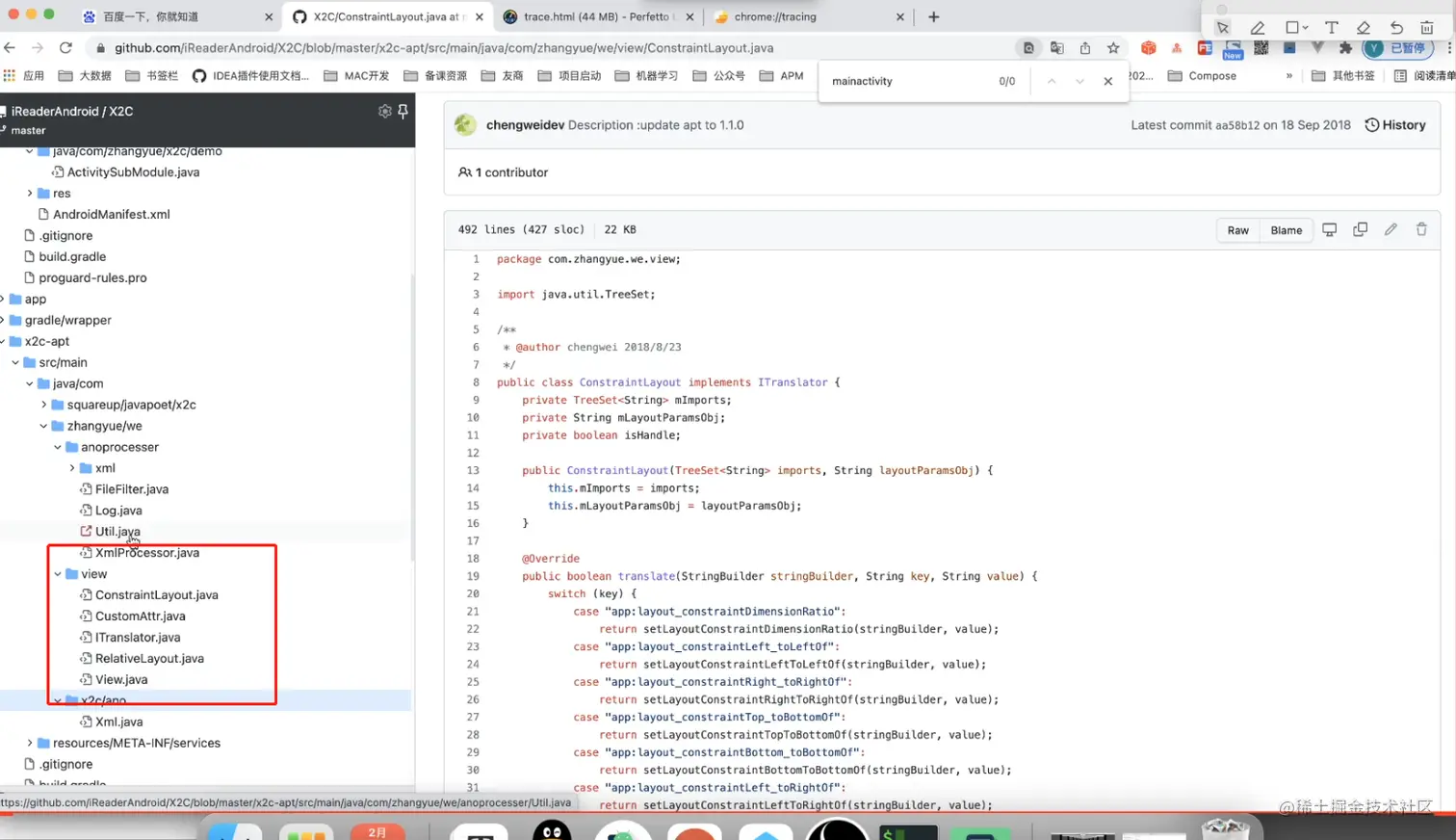
- new对象 X2C  (本质是编译时注解,编译完addview,不需要做注解)
- Asynclayoutinflater inflate 放到子线程中 转化到主线程。真正的inflate在子线程中,然后通过消息 机制传给主线程。
5、X2C
- 缺点:
- 兼容性有点问题, 代码优化常用的库可以在下述框框中改