要封装的选择器效果:
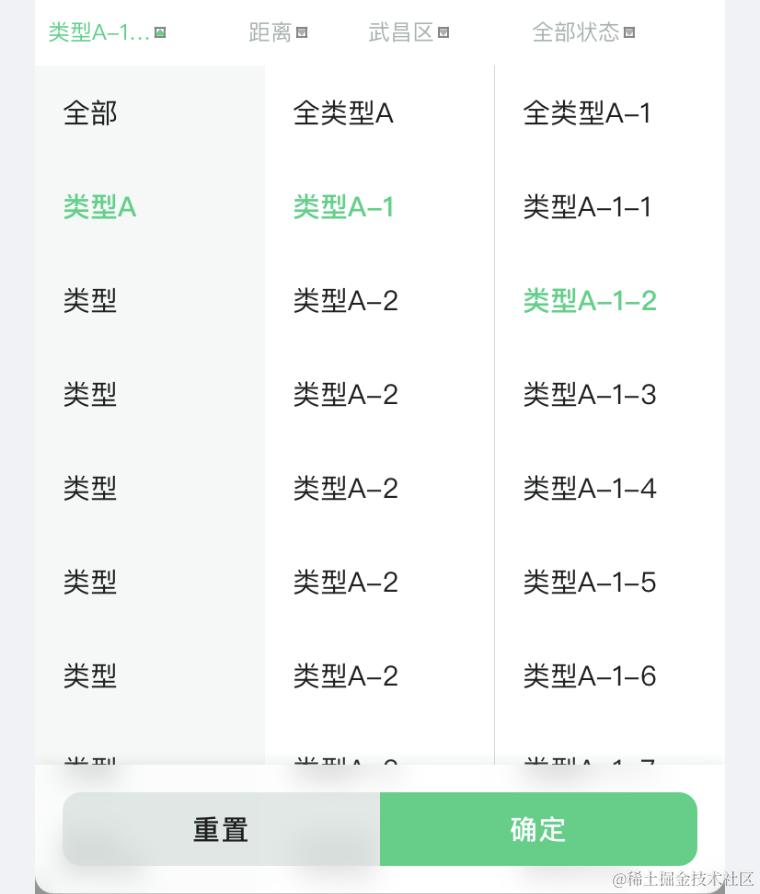
这种选择器在app中也是非常常见的,跟树形组件很像,主要用到的是vue中的递归组件。
递归组件:组件是可以在它们自己的模板中调用自身的。在三级联动选择器的情况下,每个级别的选择器都是相同的组件类型,可以通过递归来实现。不过它们只能通过 name 选项来做这件事:
数据结构:
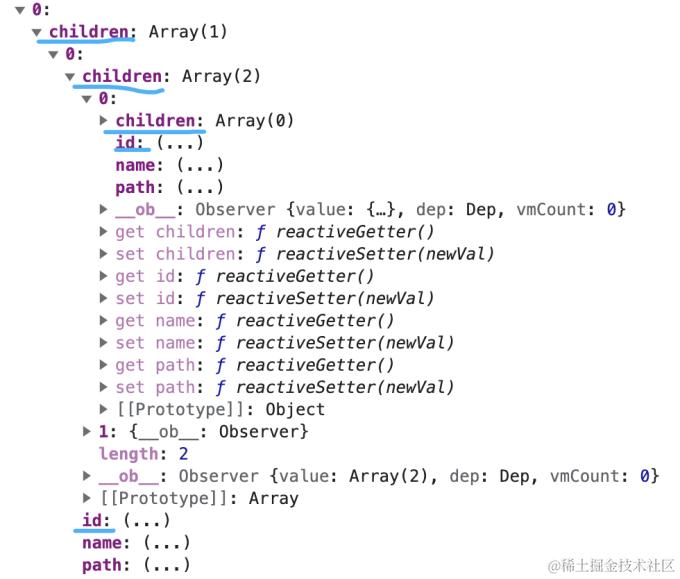
大概过程:
●默认展示全部和第一级数据,点击上一级的时候再展示下一级的数据,再次点击时就关闭下级数据
●切换上级数据时,要把之前的下级数据全部重置,更新下一级的选项
注意事项:
●使用递归组件时,确保递归终止条件正确设置。如果没有子级选项可供渲染,应该终止递归并显示最后一级的选项
●在处理选项改变时,避免无限循环。当父级选项改变时,子级选项也会随之改变,这可能导致无限循环。确保在更新选项时使用合适的条件进行判断,避免无限递归
●如果数据量较大,可以考虑使用异步加载选项,只在需要时请求下一级选项的数据,以提高性能和用户体验(下述代码未实现)\
实现的过程中遇见的问题:
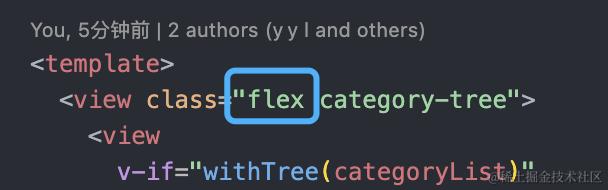
1. 下级组件无法刚好展示在上级组件的右边,而是竖着展示的
解决方法:给组件设置flex属性即可
2. 在切换一级数据时,二级数据会更新,但三级数据不会更新
原因1:因为在更新二级数据时,没有重新设置三级数据。
在 Vue.js 中,当父组件的数据更新时,会触发子组件的重新渲染。但是,当子组件接收到新的 props 数据时,并不会自动重新渲染子组件的子组件。这意味着,即使您通过 props 将新的二级数据传递给了子组件,但子组件的子组件仍然保留着旧的三级数据。
解决1: 在父组件更新二级数据时,同时更新三级数据
原因2: 在 setSubCategoryData 方法中切换子类别数据并更新 subCategoryData,但是当切换一级数据时并没有重置 subCategoryData。
解决2: 在切换一级数据时通过重置 subCategoryData 和 currentActiveIndex 将子类别数据重置为初始状态。
递归组件 IotCategoryTree 使用了 v-if 条件来判断是否需要渲染子组件。当 subTreeData 发生变化时,v-if 条件会重新计算,从而触发子组件的重新渲染。
所以当切换一级数据时,subTreeData 应该被重置为空数组,并且递归组件 IotCategoryTree 应该自动重新渲染子组件及其子组件。
3. 滑动遮罩层,遮罩层下面的元素也会滑动
解决1: 在父组件中监听遮罩层的显隐,手动设置overflow的值
eg:
watch: {
    filterListVisible(val) {
      const el = document.getElementsByClassName('dropdownFilter')
        if (val) {
            el[0].style.overflow = 'hidden'
        } else {
            el[0].style.overflow = 'scroll'
          }
        }
    },
但是这段代码在H5生效,在APP不生效,后来发现是因为 uniapp是没有document(window也一样)的,这样写获取不到元素。
于是我就想着能不能通过refs来获取,于是我写了 .$refs.dropdownFilterRef.$el
但是它没有生效,问了chatGPT,它说是因为:
在 Vue 中,直接使用this.$refs.myElement.$el是无法直接修改样式的,因为 $el 返回的是普通的 DOM 元素,不具备 Vue 的响应式能力。
既然这样,那我们就用符合vue响应式的方式,利用数据绑定的优势来动态控制节点的样式,于是我又写了
并给相应的元素进行绑定 :style="elementStyle"
👏终于生效!
设置完这个之后,我又想给CategoryTree组件设置内部滚动(BCD单独滚动),并且每一列不会互相影响,大概就是这个意思,如图:
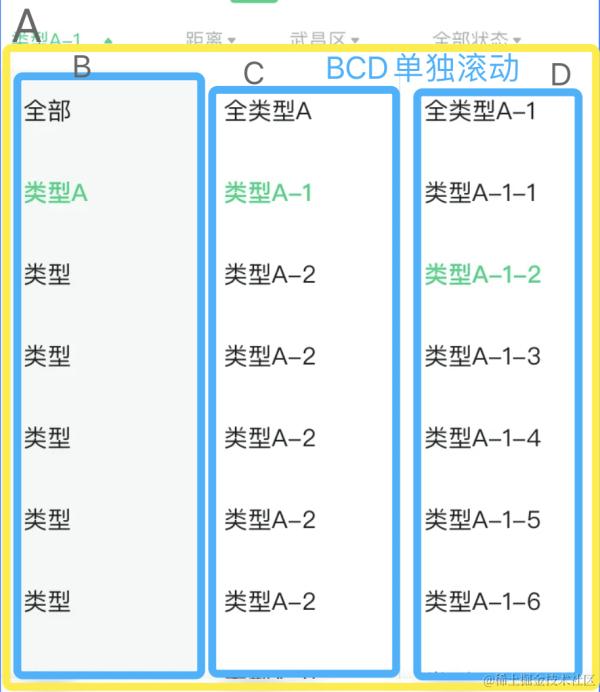
这个就比较简单了,给.category元素加上overflow-y: scroll即可(注⚠️:是给.category加,不是给.category_content元素加,给.category_content加的话就会变成整个A一起滚动)\
优化后代码:
CategoryTree.vue
<template>
    <view class="flex category-tree box-border">
        <view
            v-if="withTree(categoryList)"
            class="category box-border"
            :style="{
                backgroundColor: bgColorShow ? '#f5f8f7' : '#fff',
                borderLeft: !borderShow ? 'none' : '1px solid #CEDBD5'
            }"
            v-bind="$attrs"
        >
            <view
                class="category_content"
                v-for="(item, index) in [
                    { name: '全部', id: null, path: '' }
                ].concat(categoryList)"
                :key="item.id"
            >
                <view
                    @click="setSubCategoryData(item, index)"
                    :style="{
                        color:
                            currentActiveIndex === index ? '#2CD181' : '#1D201E'
                    }"
                    >{{ item.name }}</view
                >
            </view>
        </view>
        <CategoryTree
            ref="subCategory"
            class="subCategory"
            v-if="withTree(subCategoryData)"
            :originCategoryList="subCategoryData"
        >
        </CategoryTree>
    </view>
</template>
<script>
export default {
    name: 'CategoryTree',
    props: {
        originCategoryList: {
            type: Array
        },
        getTreeDataApi: {
            type: Function
        }
    },
    inject: ['confirmCategoryValue'],
    data() {
        return {
            categoryList: [],
            subCategoryData: [],
            currentActiveIndex: 0,
            showSubCategory: false,
            bgColorShow: false,
            borderShow: false,
            currentActiveId: ''
        }
    },
    watch: {
        originCategoryList: {
            handler() {
                if (this.getTreeDataApi) {
                    this.getCategoryList()
                } else if (this.originCategoryList) {
                    this.categoryList = this.originCategoryList
                    if (
                        this.categoryList[0] &&
                        this.categoryList[0].path.split('/').length - 1 === 3
                    ) {
                        this.borderShow = true
                    }
                } else {
                    this.categoryList = []
                }
                this.subCategoryData = []
                this.setCurrentIndexValue(0)
            },
            deep: true,
            immediate: true
        }
    },
    methods: {
        getCategoryList() {
            this.getTreeDataApi().then((data) => {
                this.categoryList = data
                if (
                    this.categoryList[0] &&
                    this.categoryList[0].path.split('/').length - 1 === 1
                ) {
                    this.bgColorShow = true
                }
            })
        },
        setSubCategoryData(data, index) {
            if (index === this.currentActiveIndex && index !== 0) {
                this.subCategoryData = []
                this.setCurrentIndexValue('')
            } else if (data.children) {
                this.subCategoryData = data.children
                this.setCurrentIndexValue(index)
            } else {
                this.resetSubCategory()
            }
            this.currentActiveId = data.id
            this.confirmCategoryValue('deviceTypeId', this.currentActiveId)
        },
        resetSubCategory() {
            this.confirmCategoryValue('deviceTypeId', null)
            this.subCategoryData = []
            this.setCurrentIndexValue(0)
        },
        setCurrentIndexValue(value) {
            this.currentActiveIndex = value
        },
        withTree(data) {
            return data && data.length
        }
    }
}
</script>
<style lang="scss" scoped>
.category-tree {
    .category {
        width: 250rpx;
        height: 800rpx;
        /* padding-bottom: 190rpx; */
        background-color: #f5f8f7;
        overflow-y: scroll;
        &_content {
            margin: 30rpx 30rpx 60rpx;
        }
        &_content:last-child {
            padding-bottom: 190rpx;
            margin-bottom: 30rpx;
        }
    }
}
</style>
这样一个三级联动选择器就实现成功啦,如有什么问题和可以改进的地方欢迎大家进行指正!