一、全局TOPIC数据周期管理
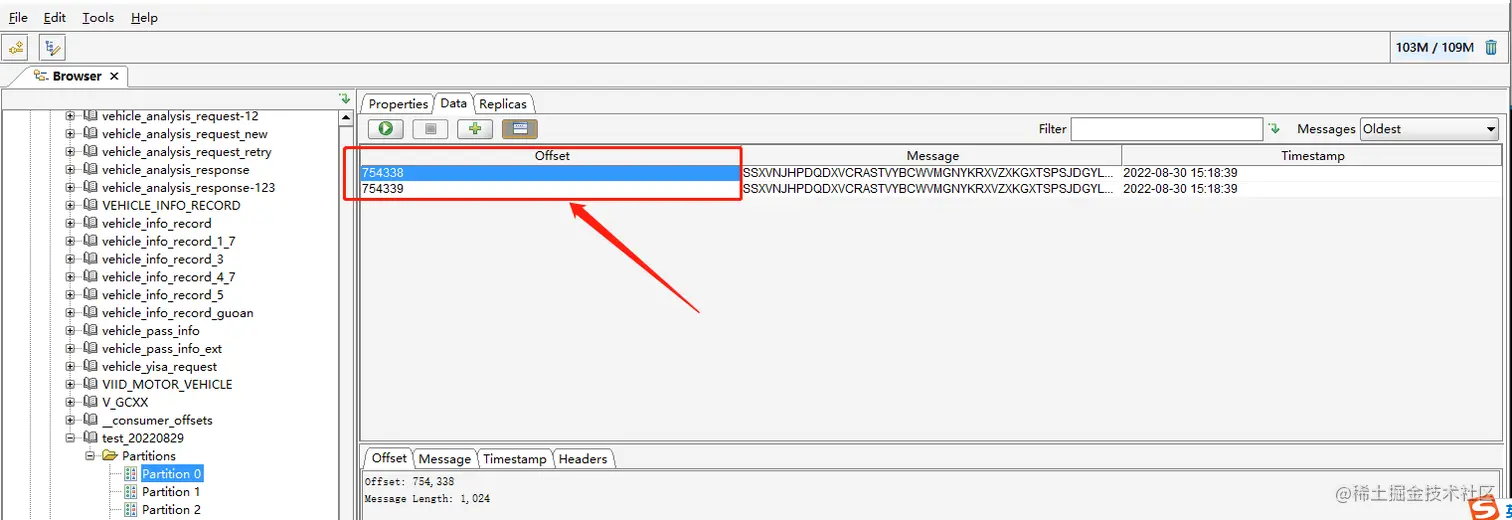
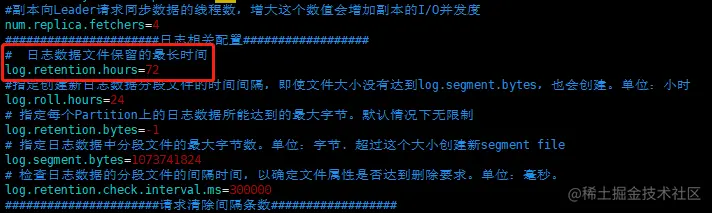
1.  vim /kafka/config/server.properties
2.  log.retention.hours保留为最长时间
3.  重启kafka服务
二、单个TOPIC数据周期管理
方式一:
./kafka-topics.sh --zookeeper localhost:2181/kafka -topic topic --alter --config retention.ms=ms(单位毫秒需要自行转换单位)
方式二: ./kafka-configs.sh --zookeeper localhost:2181/kafka --entity-type topics --entity-name test_20220829 --alter --add-config retention.ms=ms(单位毫秒需要自行转换单位)
执行结果返回: Completed Updating config for entity: topic 'test_20220829'.
验证方式: ./kafka-topics.sh --zookeeper localhost:2181/kafka --topic topic --describe
返回结果:
Topic:test_20220829 PartitionCount:15 ReplicationFactor:1 Configs:retention.ms=259200000
Topic: test_20220829 Partition: 0 Leader: 0 Replicas: 0 Isr: 0
Topic: test_20220829 Partition: 1 Leader: 0 Replicas: 0 Isr: 0
Topic: test_20220829 Partition: 2 Leader: 0 Replicas: 0 Isr: 0
Topic: test_20220829 Partition: 3 Leader: 0 Replicas: 0 Isr: 0
Topic: test_20220829 Partition: 4 Leader: 0 Replicas: 0 Isr: 0
注:不用重启kafka,立即生效
三、手动清理某个TOPIC部分数据
3.1、kafka正常启动情况
格式:./kafka-delete-records.sh
删除json文件: {"partitions": [{"topic": "example", "partition": 0, "offset": -1}],"version":1}
注: offset填写-1意味着topic分区数据全删除 offset是分区数据中的offset,并不是消费者的offset,执行后会立即生效,offset比最旧的数据offset还前则不会生效
返回结果:
[root@172-25-21-29 bin]# ./kafka-delete-records.sh
Executing records delete operation
Records delete operation completed:
partition: test_20220829-0 low_watermark: 8000000
kafka2.10版本以下不支持该功能提示:
Executing records delete operation
Records delete operation completed:
partition: test_20220829-0 error: org.apache.kafka.common.errors.UnsupportedVersionException: The broker does not support DELETE_RECORDS
3.2、kafka无法正常启动情况
1、查看日志目录存储位置
cat /kafka/config/server.properties | grep -E 'log.dirs|log.dir'
2、进入kafka日志目录需要删除某个topic某个分区存储位置
cd /data/kafka/kafka-logs/test_20220829-0
3、根据时间排序
ls -lrt
4、删除最旧的log、timeindex、index文件
5、启动kafka nohup ./kafka-server-start.sh ../config/server.properties 1>/dev/null 2>&1 &
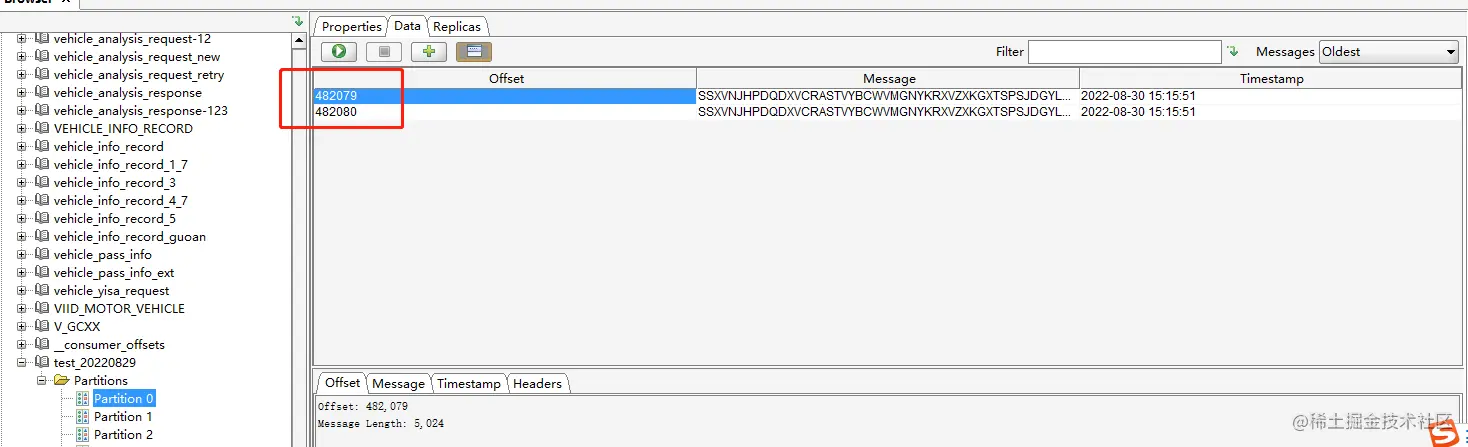
效果图:

重启前:
重启后: