作为一个后端开发,现在也要做前端的功能,只能边做边学习。
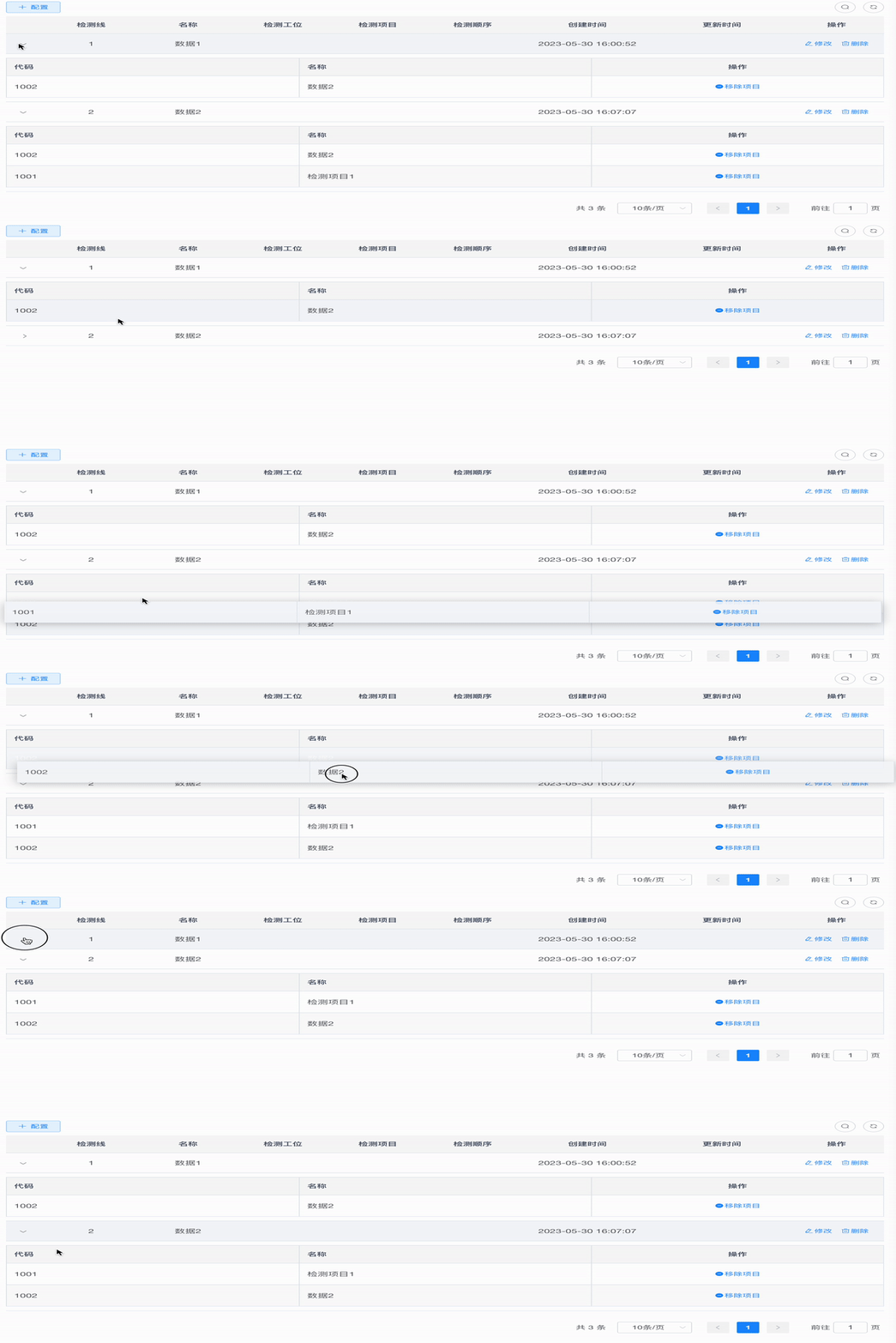
直接上代码吧
组件:
<template>
  <el-table row-key="id" :data="tableData" stripe border style="width: 100%">
    <el-table-column
      v-for="(item, index) in colList"
      :key="index"
      :prop="dropCol[index].prop"
      :label="item.label"
      :width="item.width || width"
      :class-name="item.cName"
    >
      <template v-if="item.slot">
        <slot :name="item.slot"></slot>
      </template>
    </el-table-column>
    <el-table-column label="操作" align="center" >
      <template slot-scope="scope">
        <el-button type="text" icon="el-icon-remove" size="small"   @click="deleteItem(scope.row)">移除项目</el-button>
      </template>
    </el-table-column>
  </el-table>
</template>
<script>
  export default {
    name: 'SortDrag',
    props: {
      tableData: {
        type: Array,
        default: () => [],
      },
      colList: {
        type: Array,
        default: () => [],
      },
      dropCol: {
        type: Array,
        default: () => [],
      },
      width: {
        type: Number,
        default: null,
      },
    },
    methods:{
      deleteItem(row){
        this.$emit('deleteItem',this.tableData, row )
      }
    }
  };
</script>
VUE中的表格代码
    <el-table v-loading="loading" :data="xxList" default-expand-all @expand-change="openExpand">
      <el-table-column type="expand">
        <template slot-scope="props">
          <div :class="['sortDiv' + `${props.row.id}`]">
            <SortDrag :tableData="props.row.xxList" :dropCol="dropCol" :colList="colList" @deleteItem="deleteItem">
            </SortDrag>
          </div>
        </template>
      </el-table-column>
      <el-table-column label="检测线" align="center" prop="Num"/>
      <el-table-column label="名称" align="center" prop="Name"/>
      <el-table-column label="工位" align="center" prop="StationNum"/>
      <el-table-column label="项目" align="center" prop="code"/>
      <el-table-column label="顺序" align="center" prop="sort"/>
    </el-table>
js部分方法,项目相关进行部分脱敏处理
<script>
import SortDrag from '@/components/SortDrag';
import Sortable from 'sortablejs';
export default {
methods: {
deleteItem(row){
xx(row.id).then(resp =>{
if (resp.code === 200){
this.$modal.msgSuccess('移除成功');
this.getList();
}
})
},
openExpand(row, expended) {
const isExpend = expended.some(r => r.id === row.id)
if (isExpend) {
this.$nextTick(() => {
this.rowDrop(row.id)
})
}
},
getData() {
this.dropCol = [
{label: '代码', prop: 'code'},
{label: '名称', prop: 'name'},
];
this.colList = [
{label: '代码', prop: 'code'},
{label: '名称', prop: 'name'},
];
},
rowDrop(id) {
const tbody = document.querySelector('.sortDiv' + id + ' .el-table__body-wrapper tbody');
const _this = this;
Sortable.create(tbody, {
animation: 180,
delay: 0,
onEnd({newIndex, oldIndex,item,to}) {
_this.cXXList.some(row => {
if(row.id === id){
const currRow = row.cXXList.splice(oldIndex, 1)[0];
row.cXXList.splice(newIndex, 0, currRow);
const sortList = row.cXXList.map((item,index) => {
return {'index':index, 'id':item.checkSortId}
})
updateXX(sortList).then(resp =>{
if (resp.code != 200){
this.$model.msgError("修改顺序失败!");
}
})
}
})
},
onChange({newIndex}){
}
});
},
getList() {
this.loading = true;
xxSort(this.queryParams).then(response => {
this.cXXList = response.rows;
this.total = response.total;
this.loading = false;
this.$nextTick(() => {
for (let i = 0; i < this.cXXList.length; i++) {
this.rowDrop(this.cXXList[i].id);
}
})
});
},
},
name: "App",
components: {
SortDrag,
},
data() {
return {
..
};
},
created() {
this.getList();
this.getData();
},
mounted() {
}
};
</script>