
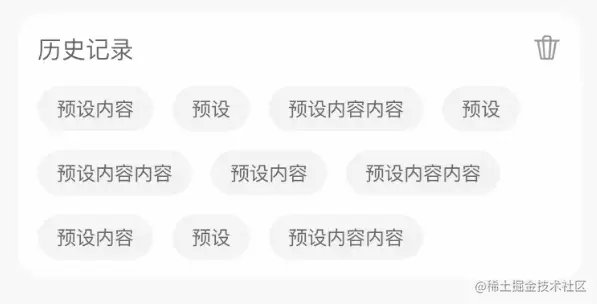
历史记录
class Cache<T> {
key: string
storage: T[]
maxLength: number
constructor(key: string, maxLength: number = 10) {
this.key = key
this.maxLength = maxLength
this.get()
}
get() {
const arr = lo(this.key)
return (this.storage = Array.isArray(arr) ? arr : [])
}
set(val: T[]) {
this.storage = val
uni.setStorageSync(this.key, val)
}
remove() {
this.storage = []
uni.removeStorageSync(this.key)
}
delete(index: number) {
this.storage.splice(index, 1)
this.set(this.storage)
}
save(key: T) {
const { storage: his = [], maxLength } = this,
index = his.length
if (!index) his.unshift(key)
else {
const flag = !his.some((_) => JSON.stringify(_) === JSON.stringify(key))
if (index < maxLength) {
if (flag) his.unshift(key)
} else {
if (flag) {
his.pop()
his.unshift(key)
}
}
}
this.set(his)
}
}
export default Cache
使用
<template>
<div class="h86vh" overflow-y-auto overflow-x-hidden>
<div bg="#F8F8F8" p="x-24rpx y-16rpx" text-28 between relative>
<input
flex-1
bg-white
b-rd-36rpx
p="t16rpx r16rpx b14rpx l68rpx"
v-model="keyword"
placeholder-style="color:#ccc"
placeholder="请输入要查询的内容"
@confirm="search"
/>
<i i-ri-search-line text="#999 32" absolute left-48 />
<span ml24rpx text="#ccc" @click="cancel">取消</span>
</div>
<div p24rpx text="#666 24">
<div between text-30>
<span>历史搜索</span>
<span i-octicon-trash-24 @click="show = true" />
</div>
<div flex items-center flex-wrap>
<div
v-for="(item, index) in history"
:key="index"
bg="#F3F3F3"
b-rd-32
p="x24rpx y10rpx"
m="r24rpx t24rpx"
@click="searchHistory(item)"
>
{{ item }}
</div>
</div>
</div>
</div>
<Modal
:show="show"
content="是否删除所有历史记录?"
cancelText="取消"
confirmText="确定"
@cancel="show = false"
@confirm="remove"
/>
</template>
<script lang="ts" setup>
import { ref, computed } from 'vue'
import Cache from '@/utils/cache'
const emits = defineEmits(['confirm'])
const cache = ref(new Cache<string>('SEARCH_HISTORY')),
keyword = ref(''),
show = ref(false),
history = computed(() => cache.value.storage)
const searchHistory = (item: string) => {
keyword.value = item
search()
}
const remove = () => cache.value.remove()
const search = () => cache.value.save(keyword.value)
</script>