我正在参加「掘金·启航计划」
注:原作者 Pascal Luther ,原文链接:Use Mapbox Popups with Vue 3 。
译:诺克萨斯之手(懦弱之举,我绝不姑息)
Mapbox牛逼。🥳 Vue 3 也牛逼。🥳
不过,将它们放在一起可能有点棘手。
在本文中,我们将了解如何使用 Vue 3 (单个文件)组件作为 Mapbox 弹出窗口的内容,同时保持完全的响应式和 Vue 3 的所有功能。
在步骤 1-3 中,我们将快速设置一个使用 Mapbox 的 Vue 3 项目,并显示一个我们要单击以显示 Dropbox 的图层。如果你已经有这样的项目设置,则可以跳到步骤 4、5。
启动一个vue项目
让我们快速设置一个 Vue 3 与最新版本的 Vue CLI:
npm install -g @vue/clivue create projectname
确保你安装了最新版本的 Vue CLI,所以你创建的项目实际上是一个 Vue 3 项目!
现在运行你的项目,你应该能够在 http://localhost:8080/ 上看到以下内容:npm run serve
“欢迎”应用
我们删除所有不需要的内容,这样我们就会有一个空的 App.vue 文件,如下所示:
<template>
</template><script>
export default {
}
</script>
安装和启动mapbox-gl
译者注:mapbox注册过程请看:可视化大屏:mapbox+vue全攻略
现在让我们安装和设置 Mapbox GL JS 库:
npm install mapbox-gl --save
在你的 App.vue 中添加以下内容:
<template>
<div id="map" />
</template>
<script>
import mapboxgl from "mapbox-gl";
import "mapbox-gl/dist/mapbox-gl.css";
import { onMounted } from "vue";
export default {
setup() {
onMounted(() => {
mapboxgl.accessToken =
"yourAccessToken";
const map = new mapboxgl.Map({
container: "map",
style: "mapbox://styles/mapbox/light-v9",
});
map.on('load', () => {
// TODO: Here we want to load a layer
// TODO: Here we want to load/setup the popup
});
});
return {};
},
};
</script>
<style>
#map {
height: 100vh;
}
</style>
你的应用现在应如下所示:
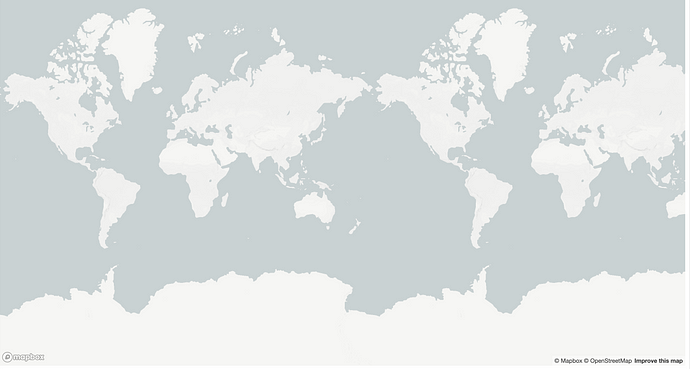
添加mapbox图层
让我们快速添加一个简单的图层,我们要为其设置单击它时应该出现的弹出窗口。我们可以通过在map.on('load') 中添加以下代码来做到这一点:
map.addSource("阿莫里肯", {
  type: "geojson",
  data:
    "https://raw.githubusercontent.com/johan/world.geo.json/master/countries/USA.geo.json",
});
map.addLayer({
  id: "usa-fill",
  type: "fill",
  source: "usa",
  paint: {
    "fill-color": "red",
  },
});
地图现在应如下所示:
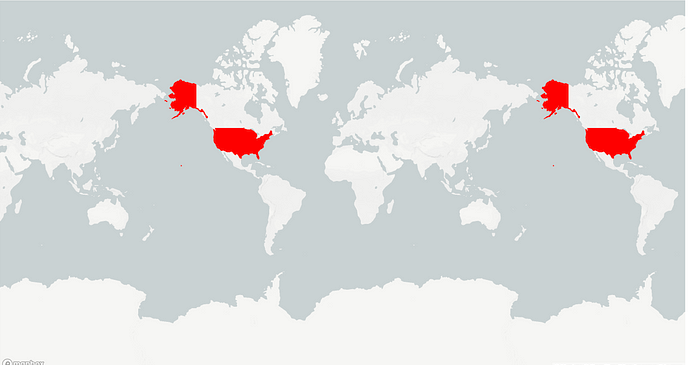
添加一个标准的弹窗
好吧,现在它开始变得有趣了。让我们从添加一个常规的非 vue 弹出窗口开始。在 map.addLayer 之后,添加以下内容:
map.on("click", "usa-fill",  (e)=> {
  new mapboxgl.Popup()
    .setLngLat(e.lngLat)
    .setHTML('Hello World.')
    .addTo(map);
});
现在,如果我们单击阿莫里肯合众国图层,我们将得到这个弹出窗口:
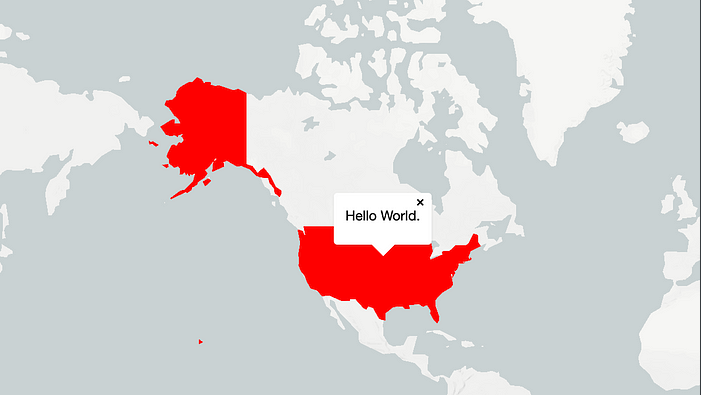
在弹窗中加入vue组件
这一切都很好,很好。但是,如果我们使用多个层,并且我们想通过 vue 动态更新此类弹出窗口的内容,那么这个静态提供的 HTML 将不完全是我们正在寻找的。
使用 Vue 3,我们可以通过以下方式解决此问题。
- 首先,我们在 /components 文件夹中创建一个 MyPopupContent.vue 文件,其中包含以下(最小)内容:
<template>
  {{ title }}
</template>
这将是我们要在弹出窗口中显示的内容。当然,这可以是具有<script/>和<style/>元素的完整单个文件组件。
- 然后,回到 App.vue,我们将弹出窗口的 HTML 从“Hello World”设置为具有特定 ID “popup-content” 的元素:
.setHTML('<div id="popup-content"></div>')
- 第三,仍然在 App.vue 中,我们从 'vue' 导入 MyPopupComponent.vue, 以及 createApp、defineComponent 和 nextTick,如下所示:
import { createApp, defineComponent, nextTick } from 'vue'
import MyPopupContent from '@/components/MyPopupContent.vue'
- 在 .addTo(map) 函数之后,仍在 map.on(“click”) 回调中,我们执行以下操作:
const MyNewPopup = defineComponent({
  extends: MyPopupContent,
  setup() {
    const title = 'This is the USA'
    return { title }
  },
})
nextTick(() => {
  createApp(MyNewPopup).mount('#popup-content')
})
这将创建一个 Vue 组件(扩展我们的 MyPopupComponent.vue),并导出一些动态数据,例如此示例中的标题,我们可以在组件模板中访问它。
之后,我们将组件(作为新的 Vue 应用程序)挂载到 div 上。我们把它放在 nextTick() 之间,以避免在另一个弹出窗口已经打开时打开弹出窗口时出现的渲染问题。
译者注:实测此处使用nextTick可能不起作用,可能因为dom的变化可能不止一次,按实际情况使用即可。
真棒 🥳 !这允许在我们的 Mapbox 弹出窗口中使用 Vue 3 组件甚至单个文件组件——使用我们习惯的所有 Vue 功能。
译者注:看到这里基本上就可以实现了,给你们看一下我实现的效果:
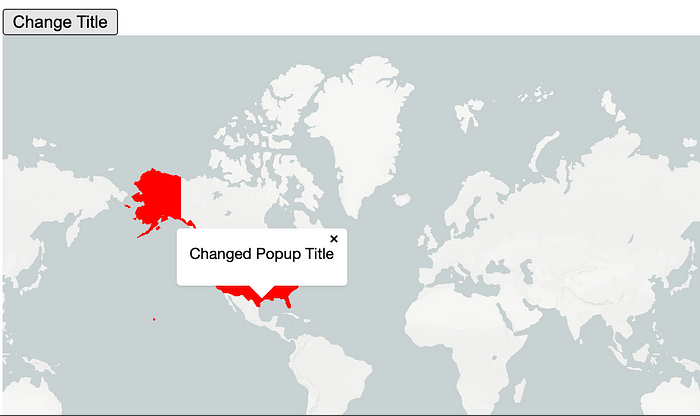
响应式测试
让我们看看响应式是否有效。
让我们通过按钮在外部更改标题。
- 在地图上方的模板中创建按钮
<button @click="title = 'Changed Popup Title'">Change Title</button>
- 在 App.vue 的 setup() 函数中将标题定义为 ref():
import { ref } from "vue"...const title = ref(‘Unchanged Popup Title’)
- 只需返回我的新弹出组件的设置函数:
title
const MyNewPopup = defineComponent({
  extends: MyPopup,
  setup() {
    return { title };
},
瞧 — 如果你单击按钮,弹出窗口中的文本也会更改。
完整代码:
<template>
<button @click="title = 'Changed Popup Title'">Change Title</button>
<div id="map" />
</template>
<script>
import mapboxgl from "mapbox-gl";
import "mapbox-gl/dist/mapbox-gl.css";
import { onMounted } from "vue";
import { createApp, defineComponent, ref, nextTick } from "vue";
import MyPopup from "@/components/MyPopup.vue";
export default {
setup() {
const title = ref("Unchanged Popup Title");
onMounted(() => {
mapboxgl.accessToken = "yourAccessToken";
const map = new mapboxgl.Map({
container: "map",
style: "mapbox://styles/mapbox/light-v9",
});
map.on("load", () => {
// Here we want to load a layer
map.addSource("usa", {
type: "geojson",
data:
"https://raw.githubusercontent.com/johan/world.geo.json/master/countries/USA.geo.json",
});
map.addLayer({
id: "usa-fill",
type: "fill",
source: "usa",
paint: {
"fill-color": "red",
},
});
// Here we want to setup the dropdown
map.on("click", "usa-fill", function (e) {
new mapboxgl.Popup()
.setLngLat(e.lngLat)
.setHTML('<div id="popup-content"></div>')
.addTo(map);
const MyNewPopup = defineComponent({
extends: MyPopup,
setup() {
return { title };
},
});
nextTick(() => {
createApp(MyNewPopup).mount("#popup-content");
});
});
});
});
return { title };
},
};
</script>
<style>
#map {
height: 100vh;
}
</style>
结语
国王以世袭的权柄和虚名逼你下跪,诺克萨斯要你站起来