Python爬虫实战之快手高清无水印视频爬取:以后再也不用去视频水印了.
2.爬取步骤:
1,快手的视频是通过post请求得到的,我们需要知道他是通过怎样的post请求去获取的:
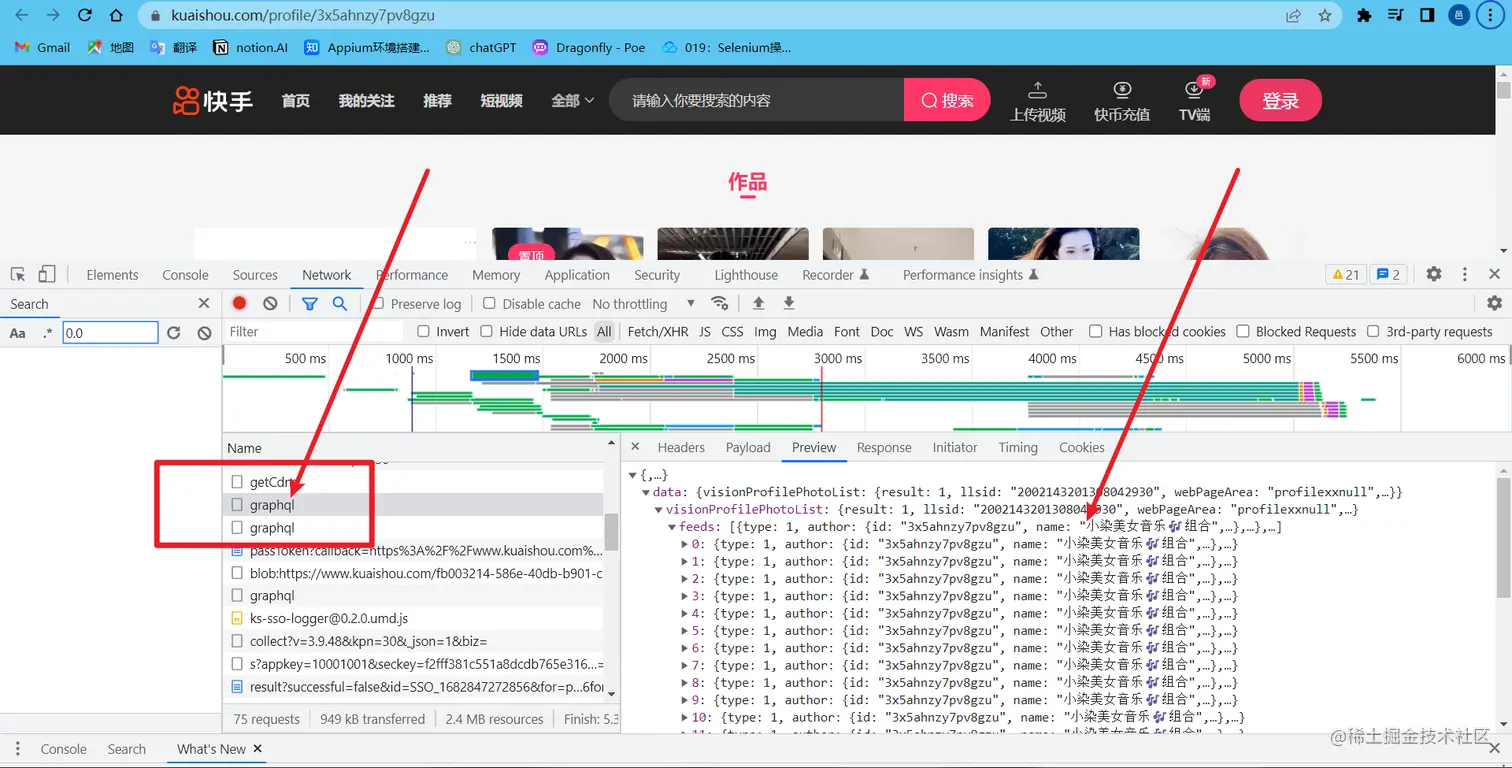
2,通过检查可以发现post请求过来的数据在graphql这个网址里面(注意请求过来的有两个graphql,只有一个是有数据):
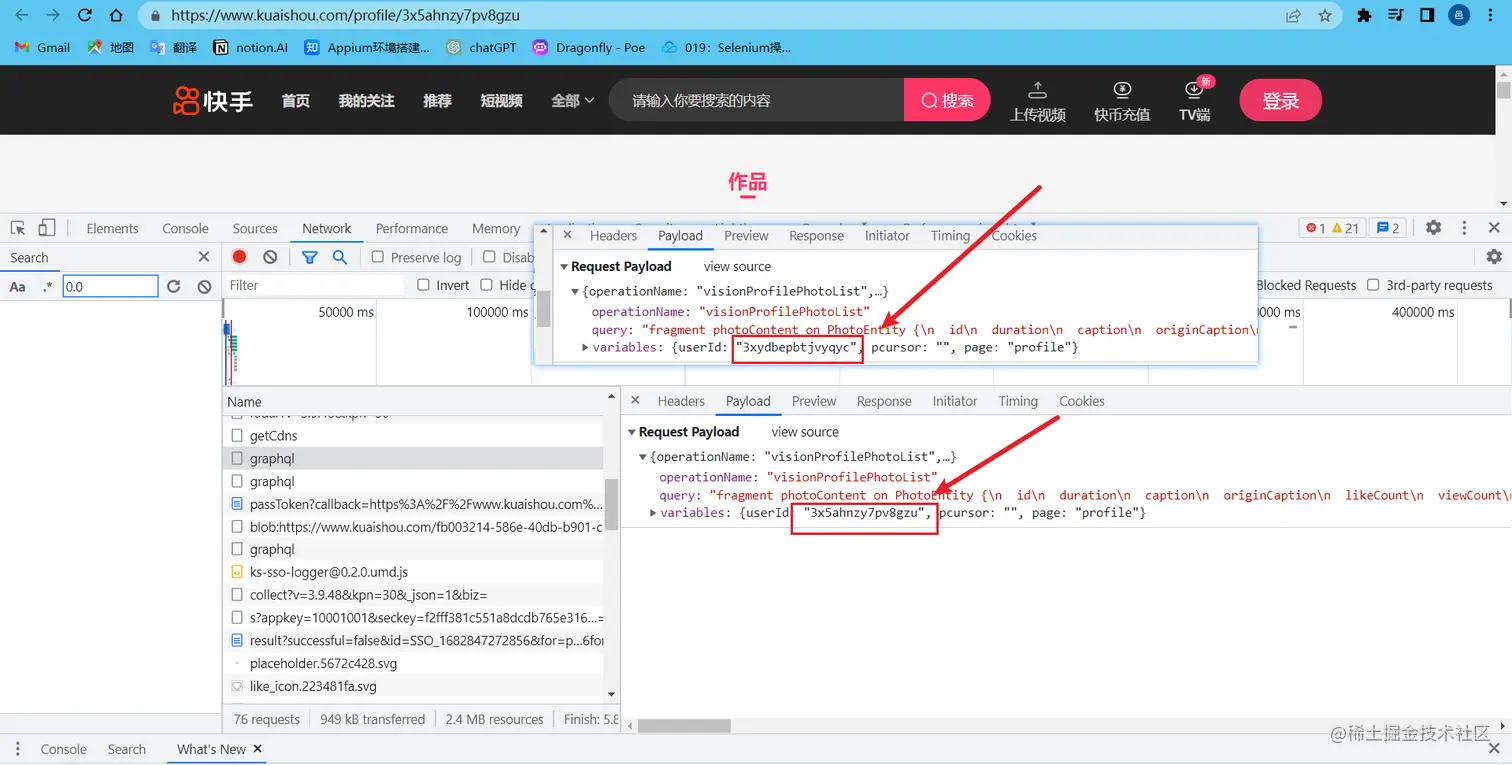
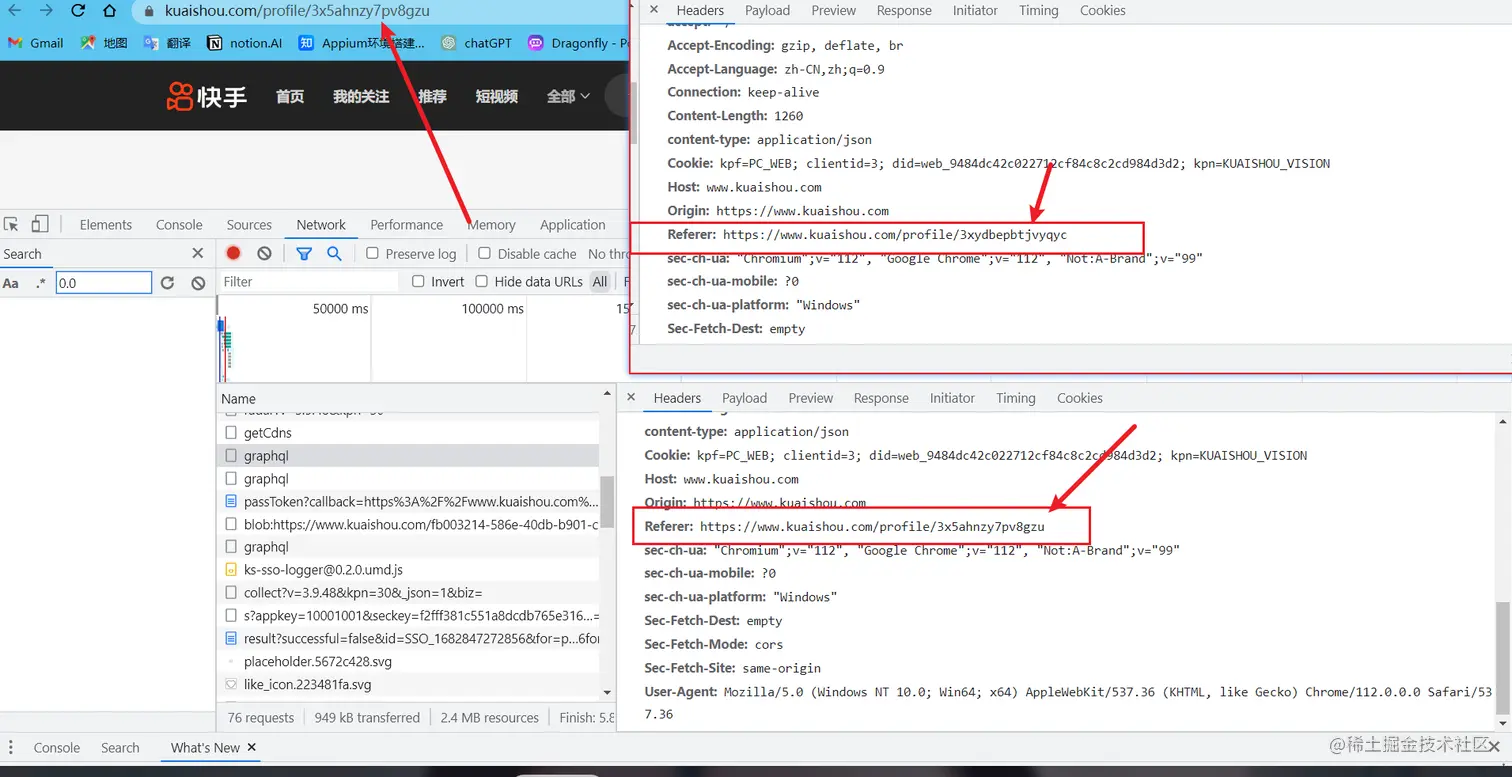
3,与其他博主的主页进行对比发现只有 variables 的userID和Referer是不同的,也就是网址中最后一段标识;
3,分析完成直接代码展示:
import requests
import json
from pprint import pprint
def main(lian_id):
url = 'https://www.kuaishou.com/graphql'
headers = {
'Cookie': 'kpf=PC_WEB; clientid=3; didv=1674819691332; did=web_a5bf1c2bbfdbff8caf853821bd3de0f4; ktrace-context=1|MS43NjQ1ODM2OTgyODY2OTgyLjIyODE3MTE5LjE2NzU1ODcxMzQxNzcuMTUzNDU0|MS43NjQ1ODM2OTgyODY2OTgyLjU1NTcyOTg2LjE2NzU1ODcxMzQxNzcuMTUzNDU1|0|graphql-server|webservice|false|NA; clientid=3; kpn=KUAISHOU_VISION',
'Referer': f'https://www.kuaishou.com/profile/{lian_id}',
'User-Agent': 'Mozilla/5.0 (Windows NT 10.0; Win64; x64) AppleWebKit/537.36 (KHTML, like Gecko) Chrome/99.0.4844.51 Safari/537.36'
}
date = {
'operationName': "visionProfilePhotoList",
'query': "fragment photoContent on PhotoEntity {\n id\n duration\n caption\n originCaption\n likeCount\n viewCount\n realLikeCount\n coverUrl\n photoUrl\n photoH265Url\n manifest\n manifestH265\n videoResource\n coverUrls {\n url\n __typename\n }\n timestamp\n expTag\n animatedCoverUrl\n distance\n videoRatio\n liked\n stereoType\n profileUserTopPhoto\n musicBlocked\n __typename\n}\n\nfragment feedContent on Feed {\n type\n author {\n id\n name\n headerUrl\n following\n headerUrls {\n url\n __typename\n }\n __typename\n }\n photo {\n ...photoContent\n __typename\n }\n canAddComment\n llsid\n status\n currentPcursor\n tags {\n type\n name\n __typename\n }\n __typename\n}\n\nquery visionProfilePhotoList($pcursor: String, $userId: String, $page: String, $webPageArea: String) {\n visionProfilePhotoList(pcursor: $pcursor, userId: $userId, page: $page, webPageArea: $webPageArea) {\n result\n llsid\n webPageArea\n feeds {\n ...feedContent\n __typename\n }\n hostName\n pcursor\n __typename\n }\n}\n",
'variables': {'userId': f"{lian_id}", 'pcursor': "", 'page': "profile"}
}
html = requests.post(url=url, headers=headers, json=date)
feeds = html.json()['data']['visionProfilePhotoList']['feeds']
s = 1
for i in feeds:
s += 1
tite = i['photo']['caption']
url = i['photo']['manifest']['adaptationSet'][0]['representation'][0]['backupUrl'][0]
print(tite, url)
data = requests.get(url=url, headers=headers)
f = open(f'快手高清视频\{s}{tite}.mp4', 'wb')
f.write(data.content)
f.close()
if __name__ == '__main__':
while True:
lian_jie = input("请输入博主主页链接: ")
lian_id = lian_jie.split('/')[-1]
main(lian_id)
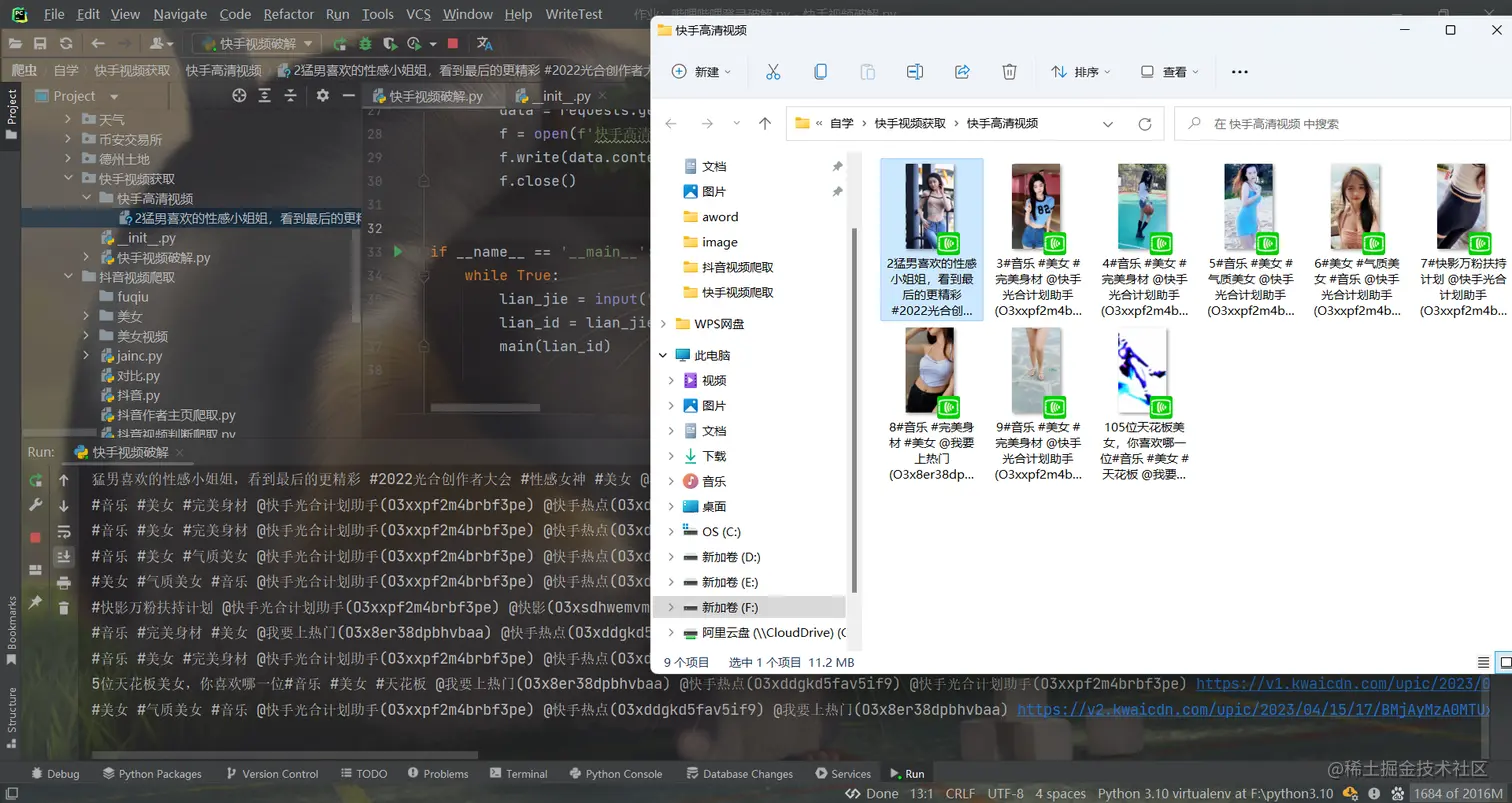
4,爬取效果展示:
5,有什么问题都可以在评论区中评论,或者私信博主,制作不易麻烦给博主留下一个小赞,谢谢!